Feature:

Create professional, pixel-perfect reports with consistent layouts.

Learn more

Release History

12.2.16

Released on Mar 25, 2026

Improvements

Report Viewer

  • Fixed an issue where the parameter prompt does not update on the second attempt when using dynamic expressions.
  • Added support for paragraph indentations in PPT exports.
  • Resolved a text overlapping issue in the ReportViewer preview by introducing the enableFitContentMaxHeight custom property.

12.2.15

Released on Mar 18, 2026

Improvements

Report Designer

  • Resolved incorrect text rendering in the French locale.
  • Added the report name as the title in the print window.
  • Fixed an issue with background image rendering when the StorageProvider is set to Database.
  • Fixed column header support in matrix static headers.

12.2.14

Released on Mar 11, 2026

Improvements

Report Viewer

  • Resolved an issue where the Hide Export List custom property did not work when the property was changed from the designer preview.
  • Fixed an issue where chart report items were not rendered in writer export when special characters were used in the expression.
  • Added the report name as the title in the print window.
  • Improved the memory usage and performance of PDF export when an image item is included in the report.
  • Added support to display the report total at the end of the raw data export.
  • Resolved the maximum depth issue that occurred when adding a new column and previewing the report.

Report Designer

  • Fixed an issue where custom attribute values were not retained when saved as empty, subsequently updated, and then reopened.
  • Stopped appending the tooltip to the body element when opening the dropdown to prevent overriding the CSS styles of child elements within the body.

12.2.13

Released on Mar 4, 2026

Improvements

Report Viewer

  • Resolved the expression evaluation issue of tablix properties when the column group is present.
  • Resolved the background color not applied properly for the table when placed inside another table.
  • Provided the custom property to resolve textbox overlapping issue in the preview in report viewer. Custom Property Name: EnableFitContentMaxHeight Custom Property Value: True

12.2.12

Released on Feb 25, 2026

Improvements

Report Viewer

  • Fixed an issue where the search button was disabled in Classic View when the `showfindbutton` custom property was enabled in Direct Preview of the Report Viewer.
  • Resolved a spacing issue between two text boxes to align with SSRS behaviour.

12.2.11

Released on Feb 18, 2026

Improvements

Report Viewer

  • Fixed an issue where the Search button filter was not working in direct preview when the search box was enabled using the custom property `showfindbutton` in the Report Viewer.
  • Provided text orientation support for striplines.
  • Resolved an issue with merged cell row spans in the Report Viewer.
  • Resolved an issue where the Tablix bottom border was overlapped by the cell bottom border in PDF exports.

Report Designer

  • Added support for UUID datatype fields in PostgreSQL dataset query filters.

12.2.10

Released on Feb 11, 2026

Improvements

Report Viewer

  • Resolved the merged cell column span issue in the Report Viewer.
  • Fixed the SVG image rendering issue with unit‑based width and height.
  • Provided support for adjusting label rendering for the Pyramid chart in preview.
  • Resolved the issue with XML export when the visibility of Chart and Tablix report item is set to hidden.
  • Fixed the multiple‑series Y‑axis issue in Chart XML export.
  • Resolved embedded background image not rendered in report viewer.

12.2.9

Released on Feb 4, 2026

Improvements

Report Viewer

  • Fixed an issue where HTML CRI was rendered as a black image when hosted in IIS.
  • Improved performance when using custom attributes.

Report Designer

  • Introduced the `onReportModified` event, which triggers when any RDL object in the report is modified.

Breaking changes

Report Designer

  • Renamed the `reportModified` event to `reportAction`.This event now triggers for report actions such as opening a report, saving, or auto-drafting. The updated name better reflects the range of designer actions it covers.

12.2.8

Released on Jan 28, 2026

Improvements

Report Viewer

  • Added nullcase handling for aggregate functions in the Expression Engine to prevent error log issues.
  • Fixed an issue where PDF exports appeared blurry when printing from the WPF platform.
  • Resolved a warning message occurred due to the lower version of Microsoft.CodeAnalysis.VisualBasic in the Viewer Core projects.

12.2.7

Released on Jan 21, 2026

Improvements

Report Viewer

  • Fixed an issue with center text alignment for embedded background images.
  • Resolved an issue where the toggle hidden custom property was not working in the Report Viewer.
  • Resolved an issue where null values were rendered in preview when the parameter value and label were configured with different fields.
  • Resolved an issue where a Table report item placed inside the list was not exported to Excel when ignore cell merge was enabled.

12.2.6

Released on Jan 19, 2026

What’s New

Report Designer

  • Introduced support for .NET 10.0, delivering improved performance, advanced security, and enhanced capabilities for building modern reporting applications.

Report Server

  • Implemented the sub‑category feature in Bold Reports to improve report structuring and categorization.

Report Viewer

  • Introduced .NET 10.0 framework for Report Viewer and Report Writer to provide better performance, advanced security measures, and enhanced capabilities for developing modern reporting applications.
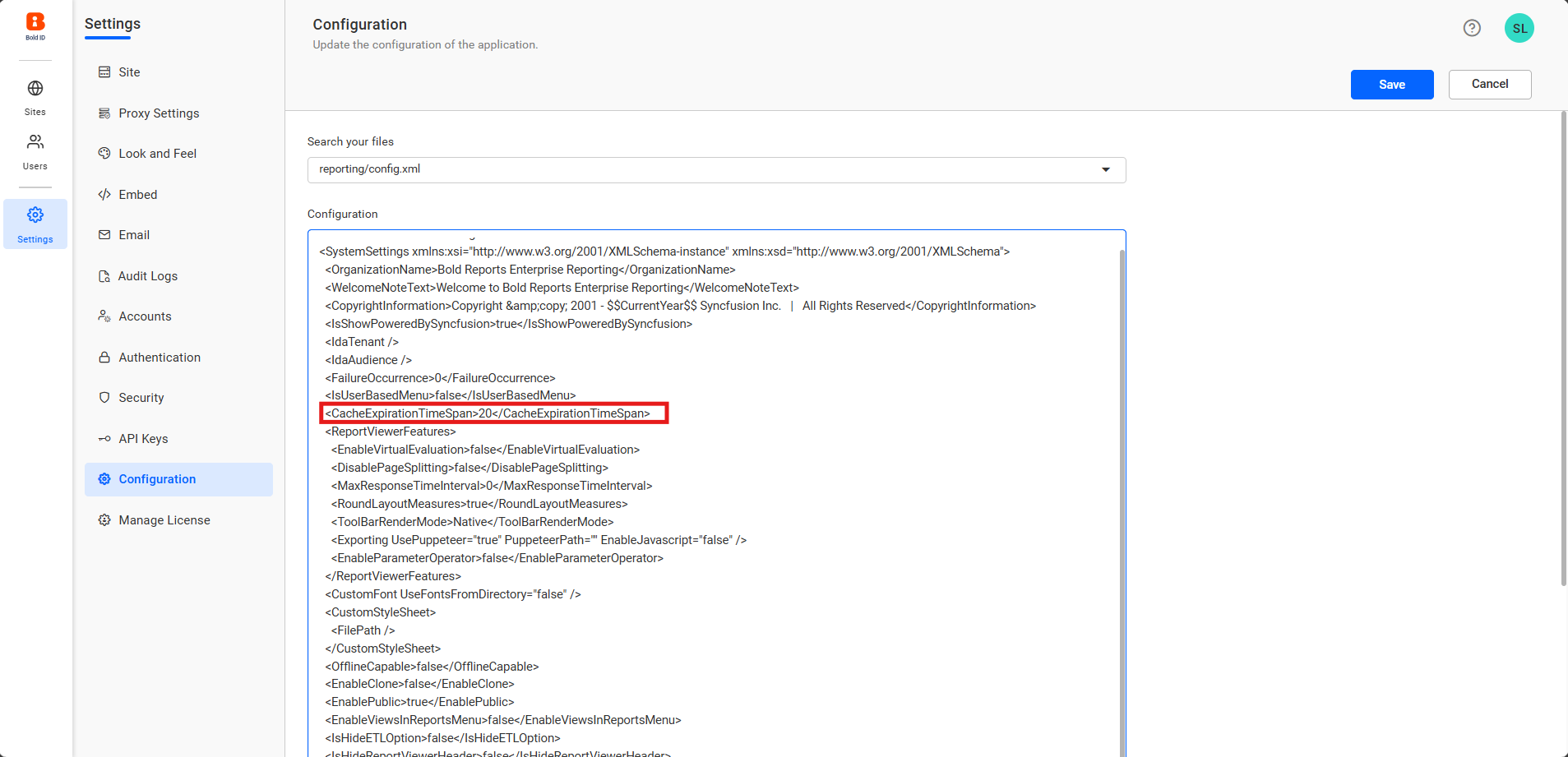
  • Added option to set and adjust the cache expiration time to control the cache availability.‘

Improvements

Report Designer

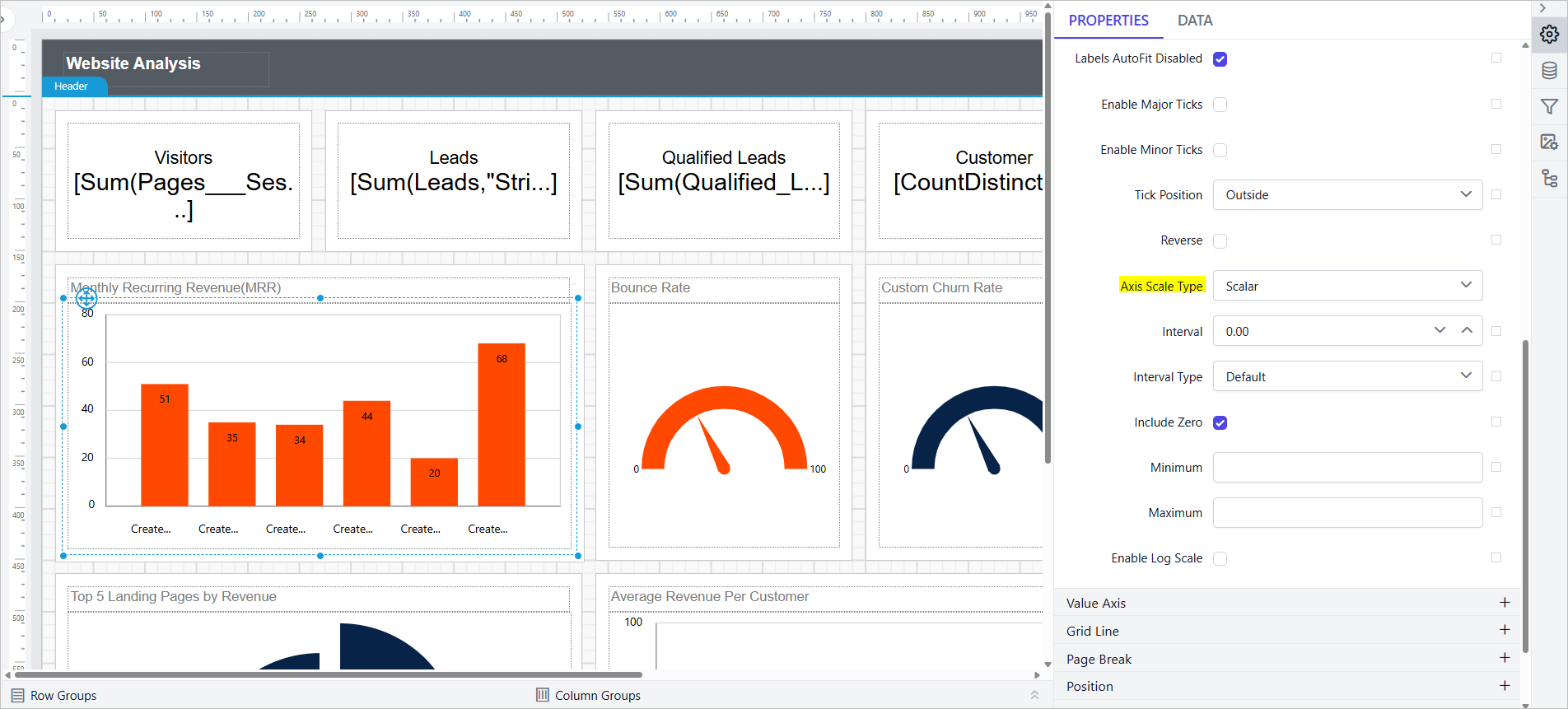
  • Introduced a Scalar option under Chat Category Axis scale type, enabling numeric values to be displayed with true value-based spacing.‘

Report Server

  • Included localization updates for the en‑AU (Australian English) language.

Report Viewer

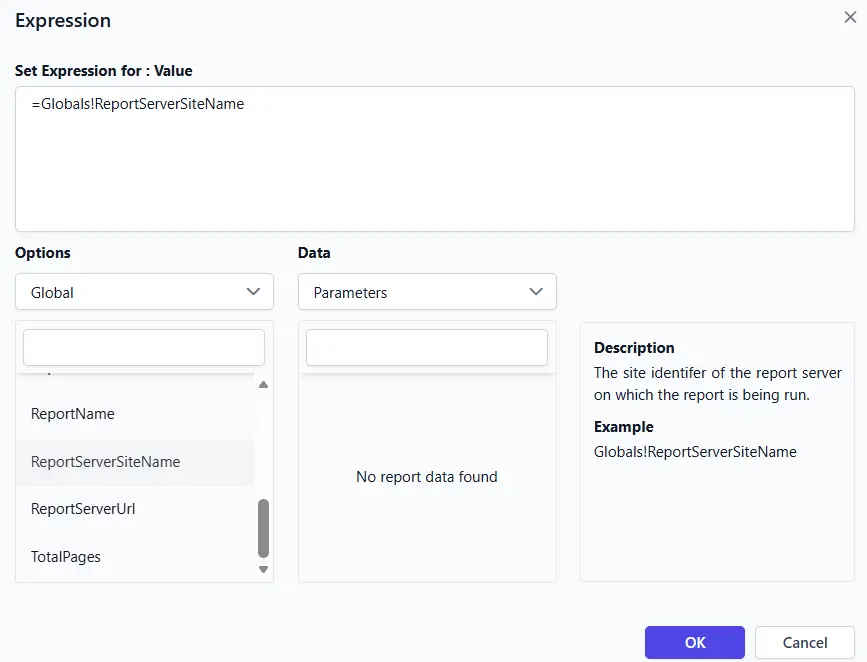
  • Provided a global property that displays the ‘ReportServertenantName’ in reports and expressions, enabling users to identify their site.
  • Introduced a custom property ExportRawDataOnly to enable exporting raw data-only Excel workbook for analysis without visual clutter.

Bold Data Hub

  • Provided Star Rocks Destination Support.
  • Provided venv-based Python installation support.
  • Provided pagination support for schedule history.
  • Provided Weekday Support for Scheduling in Bold Data Hub.
  • Provided support to delete Schemes when data source/pipeline is being deleted.

Bug Fixes

Report Server

  • Fixed the issue where the password field was not updated correctly when creating a data source using a connection string in single‑database case.
  • Fixed an issue where the Value dropdown for images in table cells defaulted to the First aggregate after data was assigned.
  • Fixed issues where chosen date/time formats were not retained properly across the UI, schedules, and exports, resulting in wrong formats and loading errors.
  • Fixed the issue related to handling parameter expressions across versions during scheduling reports.

Report Designer

  • Fixed an issue that prevented undo and redo operations for border color and style changes made in Advanced options.
  • Fixed an issue where the Value dropdown for images in table cells defaulted to the First aggregate after data was assigned.
  • Fixed the Between operator in the date/time filter to include all records for the selected dates across time zones.
  • Fixed an issue where refreshing a shared dataset with query parameters reset report parameters to their expressions.
  • Fixed a MIME type serialization issue in the image report item.
  • Fixed SQL comment parsing in query designer to prevent # from being treated as a comment for PostgreSQL queries.

IDP

  • Hide the powered by logo in all the pages when its disabled by user.
  • Fixed the broken image download loop issue when logo file is not available or during download failure.
  • Resolved the issue in login with OAuth, and OpenID from external application when embedded.
  • Addressed pascal case variable standard in the logging mechanism.
  • Addressed the random internal server 500 error in IDP page loading.

Breaking Changes

Report Designer

  • To create the sub-category in the specified category, we made these notable changes:
    Old code snippetNew code snippet
    public override object CreateCategory(string categoryName, string description, out string exception)public override object CreateCategory(string parentId, string categoryName, string description, out string exception)