

Self-service reporting
Self-service reporting software for faster business insights
Bold Reports is self-service reporting software that gives business users the tools to build ad hoc reports with a drag-and-drop report designer, without waiting on IT. Connect to SQL, cloud, and API data sources, and embed reporting directly into your own application.
No credit card required. Cloud, on-premises, or Docker deployment. RDL and RDLC report compatible.
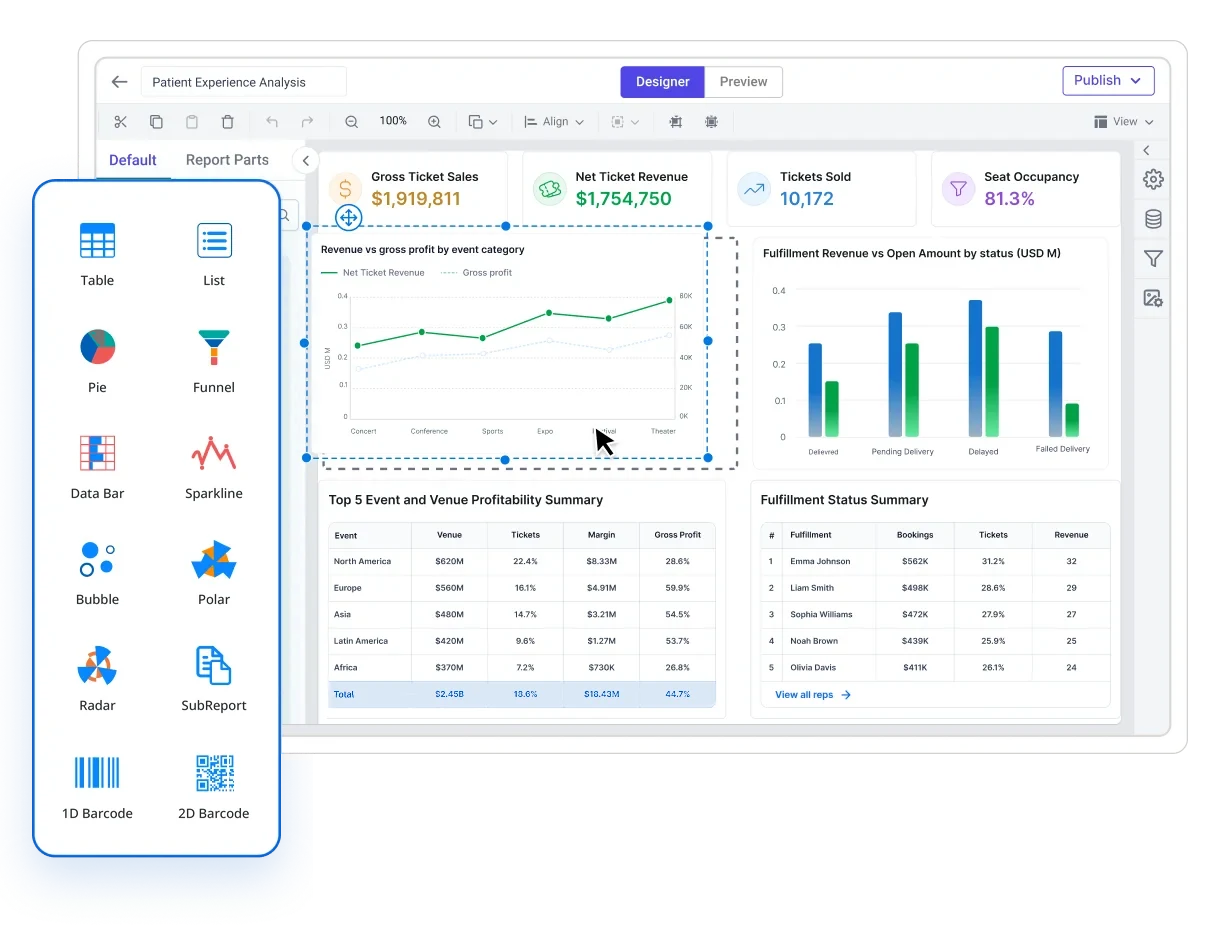
No-code designer
Build in Bold Reports: drag-and-drop, browser based.
Share with control
Publish to the people who should see it, and only them.
Zero IT tickets
Business users self-serve their own reports.
One shared library
In Bold Reports, every report is searchable and reusable.
Trusted by leading companies








Stop waiting on IT
Self-service reporting means the user builds the report
Self-service reporting lets business users build, filter, and share their own reports in Bold Reports. They start from data that IT has already prepared and secured, without writing a SQL query or raising an IT ticket.
It is also called self-service BI or ad hoc reporting. The shift is not the tool, it is the division of labour: IT owns the connections, datasets, and permissions, and the person with the question owns the report.
Self-service does not mean ungoverned. In Bold Reports, every report a user builds runs inside the same permission model IT configures.
Users start from governed datasets
Joins, filters, and business field names are defined once, so nobody rebuilds query logic to answer a question.
No query language required
Fields are dragged onto a canvas and previewed live, which is what makes the "self" in self-service realistic.
Access is decided centrally
Role-based access and row-level security travel with the report, so opening report building does not mean opening the data.
One report, many answers
Parameters, templates, and scheduling mean a report is built once and then keeps answering questions on its own.
The cost of waiting
Every day without self-service reporting costs you
Report requests do not stop coming. Without a self-service option, they all land in the same queue, and the workaround users reach for creates its own problems.
Without self-service reporting
With self-service reporting in Bold Reports
Four steps from data to decision
How self-service reporting works in Bold Reports
IT connects the data and publishes a shared dataset once, drawing from SQL Server, PostgreSQL, MySQL, Oracle, REST APIs, Excel, and cloud sources. From there, users build, filter, and schedule their own reports without waiting on a developer for each request.
01
Connect your data
In Bold Reports, IT connects SQL Server, PostgreSQL, MySQL, Oracle, REST APIs, Excel files, and cloud sources through Bold Data Hub and data connectors. Credentials stay with the administrator.
02
Prepare shared datasets
Join tables, rename fields to business language, add filters, and publish the dataset so every report starts from the same definitions.
03
Let users build
Users start from a template or a blank canvas, drag fields into tables, charts, and KPI tiles, add parameters, and preview the report as it will be delivered.
04
Share, schedule, embed
Publish to a folder with role-based access, email it on a schedule, export to PDF, Excel, Word, or CSV, or embed it in your own application.
Built for people who are not developers
What your team gets
Everything below is a capability business users get without asking IT to build or approve it first.

No-code report designer
Build reports in the browser by dragging fields onto the canvas

Reusable datasets
Publish a dataset once and let every report work from the same joined, business-named data.

Live data connections
Report on connected sources instead of exported spreadsheets.

Parameters and ad hoc filtering
Let readers change the question without editing the report.

20+ chart types and visualizations
Choose the visual that fits the question, on a layout you control.

Global and multilingual reporting
Support teams across regions from one deployment.

Scheduled delivery and exports
Let a finished report keep delivering itself.

Templates and version history
Start from a working layout and keep a trail of changes.

Drill-down and drill-through
Explore deeper without building a new report.

Centralized report portal
Every published report lives in one searchable place.

Personalized report output
One report definition, a different output for each recipient.

Real-time collaboration
Work through a report together instead of over email.
What your teams build
The reports business users build and run themselves
Real report types teams build without IT, on live data, set to run on their own schedule.
Finance and accounting
Finance users build these against live ERP data, set them to run on the first of each month, and deliver them automatically to leadership without manual assembly.
Month-end P&L statements
Balance sheets
Cash flow statements
AR aging
AP aging
Budget vs actual
Cost center breakdowns
Trial balance
General ledger detail
Period-over-period variance
Sales and revenue
Sales operations builds parameterized templates filtered by representative, region, or product at runtime, so one report serves the whole team.
Pipeline by stage and rep
Territory performance
Quota vs actual
Customer profitability
Product revenue breakdowns
Commission statements
Win-loss analysis
Monthly sales review packs
Operations and inventory
Operations managers run these on demand or receive them automatically at the start of each day, on live connections rather than a stale export.
Inventory valuation
Stock movement
Reorder alerts
Production output by facility
Resource utilization by shift
On-time delivery tracking
Order fulfillment status
Operational KPI dashboards
HR and workforce reporting
HR teams build and manage these reports without IT involvement, with row-level security ensuring managers see only their own teams.
Headcount by department and location
Attendance and leave
Turnover by quarter
Payroll registers
Recruitment pipeline
Training completion
Workforce demographics
Executive and board reporting
Delivered automatically to leadership inboxes on schedule, so decision-makers have current numbers without asking anyone for them.
Consolidated multi-entity summaries
Cross-department KPI packs
Monthly business review reports
Board-level financial summaries
Quarter-over-quarter performance
Govern without creating a bottleneck
How does Bold Reports keep self-service reporting under IT control?
The reason most organizations do not have self-service reporting is not the technology. It is the concern that opening up report creation leads to inconsistent numbers, unauthorized data access, and reports no one maintains. Bold Reports is built to address that directly. Business users build and modify reports from datasets IT has already published; connecting a new data source or changing a dataset's joins still requires IT or admin access.
Role-based access control
Set granular permissions on every report, folder, category, and data source. Permissions are assigned to users or groups and control who can view, create, edit, publish, schedule, or only run reports. Groups mirror your organizational structure, so adding a user to the right group immediately grants the right access.
Row-level security
The same report shows each user only the rows of data they are authorized to view. A regional manager sees their region, a country manager sees all regions. Configured once per report or dataset and applied automatically per user at runtime, without building a separate report for each audience.
User and group management
Import users from your directory via LDAP or provision them through the Bold Reports REST API. Group-level permissions cascade to every member, so moving a person to the right group instantly updates their access. Multi-site mode gives each department or client an isolated environment within one deployment.
Single sign-on integration
Sign in through OAuth 2.0, Microsoft Entra ID (formerly Azure AD), OpenID Connect, or a custom provider, with existing organizational credentials and no separate Bold Reports password. MFA requirements from your identity provider apply automatically.
Audit logs and compliance
Report runs, data access, exports, schedule executions, logins, permission changes, and admin actions are all logged with timestamps, user identity, and IP address. Logs are searchable and exportable for compliance reporting. Connections are read-only by default.
Report approval workflows
Business users can build and modify reports but submit changes for review before they publish to other users. Administrators or designated reviewers approve or reject submissions, keeping the published library governed without IT building every report from scratch.
Deploy it where your data already lives - Run it self-hosted on Windows, Linux, Docker, or Kubernetes, on Azure App Service, or on the Bold Reports cloud edition. Every deployment option includes encryption in transit and at rest, full access logging, and an air-gapped, on-premises path for teams that need full data residency. See the full deployment options.
Side by side
Traditional reporting vs self-service reporting
Same data, different operating model. The difference shows up in who does the work and how long a change takes.
| Comparison | IT-led traditional reporting | Self-service reporting with Bold Reports |
|---|---|---|
| Who builds the report | A developer or report writer, from a written request | The business user who needs it, from a published dataset |
| Skills required | SQL, report definition languages, sometimes deployment access | Drag and drop in the browser, no query writing |
| Turnaround for a new report | Queued behind other work in the reporting backlog | Built in the same session the question comes up |
| Cost of a small change | A new ticket, a new cycle, a new deployment | Edit the report or change a parameter value |
| Data preparation | Repeated per report, with query logic copied between reports | Done once in a shared dataset that every report reuses |
| Consistency of numbers | Depends on which query a given report happens to use | Shared datasets define joins, filters, and field names centrally |
| Governance and access | Enforced report by report, and bypassed by exported files | Role-based access and row-level security applied centrally |
| Ad hoc questions | Answered by exporting to a spreadsheet outside the platform | Answered with parameters and filters inside the report |
| Delivery | Manual runs, then attached to an email thread | Scheduled email delivery, exports to PDF, Excel, Word, CSV |
| Where IT spends its time | Writing and re-writing individual reports | Owning sources, datasets, permissions, and deployment |
- * Bold Reports supports both models in one platform, so IT-authored paginated reports and user-built reports live side by side.
Ship it inside your product
Give your own users self-service reporting
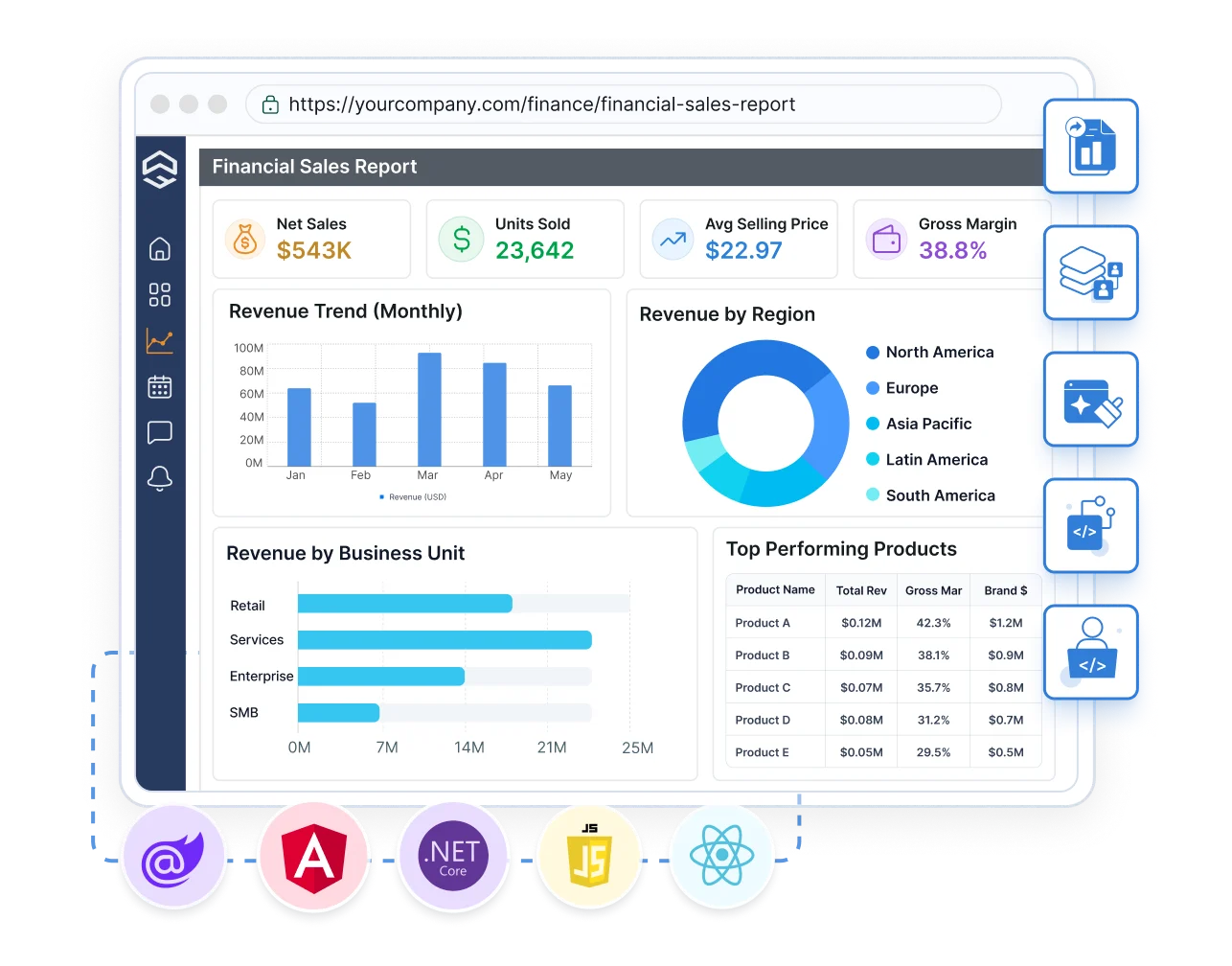
If you build software, self-service reporting can be a feature of your product rather than a tool beside it. Embed the report designer and viewer, match your branding, and isolate each customer's data.
Here's why our customers love us
See how Bold Reports is making an impact in businesses with powerful reporting, as shared by our satisfied customers.




Bold Reports is easy to use, enabling both teams and business users to modify reports confidently. Setup is quick and smooth. It integrates well with SQL Server, Microsoft Fabric, and other tools, reduces infrastructure complexity, and works reliably for recurring reports.

Bold Reports is a user-friendly and powerful reporting tool. The desktop designer and writer for .NET Core make report creation easy, and connecting to databases is seamless. It’s a great solution for generating offers, invoices, and reports in our CRM app.

We switched from SSRS with little effort. It works great in our WPF and Blazor applications, supports our old reports, and lets developers create new ones easily. The pricing is fair for ISVs, and the support team is fast and helpful. Onboarding was smooth and responsive.

Bold Reports was easy to integrate and works smoothly. It creates clean, professional-looking reports, and the documentation is clear with plenty of helpful examples. I had no issues during setup and it was a great experience overall.

Recognition









Learn more, build smarter
Support and resources
Documentation
Setup, dataset configuration, permissions, and API reference for teams rolling out self-service reporting.
Tutorials and webinars
Watch walkthroughs and join live sessions to see how reports and datasets are built end to end.
Knowledge base
Answers to specific questions and configuration recipes, organized by topic.
Technical support
Ask our team a question during evaluation or rollout and get help from people who know the product.
Get the details you need
Frequently asked questions
What is self-service reporting?
Bold Reports self-service reporting is reporting where the person who needs the report builds it, using prepared data and a visual designer, instead of requesting it from a developer. IT prepares and secures the data once, and users create, filter, and share reports from it.
Do users need SQL or coding skills?
No. Reports are built by dragging fields from a published dataset onto the canvas and applying filters, groups, and sorting visually. Developers can still work with APIs when they want to.
Are there report templates to start from?
Yes. Users can open a ready-to-use template, point it at a dataset, adjust fields, and publish. Teams can also save their own layouts as templates for reuse.
Can reports be delivered automatically?
Yes. Reports can run on a schedule and be delivered by email, with export to PDF, Excel, Word, and CSV.
Can we embed self-service reporting in our own application?
Yes. The Web Report Designer and Web Report Viewer can be embedded in applications built with Angular, React, Blazor, JavaScript, and ASP.NET Core, with white-labeling and multi-tenant isolation.
What is the difference between self-service reporting and self-service BI dashboards?
Dashboards are built for monitoring a fixed set of metrics. Self-service reporting also covers detailed, paginated, print-ready output such as statements, invoices, and audit records, where layout and pagination matter.
Can I use Bold Reports' designer with my existing RDL reports?
Yes. Bold Reports' Web Report Designer natively opens RDL and RDLC report definitions, so business users work in the same drag-and-drop designer whether they are starting a new report or adjusting one that originated in SSRS or Visual Studio.
How is self-service reporting different from traditional reporting?
In traditional reporting, a developer writes the query and the layout for each request, so every change starts a new cycle. In self-service reporting, data preparation happens once in a shared dataset, and users build and modify reports from it themselves. Bold Reports supports both in one platform.
How do we keep data secure if everyone can build reports?
Connection credentials stay with administrators. Users build only from datasets you publish, and role-based access plus row-level security control who can view or edit a report and which rows they see. Single sign-on and directory integration are supported.
Which data sources can users report on?
SQL Server, PostgreSQL, MySQL, Oracle, REST APIs, Excel files, and cloud sources through Bold Data Hub and the data connector library.
Can readers filter a report without editing it?
Yes. Parameters let a reader change values such as date range, region, or product and rerun the report, so one report serves many audiences.
Can we host it ourselves?
Yes. Bold Reports runs on Windows, Linux, Docker, Kubernetes, and Azure App Service, or you can use the cloud edition.
What is KPI reporting, and does Bold Reports support it?
KPI reporting means building reports that track a defined set of business metrics against a target on a recurring schedule. In Bold Reports, users add KPI tiles directly onto a report canvas alongside tables and charts, and prebuilt report types such as cross-department KPI packs are available under board and executive reporting.
Ready when you are
Let your team build their own reports
Start with your own data and see how far a business user can get without writing a query.