
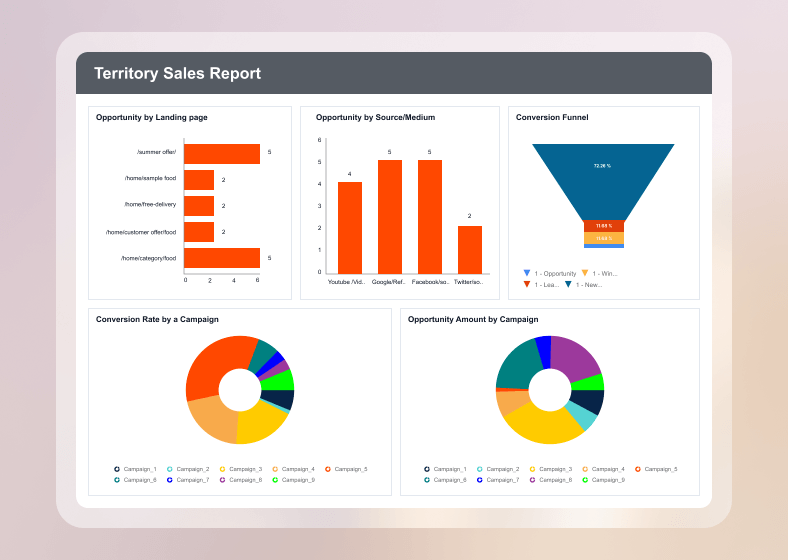
What is operational reporting?
Operational reporting is the process of collecting and analysing real-time data to monitor and improve an organization’s daily activities. It uses key metrics, analysis, and clear dashboards and reports to support fast, informed decision-making. Operational reporting helps businesses monitor ongoing tasks, react quickly to changes, and stay focused on their goals.
To better understand how businesses monitor and respond to operational activity, it’s helpful to explore the four main types of operational reporting.
What are the four types of operational reporting
The four common types of operational reporting include:
- Daily, weekly, and monthly operational reporting: These reports provide recurring snapshots of business performance, helping teams monitor KPIs, track progress, and identify trends on a daily, weekly, and monthly basis.
- Ad hoc operational reporting: Ad hoc reports answer specific, often urgent business questions that fall outside routine reporting and respond to emerging issues without waiting for scheduled reports.
- Real-time operational reporting: It’s crucial for environments where timing is useful like logistics, customer service, or IT systems, to have real-time reporting. Real-time reports enabling businesses to monitor operations as they happen and react instantly to changes.
- Exceptional operational reporting: Exceptional reports are triggered by outliers or critical events that deviate from expected performance. They alert stakeholders to issues like system failures, leading to immediate investigation and action.
Each type of operational report serves a unique purpose, but what business value do they collectively offer?
Benefits of operational reporting
Operational reporting delivers visibility into business performance. Here are some key benefits it offers:
- Improved decision-making: Access to operational data allows teams to act quickly and confidently.
- Increased efficiency: Operational reports identify bottlenecks and inefficiencies in workflows.
- Enhanced visibility: These reports offer a clear view of performance across departments.
- Better goal alignment: Teams stay focused on KPIs that matter most to business success.
Now that we understand the value of operational reporting, let’s explore how you can build reports effectively.
Best practices for creating an effective operational report
To create impactful operational reports, follow these best practices:
- Define clear business goals:What aspects of your operations do you want to improve? Knowing your goals will determine the data you need to track in your reports.
- Select the right source for connecting your data: Ensure your report pulls from reliable, up-to-date sources that reflect operational reality. Integrating with centralized databases or cloud platforms helps maintain consistency and accuracy.
- Choose the right KPI:Choose the most relevant metrics that match your goals. For example, if your goal is to improve customer support, track KPIs like response time, resolution rate, or customer satisfaction.
- Ensure data accuracy and consistency: Validate your data regularly to avoid misleading insights. Use standardized metrics and definitions across reports to maintain clarity.
- Design for clarity and usability: Use clean layouts, intuitive navigation, and visual cues like charts and color coding to make the report easy to interpret. Avoid clutter and focus on key performance indicators.
- Monitor your report regularly:Set how often the report should be updated—daily, weekly, or monthly—so you can monitor changes, identify patterns, and respond in time.
Now, let’s look at five practical examples of how operational reports are used across different industries:
Four real-time examples of operational reporting
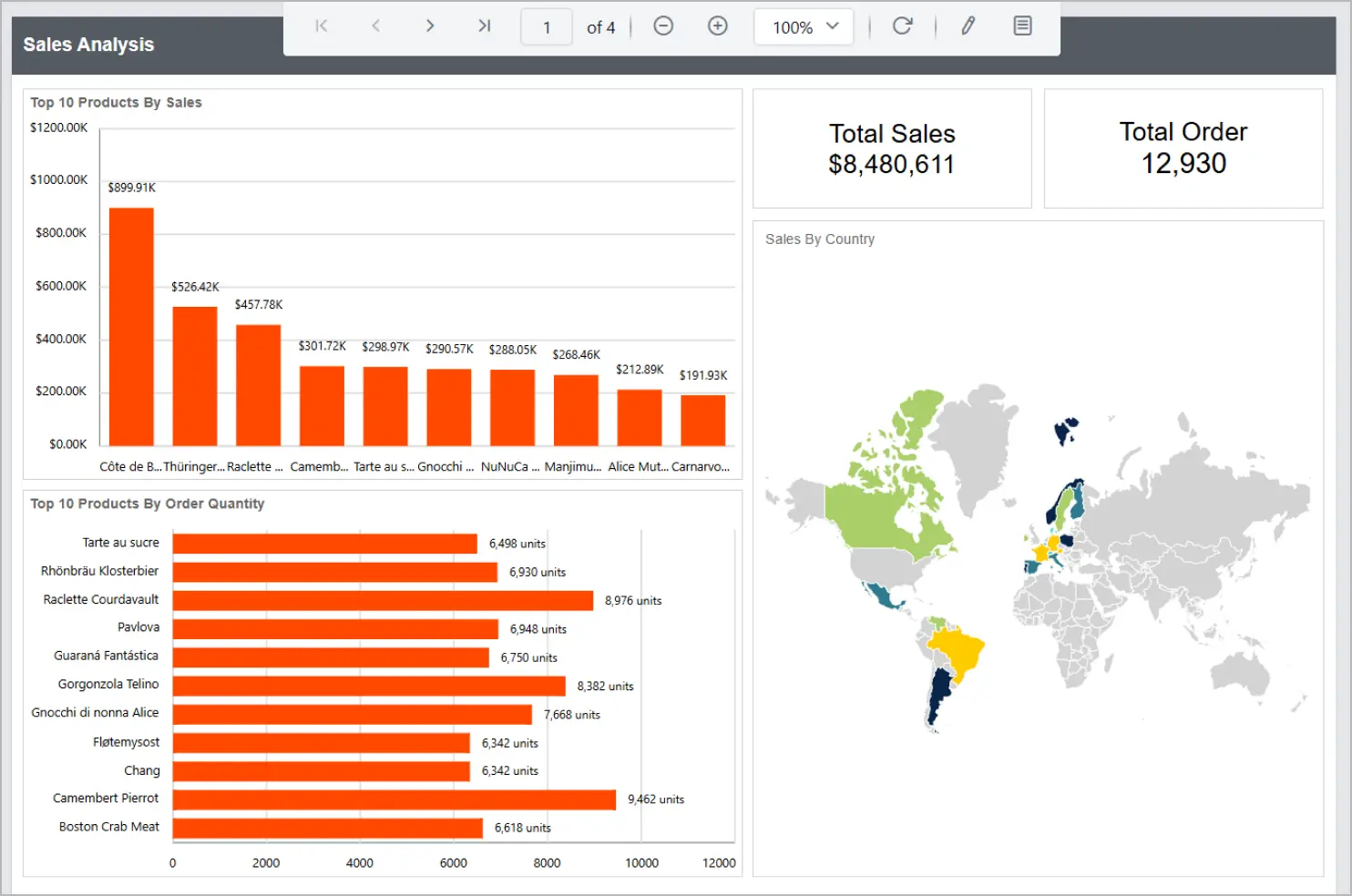
Sales reporting
Sales reporting tracks sales performance, revenue trends, and conversion rates across different channels. It helps managers identify top performers, forecast future sales, and adjust strategies to meet targets.
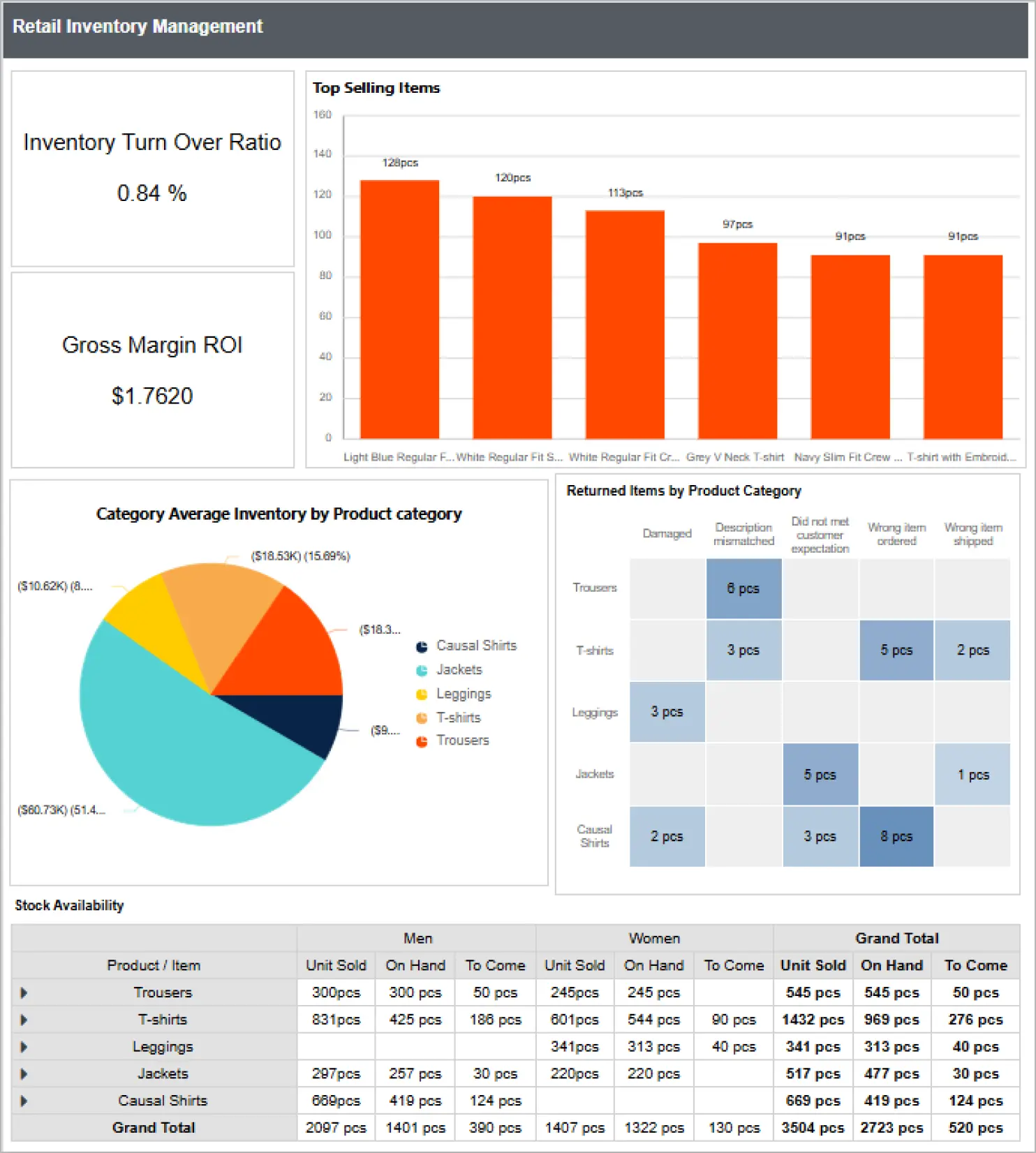
Retail inventory reporting
A retail inventory report monitors stock levels, turnover rates, and inventory discrepancies in real time. It enables retailers to optimize inventory, reduce waste, and ensure products are available when and where customers need them.
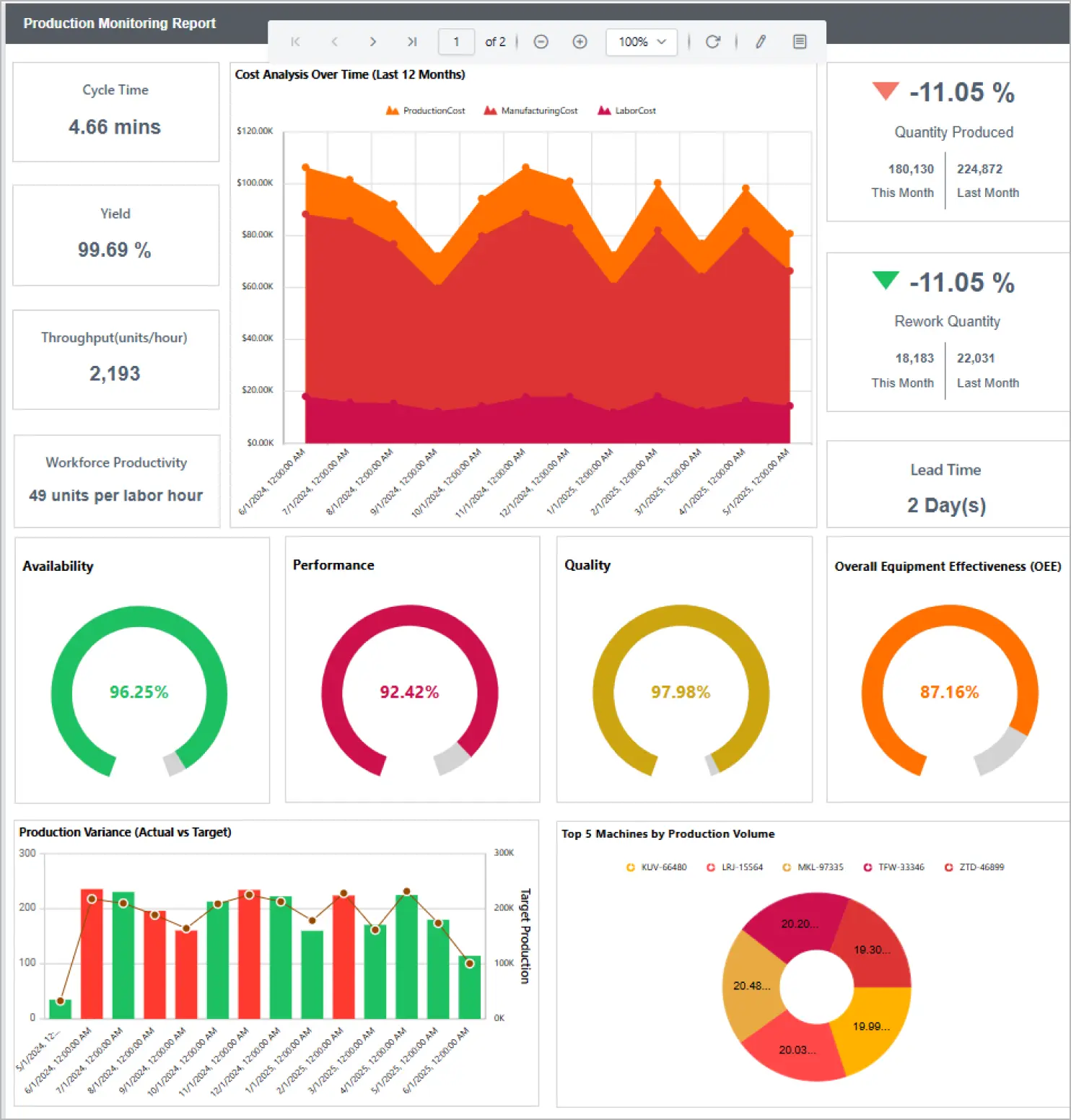
Production monitoring reporting
A production monitoring report tracks metrics like equipment efficiency, cycle times, and workforce productivity. It helps identify bottlenecks and optimize workflows for timely delivery and continuous improvement.
Customer service reporting
Customer service reporting measures customer satisfaction, response times, and resolution rates. It helps teams identify service gaps, improve support processes, and enhance overall customer experience.
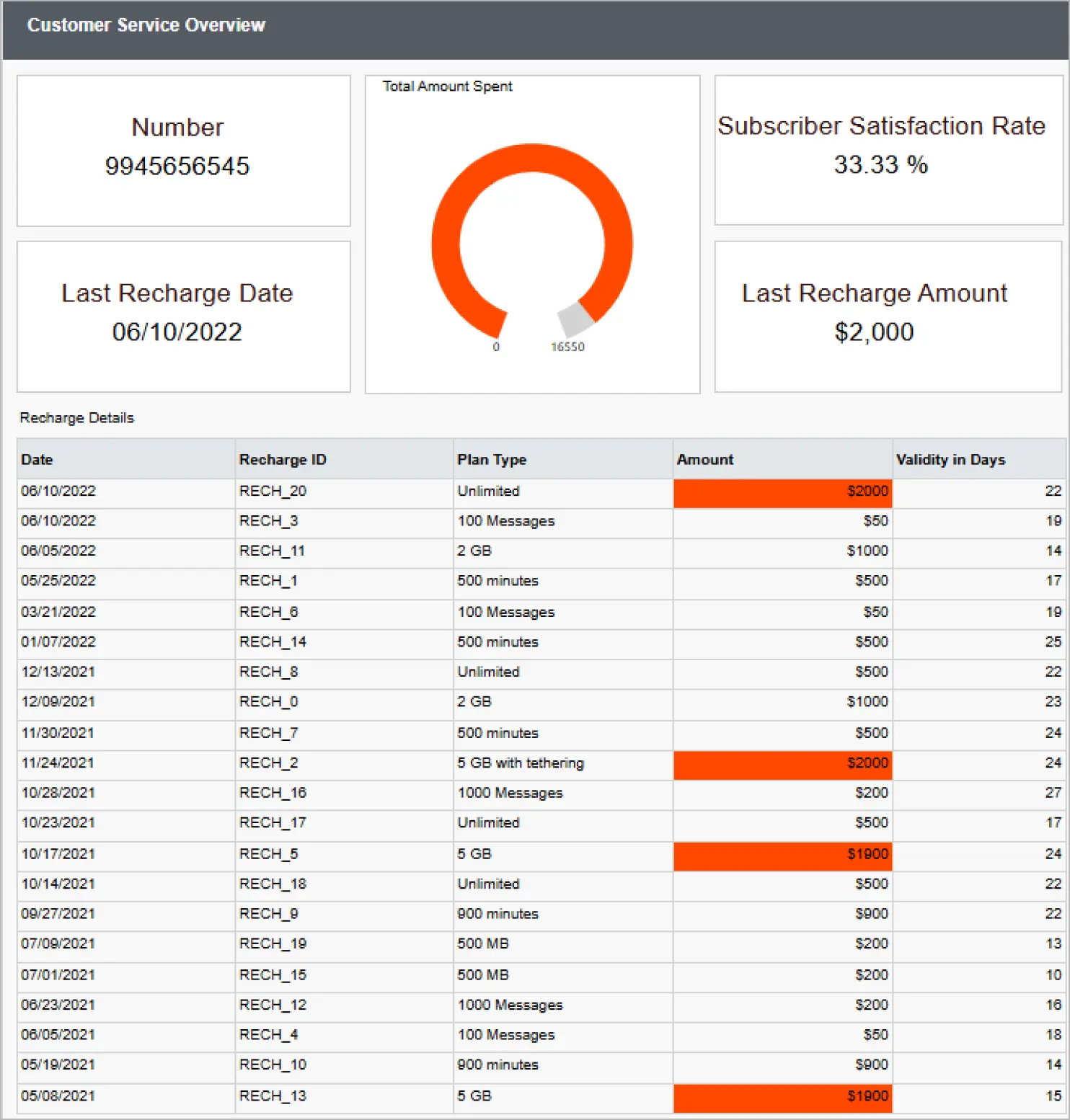
These are just a few examples of how operational reporting works in Bold Reports®. To see more, visit our embedded demo page and explore detailed samples from different industries. You’ll get a clear view of how reports can improve decision-making, streamline processes, and drive performance across your organization.
Ready to try it for yourself? Request a free personalized demo with one of our experts or sign up for a 30-day free trial—no credit card required—to start building operational reports that work for your business.