
Replace Your Crystal Reports Viewer with a Modern Web Viewer
Move from legacy Crystal Reports viewing workflows to browser-based report viewing with Bold Reports - no viewer runtime to deploy, no browser plugin, no per-viewer-seat license.
No credit card required.
Zero Plugins
Bold Reports opens reports in Chrome, Firefox, Safari or Edge with no browser plugin
All-In-One Server License
No separate report viewer licensing required
Deploy Your Way
Choose Cloud Edition, Managed Private Cloud, or On-Premises Edition
5+ Embedded Frameworks
Embed the Bold Reports Web Report Viewer in JavaScript, Angular, React, Blazor, ASP.NET Core, ASP.NET MVC and ASP.NET








Modern report viewing - built for the browser
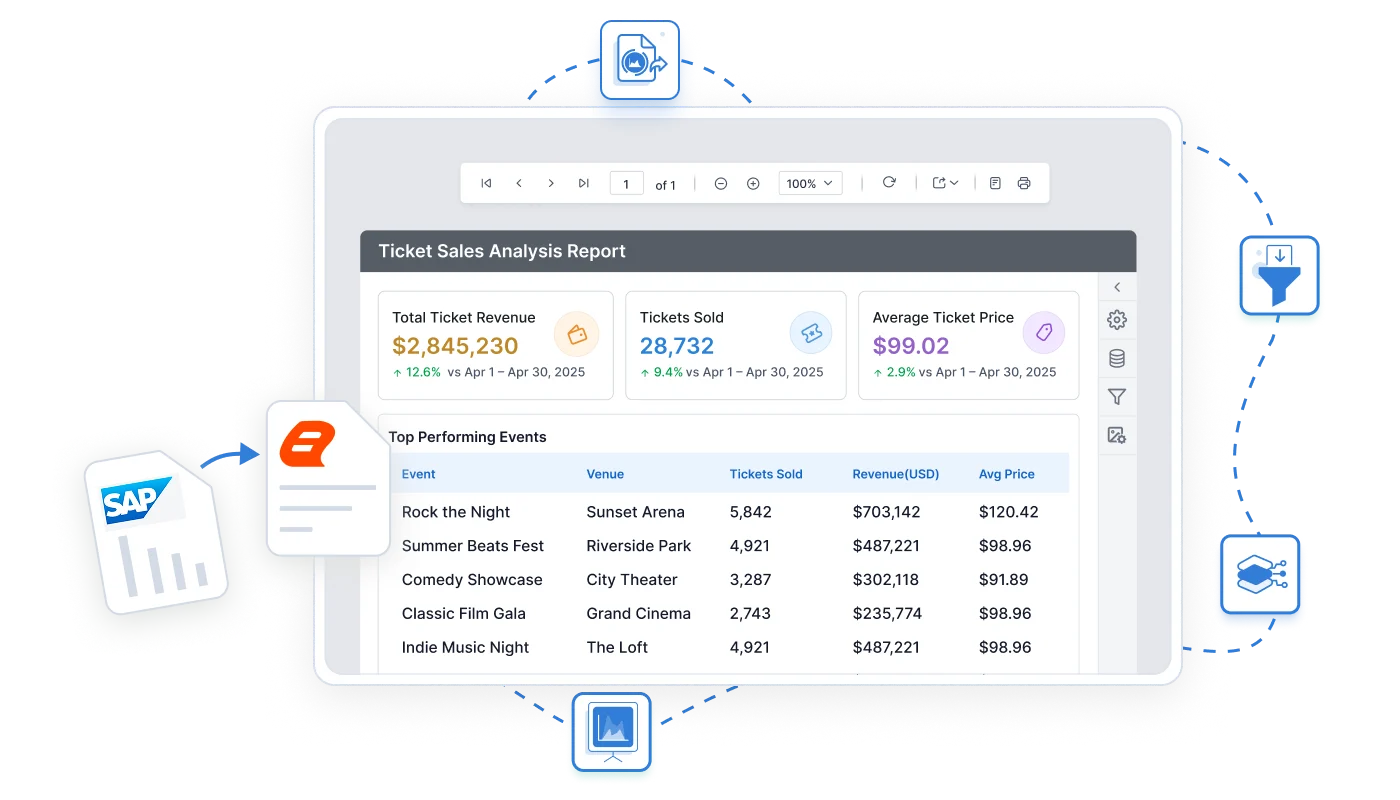
Bold Reports delivers reports converted from Crystal Reports .rpt files to RDL as a browser link instead of a desktop runtime install: users open them in Chrome, Firefox, Safari or Edge, and the Web Report Viewer is included in the Bold Reports server license.
Legacy Crystal Reports viewer workflow
-
Install Crystal runtime on each user's machine
-
Deploy the standalone .rpt viewer app to open reports
-
Manage runtime versions across the estate (32-bit runtime discontinued after Dec 2025)
-
Desktop-bound, no native browser access without additional web tooling
Bold Reports browser-based viewing
-
Deploy Bold Reports on your server
-
Users access reports through a simple browser link
-
Drill down, filter, export, and interact directly in the browser
-
No end-user software installation required.
-
SAP and SAP Crystal Reports are trademarks or registered trademarks of SAP SE or its affiliates. Bold Reports is an independent product and is not affiliated with, endorsed by, or sponsored by SAP SE.
Online / Web Crystal Reports Viewer
How do I view reports in any browser with nothing to install?
Share a report link. Open it in Chrome, Firefox, Safari, or Edge. Bold Reports renders paginated, pixel-perfect reports in the browser on desktop and mobile - with no software for your users to install.

Browser-based report viewing
Bold Reports reports open directly in Chrome, Firefox, Safari or Edge with no viewer runtime or desktop software required.

Interactive viewing capabilities
Users can drill down into data, apply parameters, refresh reports, and export results directly from the viewer.

White-label viewer interface
Customise the toolbar, menus, and visual style to match your application. Users experience your brand throughout.

Export to PDF, Excel, Word, CSV
Users export reports directly from the Bold Reports Web Report Viewer on demand to PDF, Excel, Word, PowerPoint, CSV, XML and HTML, without additional server infrastructure.
Embed report viewing in your App
Bold Reports runs inside your product instead of a separate reporting server. Embedded tools render reports using your authentication, branding, and navigation, so users view reports inside your application.
-
One setup for React, Angular, Vue, Blazor, and ASP.NET
-
Includes embedded report viewer and designer
-
Pass your JWT or OAuth token with no separate viewer login
-
Control viewer options with white-labeling
<div id="viewer"></div>

<script>
$(function () {
  $("#viewer").boldReportViewer({
    reportServiceUrl: "https://your-domain.com/reporting/reportservice/api/Viewer",
    reportServerUrl: "https://your-domain.com/reporting/api/site/site1",
    serviceAuthorizationToken: "Bearer YOUR_SERVER_TOKEN",
    reportPath: "/Sample Reports/Company Sales"
  });
});
</script><bold-reportviewer
[reportServiceUrl]="reportServiceUrl"
[reportServerUrl]="reportServerUrl"
[serviceAuthorizationToken]="serviceAuthorizationToken"
[reportPath]="reportPath">
</bold-reportviewer>
// component.ts
reportServiceUrl = 'https://your-domain.com/reporting/reportservice/api/Viewer';
reportServerUrl = 'https://your-domain.com/reporting/api/site/site1';
serviceAuthorizationToken = 'Bearer YOUR_SERVER_TOKEN';
reportPath = '/Sample Reports/Company Sales';import { BoldReportViewerComponent } from '@boldreports/react-reporting-components';
function App() {
return (
<div style={{ width: "100%", height: "900px" }}>
<BoldReportViewerComponent
reportServiceUrl="https://your-domain.com/reporting/reportservice/api/Viewer"
reportServerUrl="https://your-domain.com/reporting/api/site/site1"
serviceAuthorizationToken="Bearer YOUR_SERVER_TOKEN"
reportPath="/Sample Reports/Company Sales">
</BoldReportViewerComponent>
</div>
);
}<bold-report-viewer
report-service-url="https://your-domain.com/reporting/reportservice/api/Viewer"
report-server-url="https://your-domain.com/reporting/api/site/site1"
report-path="/Sample Reports/Company Sales"
service-authorization-token="Bearer YOUR_SERVER_TOKEN">
</bold-report-viewer>
// _ViewImports.cshtml
@addTagHelper *, BoldReports.AspNet.Core@(Html.Bold().ReportViewer("viewer")
.ServiceAuthorizationToken("Bearer YOUR_SERVER_TOKEN")
.ReportServiceUrl("https://your-domain.com/reporting/reportservice/api/Viewer")
.ReportServerUrl("https://your-domain.com/reporting/api/site/site1")
.ReportPath("/Sample Reports/Company Sales")
)<div style="height:600px;width:100%">
<Bold:ReportViewer runat="server"
ServiceAuthorizationToken="Bearer YOUR_SERVER_TOKEN"
ReportServiceUrl="https://your-domain.com/reporting/reportservice/api/Viewer"
ReportServerUrl="https://your-domain.com/reporting/api/site/site1"
ReportPath="/Sample Reports/Company Sales">
</Bold:ReportViewer>
</div>// Blazor Component
public async void RenderReportViewer()
{
viewerOptions.ReportPath = "/Sample Reports/Sales Order Detail";
viewerOptions.ServiceURL = "https://on-premise-demo.boldreports.com/reporting/reportservice/api/Viewer";
viewerOptions.ServerURL = "https://on-premise-demo.boldreports.com/reporting/api/site/site1";
viewerOptions.AuthorizationToken = "Bearer YOUR_SERVER_TOKEN";
await JSRuntime.InvokeVoidAsync("BoldReports.RenderViewer", "report-viewer", viewerOptions);
}
// JS Interop (wwwroot/js/site.js)
window.BoldReports = {
RenderViewer: function (elementID, reportViewerOptions) {
$("#" + elementID).boldReportViewer({
reportPath: reportViewerOptions.reportPath,
reportServiceUrl: reportViewerOptions.serviceURL,
reportServerUrl: reportViewerOptions.serverURL,
serviceAuthorizationToken: reportViewerOptions.authorizationToken
});
}
};
<div id="report-viewer" style="width:100%;height:900px"></div>Bold Reports viewer vs Crystal Reports viewer
This table compares the Bold Reports Web Report Viewer (v15.1.10, Cloud, Managed Private Cloud, and On-Premises editions) with the SAP Crystal Reports viewer components named in each row. It covers report viewing only, and each cell reflects what that vendor's public documentation lists.
| Capability | Crystal Reports Viewer | Bold Reports Viewer |
|---|---|---|
| Modern browser viewer, no ActiveX or Java legacy path | Legacy .NET DHTML viewer only. ActiveX and Java viewers are deprecated. | Fully modern, no legacy dependencies |
| No browser plugins required | Modern viewer needs none, but legacy ActiveX and Java viewers require a plugin. | No plugins needed |
| Embedding in modern JS frameworks (Angular, React, Blazor) | Limited. Works with .NET and Web Forms only. | Supports modern frameworks |
| White-label or rebrandable viewer UI | Limited. Toolbar and CSS styling only, no full rebrand. | Fully white-label |
| First-party managed cloud and on-premises | On-premises. SAP does not publicly list a managed cloud or SaaS viewer as of October 2026. | Cloud SaaS and on-premises |
| Native .rpt support | Supports natively to .rpt | Converts to RDL |
Last updated October 2026. Based on publicly available information, which may change. Sources: Bold Reports documentation, SAP Crystal Reports documentation, and Microsoft SSRS documentation (RDL format).
Migrating from Crystal Reports .rpt files
Bold Reports uses the open RDL report format. If your existing reports are in .rpt format, run them through the Bold Reports conversion utility - it automatically migrates your reports, carrying over the same data sources, parameters, grouping, and formatting you already use.
Convert .rpt files by paths
Point the conversion utility at one .rpt file or a whole folder. It reads them locally and outputs RDL to single or batch, nothing to upload.
Run the conversion utility
The tool automatically converts each report to RDL, carrying over data sources, parameters, grouping, and formatting.
Review in the designer
Open converted reports in the Bold Reports Web Report Designer or Standalone Report Designer to fine-tune any layout or formatting that needs adjustment.
Embed and go live
Integrate Bold Reports components into your application and switch when you're ready. Run both environments in parallel throughout the migration.
Automated .rpt conversion, with designer refinement
Bold Reports uses the open RDL report format. If your existing reports are in .rpt format, run them through the Bold Reports conversion utility. It automatically migrates your reports, carrying over the same data sources, parameters, grouping, and formatting you already use. See the Crystal Reports to SSRS Converter User Guide for detailed conversion steps. Bold Reports does not render .rpt files directly: each report is converted to RDL first, and some converted layouts need manual adjustment in the designer.
Looking for a file viewer - or a full reporting platform?
Bold Reports is a complete reporting platform. Knowing which scenario fits your need helps you choose the right path.
I need an RPT file viewer, not a platform
If your goal is to open individual .rpt files without a platform migration, the SAP Crystal Reports free viewer is the appropriate tool for that specific need. No migration or embedding required.
I want to replace Crystal Reports
Bold Reports covers the full workflow: design pixel-perfect reports, embed the viewer in your application, schedule delivery, and control access - all from a single server license.
Get the Details You Need
Frequently Asked Questions
Common questions from teams evaluating Bold Reports as a Crystal Reports viewer alternative.
A Crystal Reports viewer alternative is a reporting tool that lets users view, interact with, and export business reports without the SAP Crystal Reports runtime. Bold Reports provides a browser-based viewer you embed directly in your application so users open reports in Chrome, Firefox, Safari or Edge with nothing to install, and the viewer is included in your Bold Reports server license.
Bold Reports is a web-based reporting platform with a browser-native viewer. Reports built in Bold Reports can be accessed online in Chrome, Firefox, Safari, and Edge - on desktop or mobile. If your existing reports are in Crystal's .rpt format, convert them to RDL with the Bold Reports Crystal Reports conversion utility and review them in the Bold Reports designer; the converted reports can then be viewed online in the Web Report Viewer.
Bold Reports uses the open RDL report format, not SAP's proprietary .rpt format. The path to migrate from Crystal is to convert your .rpt files to RDL with the Bold Reports Crystal Reports conversion utility, then review them in the Bold Reports designer, which supports the same data sources, parameters, grouping, and formatting.
Bold Reports offers a free 30-day trial with full access to the viewer, designer, and embedding capabilities - no credit card required. If your need is purely to open individual .rpt files without a platform migration, the SAP Crystal Reports free viewer is the appropriate tool for that specific task.
To embed Crystal Reports content in a web application with Bold Reports, first convert the .rpt files to RDL with the Bold Reports conversion utility. Then add the Bold Reports Web Report Viewer component to your JavaScript, Angular, React, Blazor, ASP.NET Core, ASP.NET MVC or ASP.NET app and set the report service URL, report server URL, report path and authorization token. The viewer renders the report inside your application, using your JWT or OAuth token with no separate viewer login.
With Bold Reports, .rpt reports are viewed in a browser after conversion to RDL, so no Crystal runtime is installed on any user machine. Run the Bold Reports conversion utility on the .rpt files, review the output in the Bold Reports designer, and deploy Bold Reports on your server or use the Cloud Edition. Users then open each report through a browser link in Chrome, Firefox, Safari or Edge, where they can page, filter, drill down and export.
Yes. Bold Reports offers an embedded tools setup for ASP.NET Core, ASP.NET MVC, Blazor, Angular, React, Vue, and JavaScript, covering both viewer and designer access. You embed the viewer component, configure it with your report path and authentication token, and it renders the report in the browser as part of your application.
Bold Reports supports cloud hosting, on-premises installation on Windows or Linux, Docker containers, Kubernetes clusters, and Azure. Pricing is server-based - the viewer is included in the license with no additional per-user viewer fees. See https://www.boldreports.com/pricing/ for current rates.
Once your reports are converted to Bold Reports and your team is on the new viewer, you no longer need to renew your Crystal Reports licensing or maintenance. Most organizations run both systems in parallel during the transition, then decommission the Crystal infrastructure once all reports are validated and users are comfortable. Your exact renewal terms depend on your SAP agreement.
Minimal. The Bold Reports viewer covers the same core actions your Crystal Reports users already know paging, parameter prompts, drill-down, and export to PDF, Excel, or Word just in a browser toolbar instead of a separate desktop viewer. Most teams need no more than a short walkthrough before switching over.
Bold Reports is a Crystal Reports viewer alternative built for web applications: its Web Report Viewer embeds in JavaScript, Angular, React, Blazor, ASP.NET Core, ASP.NET MVC and ASP.NET apps. Users drill down, apply parameters and export to PDF, Excel, Word, PowerPoint, CSV, XML and HTML in the browser, and the viewer is included in the Bold Reports server license. Bold Reports uses the RDL format, so existing .rpt files are converted with the Bold Reports conversion utility first. Teams that only need to open individual .rpt files without migrating can use the SAP Crystal Reports free viewer instead.
Bold Reports provides an online viewer for reports migrated from Crystal Reports .rpt files once they are converted to RDL. You convert each .rpt file to RDL with the Bold Reports Crystal Reports conversion utility, which runs locally on a single file or a folder, then publish the RDL report to Bold Reports. Users then open it from a browser link in the Web Report Viewer, with no Crystal runtime or plugin on their machines.
See Bold Reports Viewer in action
Explore the embedded viewer in a live demo, or speak with a migration specialist about your Crystal Reports environment.
No credit card required.