Compliance Reporting Software: A Complete 2026 Guide
TL;DR:
Compliance reporting software helps organizations generate, automate, and distribute the reports they need for audits, regulators, and internal governance. The term covers several different tool types, from full GRC platforms to dedicated reporting engines, and the right choice depends on whether your main problem is managing compliance or producing the documents that prove it. This guide explains what the software does, breaks down the main categories, lists the features that matter, and gives you a practical way to choose in 2026.
Introduction
Most organizations don’t struggle to collect compliance data. They struggle to turn that data into standardized, audit-ready, and repeatable reports.
As reporting requirements continue to expand across finance, healthcare, cybersecurity, and other fields, reporting teams spend increasing amounts of time updating spreadsheets, formatting documents, and manually distributing reports.
These inefficiencies don’t just consume time, they create reporting bottlenecks that limit scalability. This is why more organizations are investing in compliance reporting software.
In this article, we’ll explore what compliance reporting software is, why organizations are investing in it, and the capabilities teams should evaluate when selecting a reporting solution in 2026.
What is compliance reporting software?
Compliance reporting software helps organizations create, automate, and distribute the reports required for audits, regulators, and internal governance. It often replaces manual spreadsheet and export workflows with consistent, repeatable, audit-ready documents.
That short definition hides an important nuance: “compliance reporting software” is used to describe several very different products.
Some tools focus on managing your compliance program such as tracking regulations, mapping controls, and collecting evidence. Others focus on producing the reports and documents that program depends on. Knowing which problem you’re solving is the single most useful thing you can do before you start comparing vendors.
Teams typically use these tools to support:
-
- Regulatory compliance reporting.
- Audit and evidence reporting.
- Governance and board reporting.
- Risk management reporting.
- Financial compliance reporting (SOX).
- Policy and training compliance reporting.
- Industry-specific reporting, including compliance reporting for HIPAA, SOC 2® Type 2, GDPR, and other regulations.
By centralizing compliance reporting in one platform, organizations can improve consistency, reduce manual effort, simplify report distribution, and scale reporting processes as requirements grow.
The four main types of compliance reporting software
Most buyers don’t realize they’re comparing four different categories at once. Each supports compliance, but each was built for a different job. Matching the category to your actual bottleneck saves months of wasted evaluation.
| Tool type | Purpose | Related bottleneck | Example vendors |
| GRC platforms | Manage governance, risk, and compliance end to end and across frameworks | Coordinating a large, multiframework program | AuditBoard, MetricStream, LogicGate, and ServiceNow GRC |
| Compliance management software | Track controls, collect evidence, monitor status for specific frameworks | Getting and staying audit-ready (SOC 2® Type 2, ISO 27001, etc.) | Vanta, Drata, Sprinto, and Hyperproof |
| BI & analytics platforms | Explore data and monitor status on dashboards | Understanding trends and spotting issues live | Power BI, Tableau, and Qlik |
| Dedicated reporting software | Generate, format, schedule, and distribute structured reports | Turning your data into polished, audit-ready documents | Bold Reports and SSRS-based platforms |
You’ll need to choose one of the following platforms:
-
- GRC platform: Choose this if compliance is an ongoing program spanning many regulations, business units, and risk domains, and your main challenge is coordinating all of it in one place.
- Compliance management software: If your priority is passing specific audits, such as SOC 2® type 2 or ISO 27001, and you need help mapping controls, collecting evidence, and monitoring your posture against a known framework, this is the right fit.
- BI or analytics platform: This might work for you if you mostly need to watch compliance metrics on live dashboards and let people explore the underlying data, rather than produce formal documents.
- Dedicated reporting software: Choose dedicated software if your data and controls are already handled elsewhere but the actual reports, including audit packs, regulatory filings, board documents, and client deliverables, are slow, inconsistent, or painful to produce and distribute.
Many organizations end up using more than one. A common pattern is a compliance management or BI tool for tracking, paired with a dedicated reporting tool for the polished, repeatable documents an audit consumes.
Best compliance reporting software in 2026
The table below maps the tools most teams evaluate, grouped by the category they belong to, so you can shortlist by your actual bottleneck rather than by brand familiarity.
| Tool | Category | Best for | Deployment | Why it’s here |
| Vanta | Compliance management software | Fast SOC 2® Type 2 and ISO 27001 audit-readiness | Cloud | Fast audit readiness |
| Drata | Compliance management software | Continuous control monitoring across frameworks | Cloud | Continuous monitoring |
| Sprinto | Compliance management software | Cloud-first SaaS security compliance | Cloud | SaaS-focused automation |
| Optro (formerly AuditBoard) | GRC platform | Enterprise audit, risk and compliance programs | Cloud | Enterprise audit management |
| Diligent | GRC platform | Board and enterprise governance or risk | Cloud | Governance oversight |
| OneTrust | GRC platform | Privacy, data governance, and regulatory reporting | Cloud | Privacy compliance management |
| Insightsoftware | Financial & regulatory reporting software | SEC, disclosure, and financial filings | Cloud or on premises | Financial disclosure reporting |
| Bold Reports | Dedicated reporting software | Generating and distributing pixel-perfect, audit-ready report documents; embedded reporting | Cloud or self-hosted | Pixel-perfect report delivery |
Compliance reporting software vs. BI dashboards
BI dashboards are built for exploring data and monitoring status in real time. Compliance reporting software is built to produce structured, repeatable documents that serve as evidence. A dashboard helps you see whether you’re compliant; a report helps you prove it to an auditor or regulator months later.
That distinction matters more as obligations grow. A dashboard can show today’s status, but auditors ask for documented, historical, consistently formatted records. The table below shows where the two diverge.
| Dashboards and traditional BI | Dedicated compliance reporting |
| Built for analysis and monitoring | Built for audit and evidence |
| Generated on demand, ad hoc | Recurring and standardized |
| Focused on data exploration | Focused on documentation |
| Supports operational decisions | Supports regulatory requirements |
| Consumed on screen | Consumed as formal reports |
Reporting layer vs. GRC platform: What’s the difference?
A GRC platform manages the compliance program tracking regulations, mapping controls, and collecting evidence. A reporting layer generates the audit-ready documents that program produces such as formatted filings, audit packs, and board reports.
Many teams need both and use a GRC tool to track status and a dedicated reporting tool to produce the final records.
| Category | GRC platform | Reporting layer |
| Best at | Running the compliance program | Producing the documents that prove compliance |
| Primary goal | Manage frameworks, controls, risks, and evidence | Generate audit-ready, standardized reports |
| Key question | Are we compliant and what is pending? | Can we produce the required reports in the right format every time? |
| Typical features | Control mapping, evidence collection, risk tracking, and audit trails | Report design, scheduling, exports, and distribution |
| What you deliver | Compliance views, evidence repositories, audit workflows | Audit packs, board reports, regulator-ready filings |
| Formatting strength | Usually secondary | Primary focus with pixel-perfect output |
| Automation focus | Collect, review, remediate, and approve | Generate, schedule, version, and distribute |
| Data sources | GRC systems and evidence sources | Multiple systems including GRC, ERP, CRM, and databases |
| Common users | Compliance, risk, audit, and security teams | Reporting, compliance operations, finance, and product teams |
Key features to look for in compliance reporting software
When you compare options, weigh the capabilities that affect audit readiness, efficiency, and how well the tool scales. Use this as an evaluation checklist.
-
- Report automation: Schedule recurring reports and generate them without manual assembly, so monthly, quarterly, and annual cycles run on their own.
- Audit-ready formatting: Produce structured, paginated, professionally formatted documents that hold their layout across PDF, print, and digital output.
- Distribution controls: Deliver the right report, in the right format, to auditors, regulators, and executives from one place with a record of what went out.
- Governance and access control: Manage permissions and report access so sensitive documents reach only the people who should see them.
- Data and system integration: Connect to the databases and applications where your compliance data already lives, without a rebuild.
- Scalability: Handle rising report volumes, more stakeholders, and new obligations without adding manual effort each time.
Compliance reporting use cases by industry
Reporting requirements differ across industries, but the need for accurate, audit-ready documentation is universal. Here are a few common compliance reporting use cases by sector:
-
- Financial services: Finance teams produce SOX documentation, internal-controls reports, and audit and risk reports. Automation cuts manual preparation and keeps output consistent across review cycles.
- Healthcare: Organizations generate HIPAA reports, patient-access records, and clinical compliance documentation, so they need clear visibility into privacy obligations.
- Cybersecurity: Security teams assemble SOC 2® Type 2 and ISO 27001 reports, security assessments, and access-control reports, where evidence collection is often the slow part.
- Data privacy: Privacy teams handle GDPR reporting, consent tracking, data-retention records, and access monitoring, all of which auditors expect to be documented.
- Operations: Ops teams cover vendor compliance, employee training, workplace safety, and policy reports, where consistency across many small reports is the challenge.

The hidden cost of manual compliance reporting
Teams tend to measure the time it takes to build one report. The larger cost is managing the whole process as volume grows. Watch for:
-
- Manual data collection from scattered systems and sources.
- Repeated formatting and validation every reporting cycle.
- Distribution overhead in getting reports to the right people.
- Version control problems across copies and teams.
- Slow audit responses when historical reports are hard to retrieve.
- Inconsistent output when different teams format reports differently.
Individually these look minor. At scale they become the reason reporting can’t keep up with obligations.
How reporting needs change as organizations grow
Requirements rarely stay still. As a company grows, reporting tends to move from basic generation toward organization-wide operations.
| Stage | Primary challenge |
| Manual reporting | Collecting data and building reports |
| Standardized reporting | Consistency across cycles |
| Department reporting | Governance and visibility |
| Enterprise reporting | Automation and scale |
The latter stages need more than report generation. They need centralized processes, automated distribution, and governance controls that keep pace with the obligations behind them.
What’s changing in compliance reporting in 2026
Growing reporting demands and regulatory complexity are pushing organizations to rethink how they manage compliance reporting. As a result, teams are prioritizing automation, consistency, and scalability more than ever before. This includes:
-
- Automation over manual assembly: As volumes rise, teams are replacing spreadsheet-and-export workflows with scheduled, automated report generation.
- Rising regulatory complexity: Companies increasingly answer to several frameworks at once, which raises demand for consistent reporting across departments.
- Always-on audit readiness: Instead of scrambling before an audit, teams keep documentation current year-round so audits are less disruptive.
- Centralized reporting: Work that lived in spreadsheets, drives, and email threads is moving into centralized platforms for better control and visibility.
- Wider audiences: Reports now reach executives, auditors, regulators, and partners, so professional, repeatable output matters more.
- Built-in scalability: Buyers favor tools that absorb more reports, stakeholders, and obligations without adding manual work.
Compliance reporting is evolving from a manual reporting task into a scalable, audit-ready process built around automation, governance, and consistency.
Where Bold Reports fits
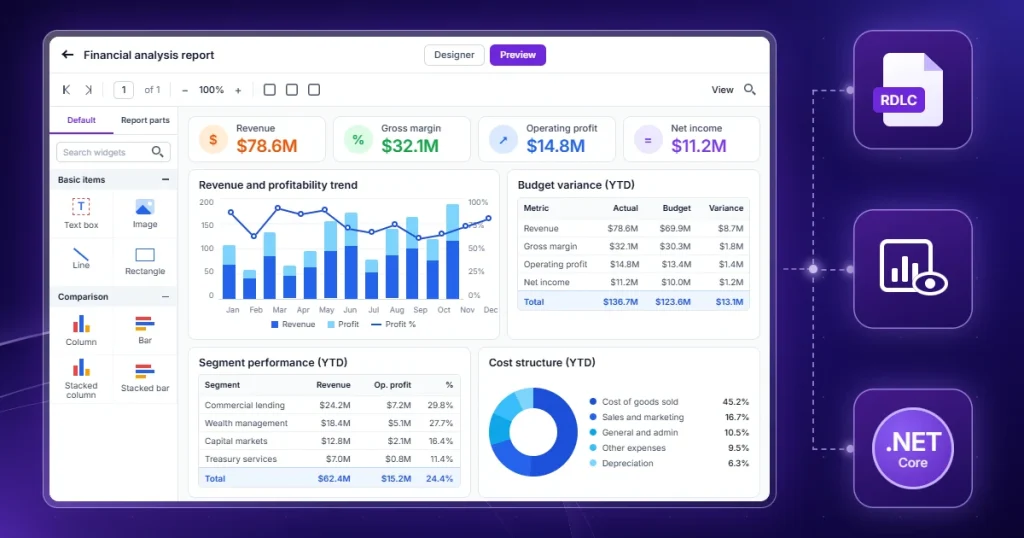
If you’ve worked through this guide, you’ve probably placed your bottleneck in one of the four categories. Bold Reports sits squarely in the last one as a dedicated reporting software.
It isn’t a GRC or compliance management platform, and it doesn’t try to be. It’s the reporting layer that turns the data in your existing systems into polished, audit-ready documents, and it pairs well with the tracking tools you may already use.
That focus is the point. Many teams already have a BI tool for dashboards or a compliance platform for tracking, but still build their audit packs, regulatory filings, and board reports by hand. Bold Reports is built to remove that final manual step, with features like:
-
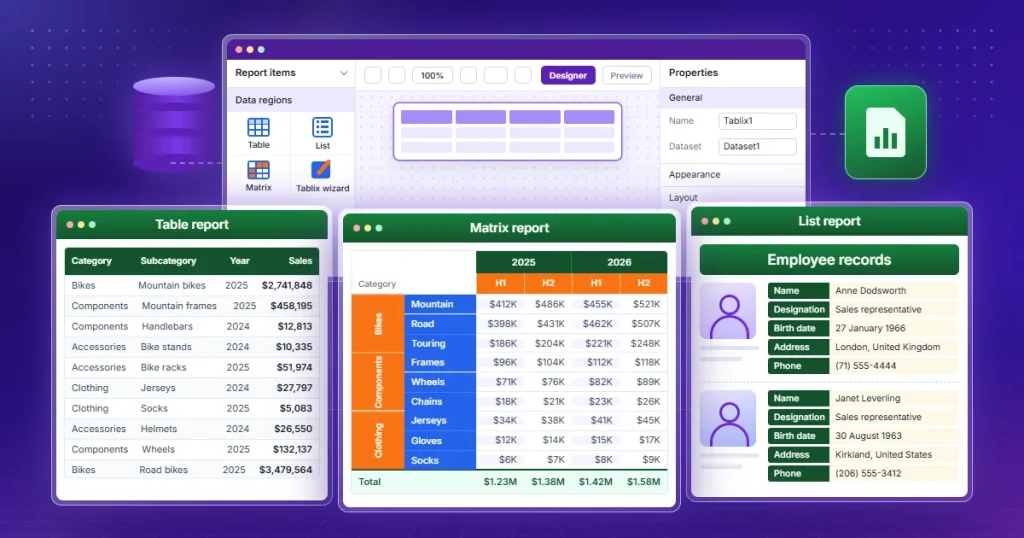
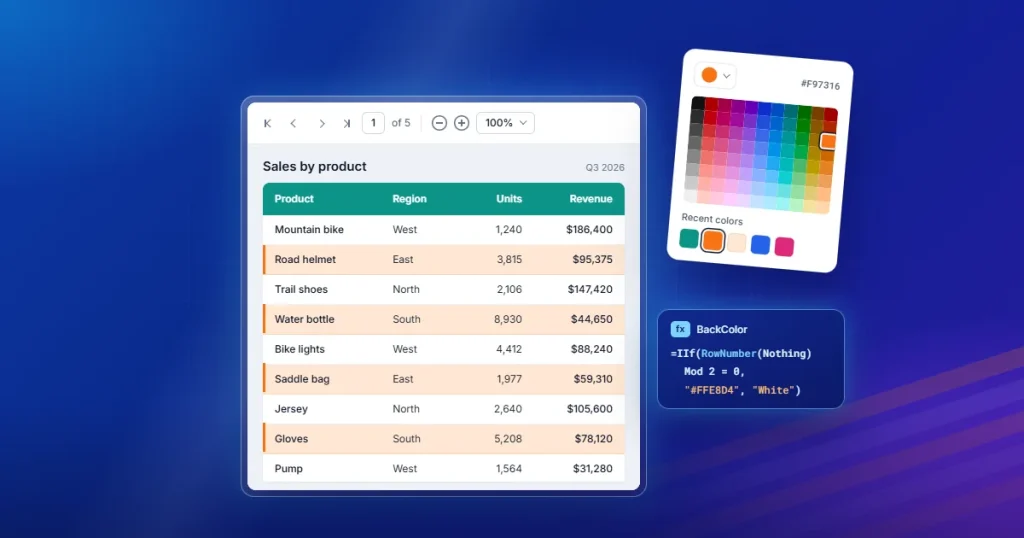
- Pixel-perfect layouts with precise control over headers, footers, tables, totals, and required disclosures so every report follows an approved standard.
- Report scheduling for monthly, quarterly, and annual reporting cycles that run without manual prep.
- Multiformat delivery that sends reports in PDF, Excel, Word, and other formats from one centralized environment.
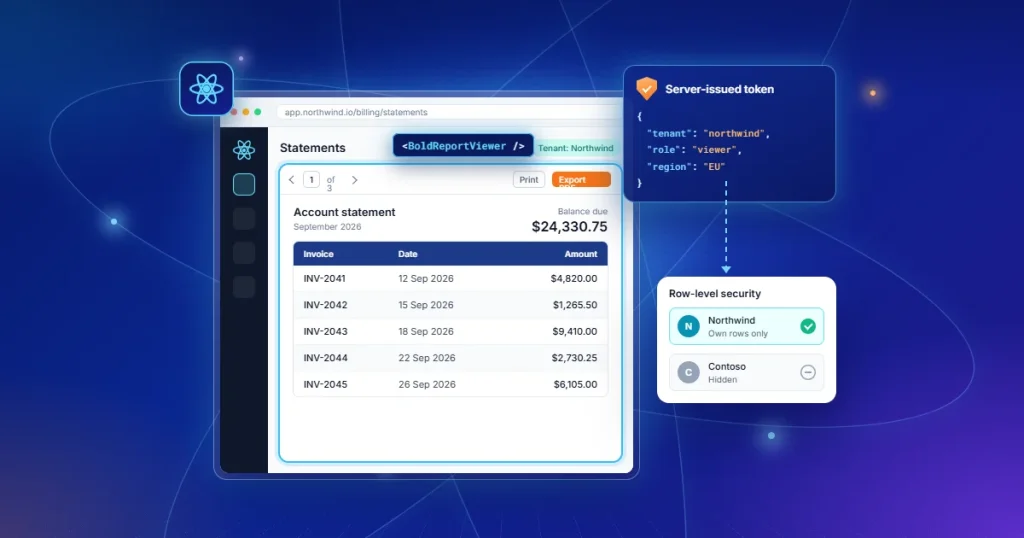
- Embedded reporting inside your own applications, portals, and internal systems.
- Flexible deployment with cloud and self-hosted options to align with governance, security, and infrastructure requirements.
- Enterprise scale across departments and business units while keeping report quality and formatting consistent.
Connect Bold Reports to your compliance database, design an audit report once with the required disclosures and formatting, schedule it to run each quarter, and have it delivered automatically as a PDF to auditors and an Excel file to internal stakeholders. The manual formatting and distribution work disappears, and every reporting cycle looks the same.
For teams whose data and controls are already managed but whose documents remain the bottleneck, that’s exactly the gap Bold Reports is designed to close.

Final thoughts
For most organizations, the challenge is no longer collecting compliance data. It’s turning that data into professional, repeatable, and distributable reports, cycle after cycle. As reporting obligations grow, manual workflows become harder to sustain, increasing the effort required to maintain consistency, audit readiness, and governance.
The most important question in 2026 isn’t whether you need compliance reporting. It’s which type of solution addresses your biggest bottleneck. If the challenge is managing the compliance program itself, a GRC or compliance management platform may be the right fit. If the challenge is producing and distributing audit-ready reports efficiently, a dedicated reporting solution is often the better choice.
Compliance reporting software helps organizations scale reporting through automation, standardized report generation, centralized distribution, and stronger governance controls. By reducing manual effort and improving consistency, it enables teams to keep pace with growing regulatory demands.
If reporting is your slowest step, Bold Reports delivers pixel-perfect formatting, report scheduling, multiformat delivery, embedded reporting, and flexible deployment options built for enterprise reporting environments. Start a 30-day free trial or schedule a personalized demo to see how Bold Reports can streamline your compliance reporting workflows.
Frequently asked questions
- 1.
What is compliance reporting software?
Compliance reporting software helps organizations create, automate, and distribute the reports used for regulatory, audit, risk, and governance requirements. It replaces manual assembly from spreadsheets and dashboard exports with consistent, repeatable, audit-ready documents that can be shared with regulators, auditors, and executives.
- 2.
What are the main types of compliance reporting tools?
There are four: GRC platforms (manage the whole program), compliance management software (track controls and evidence for specific frameworks), BI and analytics platforms (monitor data on dashboards), and dedicated reporting software (generate and distribute polished documents). The right type depends on your main bottleneck.
- 3.
What’s the difference between compliance reporting software and BI dashboards?
Dashboards are built to explore data and monitor status in real time. Compliance reporting software is built to produce structured, repeatable documents that serve as evidence. A dashboard shows whether you’re compliant; a report proves it to an auditor later.
- 4.
When should an organization invest in compliance reporting software?
Consider it when manual reporting is hard to scale, report preparation eats too much time, audit requests create bottlenecks, or requirements keep growing across departments and frameworks.
- 5.
What types of reports can it generate?
Common examples include SOX and financial compliance reports, HIPAA reports, SOC 2® Type 2 and ISO 27001 reports, GDPR compliance reports, audit reports, vendor compliance reports, and operational compliance reports.
- 6.
Can compliance reporting software automate report generation?
Yes. Most modern tools support scheduling and automated generation, so recurring monthly, quarterly, and annual reports run without manual assembly.
- 7.
Why is pixel-perfect reporting important for compliance?
Compliance documents often act as official records, so formatting has to hold across PDF, print, and digital output. Pixel-perfect reporting keeps every label, total, and disclosure precisely placed, which protects credibility and reduces compliance risk.
- 8.
How do I choose the right tool?
Start by identifying your bottleneck, such as managing the program vs. producing documents, then weigh the frameworks you must meet, who consumes the reports, volume, integrations, deployment and security needs, and how well the tool scales.
- 9.
Which industries use compliance reporting software most?
Financial services, healthcare, cybersecurity, insurance, government, manufacturing, and technology, along with other regulated sectors, all rely on it to keep reporting consistent and audit-ready.