
Release Announcement: Bold Reports 14.1.12 has arrived! Explore the latest features here.

- Product

- Product
- Demos
- Demos
- Migrate

- Migrate


Product
INTEGRATE
REPORTING CAPABILITIES
QUICK LINKS
Migrate
Solutions
- Pricing
Resources
Release History
12.1.16
Released on Dec 24, 2025Improvements
Report Viewer
- Resolved an exception during writer export when a visualization item included a chart with no data.
- Fixed the issue in Excel export when borders were not applied to the Tablix report item.
12.1.15
Released on Dec 17, 2025Improvements
Report Viewer
- Resolved an issue with merged columns in HTML export when the `disablepagesplitting` property was enabled.
- Resolved text-wrapping issues in merged cells text during PDF export when virtualization was enabled.
12.1.14
Released on Dec 10, 2025Improvements
Report Designer
- Improved error handling for the Web API and OData data connectors to ensure consistent, reliable status-code responses.
- Removed the restriction on uploading and configuring SVG images in reports for the MVC platform.
Report Viewer
- Fixed an issue where the page name did not update correctly during page navigation.
- Resolved a problem where embedded images were not rendered as the background for report items placed inside a subreport.
- Updated the error message for Web API connection failures to display both the dataset and datasource names.
- Fixed an issue where charts with no data caused other data visualization items to be exported incorrectly.
12.1.13
Released on Dec 3, 2025Improvements
Report Viewer
- Added error handling for scenarios where the IsMissing property is used in parameter expressions.
- Resolved a null reference issue that occurred when navigating report pages in file storage configurations.
- Fixed a number formatting issue when applying the ‘d’ format to numeric values in Bold Reports text boxes.
- Corrected page splitting behavior for report items inside a tablix, ensuring they split into the next page instead of moving entirely to the next page.
- Introduced custom property support to disable specific dates and days in the EJ2 calendar component.
Release History
12.1.12
Released on Dec 2, 2025What’s New
Deployment
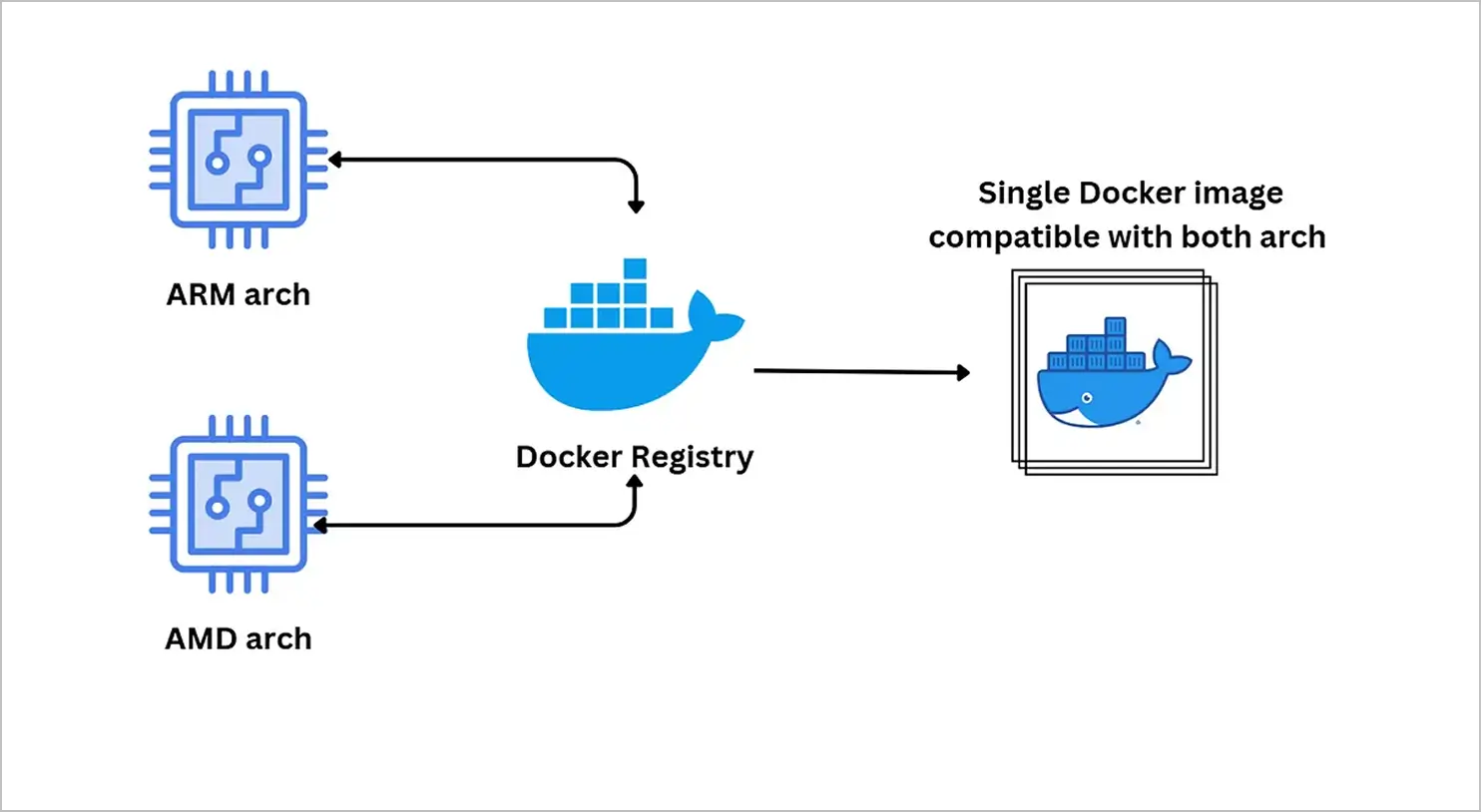
- Manifest support is now available for multi-container images, enabling Bold Reports deployments on both AMD and ARM CPU architectures across Docker and Kubernetes environments.

Report Server
- Added support for enabling scheduled email delivery seamlessly through Amazon SES integration.
- Enabled automatic addition of system users to report server sites when creating the new site.
- Added support for multi-tabbed reports in Bold Reports.
Report Designer
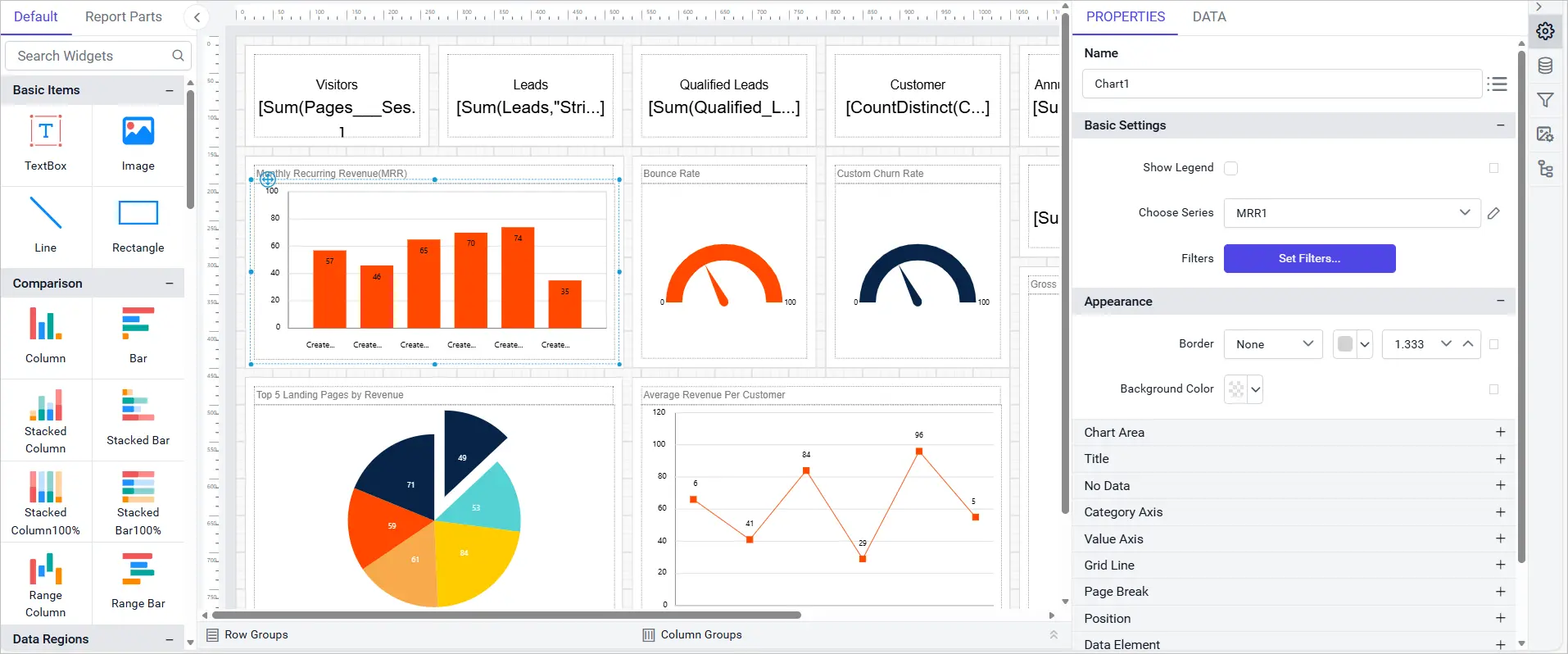
- Introduced Report Explorer panel for quick and easy access to report items.
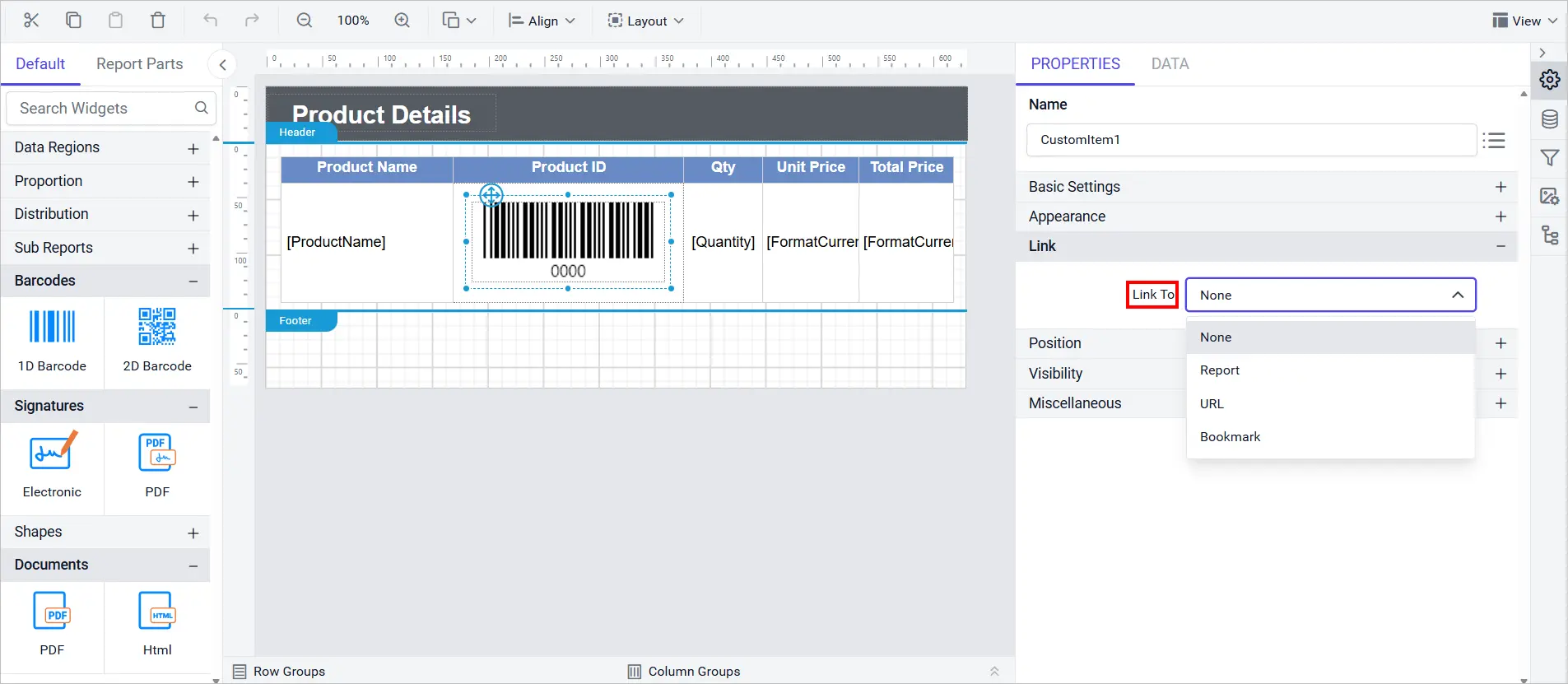
- Added Link property support for custom report items.
- Added support for New Zealand English (en-NZ) culture.
Report Viewer
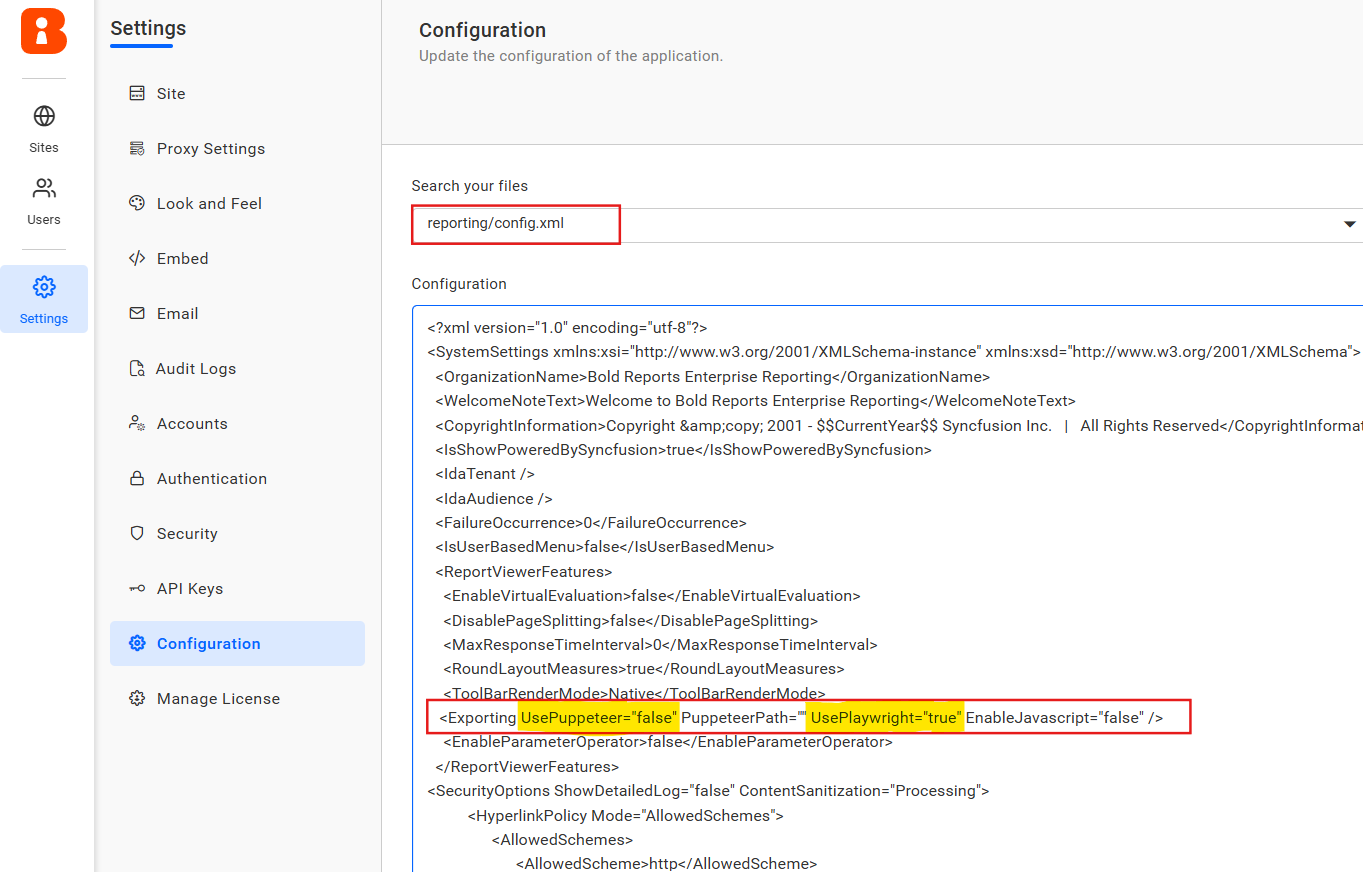
- Provided report writer data visualization export support for Azure ARM64 environments using Playwright. This enhancement ensures seamless export of charts and visual reports for ARM-based Azure deployments.
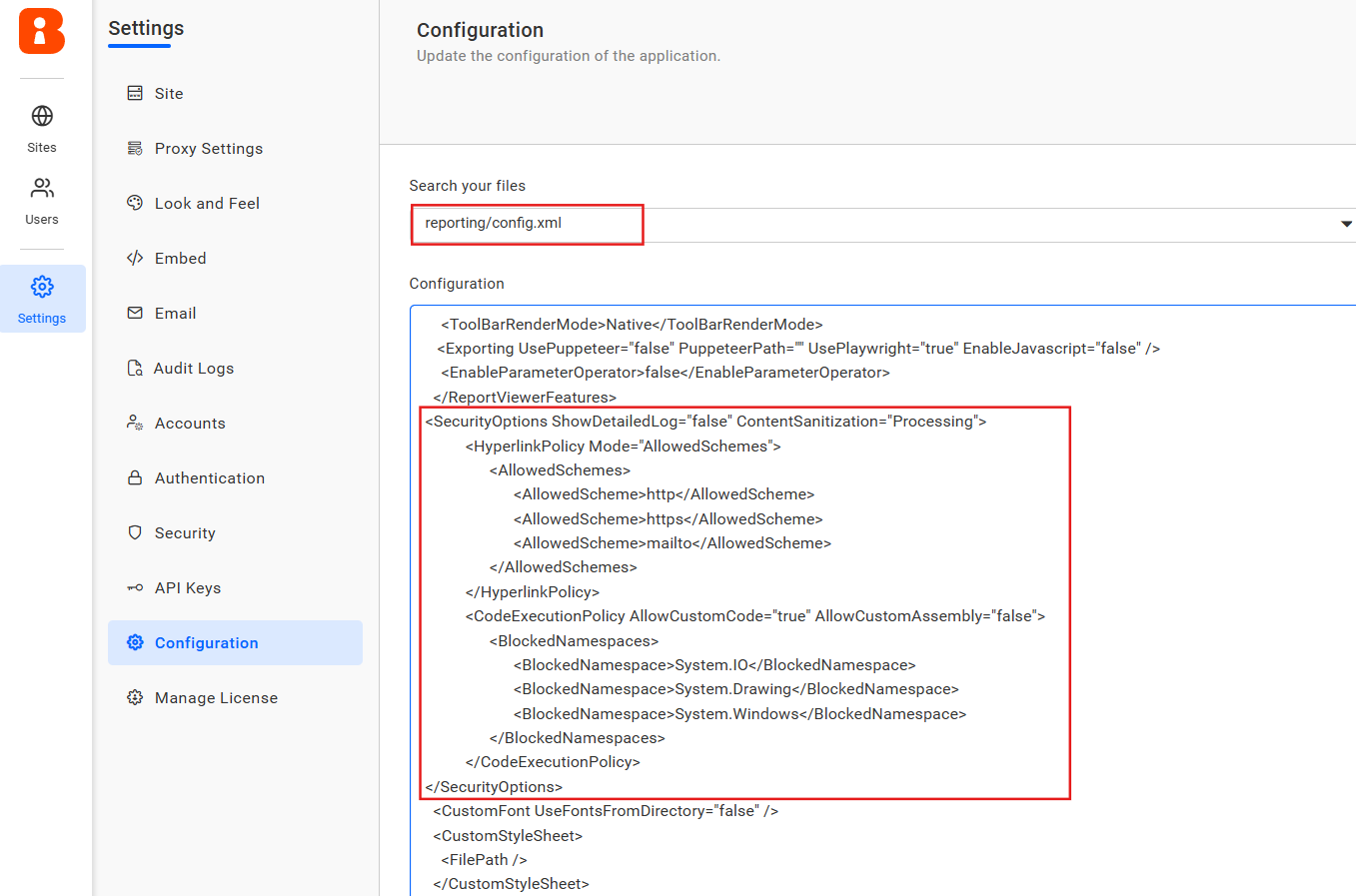
- Introduced new API configurations to strengthen report security and ensure compliance during execution. These enhancements help reduce risks by allowing you to disable custom code execution, sanitize report content, validate hyperlink URLs, and control stack trace visibility.
Improvements
Report Server
- Provided support for authentication and group claims-based access.
- Provided support for enabled export file settings for add, update, and get schedule API.
- Added support for generating secure embed tokens through validated embed secrets.
- Enabled support for embedding report images directly within scheduled mail body content.
- Added support for reply-to email option within scheduled mail configuration.
Report Designer
- Resolved query failures in Oracle Data Extension caused by missing parameter bindings (ORA-01008).
- Enforced SQL authentication in SQL Data Connector when password is not saved.
- Improved Tablix stability and consistency when merging cells and handling headers.
- Corrected inconsistent color picker values for indicator states between component and expression dialog.
- Resolved the issue preventing the Undo function from restoring the initial border settings in Tablix report items.
- Fixed flickering when context menus closed too quickly after opening.
- Includes additional bugs fixes and improved application security for a smoother, safer experience.
Report Viewer
- Introduced the MaximumAxisLabelWidth custom property to wrap long X-axis labels and prevent overlap.
- Enabled rendering of background images for rectangle report items from the database.
- Added center alignment support for images in both report preview and exported documents.
- Added the HideLegendForSeries custom property in chart report items, allowing to selectively hide legend entries for individual series in charts.
- Introduced the DropdownSelectLimit custom property in report to set max selections in multi-select parameter dropdowns over more than 1000 items.
- Enabled SVG image rendering in .NET Framework, extending support to MVC applications beyond .NET Core for richer and scalable graphics in reports.
- Added support to logging of report execution metrics to a database for embedded server report previews, providing better monitoring and performance insights.
- Provided option to configure PDF/A-4 conformance in PDF exports setting, to extend archival compliance beyond A1, A2, and A3. This ensures documents meet the latest PDF/A-4 standards for long-term preservation.
Bold Data Hub
- Provided support to set primary key for destination and also to drop the destination table for each extraction.
- Provided email notification support for failure cases in Bold Data Hub.
- Provided incremental refresh support for custom query in Data Hub.
- Provided support to set primary key for destination and also to drop the destination table for each extraction.
IDP
- Enhanced homepage performance with optimized loading speed and resolved critical bugs for improved stability.
- Simplified the site creation process by automatically generating values of the Site Identifier field, which is also customizable.
- Implemented proxy settings API.
- #746207 – Enhanced combined deployment workflow to create Bold BI and Bold Reports sites during auto-deployment, also improved to get licenses of both products.
- Added support to retrieve multiple groups from OAuth/OpenID access token claims and map them to corresponding tenant groups during sign-in to get predefined permissions.
- Improved the database connection issue message for enhanced clarity and user understanding by showing it directly in the site creation and updating process.
Bug Fixes
IDP
- Fixed the issue where the site was not deleted after manually deleting the database table.
- Fixed the issue that allowed non-admin users to access the Add User dialog by manually entering the URL without the necessary permissions.
- Fixed the issue where the sub-application path update was not functioning correctly when updating the proxy settings.
- Fixed the issue where logout was not functioning properly in Kubernetes when using sub-applications.
- Fixed the issue where both UMS SSO options were displayed for site login when UMS settings were not inherited.
- Resolved the logo override issue where the default logo was displayed instead of the updated logo.
- Resolved an issue where the custom branding logo was breaking during the auto deployment process in Docker, Linux, and Kubernetes environments.
- Fixed SEO performance issues related to security items.
- Startup issues when deploying the application using S3 or Azure Blob or OCI storage.
- Resolved the table prefix issue during the combined deployment (Bold BI and Bold Reports) with single database mode for the table conflict between the products.
Important Note
Deployment
- We have standardized the multi-container artifact registry structure to simplify the automation process. Previously, each release required a separate registry. Going forward, a single registry will be used with distinct tags for each release. Previous structure: us-docker.pkg.dev/boldreports/v/boldreports-server. New structure: us-docker.pkg.dev/boldreports/multi-container/boldreports-server