
Free Invoice Template: Create and Download Instantly

TL;DR: Need a quick way to create and download invoices without the hassle? This guide explores the Bold Reports® Free Invoice Template, highlighting its fast, error-free calculations, customizable branding, and browser-friendly access. Perfect for freelancers, small businesses, and anyone looking to streamline invoice creation without subscriptions or complex tools.
Introduction
Invoices are essential for any business, but creating them manually can be time-consuming and error-prone. That’s why Bold Reports introduced the fast, intuitive tool that lets you design and download professional invoices in just a few clicks. No sign-up required, no technical skills needed. Whether you’re a freelancer, small business owner, or enterprise team, this tool helps you create branded invoices that impress.
This blog explores the benefits of using the invoice template, highlights its key features, and walks you through the step-by-step process of creating your first invoice.
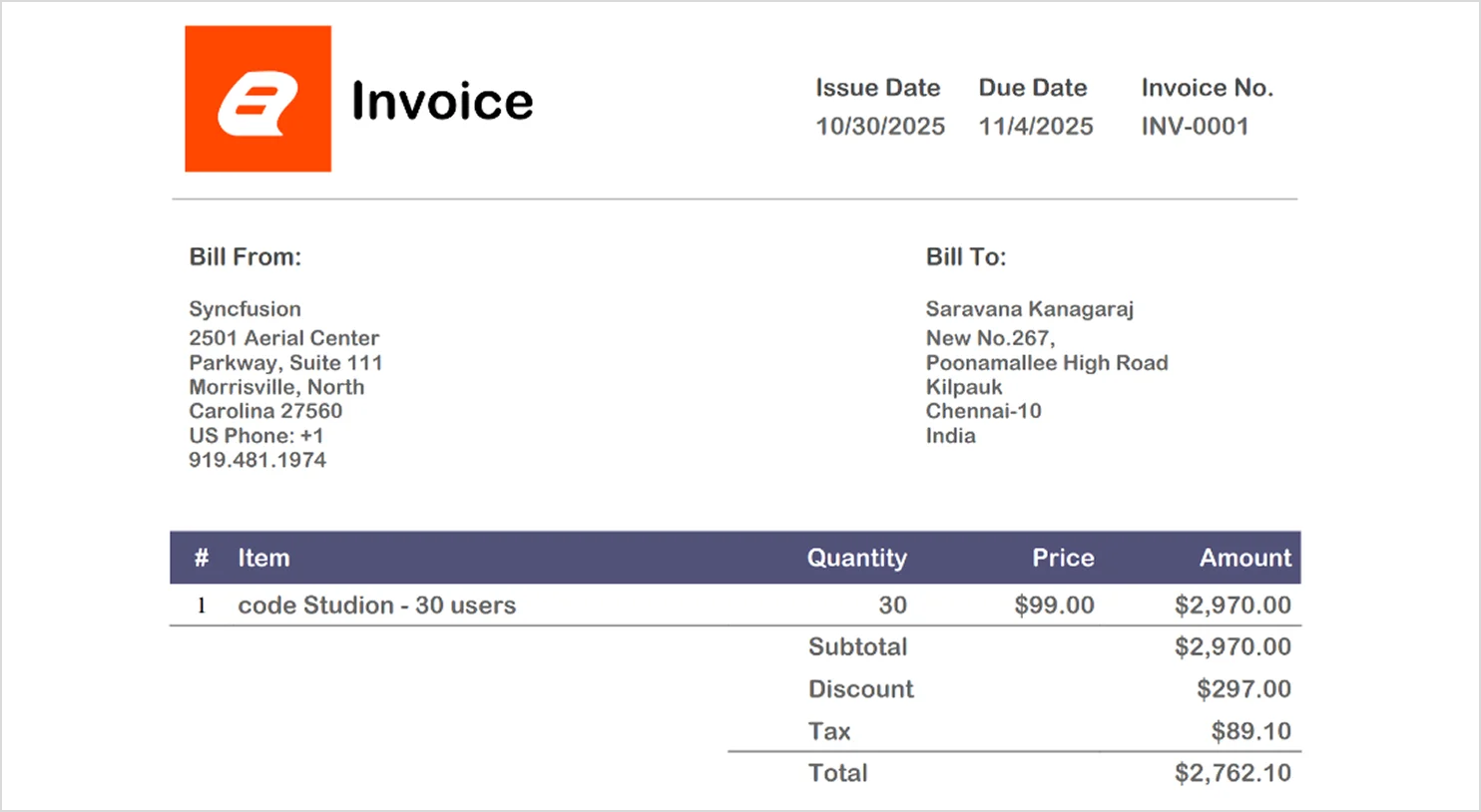
Four Benefits of Using the Bold Reports Free Invoice Template
Using Bold Reports’ free invoice template gives you a competitive edge by simplifying your workflow and enhancing your brand presentation. Here’s how.
- Fast and free: Create and download professional invoices instantly, no account or subscription required.
- Custom branding: Add your logo, color scheme, and layout to reflect your business identity.
- Smart calculations: Eliminate manual errors with automated totals and tax calculations.
- Work anywhere: Generate invoices from your browser, no installation or setup needed.
Creating invoices with Bold Reports ensures speed, accuracy, and professionalism, without the hassle.
Key Features of the Bold Reports Invoice Template
The invoice template is designed to simplify your billing process while maintaining a polished, professional look. Here’s what makes it stand out:
- No-code simplicity: Just fill in your details, click download, and your invoice is ready.
- Preserved formatting: Your layout and styling remain intact, no need for post-download fixes.
- Greater accuracy: Automated calculations ensure your totals are correct every time.
- Easy accessibility: Access invoices from any browser, on any device.
- Scalable reporting: Start with invoices and scale up to full SSRS-compatible RDL reports as your needs grow.
- Secure and centralized: Manage invoices and reports from a secure portal with role-based access.
Step-by-Step Guide: How to Create, Customize, and Download an Invoice with Bold Reports
- Visit the Bold Reports invoice template through this link: Bold Reports Invoice Template.
- Enter your invoice details: Add your company name, address, client information, and invoice ID.
- Customize the invoice:
- Add your logo.
- Set issue and due dates.
- Choose your currency and color theme.
- Add items: Fill in item name, quantity, price, and description. The tool calculates totals automatically.
- Include terms and conditions: Add any payment terms or notes for your client.
- Preview and download: Click download invoice to save your professionally formatted invoice.
Your invoice is now ready to send, clean, accurate, and tailored to your brand.
Conclusion: Key Takeaways
Creating invoices doesn’t have to be time-consuming or complicated. The Bold Reports invoice template offers a fast, flexible, and professional solution, perfect for freelancers, small businesses, and anyone looking to simplify billing. With features like customizable branding, error-free calculations, and browser-friendly access, it’s designed to save you time and effort.
Ready to streamline your invoicing process?
Start using the Bold Reports Invoice Template today, sign up for a free trial or request a personalized demo. While you’re exploring, check out other productivity tools from Bold Reports®, such as the Word-to-RDL Report Converter and PowerPoint-to-RDL Report Converter, to make your reporting smarter and more efficient.
Additionally, you can check out our blogs on “How to Create Invoice Reports with Bold Reports Designer” and “How to Convert Word Documents to RDL Reports Easily” to learn more about Invoice Template in Bold Reports.
Frequently Asked Questions
- 1.
Can I print or download my invoice as a PDF?
Yes. Once your invoice is created, you can preview it instantly and download or print it as a PDF with a single action.
- 2.
Is this invoice template free to use?
Absolutely. The invoice template is completely free and can be used by individuals and businesses without any subscription or payment.
- 3.
Will my invoice contain watermarks?
No. All invoices generated using this template are clean and professional, with no watermarks added.
- 4.
How safe is my information when using this tool?
Your data is handled securely. Information entered to generate invoices is not shared or misused, ensuring your business details remain private.
- 5.
Can I customize the invoice design and details?
Yes. You can personalize your invoice by adding your logo, adjusting branding elements, applying taxes or discounts, and modifying line items to suit your needs.
- 6.
Is there a limit to how many invoices I can create?
There are no usage limits. You can generate as many invoices as you need without restrictions.






