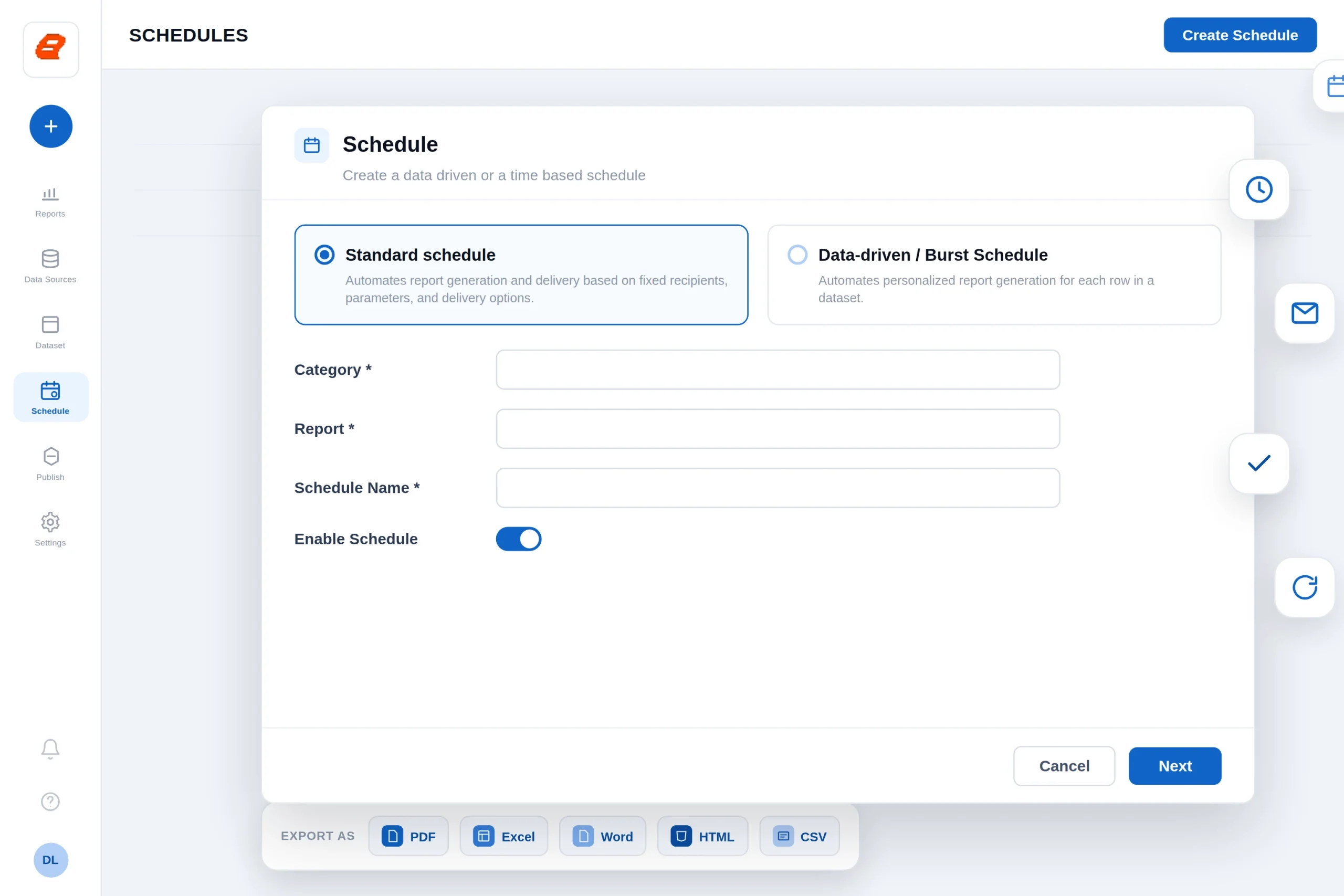
Set reports to run on your schedule and deliver themselves to the right people, in the right format, to the right place. Bold Reports generates, exports, and distributes reports automatically, so your team stops rebuilding the same file every week.
Select a single format, or choose several and deliver them together as one zip file.
PDF
Excel
Word
HTML
PPT
CSV
XML
Trusted by leading companies
The problem
Manual reporting doesn't scale
If someone on your team exports the same reports by hand every morning, month end becomes a bottleneck and errors creep in. Scheduling removes the manual step entirely.
Recurring reports eat hours that should go to analysis.
Different stakeholders need different cuts of the same report.
A missed or late report can stall a decision.
Capabilities
Everything you need to automate report delivery
Flexible recurrence
Run reports hourly, daily, weekly, monthly, or yearly, with start and end dates and time-zone aware scheduling.
Seven export formats
Deliver reports as PDF, Excel, Word, HTML, PPT, CSV, or XML. Choose one format, or bundle several as a single zip.
Multiple delivery paths
Email to users, groups, and external recipients, or save to a file location, FTP or SFTP server, or Amazon S3 bucket.
Secure by default
Compress and password protect exported files, with failure notifications to owners and recipients.
NEW
Personalized reports at scale with data-driven scheduling
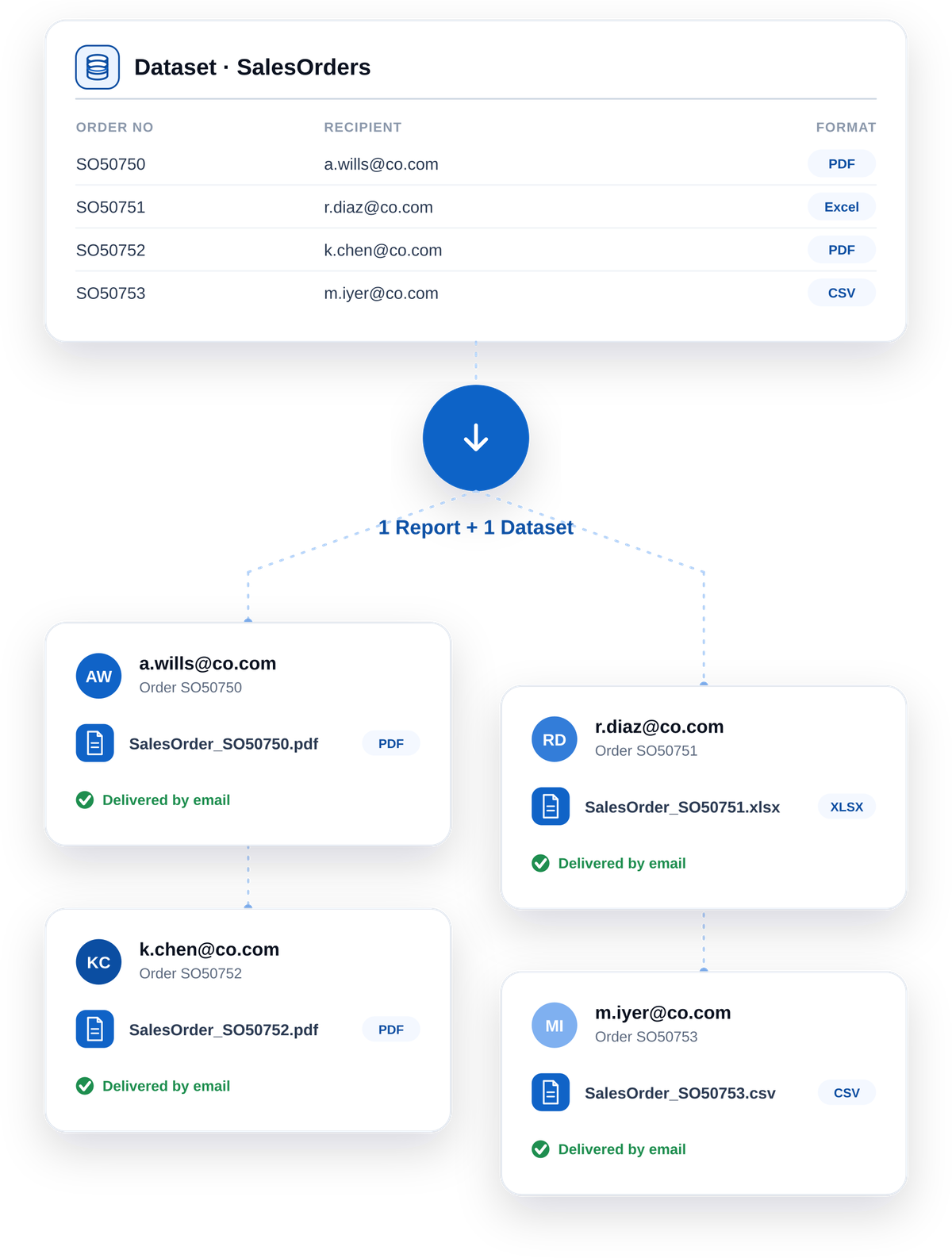
Data-driven, also called burst scheduling, turns one report and one dataset into many personalized outputs. The scheduler reads each row in your dataset and generates an individual report using that row's values, so every recipient gets their own version without you creating a schedule for each one.
Point the schedule at a dataset where each row holds a recipient, their parameters, format, and delivery settings.
The scheduler processes every row and builds a separate report for each one.
Each report is delivered by that row's own rules, by email or to a saved location.
Best suited for reports that use parameters, so each row can drive a different filtered view. Set a maximum report count to control each run.
Pick a report and name the schedule. Set parameter values if the report uses them.
02
Choose recurrence
Hourly, daily, weekly, monthly, or yearly, with the start time shown in your time zone.
03
Choose formats & delivery
Select one or more export formats and pick email, file, FTP or SFTP, or S3.
04
Save and let it run
Use Run Now to trigger on demand, and check Run History any time to confirm delivery.
Destinations
Deliver reports wherever your teams work
Email
Send to individual users, groups, and external recipients. Combine recipients into a single email with CC, or send separate emails to each.
File location
Save exports to a local or shared path, with overwrite control and recipient notifications.
FTP and SFTP
Push reports to an FTP or SFTP server using a configured root and relative path.
Amazon S3
Export directly to an S3 bucket, authenticated with an access key or a KMS key.
Reporting for ERP Systems
Your ERP is a system of record. It was never a reporting tool.
ERPs are built to capture transactions accurately. Turning those transactions into a document someone can sign, file, send to a customer, or hand to an auditor is a different job, and it's where most ERP investments quietly leak value.
Password protection
Protect exported files with a default or custom password rule, with separate handling for internal users and external recipients.
File compression
Bundle exports into a zip, and deliver multiple formats as a single attachment.
Failure notifications
Alert the schedule owner and recipients automatically if a run fails.
No-data handling
Choose to skip the attachment or skip the email when a report returns no data.
Custom email templates
Personalize the delivery email with variables such as recipient name, report name, report link, and organization name.
Run history and permissions
Review every run, and control who can create and manage schedules through permissions.
Migrating
Moving from SSRS or Crystal Reports?
The scheduling patterns you rely on today have a home in Bold Reports.
Coming from SSRS
If you use SSRS data-driven subscriptions to send each recipient their own filtered report, data-driven scheduling in Bold Reports covers the same job, built into the Report Server.
If you burst a report into a file per group or customer, burst scheduling in Bold Reports covers the same job: one output per dataset row, delivered on its own rules as Crystal Reports 2020 support ends.
Report scheduling lets you set a report to run automatically on a recurring basis and deliver the output to chosen recipients or locations, without manual exporting.
PDF, Excel, Word, HTML, PPT, CSV, and XML. A single format is delivered in its native file type, and multiple formats are delivered together as one zip.
Data-driven scheduling reads each row of a dataset and generates a separate, personalized report using that row's parameters, format, and delivery settings. It is well suited to sending many recipients their own filtered version of a report.
Data-driven scheduling in Bold Reports covers the same job as an SSRS data-driven subscription, generating and delivering a personalized report per recipient from a dataset.