
Collaborative Reporting: Key Features, Benefits & Use Cases

TL;DR: Collaborative reporting allows teams to work on reports together in real time. With Bold Reports®, users can share insights, comment directly within reports, automate delivery, and collaborate securely across platforms, leading to faster decisions, better accuracy, and improved teamwork.
Introduction
Collaborative reporting is transforming how teams work with data. Instead of static reports and disconnected feedback loops, Bold Reports enables real-time collaboration directly within a reporting interface. Designed for modern organizations, it helps teams share insights, comment in context, and take action, securely and efficiently. This blog explores what collaborative reporting is, its benefits, key features, and how to enhance team collaboration with Bold Reports.
What Is Collaborative Reporting?
Collaborative reporting is a solution that enables multiple users to engage with and contribute to a shared report environment simultaneously. It emphasizes collective input, contextual communication, and synchronized access to data within a reporting interface.
Benefits of Collaboration in Business Reporting
Collaborative reporting enables teams to work together on reports in real time, sharing insights, commenting in context, and taking secure action across platforms. Below are the key benefits it brings to businesses reporting.
- Improved accuracy: Collaborative reporting reduces errors by allowing multiple stakeholders to validate data and insights.
- Faster decision-making: When reports are created and reviewed together in real time, teams can make quicker, more informed decisions.
- Enhanced transparency: Shared report access fosters openness and accountability across departments.
- Better alignment across teams: Collaboration ensures that everyone works with the same data and goals, reducing miscommunication.
- Increased efficiency: By pooling expertise and automating workflows, collaborative reporting saves time and resources.
- Continuous improvement: Feedback loops within collaborative platforms help refine reports and improve future reporting processes.
Now, let’s explore the real-world use cases of collaborative reporting when implemented in different industries.
Real-World Use Cases of Collaborative Reporting
Collaborative reporting helps teams work better together. Everyone can see the same data, share ideas, and make decisions faster. Here’s how it helps in different industries:
Sales
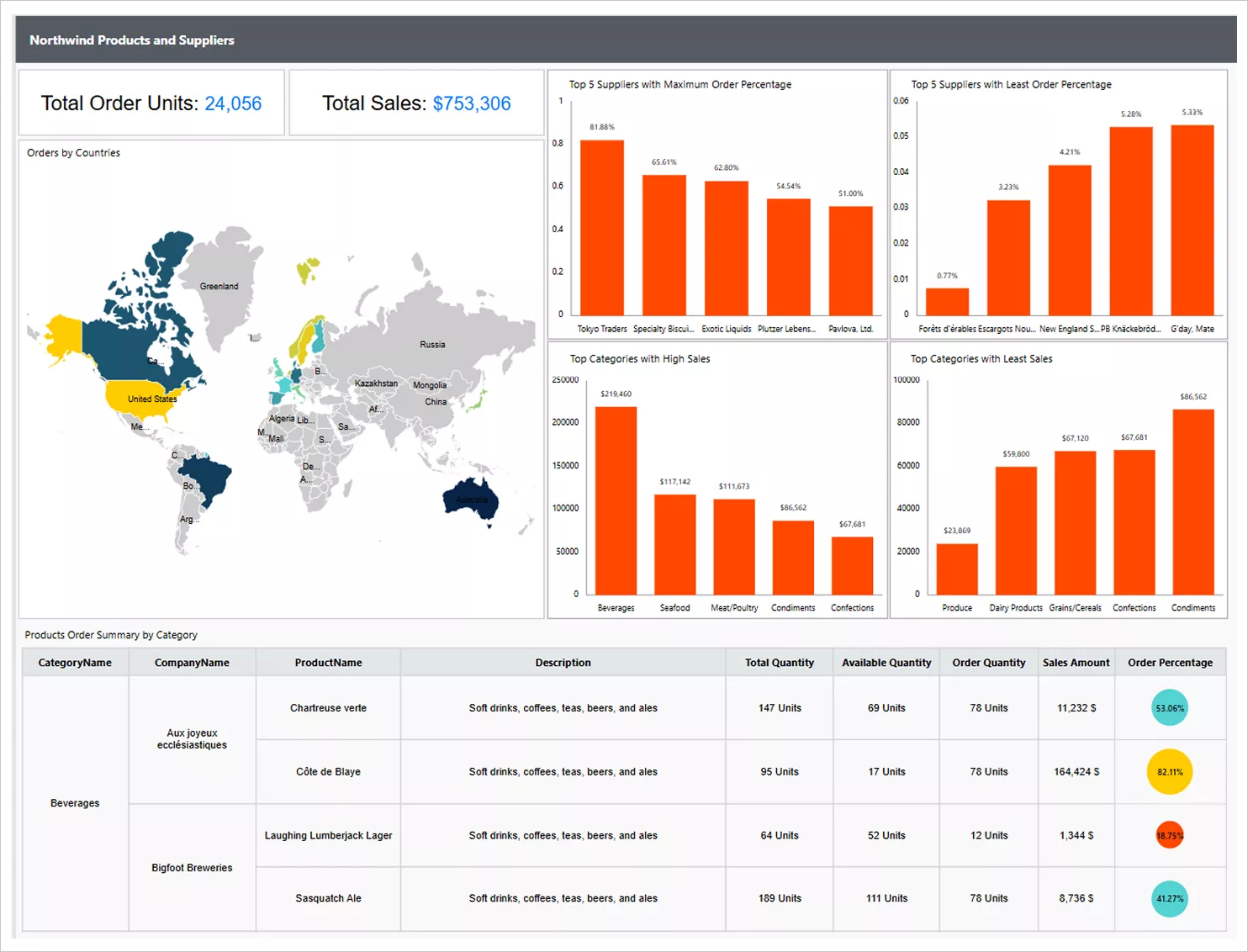
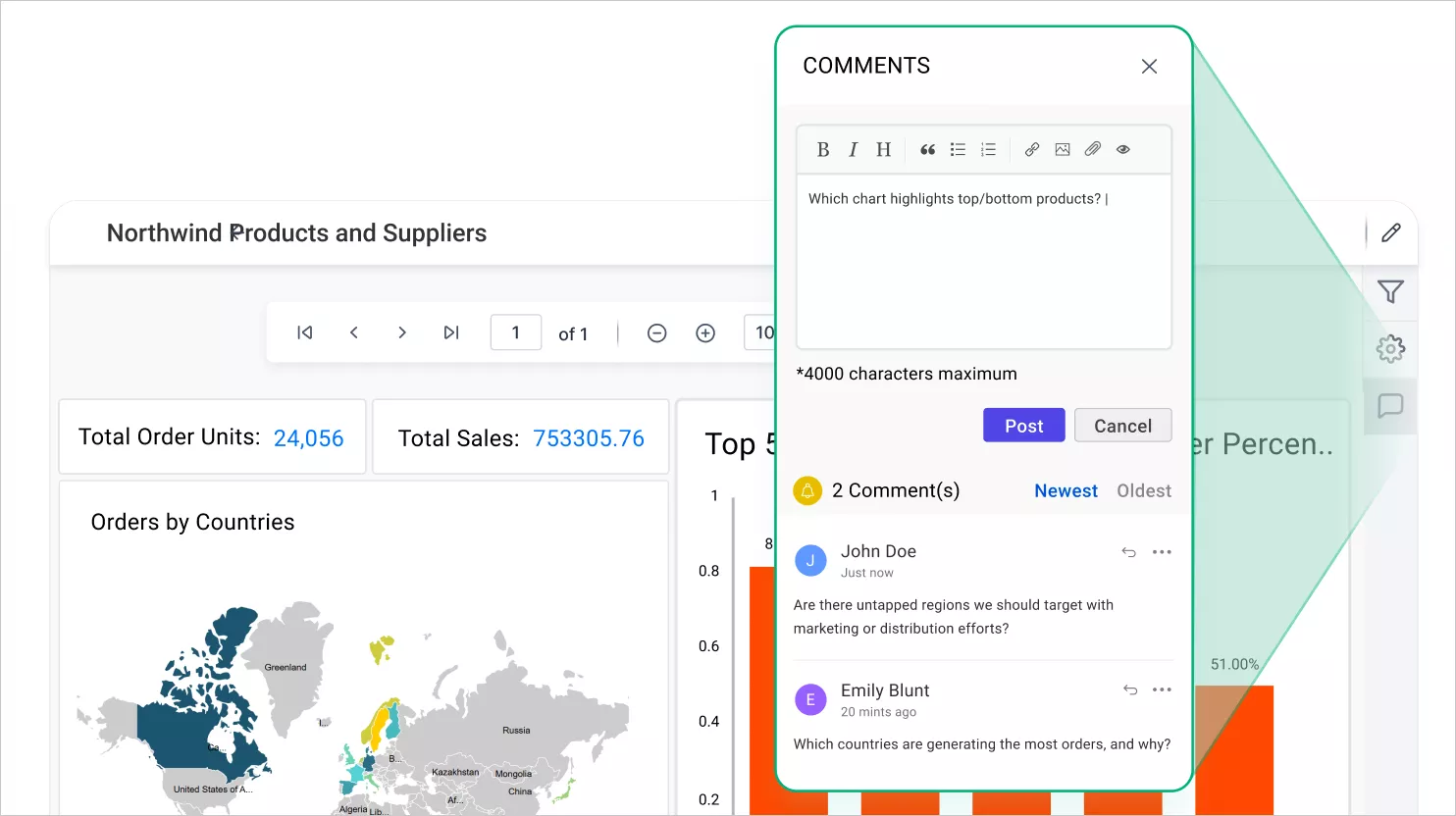
Sales teams often face confusion and missed opportunities due to working with inconsistent or siloed data. The Northwind Products and Suppliers Report brings all product and regional sales data into one shared view. This enables teams to analyze trends, align strategies, and make faster, more informed decisions.
Finance
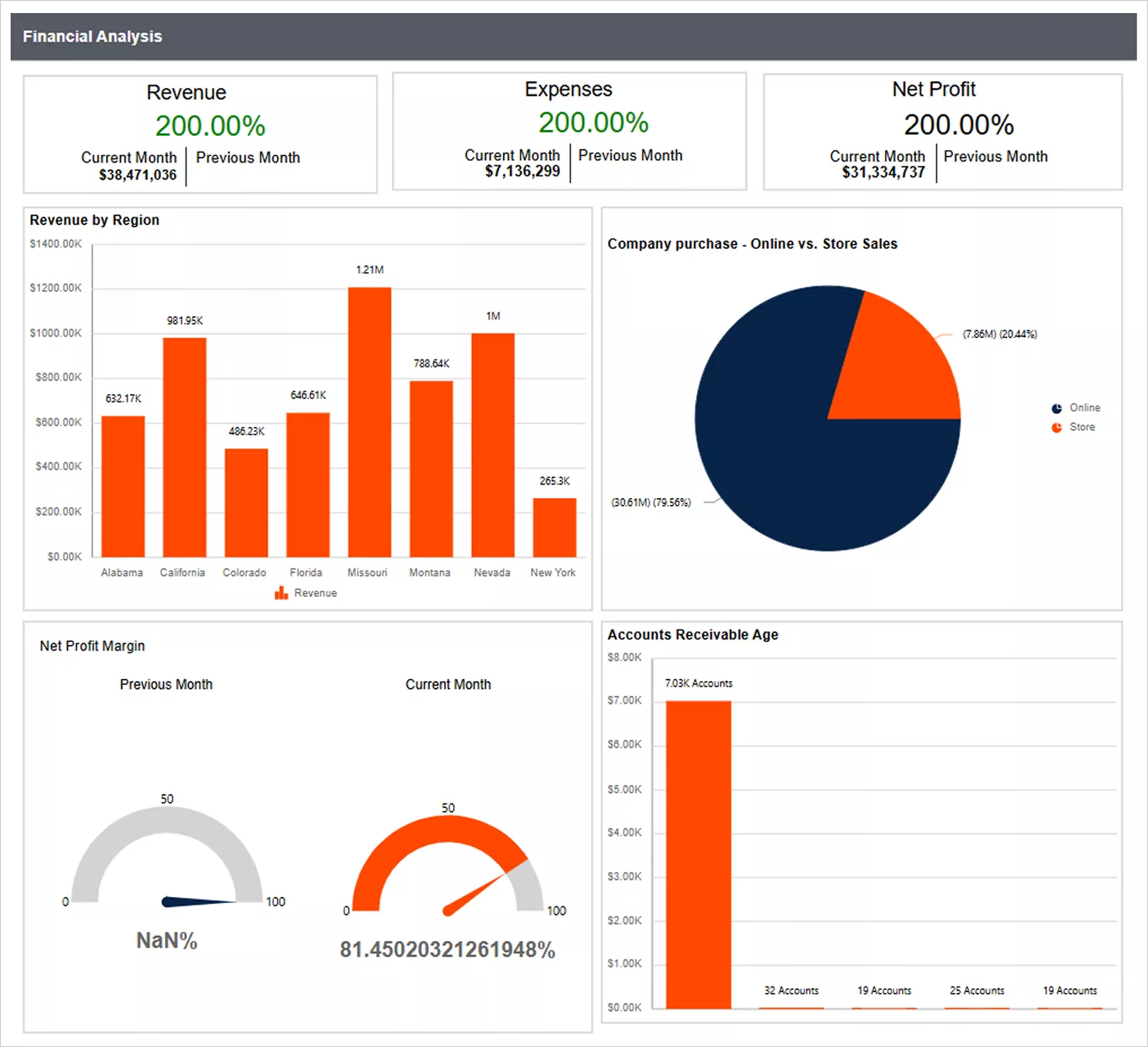
Finance professionals frequently struggle with outdated or disconnected reports, slowing down analysis and decision-making. A collaborative finance analysis dashboard provides real-time visibility into income and expenses. With shared access, analysts and managers can validate data together, offer timely feedback, and improve financial outcomes.
Manufacturing
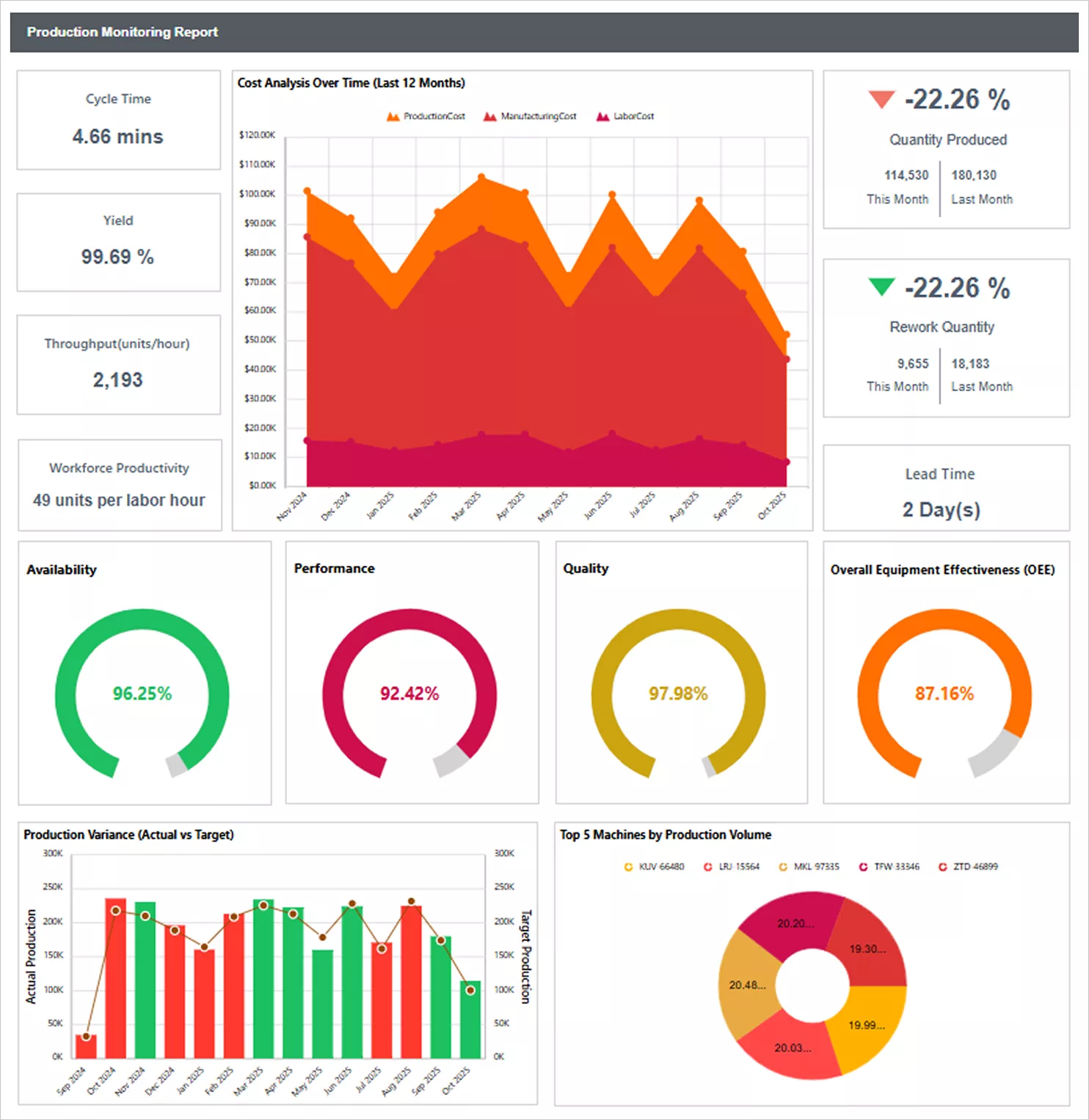
When production data is delayed or scattered, manufacturing teams can’t respond quickly to issues, leading to inefficiencies. A product monitoring report offers live updates on output and downtime in one centralized view. This allows teams to collaborate in real time, identify problems early, and optimize operations.
Insurance
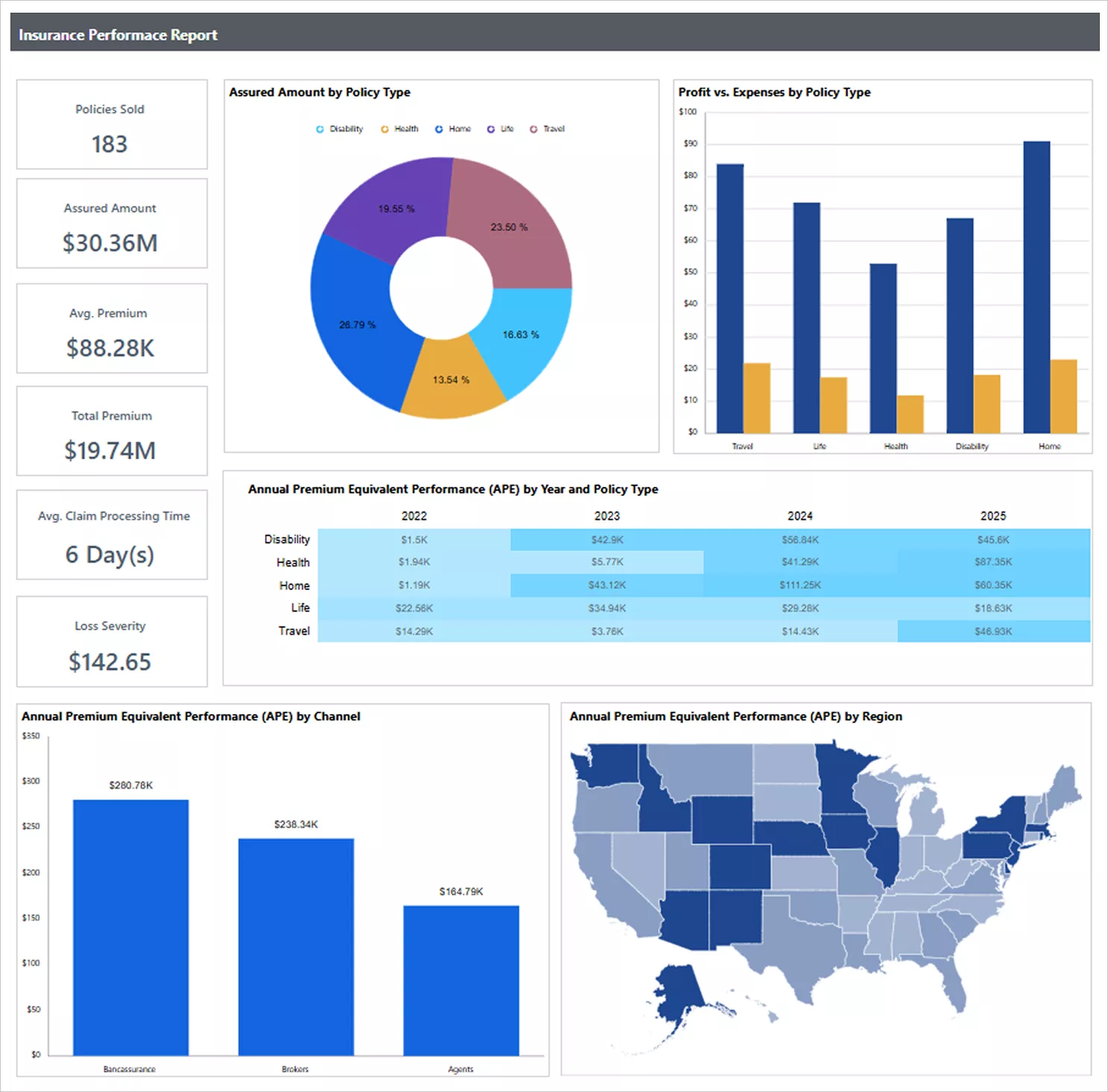
Insurance teams often work with data spread across multiple systems, making it hard to track performance and serve customers effectively. The Insurance Performance Report consolidates claims and customer information into a single dashboard. This shared view helps teams collaborate better, monitor KPIs, and deliver an improved customer service.
Now, with the insights into the key benefits and real-world use cases of collaborative reporting, it’s important to understand the key features that make a platform truly effective. These features ensure that collaboration is seamless, secure, and integrated into your team’s workflow. Let’s explore them below.
Key Features to Look for in a Collaborative Reporting Platform
A good collaborative platform should have the following key features:
- Real-time collaboration: The platform should allow multiple users to work on the same report simultaneously, with live updates and shared feedback.
- Automation and scheduling: It should enable automatic report generation and delivery based on predefined schedules or triggers.
- Report-level discussions: The tool should allow users to comment directly within reports to keep feedback contextual and eliminate the confusion of switching between email or chat threads.
- Data integration capabilities: The platform should connect seamlessly to various data sources, enabling unified reporting from diverse systems.
- Access control and security: The platform must provide role-based access controls so teams can collaborate securely while protecting sensitive data.
- Scalability and performance: The tool should handle growing data volumes and user demands without compromising speed or reliability.
Let’s now walk through how to collaborate directly within Bold Reports.
What Makes Bold Reports the Best Collaborative Reporting Platform
Bold Reports empowers teams to collaborate on reports in real time by sharing insights, commenting in context, and taking action securely across platforms. This enables faster decision-making, reduces miscommunication, and ensures everyone stays aligned with the most current data. Additionally, Bold Reports offers:
1. Report-level discussions: Bold Reports allows users to add comments directly within reports, enabling real-time, contextual collaboration that keeps discussions focused and actionable.
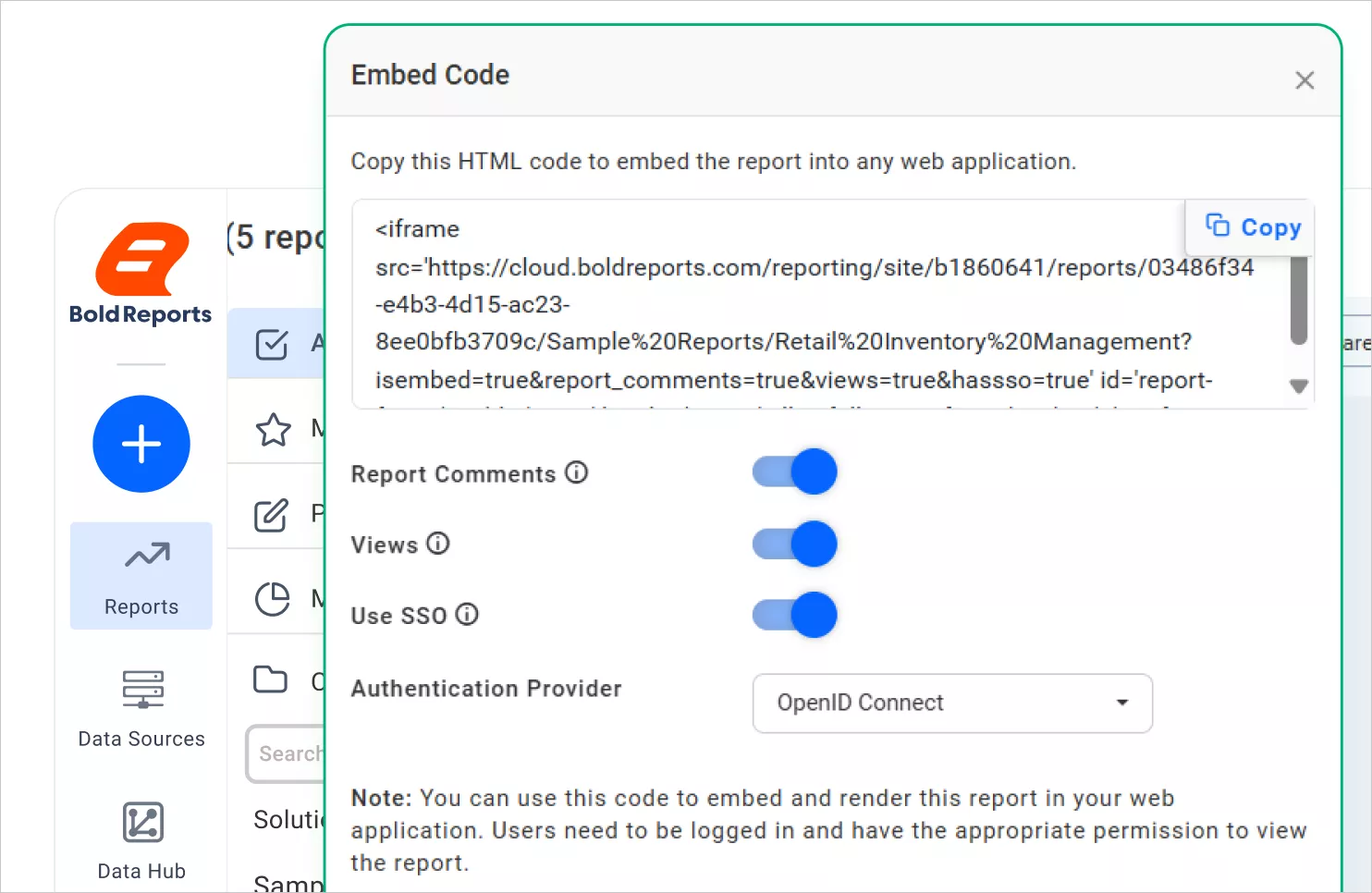
2. Cross-platform embedding: It supports embedding reports into tools like SharePoint or internal wikis, making it easy for teams to access insights within the platforms they already use.
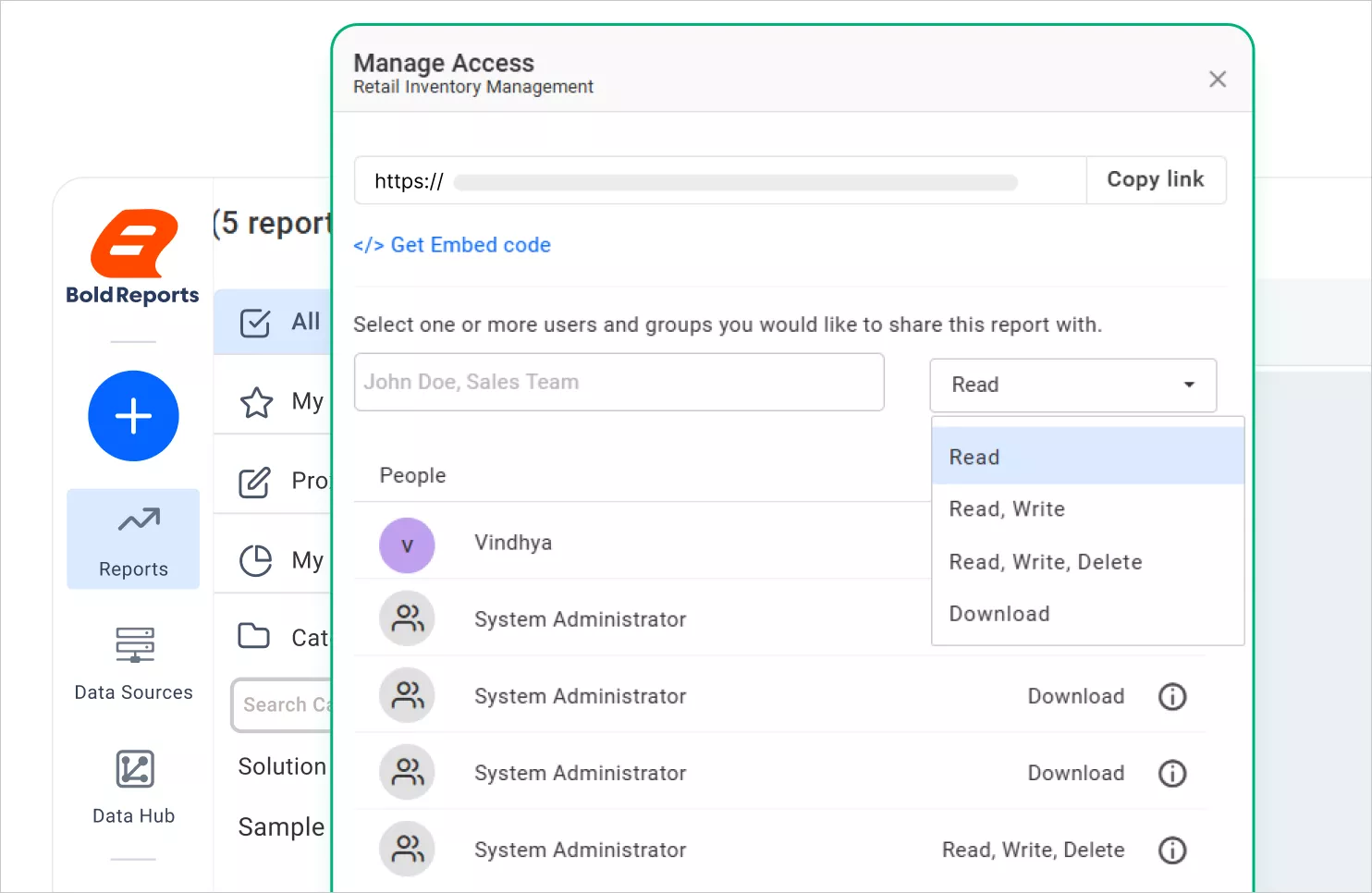
3. Protected link sharing: With secure, access-controlled links, Bold Reports ensures that only authorized users can view or interact with shared reports, maintaining data privacy and control.

4. Granular access permissions: The platform offers fine-grained permission settings, allowing administrators to define who can view, edit, or interact with specific data, supporting secure and compliant collaboration.
5. Scheduled email reports: With Bold Reports, users can automate report delivery via email, ensuring stakeholders receive timely updates without manual effort.

With these key collaboration features, Bold Reports® stands out as the ultimate solution for organizations seeking to streamline reporting, enhance teamwork, and make data-driven decisions with confidence. You can get started with Bold Reports by signing up for a 30-day free trial or requesting a personalized demo to experience its full capabilities. To learn more about how collaborative reporting works in Bold Reports, including features like commenting, replying, and posting, visit the official collaborative guide.
Start today and transform the way your team collaborates with data-driven insights.
Frequently asked questions
- 1.
What is collaborative reporting?
It enables multiple users to work on and discuss reports in real time.
- 2.
Why is collaborative reporting important for businesses?
It improves accuracy, transparency, and faster decision-making.
- 3.
How does collaborative reporting improve teamwork?
Teams share the same data, give feedback in context, and stay aligned.
- 4.
Which industries benefit from collaborative reporting?
Sales, finance, manufacturing, insurance, and other data-driven teams.
- 5.
Why choose Bold Reports for collaborative reporting?
It offers real-time comments, secure sharing, automation, and easy embedding.






