
Crystal Reports Migration: 8 Steps for a Risk-Free Cutover
TL;DR:
Mainstream maintenance for SAP Crystal Reports ends on December 31, 2026, with only paid extended support available after that. That single date is why migration is no longer optional for most enterprises and why the planning stage is now the difference between a clean modernization and a compliance incident. The teams that protect business reports through cutover all follow the same pattern—inventory the estate, classify by business risk, pick a destination that matches the delivery surface, pilot on a small set, run a parallel validation cycle, and then cut over in waves.
Introduction
Most Crystal Reports estates did not grow up overnight. They grew up quietly. Over a decade or more, thousands of .rpt files became woven into month-end close, regulatory submissions, operational workflows, customer-facing portals, and product features. The people who built them may have moved on, the data sources underneath have changed, and the vendor roadmap has shifted.
The shift is now explicit. SAP has confirmed that mainstream maintenance for Crystal Reports ends on December 31, 2026. After that, customers must move to paid extended support, and there is no further roadmap for new features, modern data source connectivity, or browser-based delivery. For most enterprises, that turns migration from a strategic decision into a calendar-bound one.
Planning a migration is not about picking a new reporting tool. It is about protecting your business while the underlying platform changes. Get the plan right and the migration becomes an investment. Get it wrong and the migration becomes a fire drill.
This guide walks through the planning framework that consistently allows teams to modernize Crystal Reports estates without disrupting a single business report on cutover day.
Why Crystal Reports migrations need a formal plan
Mainstream maintenance for Crystal Reports ends on December 31, 2026. After that, customers are will be placed on paid extended support, new feature work has effectively stopped, and security patches track a year or more behind modern BI platforms. With that event already in view, a formal plan is no longer optional.
A Crystal Reports estate is usually larger and more entangled than leadership may assume. Important entanglements include:
-
- The same .rpt file often serving finance, operations, and compliance from a single shared copy.
- Report logic quietly accumulating in stored procedures, custom Crystal-syntax functions, and shared variables across subreports.
- Delivery rarely being “open in viewer.” It runs through scheduled jobs, email bursts, file drops, and embedded contexts that rarely appear in any inventory.
- The skill set being concentrated to a small number of people, often approaching retirement or already gone.
A formal plan should exist to surface all of this information before cutover, not during. A plan protects your business by converting invisible dependencies into visible, prioritized work and by completing the migration before the December 2026 deadline.
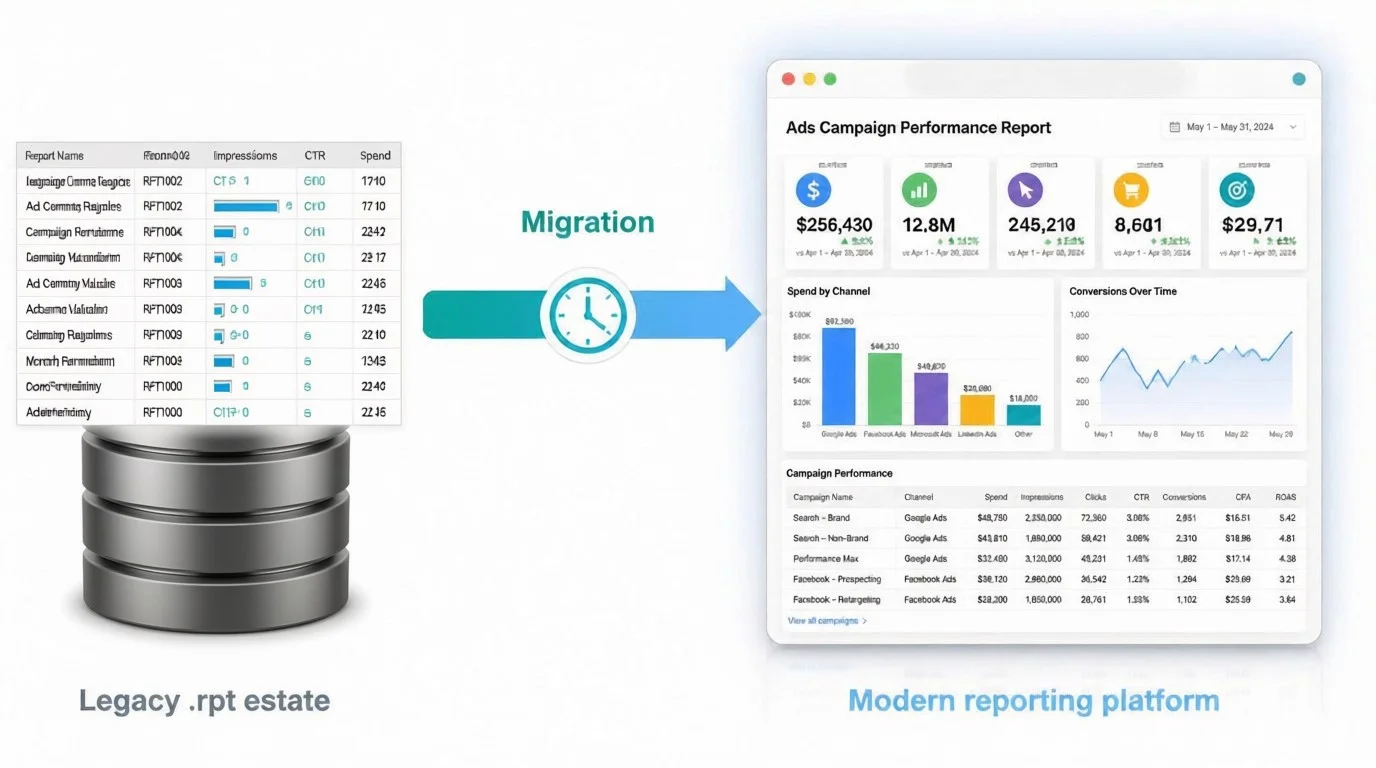
Eight steps to plan a Crystal Reports migration
The rest of this guide walks through the eight steps that consistently let teams modernize a Crystal Reports estate without breaking the business reports that depend on it.
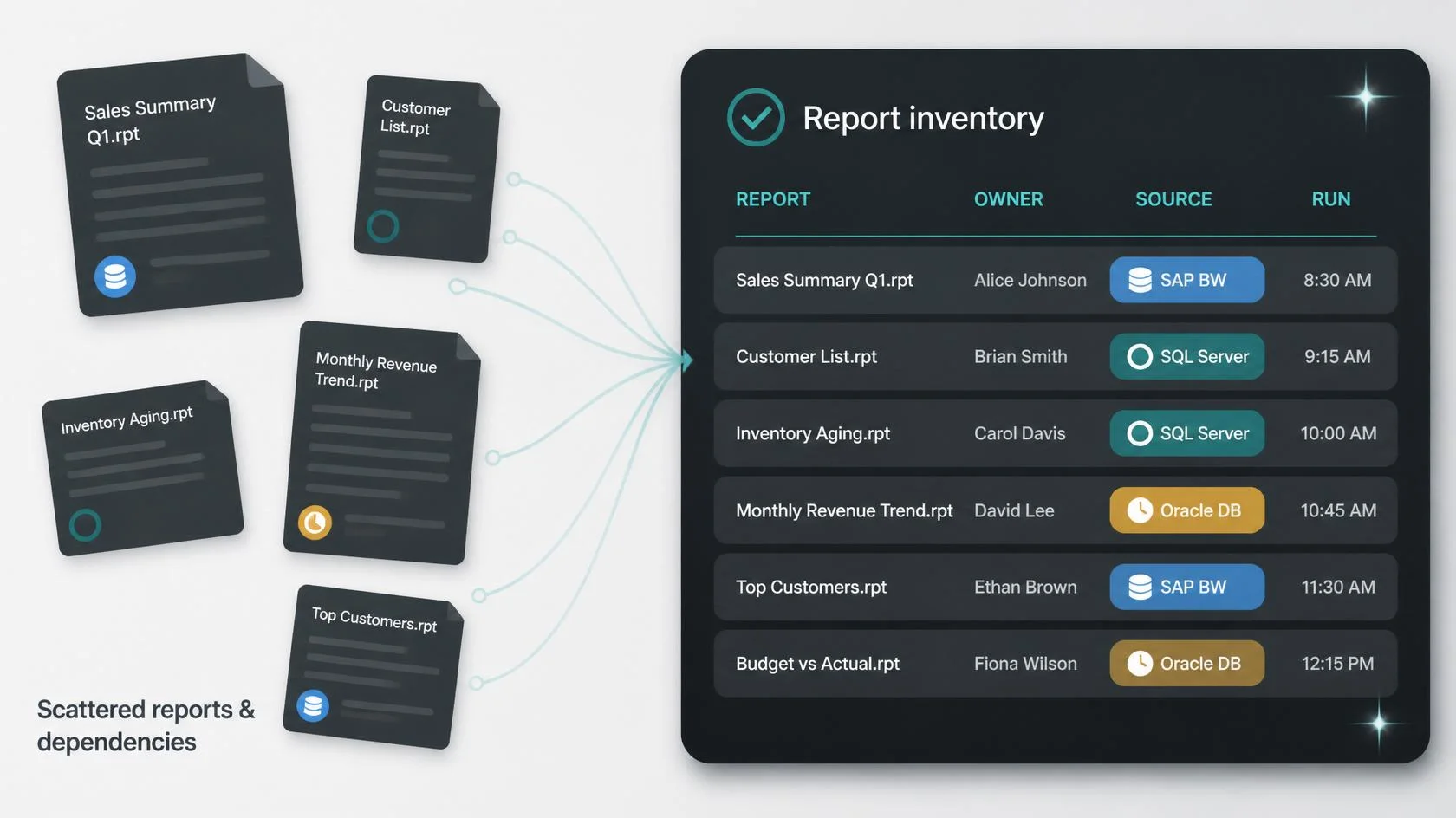
1. Inventory every Crystal Report and its dependencies
A plan built on assumptions is a plan built on sand. The first planning step is to build a complete, authoritative inventory, including:
-
- Every .rpt file with the server path, owner, last run date, and last modified date.
- The data sources behind each report, including ODBC connections, native drivers, stored procedures, and any direct database references.
- Parameters, subreports, custom functions, and shared variables in use.
- Delivery channels like scheduled jobs, email recipients, file share drops, embedded contexts, and triggered events.
- Security configurations like database credentials, integrated auth, RAS server settings, and per-folder access rules.
A practical target is to capture this in a structured register that can be filtered, sorted, and exported typically a spreadsheet tied to a script that walks the Crystal Server file system.
Impact: Without this inventory, the team is planning blind. Every later phase classification, pilot, cutover waves depend on it.
2. Classify reports by business risk and complexity
The inventory is the raw material. Classification is what turns it into a plan. Here’s a useful two-axis model:
| Axis | Low | Medium | High |
| Business risk | Internal dashboards, ad hoc lists | Operational reports, KPIs | Financial close, regulatory, customer-facing |
| Report complexity | Single data source, simple layout | Multiple parameters, conditional formatting | Subreports, shared variables, custom functions, crosstabs |
This produces a heat map. High risk and high complexity reports are the candidates for dedicated migration specs and a longer parallel run. Low risk and low complexity reports are the candidates for bulk conversion or retirement.
Impact: Classification is what allows a cutover plan to start with low-risk, high-learning reports and finish with the high-risk, high-stakes ones instead of gambling the whole estate on a single big-bang cutover.
3. Choose the destination platform by delivery surface
The destination is not “the best reporting tool.” It is the platform that best matches the way the reports are delivered.
| Primary delivery surface | Best-fit destination | Why it fits |
| Embedded inside a SaaS or ISV product | Embedded reporting platform like Bold Reports® | Reports live inside the application, behind your authentication, with your branding |
| Enterprise portal, finance, or regulatory | Microsoft SSRS or Power BI Paginated | Native paginated engine preserves Crystal-style output and audit trails |
| Cloud-first BI with dashboards | Power BI, Looker, or Sigma | Strong interactive analytics and modern data connectivity |
| Cost-sensitive, on-prem, and Java-first | JasperReports Server or BIRT | Mature open-source ecosystems with strong operational reporting |
Running a three-report bake-off between two or three candidates on the most complex report in your inventory is the fastest way to make this decision with evidence rather than vendor preference.
Impact: Choosing by delivery surface prevents the most common planning failure—picking a dashboard tool to replace a paginated report or picking an enterprise BI tool to replace an embedded product context.
4. Build the data source and security map
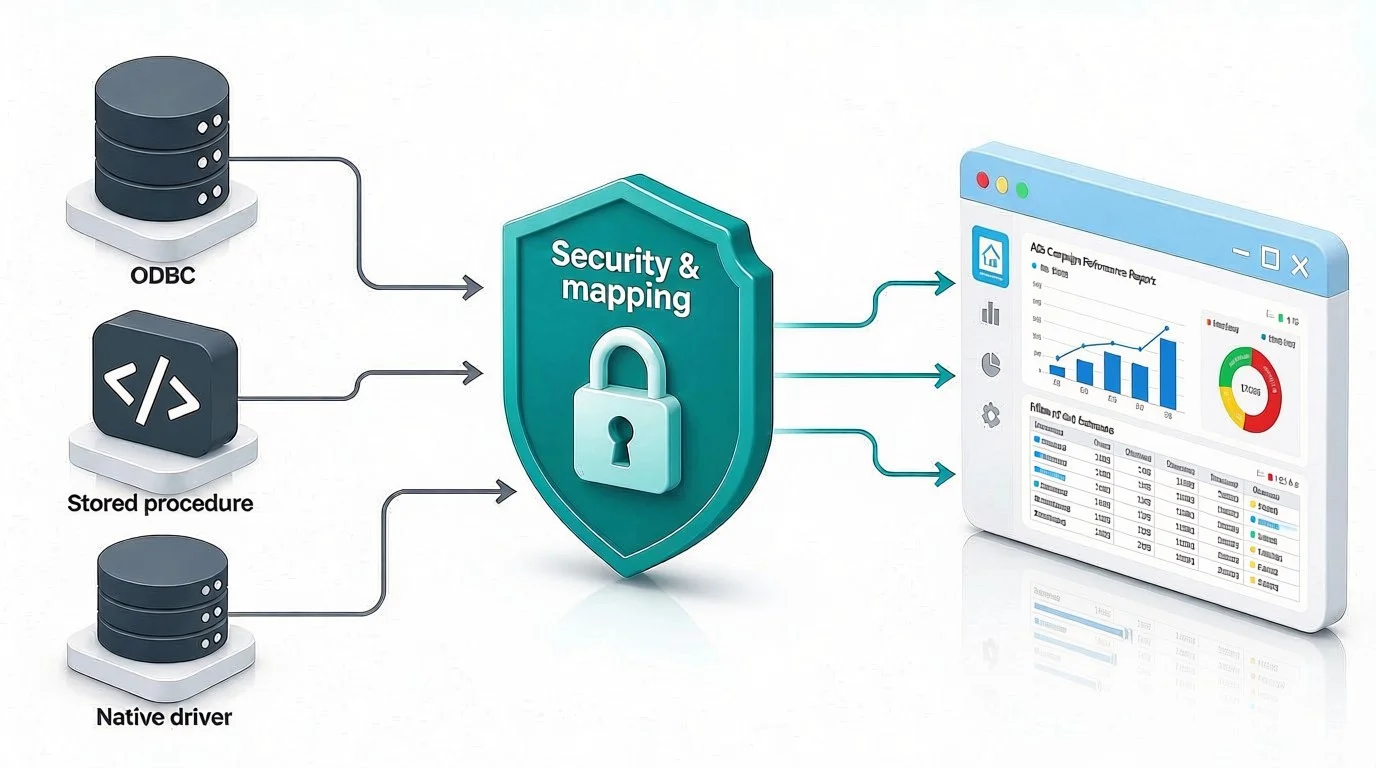
Crystal Reports data connectivity is rarely “just SQL.” It includes ODBC bridges, native client drivers, COM-based connections, integrated Windows authentication, and stored procedures that other applications depend on. The planning step is to build a destination-side map, including:
-
- Which database, warehouse, or API will replace each data source.
- Whether credentials migrate to a secrets manager, OAuth flow, or managed identity.
- Whether stored procedures are reused as-is, refactored, or replaced by semantic models.
- How row-level security, data masking, and tenant boundaries will be re-expressed in the new platform.
Impact: Data source planning is where most surprise effort hides. A clean map turns days of firefighting into a controlled migration of credentials and connections.
Planning note: Teams starting a Crystal Reports migration in 2026 should treat the December 2026 mainstream-maintenance cutoff as a hard backstop, not a soft target. A six to nine month migration plan that started in Q1 2026 is on the clock; a plan started in Q3 2026 is at risk. Accelerate the pilot phase, shorten the parallel run where risk allows, and reserve a contingency window before the deadline.
5. Run a pilot on five representative reports
The pilot is the planning milestone that turns a documented plan into a working one. Pick five reports that together cover the major risk and complexity buckets:
- A financial statement or regulatory report with crosstabs and tight formatting.
- A multipage operational report with subreports and shared variables.
- An executive KPI summary.
- A drill-down operational dashboard.
- A document-style report like an invoice or statement.
Convert or redesign each, then compare the new output against the Crystal baseline pixel for pixel on layout, and row for row on data. Capture every discrepancy, tune the destination platform, and document the rework pattern.
Impact: A five-report pilot exposes 80% of the patterns that the rest of the estate will follow and proves the chosen platform can deliver the report outputs the business depends on.
6. Plan a parallel run that covers a full close cycle
A parallel run is the safety net that keeps business reports running through a cutover. It must be designed into the plan, not improvised in the midst of it. A parallel run should include:
-
- Ensuring that the legacy Crystal Reports environment and the new platform deliver the same reports to the same recipients on the same schedule.
- Using an automated report comparison tool to compare outputs automatically—row counts, totals, subtotals, file checksums, and PDF hashes.
- Logging exceptions with severity and routing to a named owner.
- Cover at least one full month-end, quarter-end, or regulatory close with the parallel window.
A typical parallel run lasts four to six weeks. Anything shorter risks missing the long-cycle reports; anything longer delays value capture and erodes team focus.
Impact: A parallel run is what makes a cutover reversible. Without it, the business is betting a critical reporting cycle on an untested platform.
7. Cut over in waves, not all at once
The cutover plan should sequence reports in waves ordered by business risk, not by name or by accident of project membership.
A common wave sequence:
-
- Wave one: Internal operational reports. Lowest external visibility, fastest learning loop.
- Wave two: Executive and KPI reports. Higher visibility but well-understood logic.
- Wave three: Financial and regulatory reports. Highest business risk, longest parallel run, and the ones that need a second full close cycle before retirement.
Each wave ends with the legacy Crystal report formally retired only after the new platform has run without discrepancy through the relevant business cycle.
Impact: Wave-based cutover limits the blast radius of any single defect and gives the team a chance to improve the process between waves.
8. Plan the decommission, governance, and post-cutover review
A migration is not complete when the new platform is live. It is complete when the legacy platform is gone, governance is in place, and the team has reviewed what worked. The final planning step covers:
-
- A decommission checklist for the Crystal Server, license, ODBC bridges, and any custom integrations.
- A governance model for the new platform that includes report-owner registry, change-control workflow, and a small set of operational KPIs like mean time to publish a new report, time to repair a broken report, and monthly active report consumers.
- 30-, 60-, and 90-day post-cutover reviews with finance, IT, and report owner representatives.
Impact: Decommissioning without governance leaves the organization with a new platform and the same reporting debt. Governance without decommission leaves the organization paying for two reporting stacks indefinitely.
How the major destinations compare for a Crystal Reports estate
For most teams, the shortlist at the end of step three is a choice between three platform categories. The table below summarizes how they tend to compare on the dimensions that matter most for a Crystal Reports migration.
| Dimension | Embedded reporting platforms like Bold Reports | Power BI Paginated and SSRS | Open-source like JasperReports Server or BIRT |
| Fit for Crystal-style paginated output | Strong | Strong | Strong |
| Native .rpt import tooling | Often available as a first-party workflow | Third-party tools only | Third-party tools only |
| Cloud-native delivery | Strong | Strong (Power BI) or partial (SSRS) | Varies by deployment |
| Embedded inside a SaaS or ISV product | Strongest fit by design | Limited | Limited |
| Self-service reporting | Strong | Strong | Limited |
| Row-level security | Strong | Strong | Varies |
| License model | Per-server or per-developer | Capacity, Premium, or SQL Server CALs | Open source with optional commercial support |
| Typical three-year TCO direction for midsize estates | Predictable and usually competitive | Higher for large consumer bases | Lower upfront and higher engineering costs |
The right choice depends on what the Crystal estate is doing. A finance-heavy, regulatory-driven estate that lives inside an enterprise BI landscape will usually land on Power BI Paginated or SSRS. A cost-sensitive on-prem estate with strong Java engineering often lands on JasperReports Server or BIRT. An estate whose reports are embedded inside a product, a customer portal, or an internal application tends to land on an embedded BI platform like Bold Reports.
When the Crystal estate includes embedded delivery, document-style operational reporting, or many .rpt files with formula and subreport logic, Bold Reports tends to be the best option. It provides a proper migration platform for .rpt files, supports pixel-perfect reporting and embedding inside an application, and uses per-server licensing that maps more cleanly to a Crystal estate’s footprint than per-user seat licensing. If you want to evaluate Bold Reports against your estate, you can read our migration overview or start a free trial to convert a representative report.
Final thoughts
Planning a Crystal Reports migration is not about choosing a new reporting tool. It is about protecting your business through a platform change, and it has a deadline. With mainstream maintenance for Crystal Reports ending on December 31, 2026, every month spent in planning is a month closer to a paid-extended-support, no-roadmap future.
If your organization has hundreds or thousands of Crystal Reports in active use and needs to modernize without disrupting the business, this is the plan to follow. The destination choice should follow from the inventory and the delivery surface; once those are clear, the right platform usually becomes obvious.
For teams that want to see how a representative .rpt file migrates end to end before committing to a full plan, requesting a guided evaluation or starting a free trial is a reasonable next step.
Frequently asked questions
-
- 1.
How do you plan a Crystal Reports migration without disrupting business reports?
By treating migration as a business-continuity project, not a file conversion. The plan inventories every report, classifies it by business risk, runs a pilot, runs a parallel validation cycle that covers a full close, then cuts over in waves ordered by risk.
- 2.
What happens if we still run Crystal Reports after December 2026?
You’ll move from mainstream maintenance to paid extended support, with no new features, slower security patches, and growing compatibility risk against modern operating systems, browsers, drivers, and data sources. Operationally, you can keep running .rpt files but the cost rises, the talent pool thins, and audit findings become more likely.
- 3.
How long should a Crystal Reports migration take?
A midsize estate of 1,000 to 3,000 reports typically takes 6 to 9 months end-to-end, with the pilot phase running 8 to 10 weeks and each cutover wave adding 4 to 8 weeks. Larger estates usually take 12 to 18 months.
- 4.
Can Crystal Reports files be directly converted to a modern platform?
Simple reports sometimes can be. Complex formulas, subreports, shared variables, and custom Crystal-syntax functions typically require manual rework or a redesign regardless of destination platform.
- 5.
What is the biggest planning risk in a Crystal Reports migration?
The biggest risk is an incomplete inventory. Hidden dependencies—subreports, shared variables, embedded contexts, scheduled deliveries—are the ones that break the day after cutover.
- 6.
How do you keep business reports running during a Crystal Reports migration?
By running the legacy Crystal environment and the new platform in parallel, delivering the same outputs to the same recipients on the same schedule, and reconciling automatically. Only decommission the legacy platform after two full close cycles without discrepancy.
- 7.
What is the best alternative to Crystal Reports for operational and embedded reporting?
For operational and document-style reporting, Bold Reports, Telerik Reporting, and Stimulsoft are the most direct modern successors. For embedded SaaS reporting, Bold Reports, Logi, and Reveal are the strongest fits. For dashboard-led analytics, Power BI, Looker, and Sigma lead the field.
- 1.






