
What’s New in v12.1 for Self-Service and Embedded Reporting

TL;DR: Bold Reports v12.1.12 delivers major upgrades for self-service and embedded reporting. Enjoy the new Report Explorer for faster navigation, multitabbed report support, and improved chart readability. Plus, enhanced security, expanded connector options, and optimized performance make reporting more seamless than ever.
We’re excited to announce the highlights of Bold Reports® v12.1 12 release, bringing performance improvements, stronger security, expanded platform support, and enhanced usability across the reporting ecosystem. This update introduces a Report Explorer panel in Report Designer, added security fixes and introduced API for managing report security, enabled scheduled data visualization exports for Azure ARM64 environments using Playwright.
Experience the latest features and improvements today! Try Bold Reports in our free cloud tier with zero setup or download this new release to get started.
Ready to explore? Let’s dive into these product updates in detail!
Data Hub enhancements
Primary key and drop table support for each extraction
You can now assign a primary key and optionally drop the destination table during each extraction, enhancing data integrity and automation.
Email notifications for extraction failures
Receive instant alerts for extraction issues with the new failure email notification system. This helps you identify problems quickly, reduce downtime, and maintain reliable data pipelines without manual monitoring.
Incremental refresh for custom queries
Custom queries now support incremental refresh, improving performance and reducing processing time for large datasets.
Expanded connector support
New support for IBM Db2 and Bing Ads connector enables smoother integration with enterprise databases and marketing platforms, helping you bring more of your business data into Bold Reports.
With a clear understanding of Data Hub improvements, let’s explore the powerful enhancements introduced in Report Designer and the Server.
Report Designer and Server enhancements
Report explorer for faster navigation
The Report explorer panel provides an organized, hierarchical view of the report structure with quick navigation, selection state, and search capabilities.
Key features
-
- Hierarchical view: Displays the entire report structure in a tree-like format for easy navigation of complex reports.
- Quick element selection: Allows users to select any report element directly from the panel.
- Improved navigation: Simplifies working with large and detailed reports by organizing components logically.
- Search functionality: Enables users to quickly find specific report elements within the hierarchical structure.
Link property support for custom report items
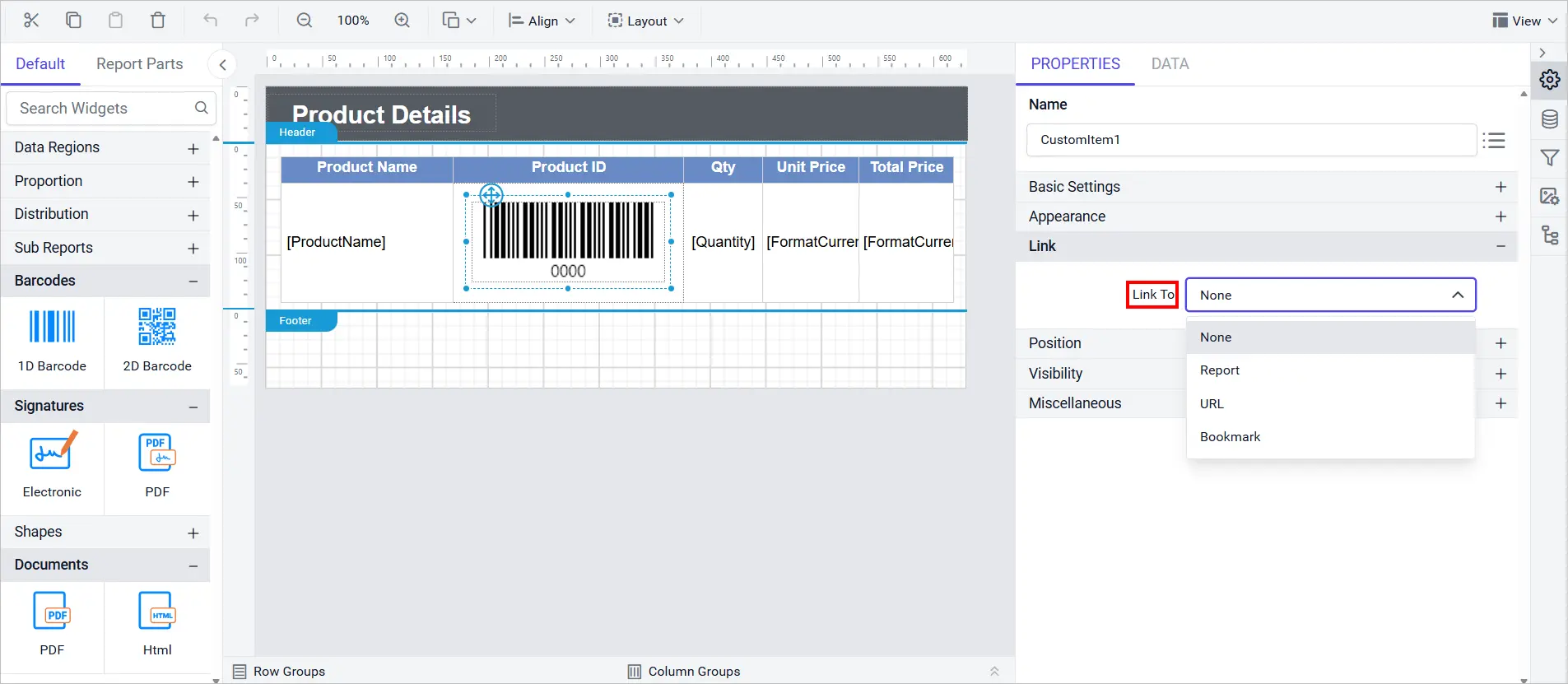
Custom report items now support the Link property, allowing you to add clickable actions directly within the item. This enables more interactive and dynamic reporting experiences.
New Zealand English culture support
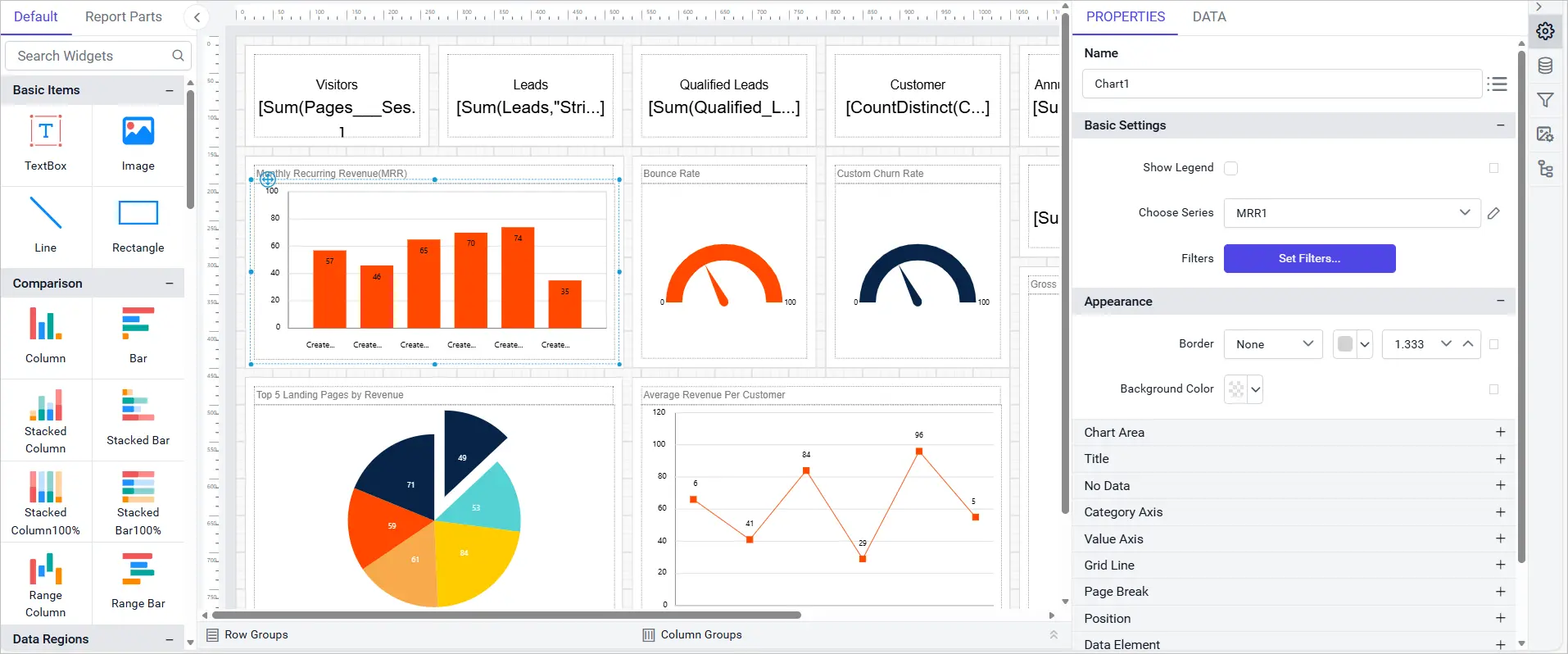
You can now design reports with en-NZ culture settings for improved localization and formatting accuracy. This ensures dates, numbers, and regional formats reflect New Zealand standards, delivering a more tailored reporting experience for designers based in or from New Zealand.
Seamless scheduled email delivery with Amazon SES
Now, you can send scheduled emails from Report Server effortlessly through Amazon SES, ensuring reliable, scalable, and authenticated email delivery for automated report distribution.
Automatic addition of system users to new sites
New server sites now include system users automatically, reducing manual configuration and simplifying new environment setups.
Support for multitabbed reports
You can now manage and explore multitabbed reports directly within Bold Reports Report Server, creating cleaner and more organized experiences for lengthy multipage reports.
Next, we will explore the enhancements introduced in Report Viewer, designed to deliver a more seamless and interactive viewing experience.
Report Viewer enhancements
Data visualization export support for Azure ARM64 environments
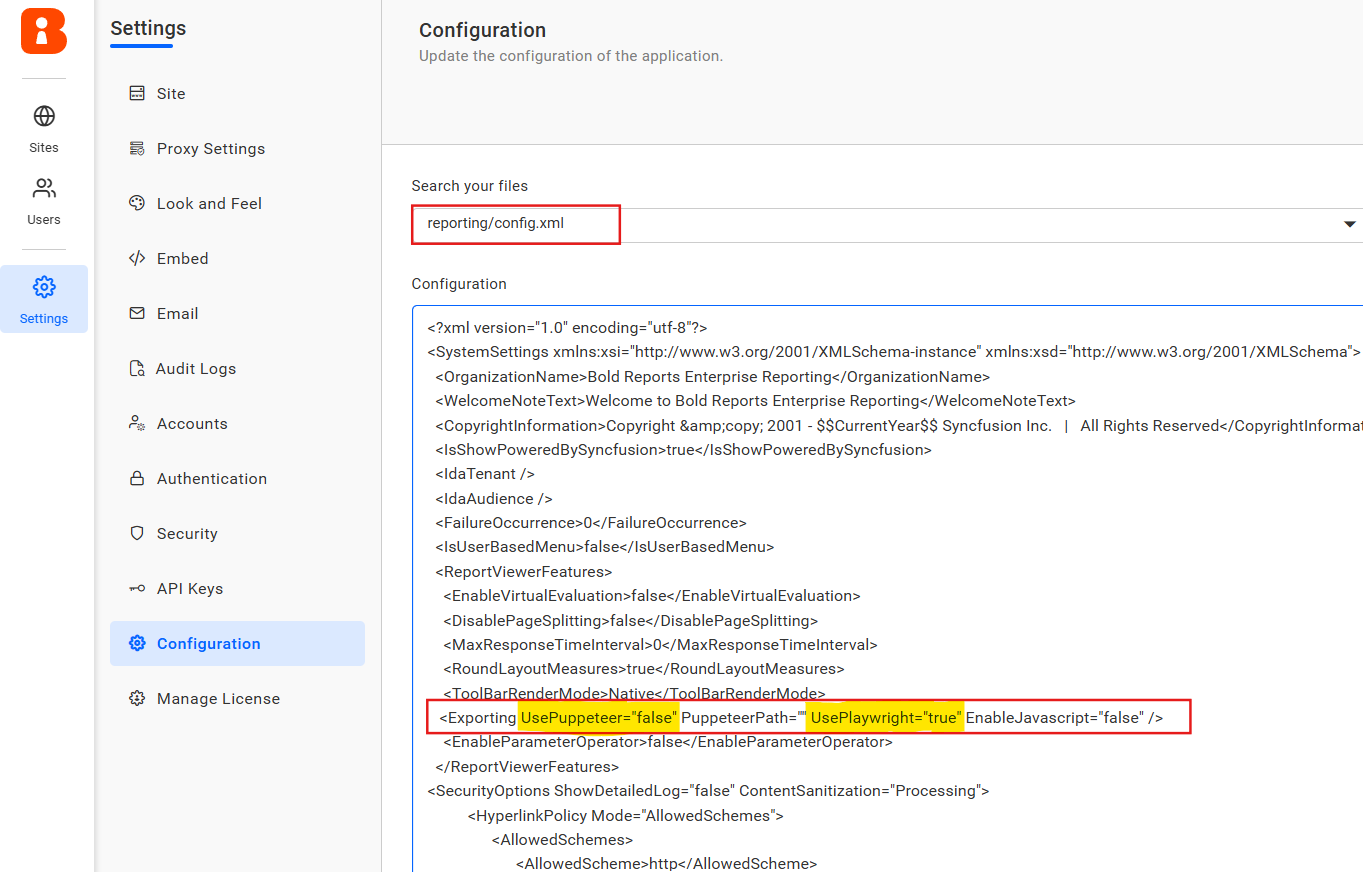
We have added support for exporting report writer data visualizations in Azure ARM64 environments using Playwright. This enhancement enables seamless export of charts and visual reports for ARM-based Azure deployments.
Support for new API configurations
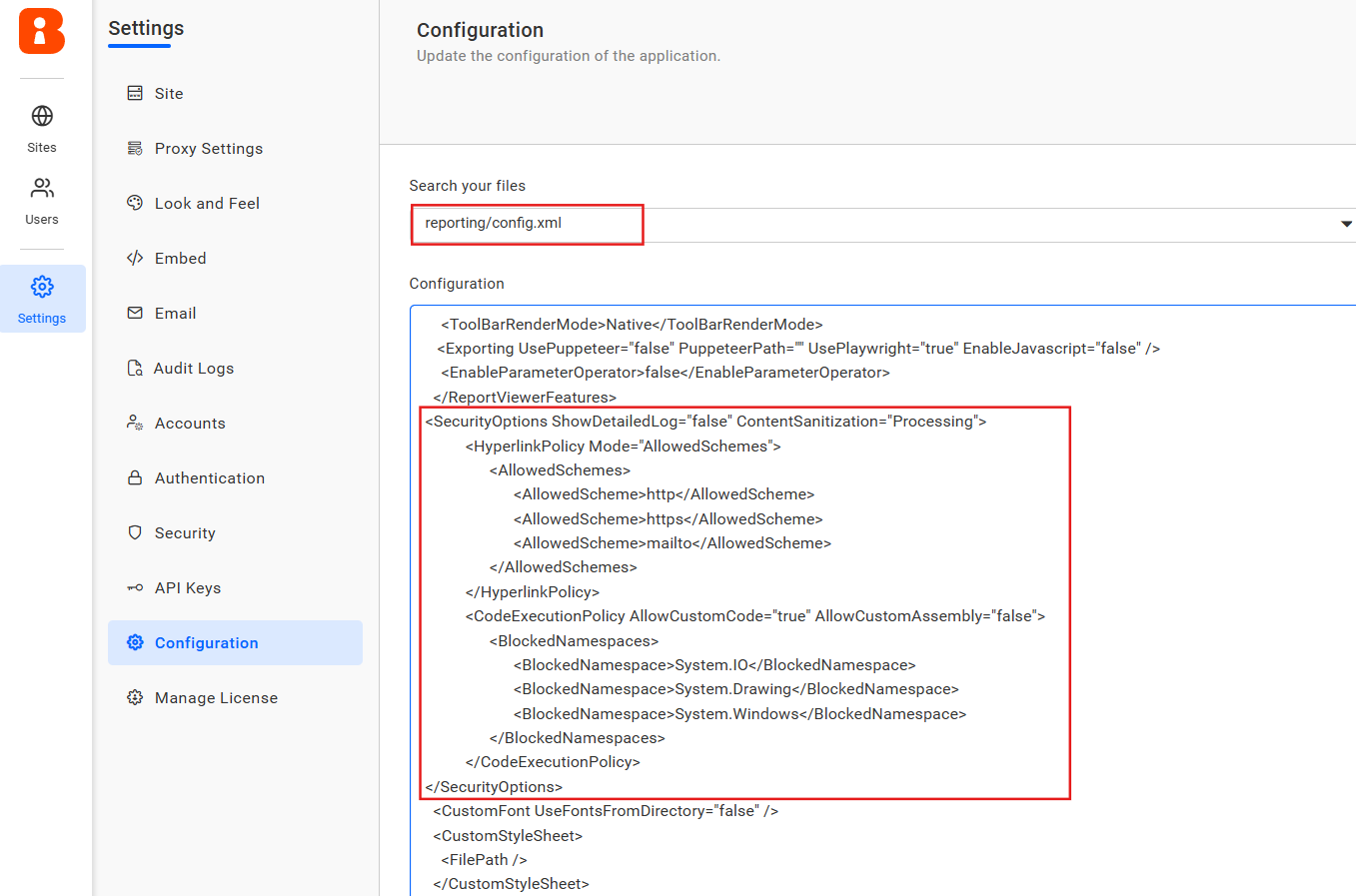
We have introduced new API configurations to strengthen report security and ensure compliance during execution. These enhancements help reduce risks by allowing you to disable custom code execution, sanitize report content, validate hyperlink URLs, and control stack trace visibility.
Other improvements and minor fixes
Alongside these major enhancements, we introduced several optimizations, security updates, and bug fixes to ensure a smoother and more reliable reporting experience:
- Performance: Improved virtual scrolling for dropdown lists and multiselect parameters, resulting in faster and more responsive interactions in the Report Viewer.
- Security: Added support for retrieving multiple groups from OAuth/OpenID access token claims during sign-in. These groups are mapped to corresponding tenant groups to ensure predefined permissions are applied accurately.
- Bug fixes: Resolved Oracle Data Extension failures, enforced SQL authentication for saved connectors, corrected tablix behaviors, fixed color picker indicator inconsistencies, and addressed issues with undo actions and context menu flickering.
These are just a few highlights of what you can expect from this latest release. Want every detail? Explore the full release history.
Ready to explore v12.1.12 release?
We hope that the updates in the Bold Reports® v12.1.12 Release will make your reporting experience more secure, flexible, and efficient, whether you are creating self-service dashboards or embedding reporting into your applications.
Ready to explore these new product updates? Download the latest version today. You can also try Bold Reports through a 30 day free trial or book a 30-minute personalized demo to see how it can transform your reporting.






