Resolved an exception during writer export when a visualization item included a chart with no data.
Fixed an issue in Excel export where borders were not applied to the Tablix report item.
Version 12.1.15
Weekly release
2Improvements
Improvements
Report Viewer
Resolved an issue with merged columns in HTML export when disablepagesplitting was enabled.
Resolved text-wrapping issues in merged cell text during PDF export when virtualization was enabled.
Version 12.1.14
Weekly release
6Improvements
Improvements
Report Designer
Improved error handling for the Web API and OData data connectors for consistent, reliable status-code responses.
Removed the restriction on uploading and configuring SVG images in reports for the MVC platform.
Report Viewer
Fixed an issue where the page name did not update correctly during page navigation.
Resolved embedded images not rendering as the background for report items placed inside a subreport.
Updated the Web API connection failure error message to display both the dataset and datasource names.
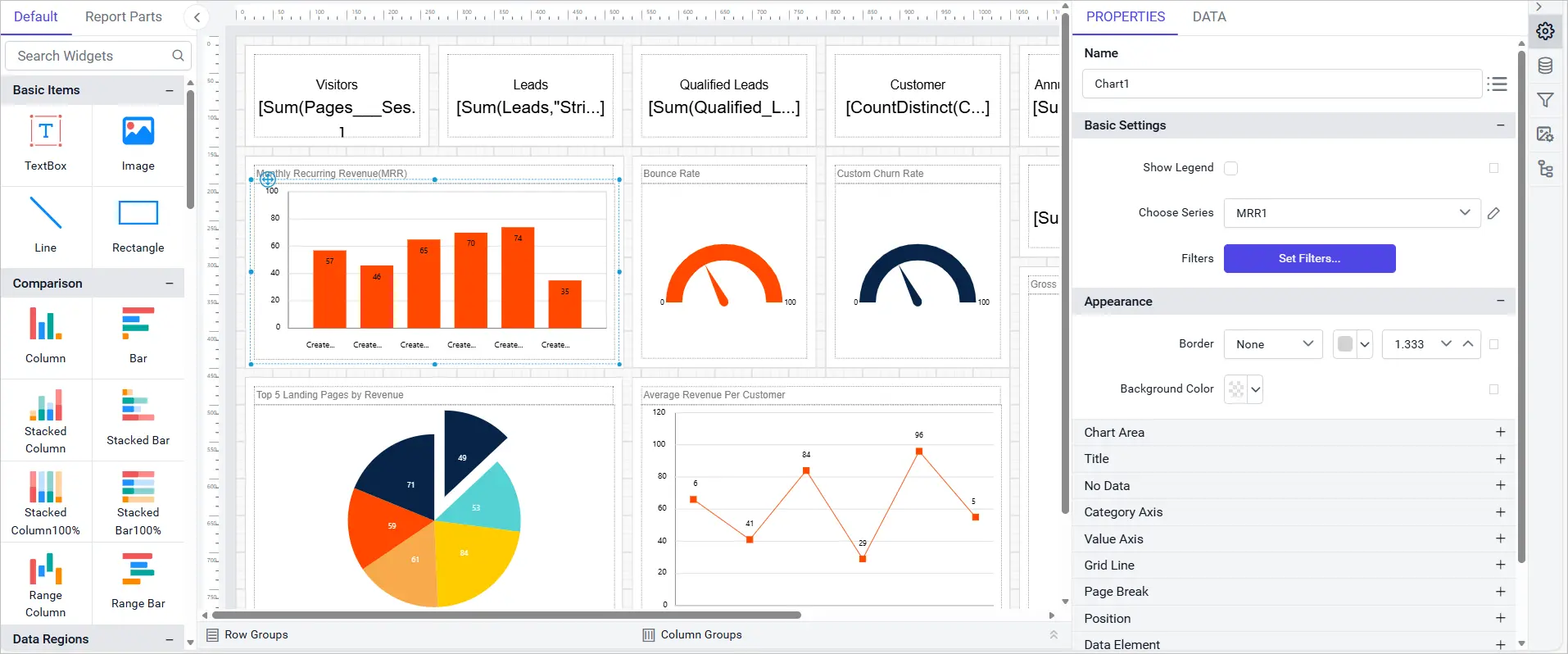
Fixed an issue where charts with no data caused other data visualization items to export incorrectly.
Version 12.1.13
Weekly release
5Improvements
Improvements
Report Viewer
Added error handling for scenarios where the IsMissing property is used in parameter expressions.
Resolved a null reference issue when navigating report pages in file storage configurations.
Fixed a number formatting issue when applying the ‘d’ format to numeric values in text boxes.
Corrected page splitting behavior for report items inside a Tablix, so they split into the next page instead of moving entirely.
Introduced a custom property to disable specific dates and days in the EJ2 calendar component.
Version 12.1.12
Main release
9New features
25Improvements
15Bug fixed
1Important note
What’s New
Deployment
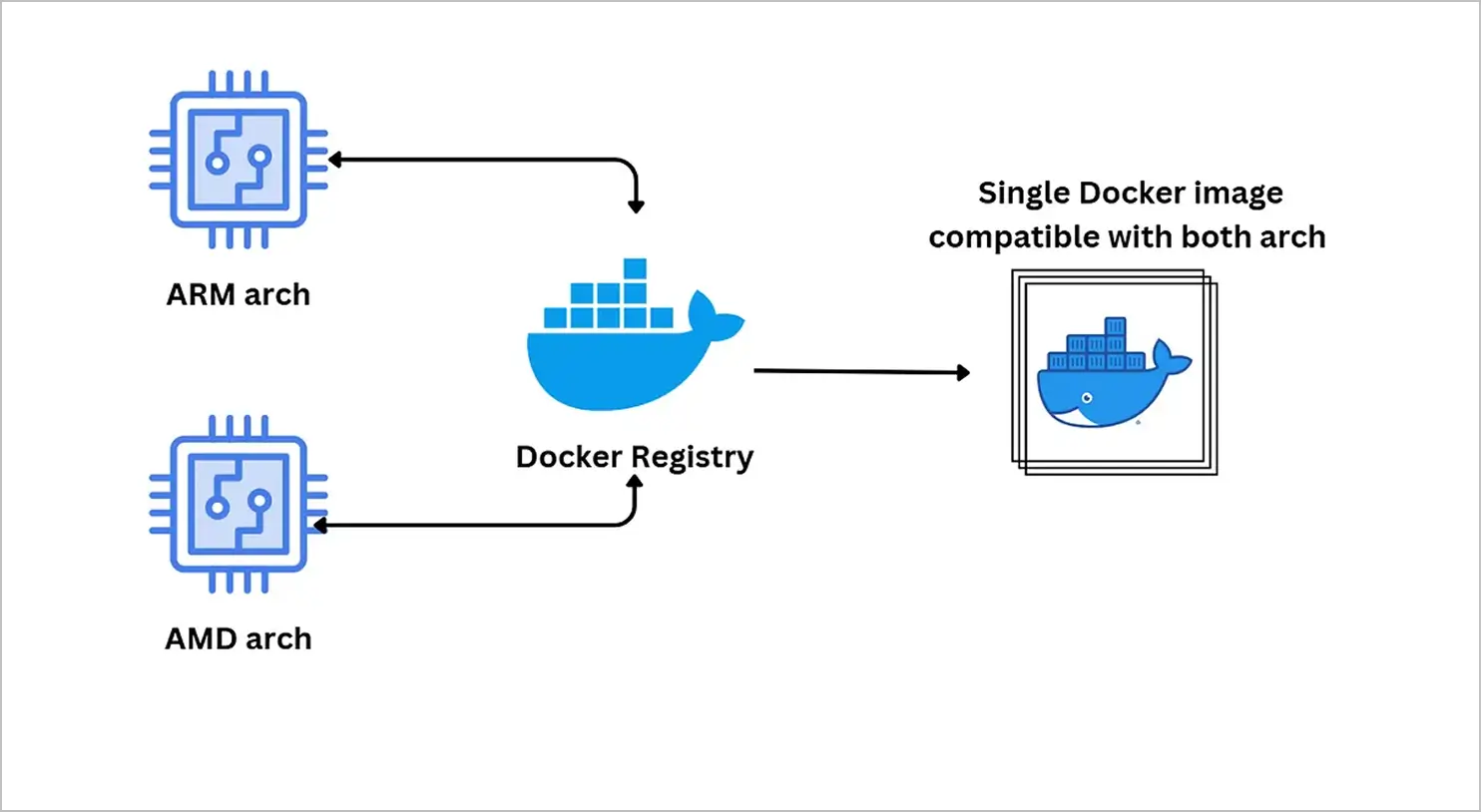
Multi-Container AMD and ARM Manifests
Manifest support for multi-container images now lets Bold Reports deploy on both AMD and ARM CPU architectures across Docker and Kubernetes environments, so a single Docker image is compatible with both architectures.
Report Server
Scheduled Email Delivery via Amazon SES
Added support for enabling scheduled email delivery seamlessly through Amazon SES integration, so report servers can route scheduled report emails through AWS’s managed email infrastructure instead of relying solely on a traditional SMTP setup, useful for teams already standardized on AWS.
Automatic System User Addition on Site Creation
Enabled automatic addition of system users to report server sites when creating a new site, removing a manual setup step administrators previously had to repeat every time a new site was provisioned, so new sites are ready to use immediately.
Multi-Tabbed Reports
Added support for multi-tabbed reports in Bold Reports, so a single report can now present multiple related views as separate tabs, letting authors group related data together instead of splitting it across several standalone reports.
Report Designer
Report Explorer Panel
Introduced a Report Explorer panel for quick and easy access to report items, giving a structured, searchable list of everything on the report instead of requiring authors to click around the design surface to find a specific item. Items can be selected directly from the panel, which then highlights and focuses the corresponding element on the canvas, making it far easier to navigate reports with many nested or overlapping items.
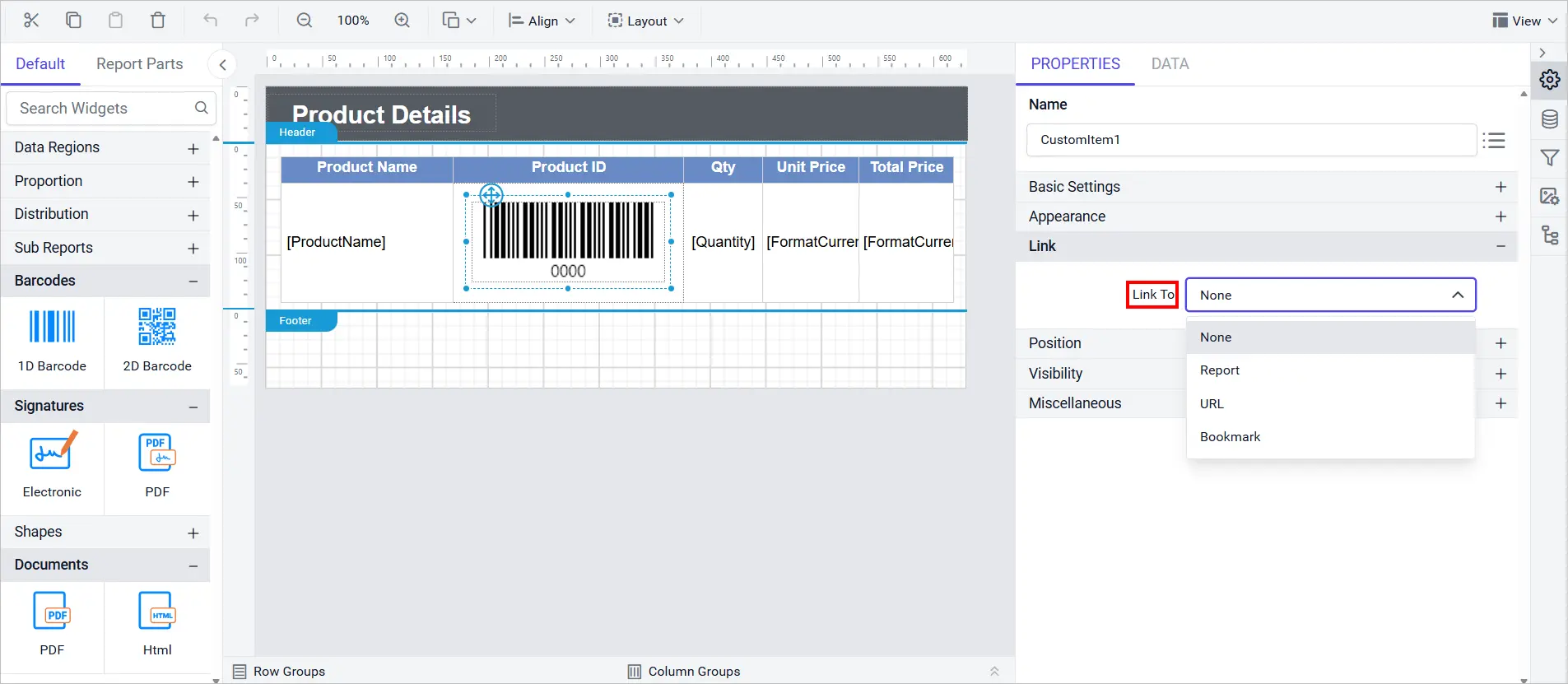
Added Link property support for custom report items, so a custom item can now open a URL, a bookmark, or another report when clicked, bringing it in line with built-in report items that already support navigation. This lets authors build interactive, drillable custom visuals without writing extra scripting to wire up the click behavior themselves.
The designer now supports New Zealand English (en-NZ) as a localization culture, adding New Zealand-specific date, number, and currency formatting conventions alongside the existing set of supported languages and regional cultures.
Report Viewer
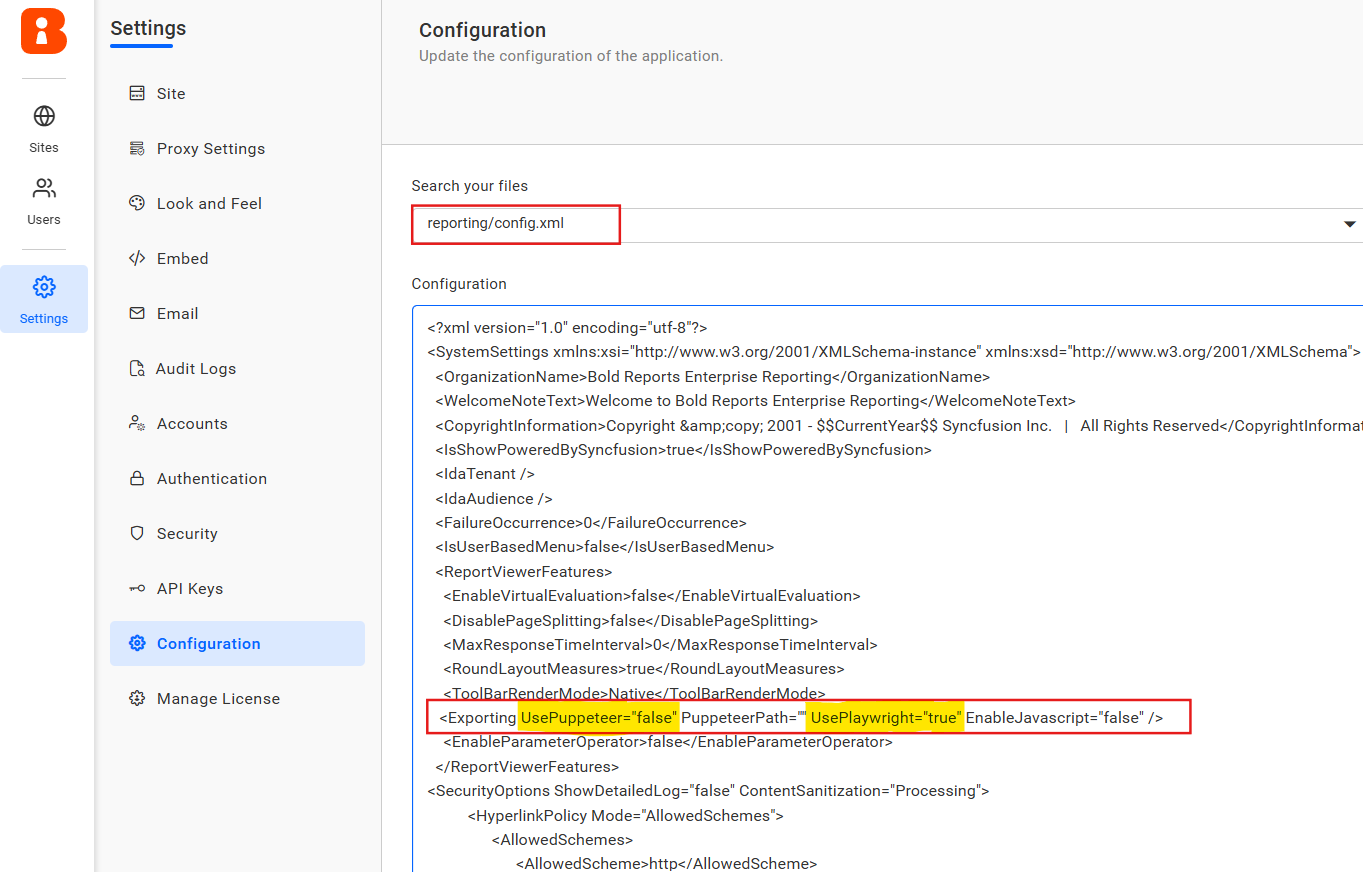
Azure ARM64 Visualization Export
Provided report writer data visualization export support for Azure ARM64 environments using Playwright, ensuring seamless export of charts and visual reports for ARM-based Azure deployments that previously weren’t covered by the export pipeline.
Report Security API Configurations
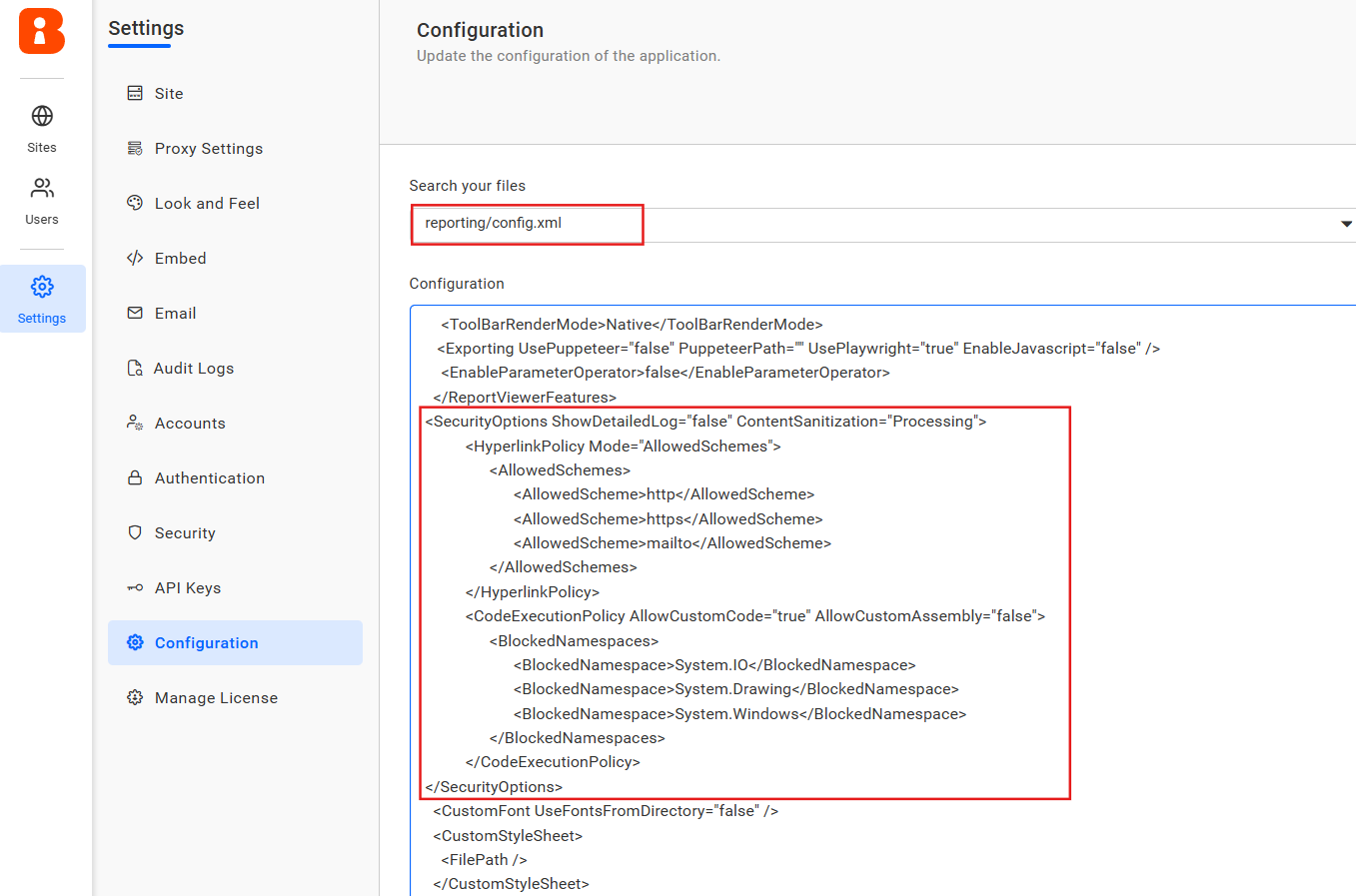
Introduced new API configurations to strengthen report security and ensure compliance during execution, helping reduce risk by letting you disable custom code execution, sanitize report content, validate hyperlink URLs, and control stack trace visibility.
Improvements
Report Server
Authentication and Group Claims-Based Access
Added support for authentication and group claims-based access, so access decisions can be driven by claims returned during authentication rather than requiring separate role assignments.
Export File Settings API for Schedules
Provided support for enabled export file settings for the add, update, and get schedule APIs, so export options can be configured and retrieved programmatically alongside the rest of a schedule’s settings.
Secure Embed Tokens from Validated Embed Secrets
Added support for generating secure embed tokens through validated embed secrets, giving embedded applications a way to authenticate report sessions without exposing broader service credentials.
Embedded Images in Scheduled Mail Body
Enabled support for embedding report images directly within scheduled mail body content, so recipients can see key visuals inline in the email rather than only as attachments.
Reply-To Option for Scheduled Mail
Added support for a reply-to email option within scheduled mail configuration, letting scheduled report emails route replies to an address different from the sender.
Report Designer
Stricter SQL Data Connector Authentication
Enforced SQL authentication in the SQL Data Connector when the password is not saved, preventing connections from silently falling back to an unauthenticated or cached state.
Tablix Merge and Header Stability
Improved Tablix stability and consistency when merging cells and handling headers, reducing layout glitches that previously occurred during those operations.
Report Viewer
MaximumAxisLabelWidth Custom Property
Introduced the MaximumAxisLabelWidth custom property to wrap long X-axis labels and prevent them from overlapping neighboring labels.
Database Background Images for Rectangles
Enabled rendering of background images for rectangle report items sourced from the database, rather than only from static files.
Center-Aligned Images
Added center alignment support for images in both report preview and exported documents, giving consistent image placement across viewing and export.
HideLegendForSeries Custom Property
Added the HideLegendForSeries custom property in chart report items, allowing legend entries to be selectively hidden for individual series in a chart.
DropdownSelectLimit Custom Property
Introduced the DropdownSelectLimit custom property to set a maximum selection count in multi-select parameter dropdowns holding more than 1,000 items, keeping large selections manageable.
SVG Rendering in .NET Framework
Enabled SVG image rendering in .NET Framework, extending support to MVC applications beyond the existing .NET Core coverage for richer, scalable graphics in reports.
Report Execution Metrics Logging
Added support for logging report execution metrics to a database for embedded server report previews, providing better monitoring and performance insight.
PDF/A-4 Conformance Option
Provided an option to configure PDF/A-4 conformance in PDF export settings, extending archival compliance beyond the existing A1, A2, and A3 levels to meet the latest long-term preservation standards.
Bold Data Hub
Destination Primary Key and Drop-Table Support
Provided support to set a primary key for the destination and to drop the destination table for each extraction, giving finer control over how destination tables are managed between runs.
Failure Email Notifications
Provided email notification support for failure cases in Bold Data Hub, so administrators are alerted automatically when an extraction or pipeline fails.
Incremental Refresh for Custom Queries
Provided incremental refresh support for custom queries in Data Hub, avoiding a full data reload on every run.
IBM DB2 and Bing Ads Connectors
Provided support for IBM DB2 and Bing Ads connectors in Data Hub, expanding the set of sources pipelines can pull data from.
Enhanced homepage performance with optimized loading speed and resolved critical bugs for improved stability.
Customizable Auto-Generated Site Identifier
Simplified the site creation process by automatically generating a Site Identifier value, which remains customizable if a specific identifier is needed.
Proxy Settings API
Implemented a proxy settings API, allowing proxy configuration to be managed programmatically instead of only through the UI.
Combined Deployment Workflow Improvements
Enhanced the combined deployment workflow to create Bold BI and Bold Reports sites during auto-deployment, and improved it to retrieve licenses for both products in the same process.
Multi-Group OAuth/OpenID Mapping
Added support to retrieve multiple groups from OAuth/OpenID access token claims and map them to their corresponding tenant groups during sign-in, so users get the right predefined permissions automatically.
Clearer Database Connection Error Messages
Improved the database connection error message for enhanced clarity, showing it directly during the site creation and updating process instead of a generic failure.
Bug Fixes
Report Designer
Resolved query failures in Oracle Data Extension caused by missing parameter bindings (ORA-01008).
Corrected inconsistent color picker values for indicator states between component and expression dialog.
Resolved the issue preventing the Undo function from restoring the initial border settings in Tablix report items.
Fixed flickering when context menus closed too quickly after opening.
Includes additional bugs fixes and improved application security for a smoother, safer experience.
IDP
Fixed an issue where the site was not deleted after manually deleting the database table.
Fixed a security issue that allowed non-admin users to access the Add User dialog through direct URL access.
Fixed an issue where the sub-application path update did not work correctly when updating proxy settings.
Fixed an issue where logout did not function properly in Kubernetes when using sub-applications.
Fixed an issue where both UMS SSO options were displayed for site login when UMS settings were not inherited.
Resolved a logo override issue where the default logo was displayed instead of the updated logo.
Resolved an issue where a custom branding logo broke during auto deployment in Docker, Linux, and Kubernetes.
Fixed SEO performance issues related to security items.
Fixed startup issues when deploying with S3, Azure Blob, or OCI storage.
Resolved a table prefix conflict during combined Bold BI and Bold Reports deployment in single database mode.
Important Notes
Deployment
The multi-container artifact registry structure to simplify the automation process. Previously, each release required a separate registry. Going forward, a single registry will be used with distinct tags for each release.