
ActiveReports alternative
What is the best alternative to ActiveReports for RDL reports?
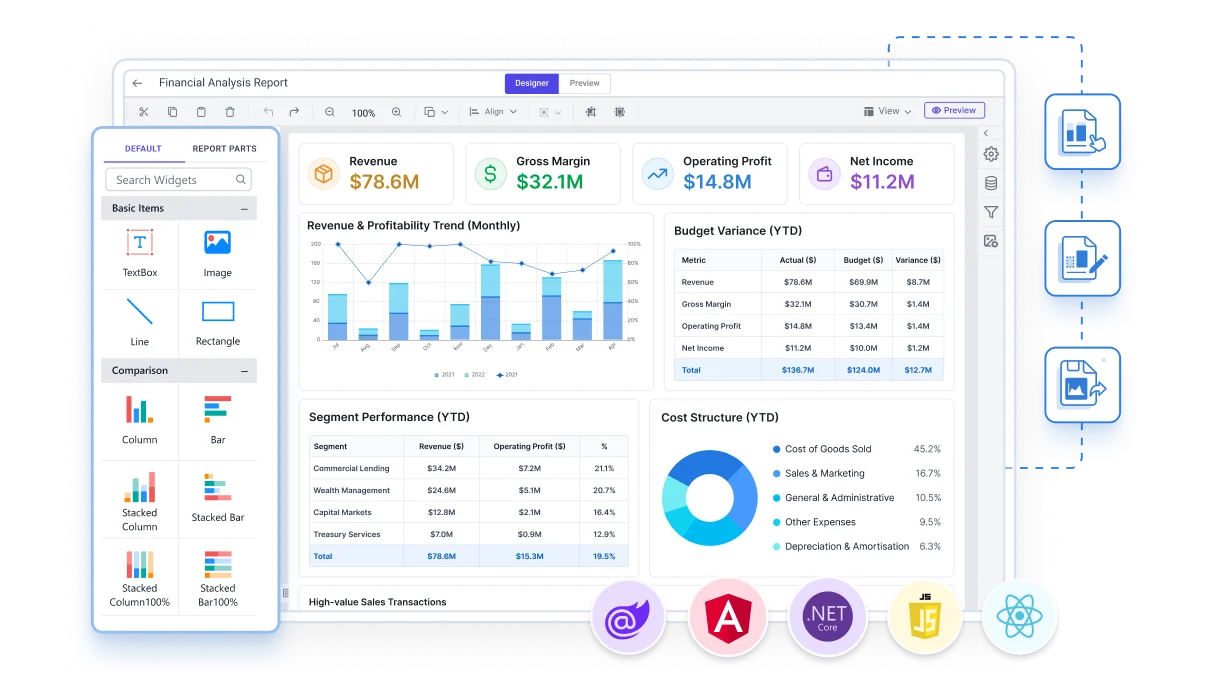
Bold Reports is an alternative to MESCIUS ActiveReports.NET for teams that hold SSRS reports or need a report server. Bold Reports is a complete RDL reporting platform: existing .rdl and .rdlc files open natively, while ActiveReports.NET brings SSRS reports in through an import wizard that converts them. Bold Reports is licensed per user or per application, never per developer. ActiveReports.NET is licensed per developer, with royalty-free distribution, and covers WinForms and WPF applications.
Last updated: November 11, 2026. Compared: Bold Reports 15.1.10 and ActiveReports.NET as documented by MESCIUS on that date.
Two kinds of product
How is Bold Reports different from ActiveReports.NET?
Designers and controls
ActiveReports.NET
MESCIUS describes ActiveReports.NET as report designers and controls for .NET 8, .NET Core, Blazor, WinForms, WPF, ASP.NET MVC, Angular, React, and Vue. A developer adds it to an application, and each developer who uses it needs a license. It suits a team that builds reporting into its own application, including a desktop one, and ships it to many users royalty-free.
A reporting platform
Bold Reports
Bold Reports is a complete RDL reporting platform. One report file is designed, embedded, exported, and scheduled, every edition includes the report server, and the license counts users or applications, not developers. It suits a team that holds SSRS reports, or that needs a server behind the reports in its web application.
Your existing reports
Can Bold Reports open the SSRS reports I already have?
Yes. Bold Reports reads the RDL report format natively, so existing .rdl and .rdlc files open without an import step. ActiveReports.NET has an RDL-based report type of its own, and its documentation brings SSRS reports in through the ActiveReports Import Wizard: you choose SQL Server Reporting Services (rdl) as the input format and the wizard stores the converted reports.
Bold Reports
ActiveReports.NET
The same documentation lists limits of that conversion. It says:
- The ActiveReports model is different from the latest SSRS model.
- Some Tablix properties may be ignored.
- Charts may need manual adjustment.
- Some chart types, such as Sunburst, Treemap, and ErrorBar, are not supported and are ignored.
What the RDL format is, and how Bold Reports runs it, is on the RDL page: Which reporting platform runs RDL and RDLC reports natively? Moving a whole SSRS estate is on the migration page: Will my existing SSRS reports run in Bold Reports without changes?
Side by side
How do Bold Reports and ActiveReports.NET compare, feature by feature?
Each ActiveReports.NET value below is taken from the MESCIUS website, as read on November 11, 2026. A capability that is missing from this table was not checked; it is not a claim that either product lacks it.
| Criterion | Bold Reports | ActiveReports.NET |
|---|---|---|
| What it is | A complete RDL reporting platform | Report designers and controls for .NET applications |
| Report types | RDL reports | RDL Report, Page Report, and Section Report |
| SSRS .rdl files | Open natively, without an import step | Imported and converted with the ActiveReports Import Wizard, with documented limits |
| Designers | Web Report Designer, which can be embedded, and a Standalone Report Designer for Windows | Visual Studio Report Designer, end-user designers for web and desktop applications, and a standalone designer app |
| Application frameworks | Embedding SDKs for JavaScript, Angular, React, Blazor, and ASP.NET Core | .NET 8, .NET Core, Blazor, WinForms, WPF, ASP.NET MVC, Angular, React, and Vue |
| Linux | On-Premises runs on Windows, Linux, Docker, and Kubernetes | Reports deploy to Linux |
| Report server | Included in every edition | Not checked |
| License unit | Per user, or per application for On-Premises | Per developer |
| Distribution to end users | Users are counted on per-user plans; unlimited on the per-application plan | Unlimited, royalty-free applications during the subscription |
Licensing
How do the licensing models compare?
The two products count different things, so the price lists are not a like-for-like comparison.
Per developer
ActiveReports.NET
ActiveReports.NET needs a Developer License for each developer who uses it: MESCIUS lists ActiveReports.NET Professional at $1,399 and Standard at $899, and a subscription lets that developer build and distribute unlimited, royalty-free applications. MESCIUS recommends a separate Pipeline License for build servers and CI/CD pipelines. The page read for this comparison does not state the length of the subscription period.
- Professional $1,399
- Standard $899
Per user or per application
Bold Reports
Bold Reports is licensed per user, or per application for On-Premises, and developers are unlimited: Cloud costs $999 per month and On-Premises $499 per month, each with 100 users included, or $1,499 per month per application with unlimited users. Prices are in USD and exclude taxes.
- Cloud $999
- On-Premises $499
- Per application $1,499
A small team that ships to many end users may pay less per developer; a large development team with a known number of report users may pay less per user. How Bold Reports counts a license is on the licensing page: How is Bold Reports licensed? The calculator is on the Bold Reports pricing page.
Moving over
What does moving from ActiveReports.NET to Bold Reports involve?
It depends on where your reports started.
Reports that still exist as SSRS .rdl or .rdlc files open in Bold Reports as they are.
Crystal Reports .rpt files are converted to RDL, and that migration is included at no extra cost in every edition.
Reports that exist only in ActiveReports formats are different. The published Bold Reports migration paths cover SSRS and Crystal Reports, not ActiveReports formats, so plan to rebuild those reports in the Bold Reports Report Designer, and ask the Bold Reports team before you commit to a date.
How reports reach your users afterward is on the embedded reporting page: How do I embed Bold Reports in my application?
Honest fit
When is ActiveReports.NET the better choice?
A small team or a desktop application
Choose ActiveReports.NET if
- A small team ships reports inside its own application to many users and wants royalty-free distribution on a per-developer price.
- The application is a desktop one, because it lists WinForms and WPF and the Bold Reports embedding SDKs are for web applications.
- Your developers want a report designer inside Visual Studio.
- You have no SSRS reports to keep.
SSRS reports or a large development team
Choose Bold Reports if
- You hold SSRS reports and want them to open without an import step.
- You need a report server, scheduling, and multi-tenancy in the same license.
- Your development team is large and a per-developer license would grow with it.
Comparing other .NET reporting tools: What is the best FastReport .NET alternative for RDL reports?
Method
How were these facts checked?
The ActiveReports.NET values come from five pages of the MESCIUS website, read on November 11, 2026. The Bold Reports values describe version 15.1.10 and the published pricing.
ActiveReports.NET product page: what the product is, designers, frameworks, Linux.
ActiveReports.NET report types: RDL, Page, and Section reports.
MS SSRS import documentation: the Import Wizard and its limits.
ActiveReports.NET pricing and MESCIUS .NET licensing: prices, the Developer License, and distribution rights.
Not checked, and so not compared here: a report server for ActiveReports.NET, scheduling, multi-tenancy, and the subscription term. Product names are trademarks of their owners. Spotted something out of date? Tell the Bold Reports team and the page is corrected at its next review.
Questions
What do teams ask about Bold Reports before they switch?
Short answers from the Bold Reports FAQ. See all 78 questions.
Is a report server included with Bold Reports, or licensed separately?
Report server functionality is included in every Bold Reports edition, with no separate license. Every edition includes the complete Bold Reports platform, including report design and viewing.
Is Bold Reports licensed per user, per server, or per report?
Bold Reports is licensed per user, or per application for On-Premises. It is never priced per developer or per report. Cloud: $999/month includes 100 users, then $5 per additional user per month. On-Premises per user: $499/month includes 100 users, then $3 per additional user per month. On-Premises per application: $1,499/month per application with unlimited users.
Is Bold Reports pricing published, or do I have to contact sales?
Bold Reports pricing is published, with no per-developer fees. Cloud starts at $999 per month for 100 users, On-Premises starts at $499 per month for 100 users, and On-Premises per application costs $1,499 per month with unlimited users.
Does Bold Reports have a desktop report designer?
Yes. The Bold Reports Standalone Report Designer is a Windows desktop app for designing, previewing and exporting RDL and RDLC reports. You can save reports on your computer or publish them to Bold Reports Report Server or Microsoft SSRS.
How long does it take to migrate from SSRS or Crystal Reports to Bold Reports?
It depends on the number of reports and their complexity. SSRS migration is typically quick because Bold Reports uses the same RDL format, so most reports move with minimal changes. For Crystal Reports, effort varies with report design, formulas, subreports and custom business logic, and complex reports may need extra changes. Reviewing your report inventory gives the most accurate estimate.
Migrating our existing reports would be too much work. Do we have to do it ourselves?
No. Migration from SSRS or Crystal Reports is included at no extra cost: the Bold Reports team moves your reports for you, and existing SSRS RDL and RDLC files open natively without conversion.
Can I evaluate Bold Reports on my own, without booking a sales demo?
Yes. You can start a free 30-day trial with full platform capabilities and no credit card required, or explore the interactive product tour, self-guided demos and live report gallery.
Is Bold Reports actively developed, and is there a public roadmap?
Yes. Bold Reports publishes a public roadmap and regular release notes on its website; the latest release is version 15.1. A new version is released every few months; the latest is version 15.1.10, released in October 2026.
Ten minutes, no form
What can I try in the next 10 minutes?
Open a sample RDL report in the Bold Reports demo gallery, with no form to fill in. The free trial needs no credit card and lasts 30 days with a work email, or 15 days with a personal email.