Fixed an issue where the parameter prompt did not update on the second attempt when using dynamic expressions.
Added support for paragraph indentations in PPT exports.
Resolved a text overlapping issue in the Report Viewer preview with the EnableFitContentMaxHeight custom property.
Version 12.2.15
Weekly release
4Improvements
Improvements
Report Viewer
Resolved incorrect text rendering in the French locale.
Added the report name as the title in the print window.
Fixed an issue with background image rendering when the storage provider is set to Database.
Fixed column header support in matrix static headers.
Version 12.2.14
Weekly release
8Improvements
Improvements
Report Viewer
Resolved an issue where the Hide Export List custom property did not work when changed from the designer preview.
Fixed an issue where chart report items were not rendered in writer export when special characters were used in the expression.
Added the report name as the title in the print window.
Improved PDF export memory usage and performance when an image item is included in the report.
Added support to display the report total at the end of raw data export.
Resolved a maximum depth issue when adding a new column and previewing the report.
Report Designer
Fixed an issue where custom attribute values were not retained when saved as empty, updated, and reopened.
Stopped appending the tooltip to the body element when opening the dropdown, to prevent overriding child element CSS.
Version 12.2.13
Weekly release
3Improvements
Improvements
Report Viewer
Resolved the expression evaluation issue of Tablix properties when a column group is present.
Resolved the background color not applying properly for a table placed inside another table.
Added the EnableFitContentMaxHeight custom property to resolve a textbox overlapping issue in preview.
Version 12.2.12
Weekly release
2Improvements
Improvements
Report Viewer
Fixed an issue where the search button was disabled in Classic View when showfindbutton was enabled in Direct Preview.
Resolved a spacing issue between two text boxes to align with SSRS behavior.
Version 12.2.11
Weekly release
5Improvements
Improvements
Report Viewer
Fixed an issue where the Search button filter did not work in direct preview when the search box was enabled using showfindbutton.
Provided text orientation support for striplines.
Resolved an issue with merged cell row spans.
Resolved an issue where the Tablix bottom border was overlapped by the cell bottom border in PDF exports.
Report Designer
Added support for UUID datatype fields in PostgreSQL dataset query filters.
Version 12.2.10
Weekly release
6Improvements
Improvements
Report Viewer
Resolved the merged cell column span issue.
Fixed the SVG image rendering issue with unit-based width and height.
Provided support for adjusting label rendering for the Pyramid chart in preview.
Resolved an issue with XML export when the visibility of Chart and Tablix report items was set to hidden.
Fixed the multiple-series Y-axis issue in Chart XML export.
Resolved an embedded background image not rendering in the Report Viewer.
Version 12.2.9
Weekly release
3Improvements
1Bug fixed
Improvements
Report Viewer
Fixed an issue where HTML CRI was rendered as a black image when hosted in IIS.
Improved performance when using custom attributes.
Report Designer
Introduced the onReportModified event, which triggers when any RDL object in the report is modified.
Breaking Changes
Report Designer
Renamed the reportModified event to reportAction. This event now triggers for report actions such as opening, saving, or auto-drafting a report.
Version 12.2.8
Weekly release
3Improvements
Improvements
Report Viewer
Added null-case handling for aggregate functions in the Expression Engine to prevent error log issues.
Fixed an issue where PDF exports appeared blurry when printing from the WPF platform.
Resolved a warning caused by a lower version of Microsoft.CodeAnalysis.VisualBasic in the Viewer Core projects.
Version 12.2.7
Weekly release
4Improvements
Improvements
Report Viewer
Fixed an issue with center text alignment for embedded background images.
Resolved an issue where the toggle hidden custom property was not working.
Resolved an issue where null values were rendered in preview when the parameter value and label were configured with different fields.
Resolved an issue where a Table report item placed inside a list was not exported to Excel when ignore cell merge was enabled.
Version 12.2.6
Main release
6New features
13Improvements
1Breaking change
15Known issue
What’s New
Report Designer
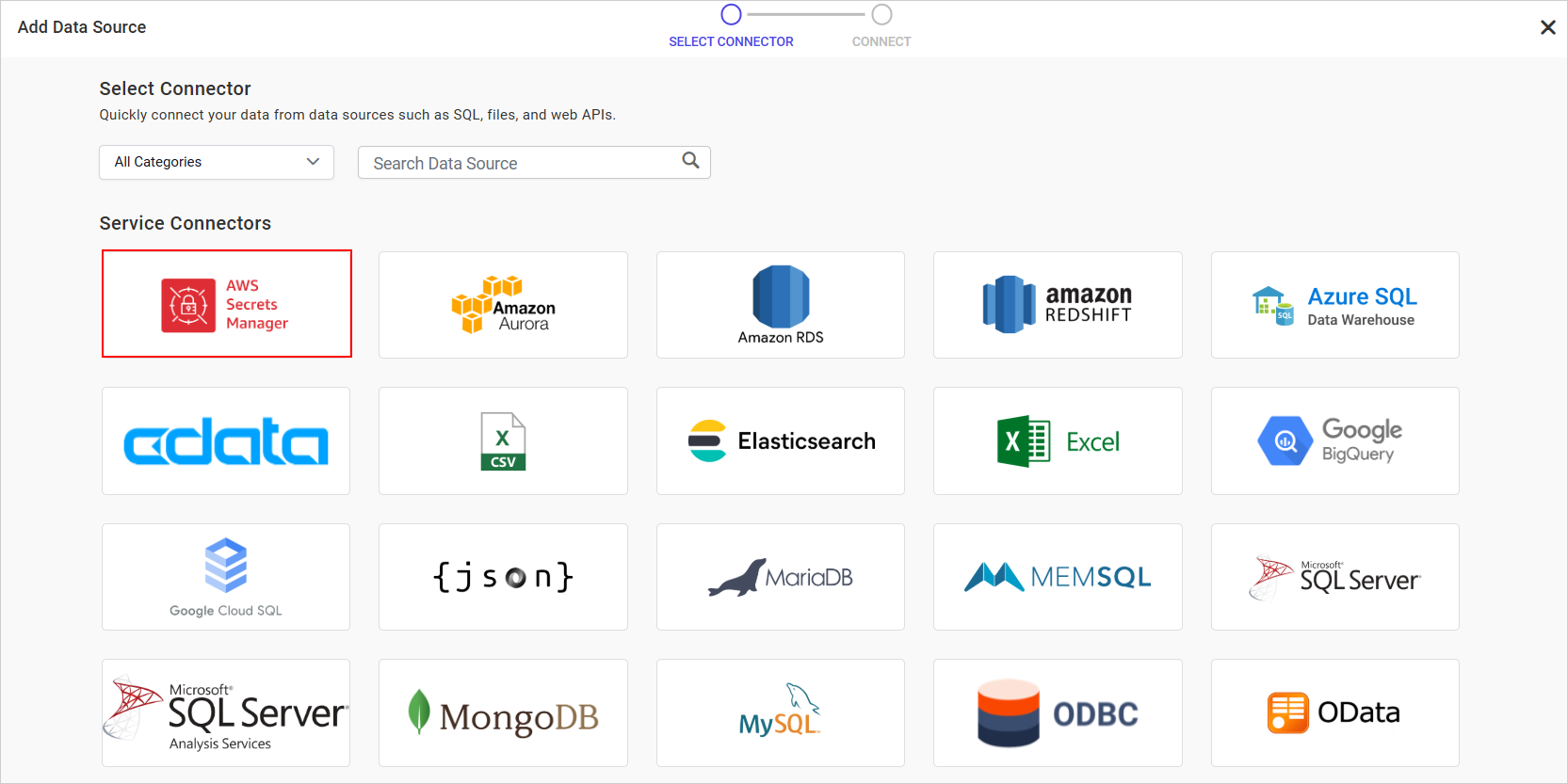
AWS Secrets Manager Data Connector
Managing sensitive credentials such as database usernames and passwords is now safer and more convenient when creating data sources in Bold Reports. The AWS Secrets Manager Data Connector lets you store and retrieve credentials securely from AWS Secrets Manager at runtime, eliminating the need to embed sensitive information directly in your reports.
Key Benefits
Enhanced security: Keeps credentials out of report definitions to reduce exposure.
Seamless database integration: Works with supported engines such as SQL Server, MySQL, and PostgreSQL.
Added support for browsing files and publishing reports within subcategories, extending the existing category structure with a nested level of organization so report authors can group related reports more precisely, mirroring how larger teams typically organize their libraries.
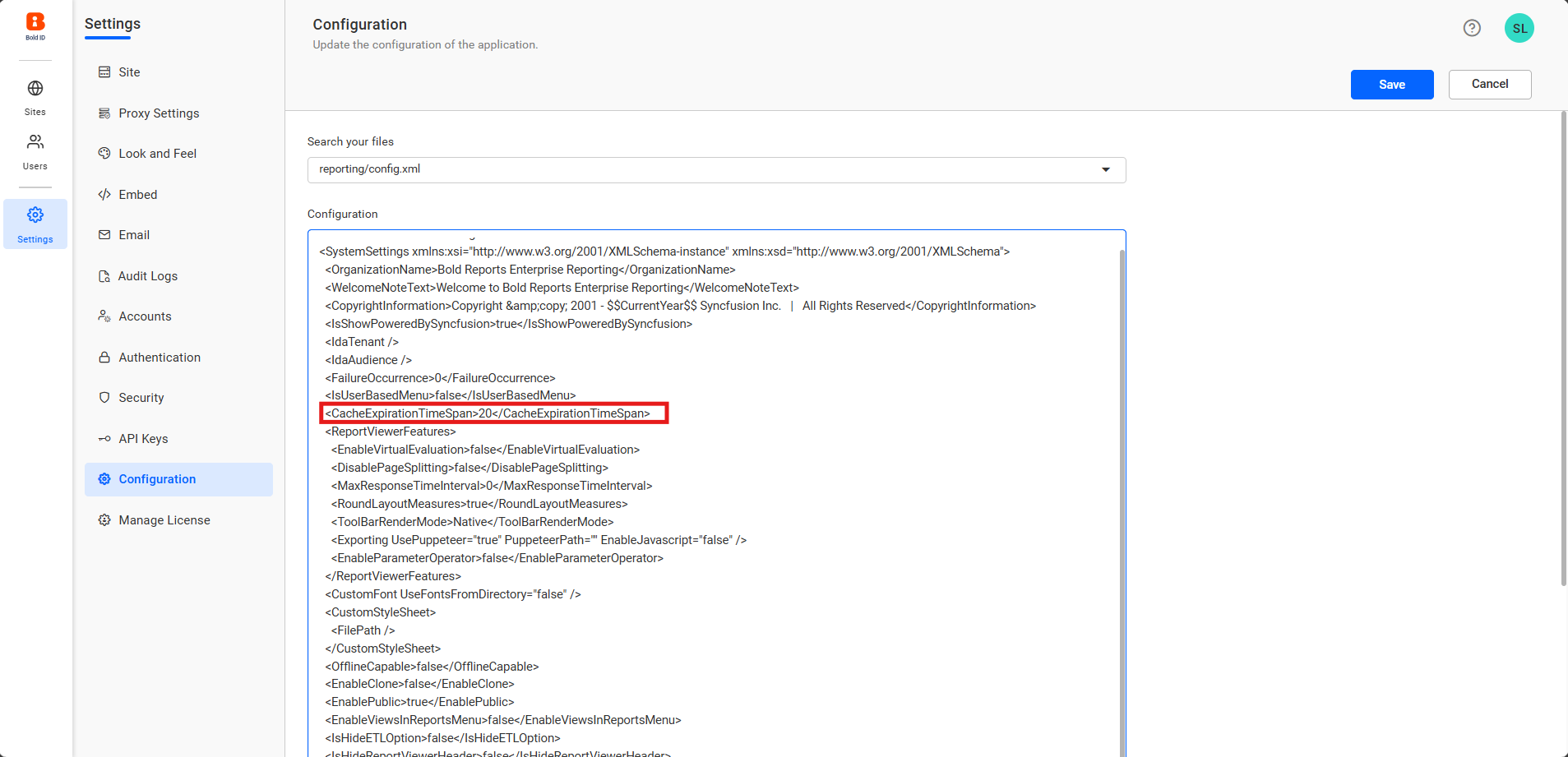
.NET 10.0 now powers the Report Viewer and Report Writer for better performance, advanced security, and enhanced capabilities, and an option to set and adjust cache expiration time gives finer control over cache availability.
Improvements
Report Designer
Data Assign Menu for Tablix Cells
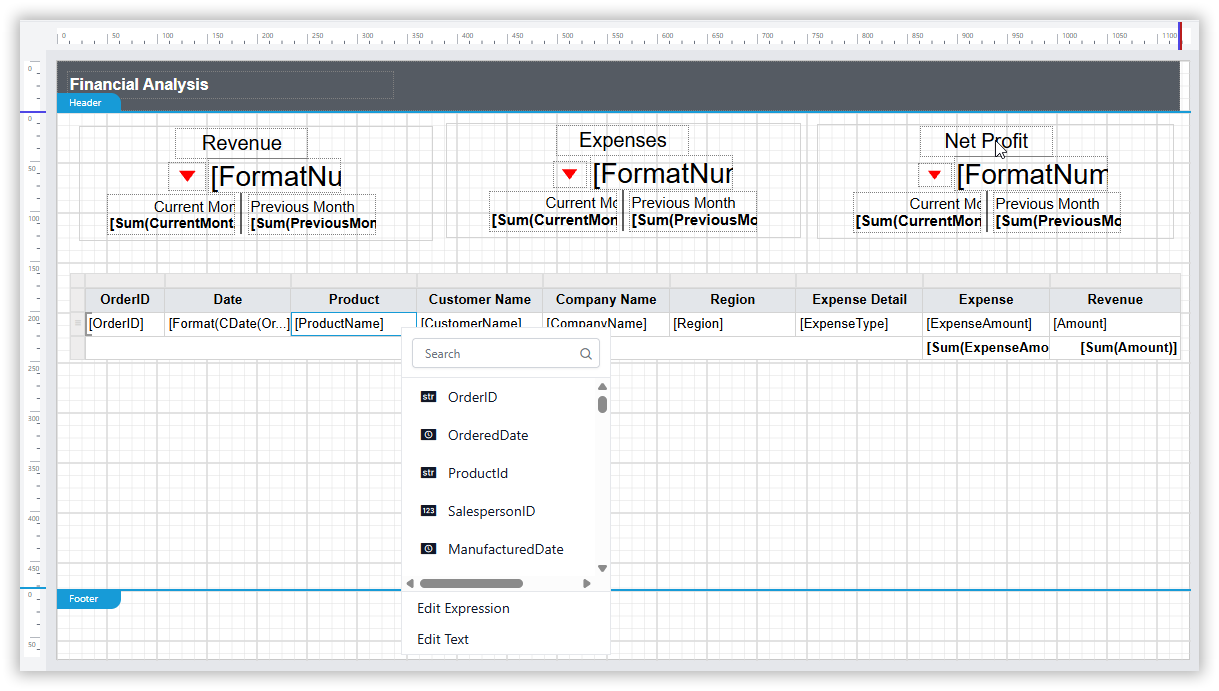
Re-enabled the original look and feel of the Data Assign menu for Tablix cells, so users can go back to adding expressions or static text the way they did before the newer menu design replaced it.
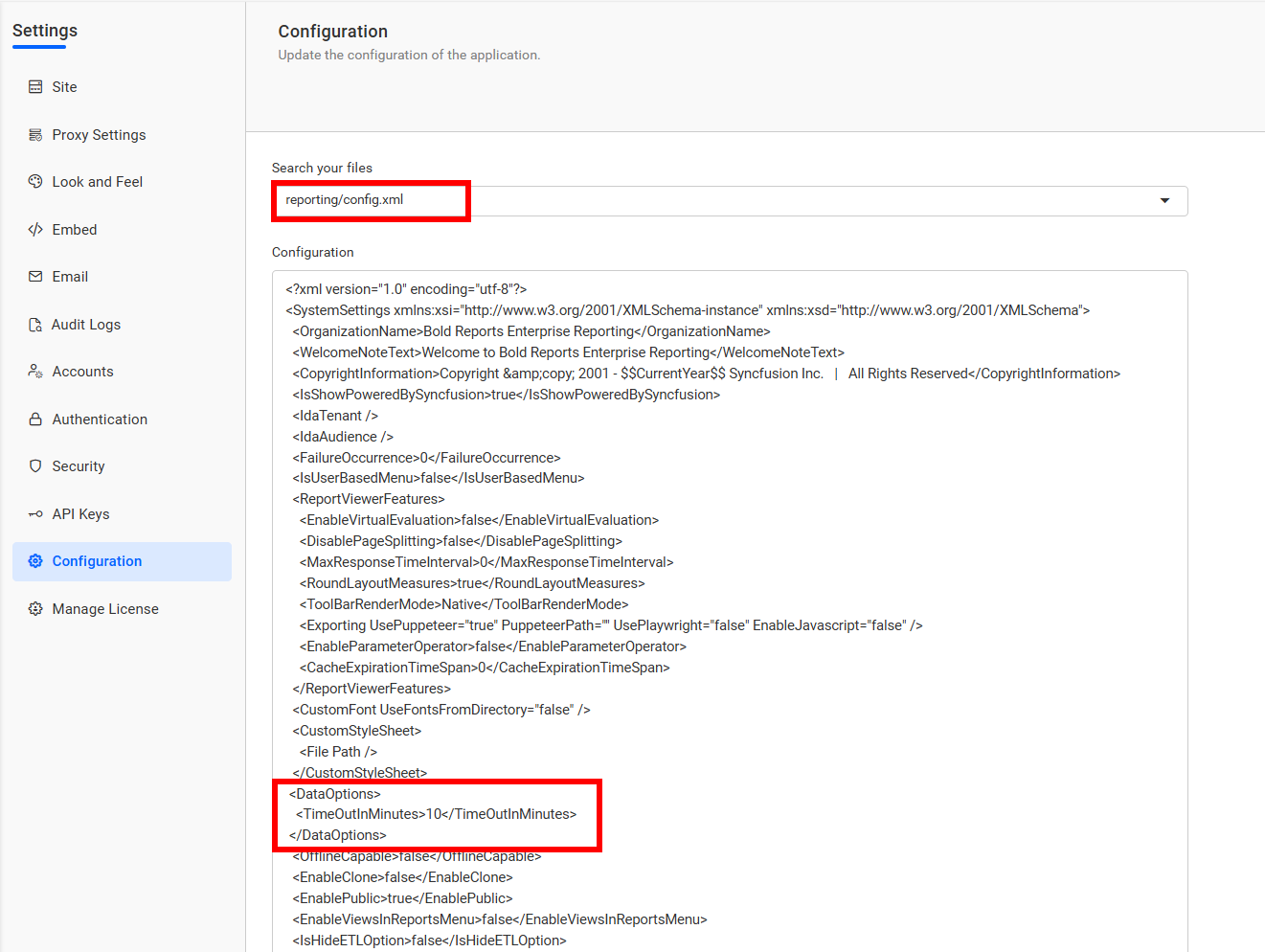
Added support for customizing the timeout setting used for HTTP requests made through the Web API and OData data connectors, so long-running requests to slower or larger endpoints have room to complete instead of timing out prematurely.
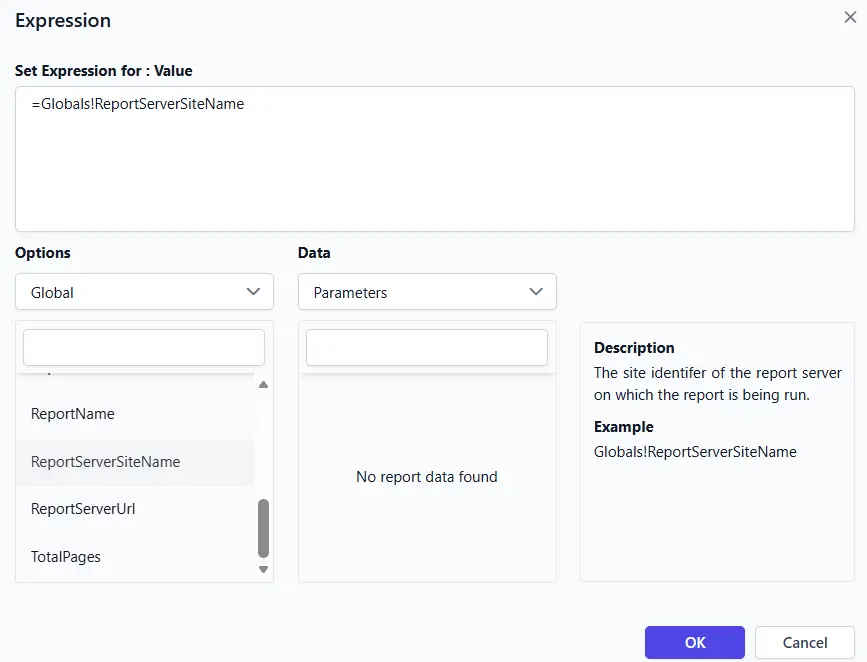
ReportServerSiteName Expression
Introduced the ReportServerSiteName report expression under the Globals collection in the Expression dialog.
This built-in field returns the Site Name of the report server where the report is currently executing or published.
Useful for multi-tenant scenarios, conditional logic based on deployment environment, or embedding site-specific information directly in your reports.
Improved the Designer’s right-click context menu so the options shown are tailored to the specific report item group that was clicked, keeping the menu shorter and more relevant to whatever element is being worked on.
Added localization updates for the en-AU (Australian English) language, so the report server’s interface text and formatting conventions now match Australian English usage.
Report Viewer
ReportServertenantName Property
Provided a global property, ReportServertenantName, that displays the identifier of the report server tenant a report is running on, letting reports and expressions reference it directly to identify which site the report belongs to.
ExportRawDataOnly Custom Property
Introduced the ExportRawDataOnly custom property, which exports just the underlying data as a raw Excel workbook, stripped of report styling and layout, so it’s easier to reuse the numbers for downstream analysis.
Bold Data Hub
StarRocks Destination Support
Added StarRocks as a supported destination in Bold Data Hub, so pipeline output can now be written directly into a StarRocks warehouse alongside the platform’s existing destination connectors.
Venv-Based Python Installation
Switched Python installation in Bold Data Hub to use virtual environments (venv), isolating each installation’s dependencies to avoid version conflicts with other Python setups on the same machine.
Schedule and Pipeline Improvements
Added pagination support for schedule history, and weekday support for scheduling in Bold Data Hub.
Also added support to delete schemas when a data source or pipeline is being deleted.
Bug Fixes
Report Server
Fixed the password field not updating correctly when creating a data source using a connection string in the single-database case.
Fixed an issue where the image value dropdown in table cells defaulted to the First aggregate after data was assigned.
Fixed issues where chosen date/time formats were not retained properly across the UI, schedules, and exports.
Fixed an issue with handling parameter expressions across versions during scheduling.
Report Designer
Fixed an issue preventing undo and redo for border color and style changes made in Advanced options.
Fixed an issue where the image value dropdown in table cells defaulted to the First aggregate after data was assigned.
Fixed the Between operator in the date/time filter to include all records for the selected dates across time zones.
Fixed an issue where refreshing a shared dataset with query parameters reset report parameters to their expressions.
Fixed a MIME type serialization issue in the image report item.
Fixed SQL comment parsing in the query designer so # is not treated as a comment in PostgreSQL queries.
IDP
Hid the Powered By logo on all pages when disabled by the user.
Fixed a broken image download loop when the logo file was unavailable or failed to download.
Resolved an issue with OAuth and OpenID login from an external application when embedded.
Standardized the PascalCase variable convention in the logging mechanism.
Addressed a random internal server 500 error during IDP page loading.
Breaking Changes
Report Designer
To create the sub-category in the specified category, we made these notable changes:
Old code snippet
New code snippet
public override object CreateCategory(string categoryName, string description, out string exception)
public override object CreateCategory(string parentId, string categoryName, string description, out string exception)