
Version 12.1.12
Main release
- 3New features
- 2Improvements
- 5Bug fixed
What’s New
Report Explorer Panel
Introduced a Report Explorer panel for quick and easy access to report items, giving a structured, searchable list of everything on the report instead of requiring authors to click around the design surface to find a specific item. Items can be selected directly from the panel, which then highlights and focuses the corresponding element on the canvas, making it far easier to navigate reports with many nested or overlapping items.
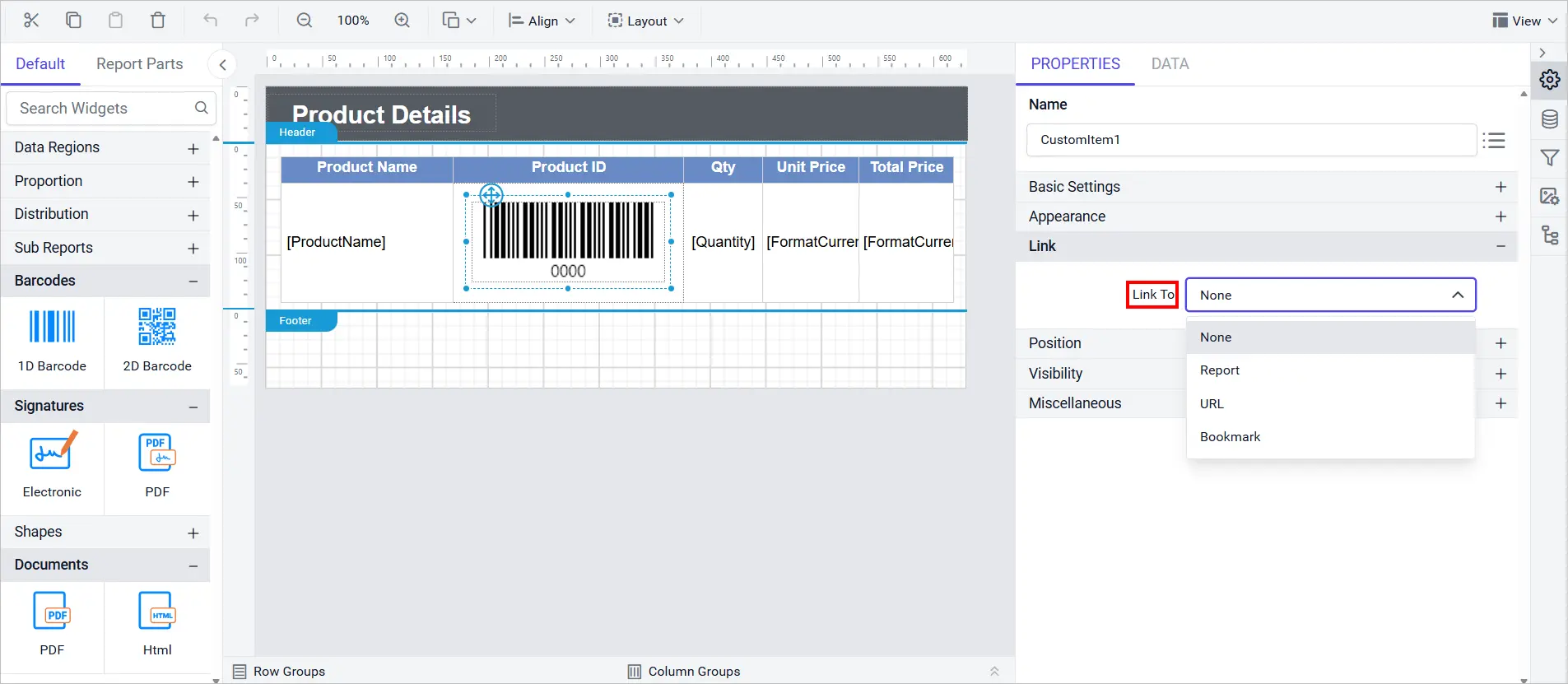
Link Property for Custom Report Items
Added Link property support for custom report items, so a custom item can now open a URL, a bookmark, or another report when clicked, bringing it in line with built-in report items that already support navigation. This lets authors build interactive, drillable custom visuals without writing extra scripting to wire up the click behavior themselves.
New Zealand English Culture
The designer now supports New Zealand English (en-NZ) as a localization culture, adding New Zealand-specific date, number, and currency formatting conventions alongside the existing set of supported languages and regional cultures.
Improvements
Stricter SQL Data Connector Authentication
Enforced SQL authentication in the SQL Data Connector when the password is not saved, preventing connections from silently falling back to an unauthenticated or cached state.
Tablix Merge and Header Stability
Improved Tablix stability and consistency when merging cells and handling headers, reducing layout glitches that previously occurred during those operations.
Bug Fixes
Report Designer
- Resolved query failures in Oracle Data Extension caused by missing parameter bindings (ORA-01008).
- Corrected inconsistent color picker values for indicator states between component and expression dialog.
- Resolved the issue preventing the Undo function from restoring the initial border settings in Tablix report items.
- Fixed flickering when context menus closed too quickly after opening.
- Includes additional bugs fixes and improved application security for a smoother, safer experience.