
RDL and RDLC reporting
Which reporting platform runs RDL and RDLC reports natively?
RDL (Report Definition Language) is the XML format that SQL Server Reporting Services uses for paginated reports, and RDLC is its client-side variant. Bold Reports is a complete RDL reporting platform: existing .rdl and .rdlc files open natively, without conversion. You can design, view, export, schedule and embed them in your own application or on a report server, in the cloud or on your own infrastructure.
Last updated: November 11, 2026.
The format
What is an RDL report?
An RDL report is a paginated report saved as an .rdl file. Report Definition Language (RDL) is an XML format that holds the data retrieval and layout information for a report, as Microsoft's RDL documentation describes it. SQL Server Reporting Services (SSRS) and Power BI Report Server use this format.
Data retrieval XML
Layout XML
Stays in the fileTablesChartsParametersExpressions
Bold Reports uses the same format. An .rdl file is the report itself in Bold Reports, so there is nothing to import or convert. Tables, charts, parameters, and expressions stay in the file, and the report connects to its data through one of the 27 data connectors Bold Reports supports.
RDL and RDLC
What is an RDLC report, and how is it different from RDL?
An RDLC report is the client version of the same format, saved as an .rdlc file.
Server report
RDL (.rdl)
An .rdl report is processed by a report server.
Client report
RDLC (.rdlc)
An .rdlc report is processed inside an application by the Microsoft Report Viewer control, in what Microsoft calls local processing mode: no report server is installed, and the application supplies the data.
Bold Reports opens both file types natively.
The Bold Reports Standalone Report Designer designs, previews, and exports RDL and RDLC reports.
The Bold Reports Report Viewer for Blazor Server and Blazor WebAssembly apps views, prints, and exports both.
The platform
Which reporting platforms support RDL and RDLC natively?
SSRS and Power BI Report Server use RDL as their report format, and so does Bold Reports. Bold Reports is a complete RDL reporting platform: one report file is designed in a web or desktop designer, embedded with SDKs for JavaScript, Angular, React, Blazor, and ASP.NET Core, exported to seven formats, and scheduled for email delivery. It runs as Bold Reports Cloud or On-Premises on Windows, Linux, Docker, or Kubernetes.
Design
In a web or desktop designer.
Embed
With SDKs for JavaScript, Angular, React, Blazor, and ASP.NET Core.
Export
To seven formats.
Schedule
For email delivery.
Run
As Bold Reports Cloud or On-Premises, on Windows, Linux, Docker, or Kubernetes.
Some reporting tools convert RDL files into their own format instead: see Bold Reports compared with FastReport .NET. What happens to a report file in Bold Reports depends on its type:
| Your file | Where it comes from | In Bold Reports |
|---|---|---|
| .rdl | SSRS, Power BI Report Server | Opens natively, without conversion |
| .rdlc | The Microsoft Report Viewer control in a .NET application | Opens natively, without conversion |
| .rpt | Crystal Reports | Not native. The file is converted to RDL, and each converted report needs a review before publishing |
Your existing reports
Can Bold Reports open my existing .rdl and .rdlc files without changes?
Bold Reports reads the RDL report format natively, which is compatible with SSRS reports, so your existing .rdl files can be used in Bold Reports. The full answer, with the migration steps, is on the SSRS migration page: Will my existing SSRS reports run in Bold Reports without changes?
The RDL output from Bold Reports is also fully compatible with Business Central (RDLC).
Design
Where do I design or edit an RDL or RDLC report?
Bold Reports has two designers.
In the browser
Web Report Designer
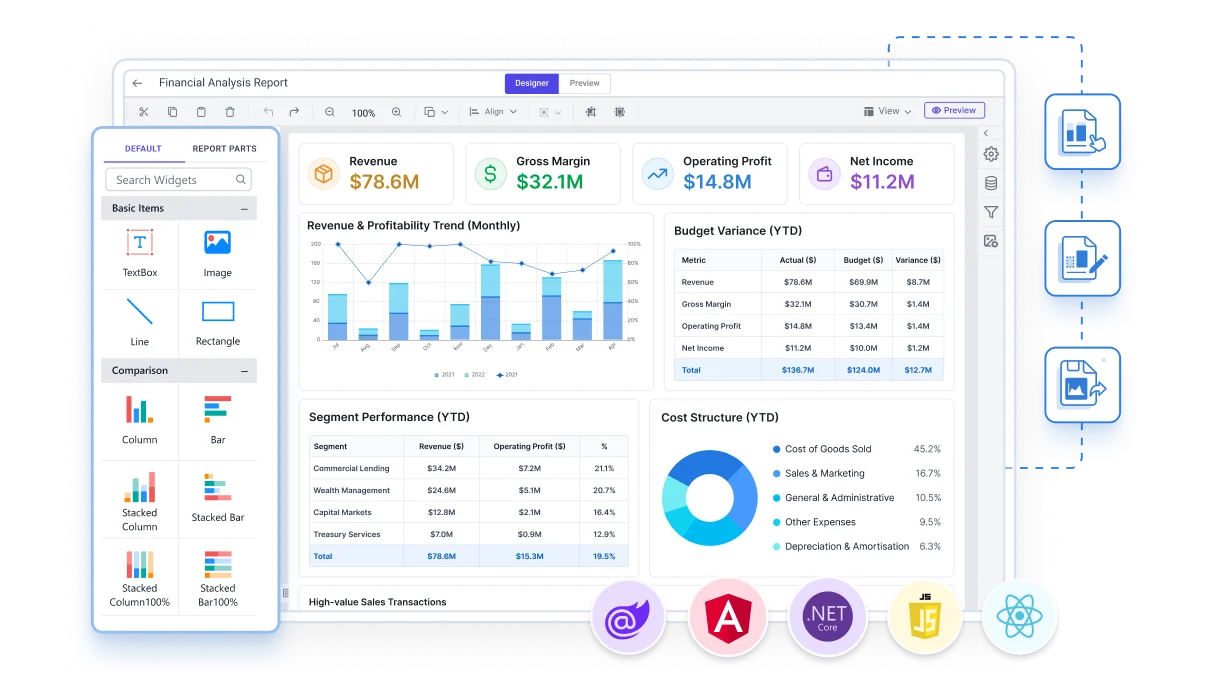
The web Report Designer is a drag-and-drop designer that runs in the browser, and you can embed it in your own web application.
Windows desktop
Standalone Report Designer
The Standalone Report Designer is a Windows desktop app for designing, previewing, and exporting RDL and RDLC reports. You can save reports on your computer or publish them to Bold Reports Report Server or Microsoft SSRS.
For developers
How do I show an RDL or RDLC report in my web application?
Bold Reports provides embedding SDKs for JavaScript, Angular, React, Blazor, and ASP.NET Core, included in every edition. The viewer loads a report by its path. The report is processed on the server by a reporting web service or by Bold Reports Report Server, so every setup needs one of the two. The JavaScript Report Viewer needs this much code:
- JavaScript
- Angular
- React
- Blazor
- ASP.NET Core
The other frameworks and the embedded designer are covered on the embedded reporting page: How do I embed Bold Reports in my application?
<div id="viewer"></div>

<script>
$(function () {
  $("#viewer").boldReportViewer({
    reportServiceUrl: "https://your-domain.com/reporting/reportservice/api/Viewer",
    reportServerUrl: "https://your-domain.com/reporting/api/site/site1",
    serviceAuthorizationToken: "Bearer YOUR_SERVER_TOKEN",
    reportPath: "/Sample Reports/Company Sales"
  });
});
</script>
Crystal Reports
Can Crystal Reports files become RDL?
Yes. Crystal Reports (.rpt) files are converted to RDL, and migration is included at no extra cost in every edition. Conversion runs one report at a time or in bulk, and each converted report needs a review before publishing.
Crystal Reports file
An .rpt file.
Converted to RDL
One report at a time or in bulk.
Reviewed
Each converted report, before publishing.
The steps are on the Crystal Reports migration page: Can we migrate our Crystal Reports to Bold Reports?
Honest fit
When is RDL not a reason to choose Bold Reports?
RDL alone is not a reason to leave SSRS or Power BI Report Server.
If you run
SSRS or Power BI Report Server
Both use RDL, so a team that is content there keeps its reports as they are. The reasons to compare are deployment, embedding, and licensing.
CompareShould we use Power BI Report Server instead of Bold Reports?
If you need
Interactive dashboards
Bold Reports is also the wrong tool for interactive dashboards and ad hoc data exploration.
UseA BI tool such as Power BI, Tableau, or Qlik
Questions
What else do teams ask about RDL and RDLC reports?
Short answers from the Bold Reports FAQ. See all 78 questions.
We're running SSRS. How hard is it to move to Bold Reports?
Bold Reports opens SSRS RDL and RDLC report files natively, so you reuse your existing reports instead of rebuilding them. Migration from SSRS is included at no extra cost: the Bold Reports team moves your reports for you.
Is Microsoft discontinuing SSRS?
Microsoft has said there will be no new SSRS versions after SSRS 2022. From SQL Server 2025, on-premises reporting moves to Power BI Report Server, and SSRS 2022 gets security updates until 11 January 2033.
Can Telerik Reporting open SSRS RDL reports?
As of November 2026, Telerik Reporting's documentation lists report converters for Crystal Reports, ActiveReports and DevExpress XtraReports, but not for SSRS RDL files. Bold Reports opens SSRS RDL and RDLC files natively, without conversion.
Can the report designer be embedded, or is it viewer-only?
Both can be embedded. With the Bold Reports embedding SDKs, reports can be designed, viewed and exported inside your own web application.
Does Bold Reports support Blazor?
Yes. Bold Reports has a Report Viewer for Blazor Server and Blazor WebAssembly apps to view, print and export RDL and RDLC reports.
Can I export a report to PDF from code, without showing the Report Viewer?
Yes. The Bold Reports Report Writer creates and exports reports from code, without showing the Report Viewer, in formats such as PDF, Word and Excel.
Do Bold Reports updates break existing reports?
The release notes for each Bold Reports version list any breaking changes, and the documentation for each platform has a Breaking Changes section. Review them before upgrading, and test the upgrade in a staging environment first.
Ten minutes, no form
What can I try in the next 10 minutes?
Open a sample RDL report in the Bold Reports demo gallery, with no form to fill in. The free trial needs no credit card and lasts 30 days with a work email, or 15 days with a personal email.