
5 Best Reporting Tools for Embedding in 2026
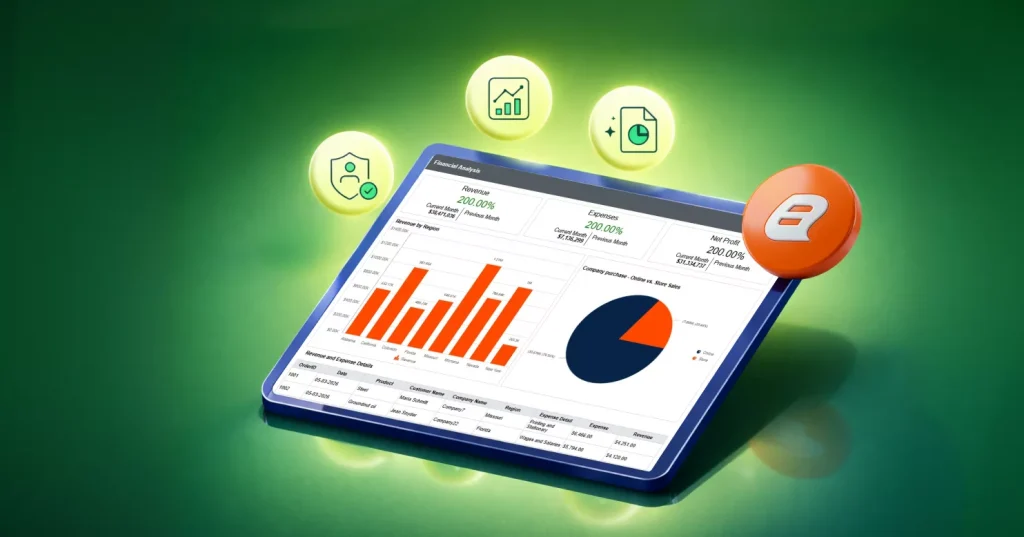
TL;DR: The top five embedded reporting tools for 2026 are Bold Reports®, DevExpress Reporting, Jaspersoft, Telerik Reporting, Stimulsoft Reporting. The right tool turns reporting into a scalable, reliable business workflow, not a manual task.
Introduction
Modern businesses don’t just need charts; they need reports that run the business: invoices, financial statements, inventory snapshots, compliance packs, customer usage summaries, and operational dashboards that can be exported and shared reliably.
That’s why “reporting tool” should mean more than visuals. A modern reporting stack should help you:
-
- Create pixel-perfect documents that print and export cleanly.
- Automate scheduling and distribution (email, recurring exports).
- Control access with roles and permissions.
- Embed reports inside customer portals and internal apps.
This blog describes five of the top reporting tools modern businesses use today, plus how to pick the right one based on what you actually need to deliver.
Why modern businesses need the best reporting tools in 2026
In 2026, a good reporting platform is a necessity:
-
- Customer trust and cash flow depend on reports that are accurate, consistent, and professionally delivered without errors or surprises.
- Reporting must run reliably at the scale of production inside live customer portals, partner systems, and APIs with no tolerance for downtime or failures.
- Compliance-ready reporting is essential to avoid audits, fines, and reputational damage through traceable, reproducible, and auditable outputs.
- Maintaining custom-built reporting stacks drains engineering time and creates long-term technical debt that slows product teams down.
- Automation is mandatory, as scheduled, parameterized, and distributed reports eliminate manual effort and operational bottlenecks.
- Complex business logic like taxes, currencies, and multi-entity rollups must be handled without repeated rewrites.
- Enterprise deals depend on built-in security features such as role-based access, tenant isolation, controlled sharing, and audit logs.
How to choose the right reporting tool in 2026
Choosing the right reporting tool depends on your application needs, scalability requirements, and user experience expectations. Here are the key factors to evaluate:
- White-labeling: Ensure the tool allows full branding customization so reports seamlessly match your application’s look and feel.
- Pixel-perfect reporting: Look for tools that support precise layout control for generating professional, print-ready reports.
- Strong visualizations: Choose a solution that offers rich charts and visual elements to make data easier to understand and act on.
- Multitenant support: If your application serves multiple customers, the tool should support tenant-based data isolation and customization.
- Deployment: Determine if you need cloud, on-premises, or hybrid deployment and assess which tools can deliver there.
- Enterprise-grade security: Make sure it includes robust security features such as role-based access control and data protection.
- Collaboration features: Look for tools that enable sharing, commenting, and teamwork around reports for better decision-making.
Top 5 reporting tools for embedding in 2026
Embedded analytics is redefining how applications deliver insights, and the leading tools in 2026 include:
1. Bold Reports
Bold Reports lets you create and deliver print-ready, pixel-perfect reports through a web reporting experience. Embed these paginated reports directly into applications without building a full reporting system from scratch.
Bold Reports is best for:
-
- Pixel-perfect reports: A strong fit for invoices, purchase orders, statements, and compliance-style reports where layout fidelity matters.
- Embedded reporting in your app: You can embed report viewing inside your application and use server-side APIs to support common report operations such as organizing reports, running reports with parameters, and controlling access.
- Security and access control: Use a permissions model to restrict who can view or manage reports. For SaaS applications, tenant isolation should be enforced in your application architecture (authentication, authorization, and data scoping) and aligned with report permissions so users only access allowed reports and data.
- RDL/SSRS compatibility: If you already have RDL or SSRS expertise, Bold Reports can be evaluated as a way to reuse those report assets while delivering them through a modern, web-based reporting workflow.
- Data connector and data hub: Connect reports to your business data using supported connectors.
- User-friendly report builder for intuitive drag-and-drop report creation without heavy coding or IT dependency.
- Pixel-perfect report design with precise layouts, branded styling, and professional formatting.
- Effortless SSRS RDL migration to move existing SSRS RDL reports smoothly without redesign or rewriting.
- Tailored reporting experiences that support both self-service reporting and embedded analytics for different user roles.
Want to give it a try? Start a free trial or book a demo and validate your real workflows.
2. DevExpress Reporting
DevExpress Reporting is a good choice for teams building on .NET who want reporting components they can integrate tightly into their applications, particularly when developers want full control over how reporting behaves and looks inside the product.
DevExpress is best for:
-
- Developer-centric integration for .NET applications.
- Exports and document-style reporting for application workflows.
- An AI-powered report designer with prompt-to-report capabilities.
3. Jaspersoft
Jaspersoft is commonly evaluated for embedded reporting in Java ecosystems. It can be a fit when your engineering is Java-centric and you expect to integrate reporting close to the application layer.
Jaspersoft is best for:
-
- Reporting with highly formatted, production-ready outputs.
- Ad-hoc reporting capabilities for end users with intuitive interfaces.
- Support for major cloud platforms like AWS, Azure, and Google Cloud.
4. Telerik Reporting
Telerik Reporting is commonly evaluated by .NET teams that want to embed reporting capabilities into applications and maintain control over the report experience.
Telerik Reporting is best for:
-
- Supports WYSIWYG report authoring.
- Enables browser-based report editing with a web designer that supports drag-and-drop style interactions.
- Provides developer-centric report creation inside Visual Studio for teams already building in the .NET ecosystem.
5. Stimulsoft Reports
Stimulsoft is frequently shortlisted for teams that want a reporting tool with broad platform reach and a relatively quick time-to-value for creating and exporting formatted reports.
Stimulsoft is best for:
-
- Embedded reporting tools designed to integrate into web, desktop, and mobile applications.
- Visual design and code-based development options for teams with different workflow preferences.
- AI-powered reporting experiences.
Final thoughts
If you’re delivering operational, customer-facing documents and reports that must be pixel-perfect, scheduled, exported, governed, and embedded, evaluate tools like you’re evaluating a product feature, not a charting add-on.
Bold Reports® stands out in 2026 because it brings together the key capabilities teams need in a modern reporting platform. As an all-in-one, user-friendly platform for designing, managing, and delivering professional reports, Bold Reports is a strong choice for teams that want flexibility, ease of use, and production-ready reporting in one solution.
Start a Bold Reports free trial or book a demo and see how the platform can work for your situation.
Frequently asked questions
- 1.
What is embedded reporting?
Embedded reporting lets users view and generate reports directly inside an application without switching tools. It’s commonly used for invoices, statements, and operational report.
- 2.
What features should I look for?
Look for embedding APIs, pixel-perfect design, export formats (PDF/Excel), scheduling, and role-based access control.
- 3.
Can embedded reporting be used in SaaS apps?
Yes. It’s widely used in SaaS applications to deliver customer-facing reports like invoices, usage summaries, and financial data.
- 4.
Does it support SSRS migration?
Some tools, like Bold Reports, support RDL files, allowing reuse of existing SSRS reports.
- 5.
What are pixel-perfect reports?
They are precisely formatted reports where layout and design must remain consistent, such as invoices or compliance documents.






