
What’s New in v11.1.10 for Self-Service & Embedded Reporting

Introduction
We’re thrilled to announce the release of Bold Reports® v11.1.10, packed with powerful new features and enhancements for both self-service and embedded reporting. This version focuses on improving customization, localization, PDF signature, Amazon Redshift Spectrum connectivity—making it easier than ever to deliver enterprise-grade analytics across platforms. Whether you’re hosting on-premises or in the cloud, embedding reports into your applications, or using Bold Reports as a standalone solution, v11.1.10 is designed to elevate your reporting experience.
Experience the latest features and improvements directly—try Bold Reports in the free cloud tier with no setup required or download the newest release. Let’s take a look at the highlights!
Reports Designer Enhancements
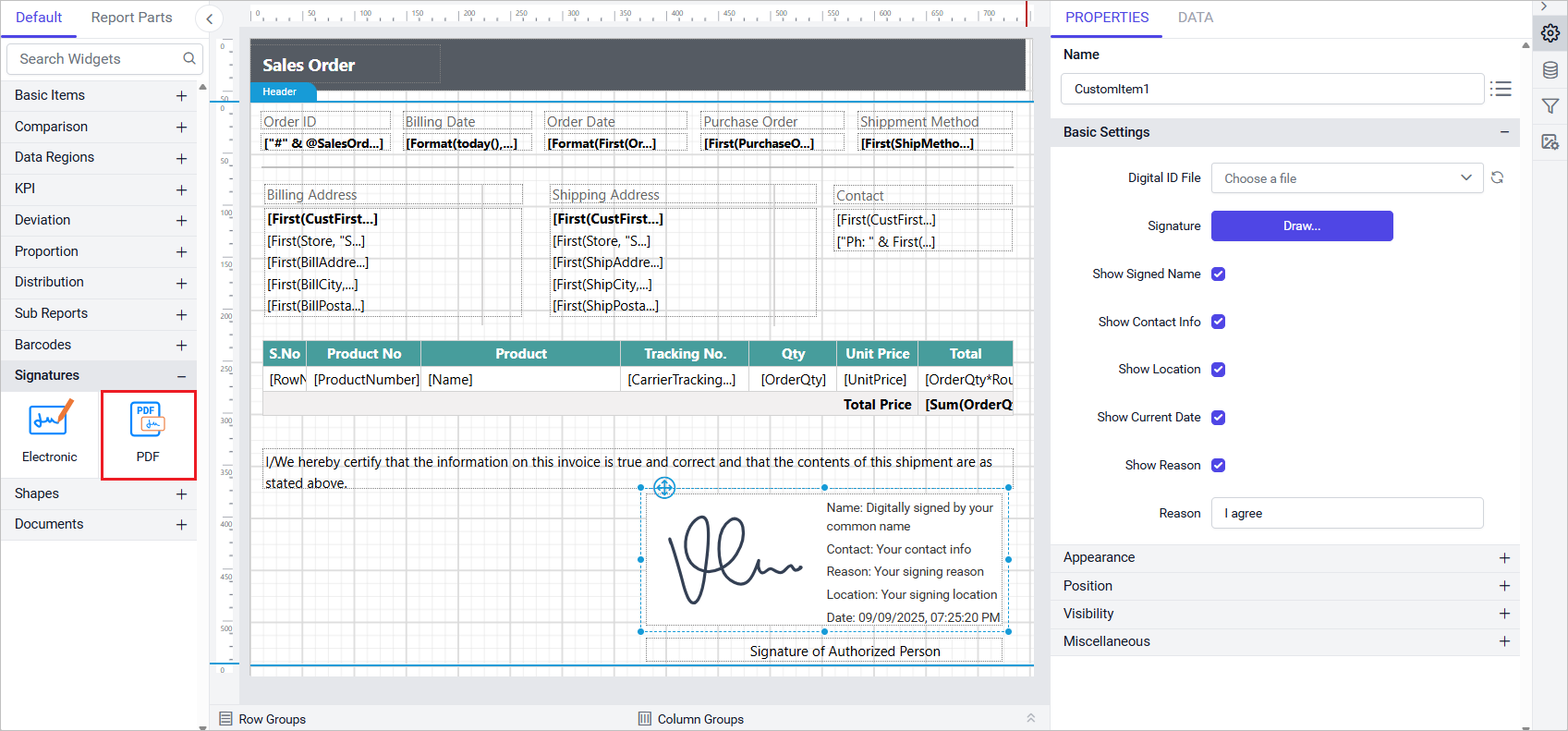
PDF Signature custom report item
The PDF Signature Custom Report Item enables secure embedding of signature metadata within PDF reports in both the Report Designer and Report Viewer. When uploading the .pfx file to a server page, a password is required, but the signature details are not visible during design or preview, they appear only in the exported PDF.
Key features
1. Digital signature embedding: Seamlessly integrates digital signatures into PDF reports using uploaded PFX certificates for secure identity verification.
2. Metadata display options: Configure visibility of signer details including name, contact information, location, signing reason, and current date all extracted from the certificate or customized as needed.
3. Interactive signature capture: Users can draw signatures directly within the Report Designer or Preview using a built-in interface with styling controls.
4. Customizable signing reason: Include a personalized reason for signing, with a default value of “I agree” that can be modified to suit business or legal requirements.
5. Export-time rendering only: While the signature field is visible during report design and preview, associated metadata is rendered only in the final exported PDF. This ensures a streamlined design experience while maintaining secure and compliant output during export.
Configure Properties
In the Properties panel, configure the following:
- Digital ID File: A file picker option that allows you to choose any of the digital ID file uploaded to the server. Details from this file such as the Name of the person provided when configuring the PFX certificate, the contact info, the location will be extracted if provided when creating the file
- Signature: A draw button provided, with dialog button to draw a signature
- Show Signed name: Decides whether the Name of Signature will be shown in the report item.
- Show Contact Info: Decides whether the contact info provided in the certificate file will be shown in in the report item
- Show Location: Decides whether the location provided in the certificate file will be shown in the report item
- Show Current Date: Shows the current date during design and when exporting the report item.
- Show Reason: Decides whether the reason will be shown in the report item
- Reason: An input text box with default value given as “I agree” but can be modified according to the user needs.
Color transparency support for enhanced visualizations
Now, you can Leverage RGBA and hex-alpha colors to control element opacity across all report items. Simply, adjust the Alpha value directly in the color picker for precise transparency control.
Barcode custom report item enhancement
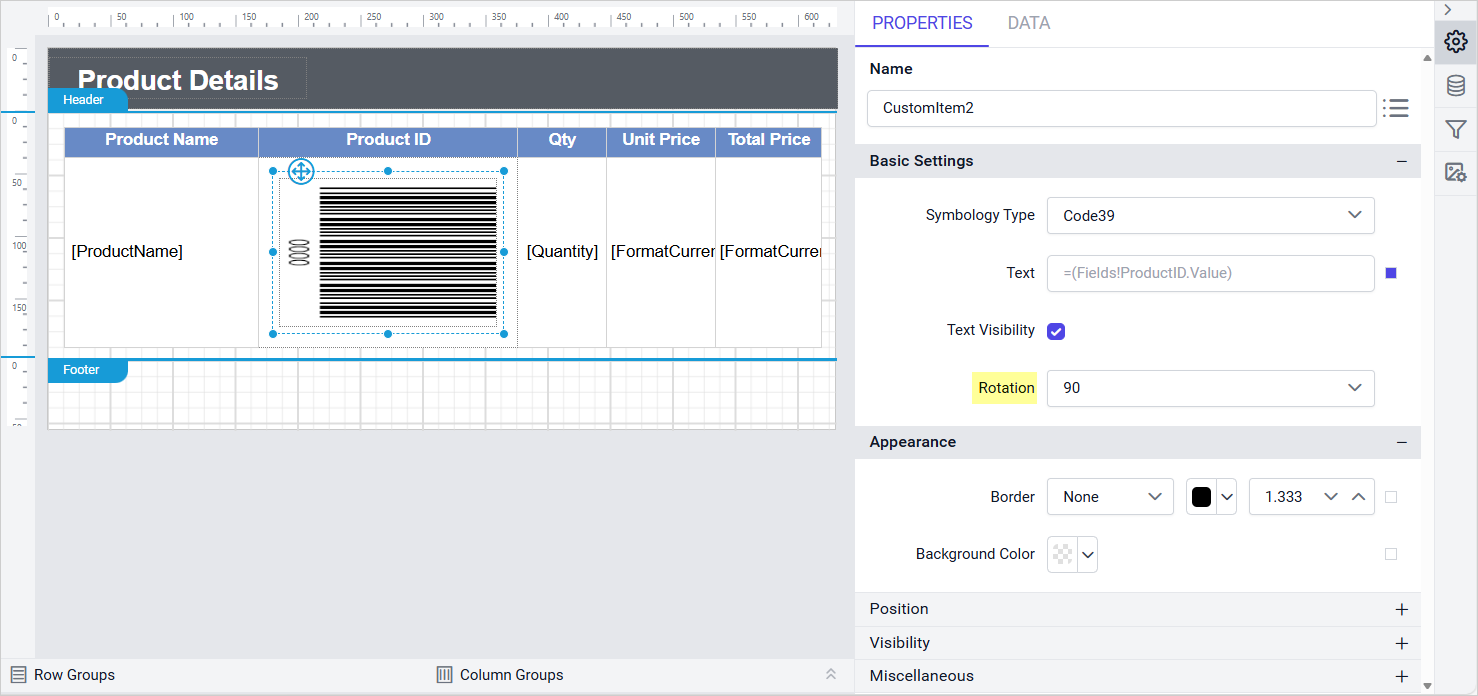
We’ve added a rotation property to the Barcode custom report item, enabling 90°, 180°, or 270° rotations for flexible layouts. Now, users can seamlessly integrate barcodes into reports with vertical or angled orientations, improving design versatility and readability in space-constrained or specialized formats.
Expanded data access with Redshift Spectrum
We’ve expanded our data connectivity options by introducing support for Amazon Redshift Spectrum. Previously, our product connected exclusively to Amazon Redshift clusters, requiring data to be loaded into Redshift before analysis. With this new enhancement, users can now query data directly from Amazon S3 using Redshift Spectrum without moving or duplicating it.
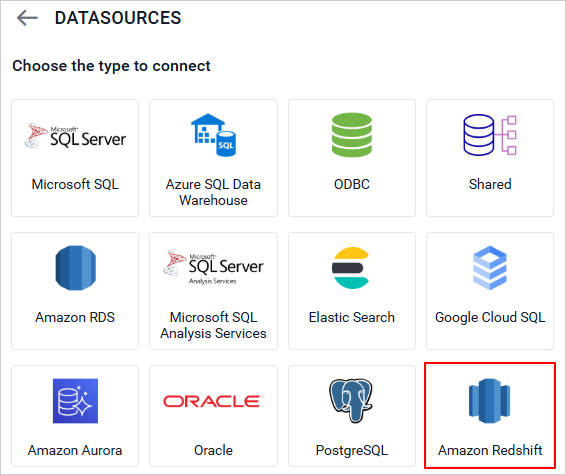
Chart enhancement
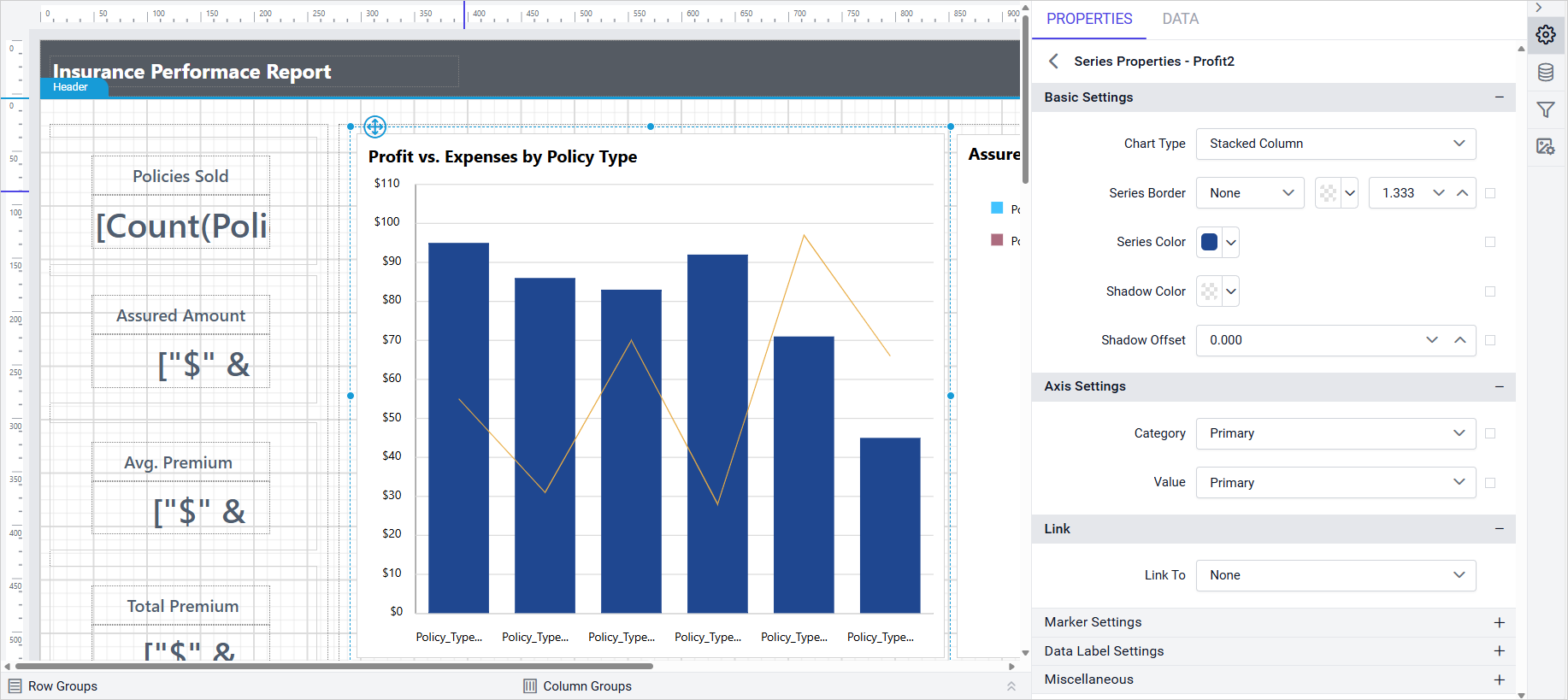
We’ve provided support for chart stacked series to seamlessly combine with other chart types such as line, column, or area. This enhancement gives report designers greater flexibility to visualize complex data relationships in a single chart.
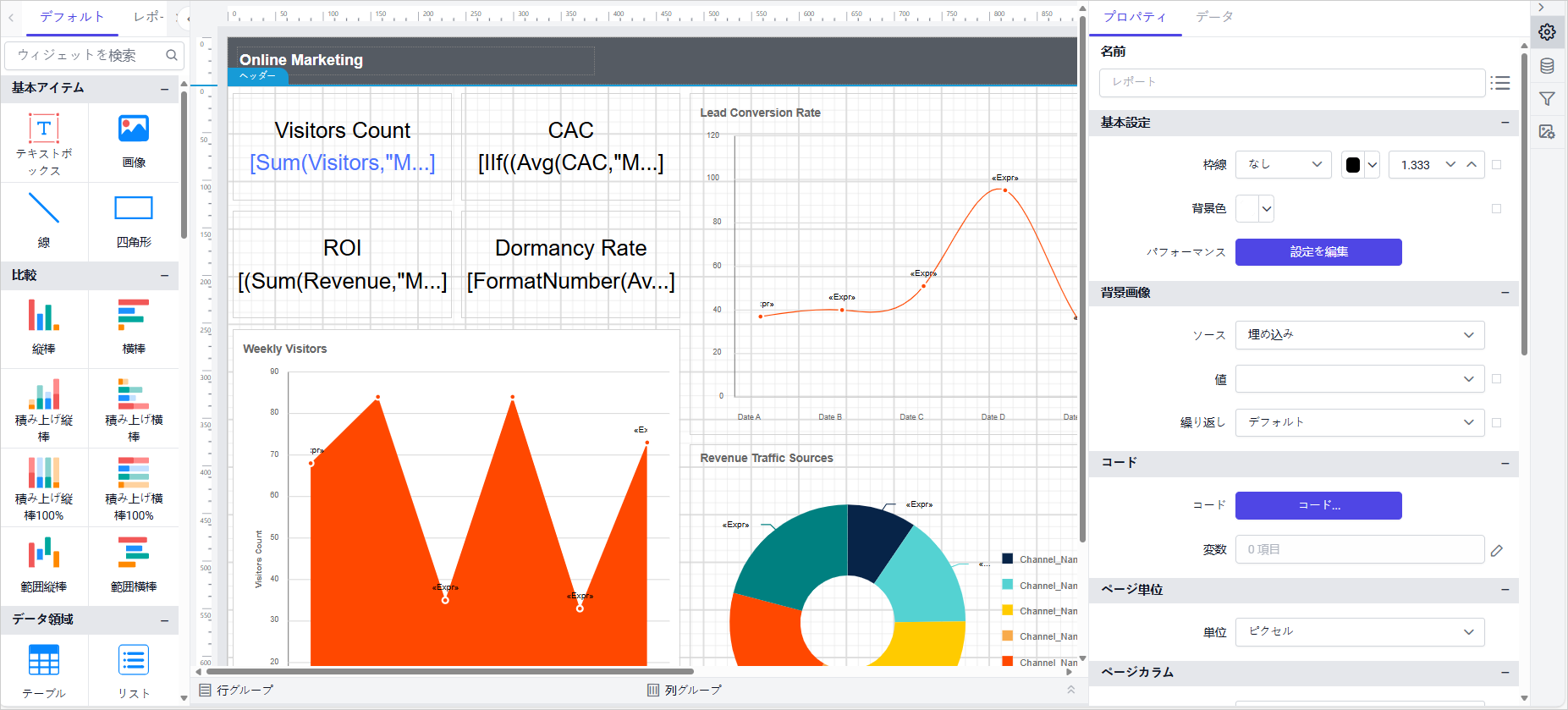
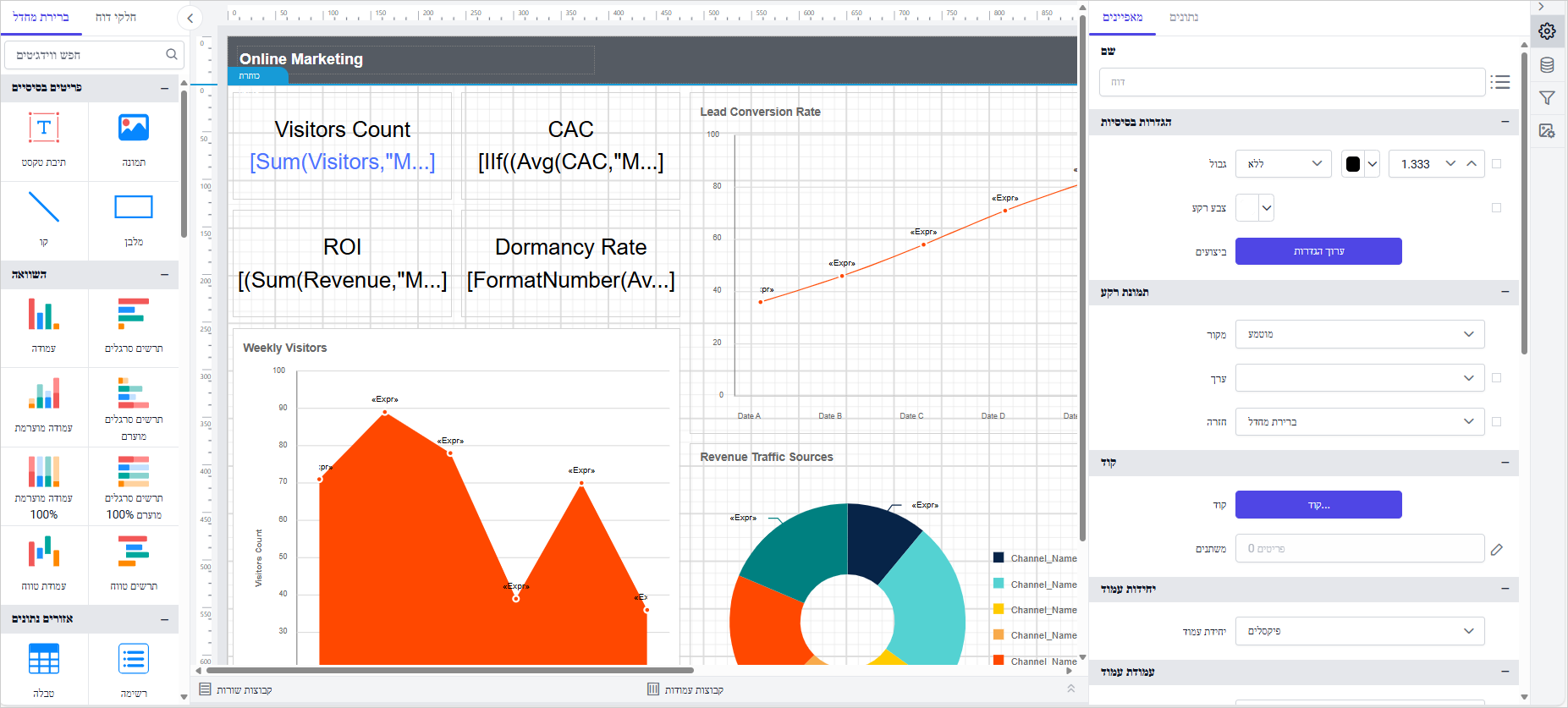
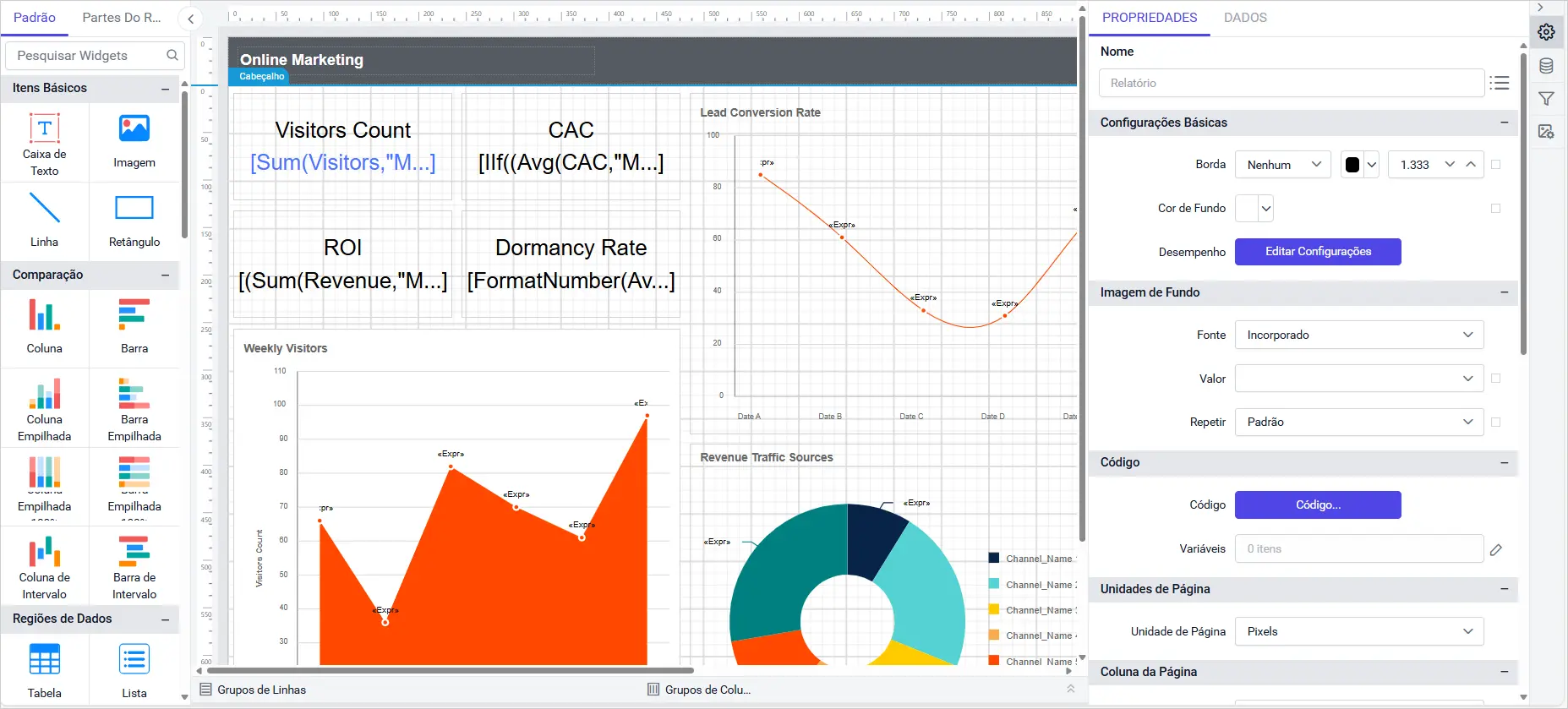
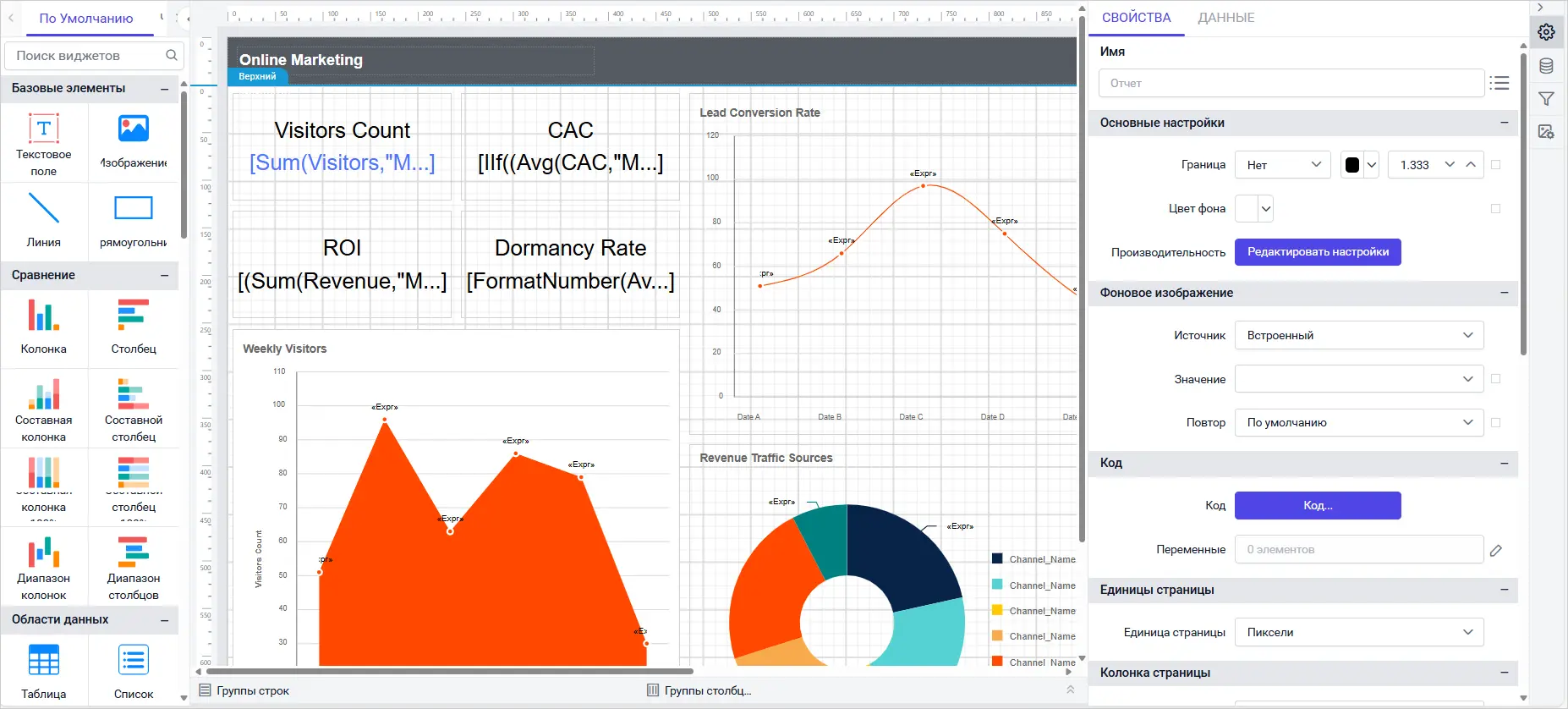
Multilingual culture support
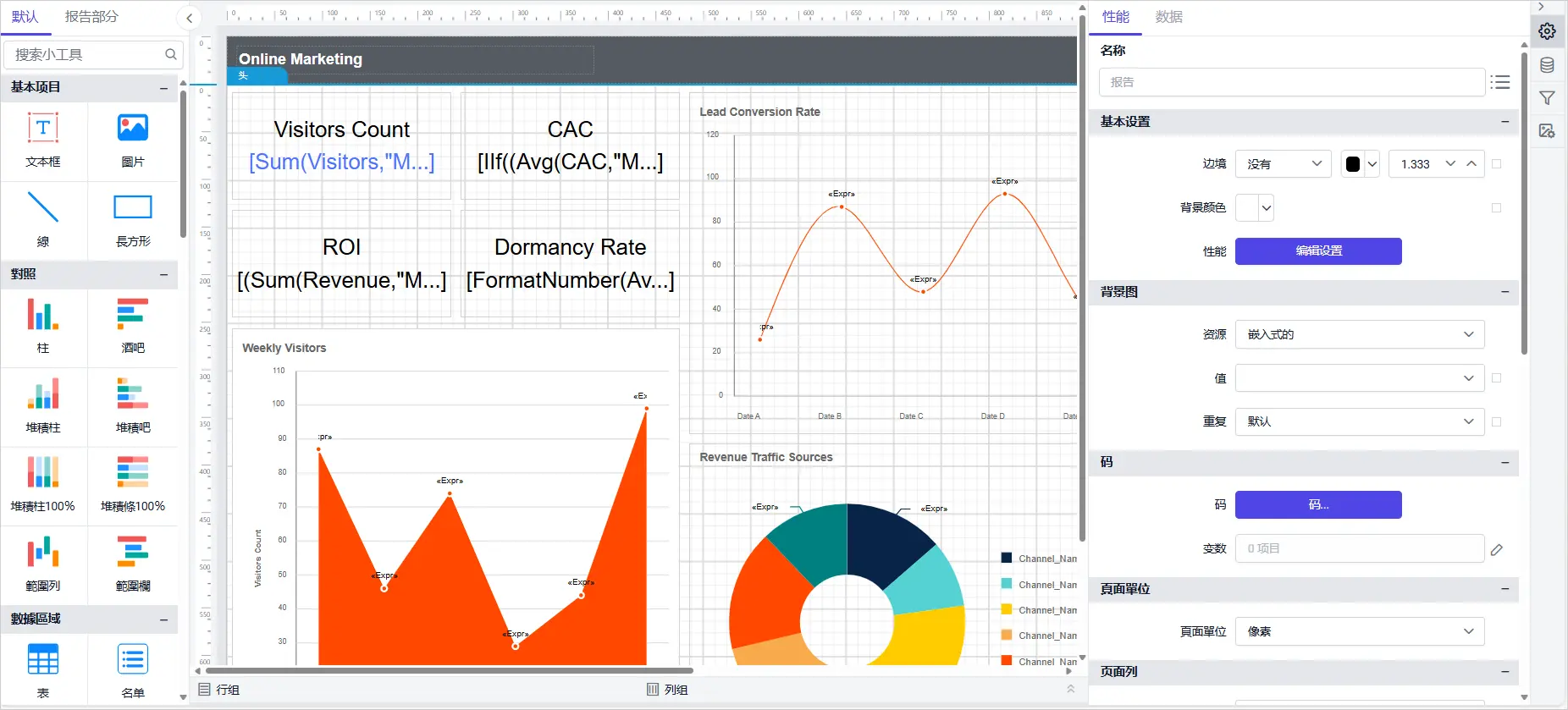
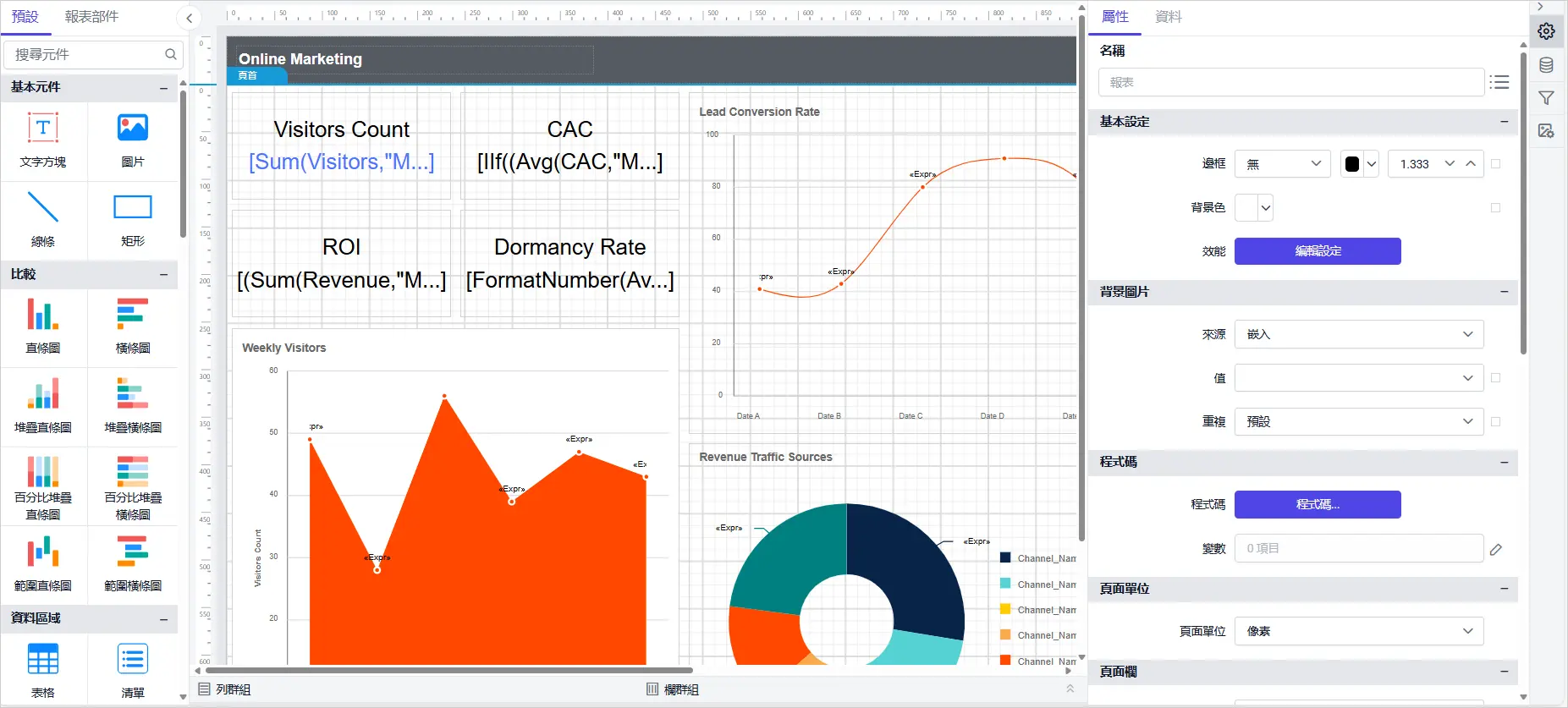
Now in Bold Reports Designer, we added support for six new languages, including Japanese, Hebrew, Portuguese, Russian, Simplified Chinese and Traditional Chinese.
Report Viewer Enhancement
Digitally sign reports with PDF Signature
With built-in PDF Signature support, teams can now sign reports directly inside Bold Reports—no third-party tools needed. This not only ensures compliance but also streamlines approval workflows, making it easier for finance, HR, and legal teams to deliver secure, trustworthy reports.
Report Server & IDP Highlights
Azure entra ID authentication
With Azure Entra ID integration, organizations get enterprise-grade authentication out of the box. This means IT teams can streamline identity management, enforce security policies, and provide employees with a seamless sign-in experience across applications—without adding administrative overhead.
Time-saving bulk report operations
Admins no longer need to repeat the same task dozens of times. With bulk upload and download, entire collections of reports can be migrated or backed up in a single step. This saves hours of manual work and makes enterprise-scale report management far more efficient.
Automate workflows with file upload API
You can now integrate Bold Reports more deeply into your workflows with our new File Upload API. This feature allows developers to programmatically upload files, enabling seamless automation and custom integrations.
Data Hub Enhancements
New connectors: Snowflake, OneDrive, and Redshift
Now, we have simplified data onboarding by connecting Snowflake, OneDrive, and Redshift directly to Bold Data Hub, allowing users to unify data sources without manual setup.
Incremental refresh for Google Ads
We have enhanced reporting efficiency with incremental refresh for Google Ads, enabling users to sync only new or updated data for faster and more efficient reporting.
Anonymous S3 access support
Now, Bold Reports users can access public S3 buckets without credentials, making it easier for users to explore open datasets and accelerate data-driven experimentation.
Other Improvements and Minor Fixes
Performance: Bold Reports v11.1 improves usability with enhanced chart stacking, transparency support in the color picker, and search-enabled combo boxes. Redshift now supports Spectrum, drag-and-drop in Query Designer is smoother, and custom styles load reliably from Azure.
Bug fixes: This update resolves issues with login settings, admin utility, MSSQL deployments, password emails, Oracle and PostgreSQL connectors, Excel sheet access, JSON extraction, Blob datatype support, and MySQL secure transport—ensuring smoother operations across systems.
Conclusion
We hope the updates in Bold Reports® v11.1.10 will make your reporting experience more secure, flexible, and efficient—whether you’re building self-service dashboards or embedding analytics into your applications. If you’re ready to explore the new features, you can download the latest version or log in to your account. For full details on every enhancement and fix, visit our comprehensive release notes. If you have any questions or need assistance, feel free to reach out via our website or log in if you already have an account.






