
Embedding the Report Viewer in a Microservices Application
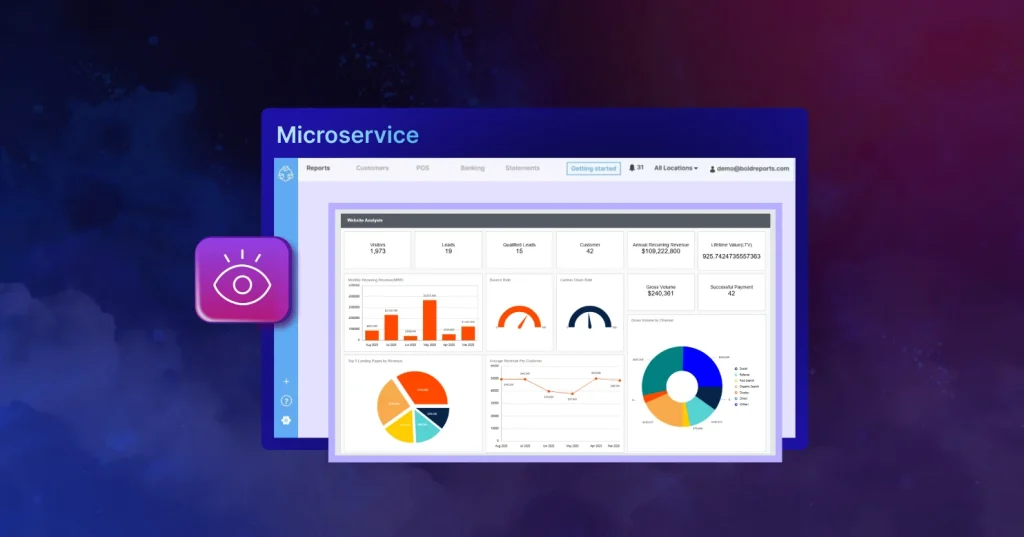
TL;DR: Bold Reports® Report Viewer now supports microservices architecture, enabling scalable, secure, and cost-efficient reporting for distributed applications. By decoupling reporting logic from app services, businesses gain flexibility, performance, and easier maintenance. This blog highlights why microservices matter for modern reporting, the benefits of using a single viewer across services, and how Bold Reports simplifies integration with popular frameworks like ASP.NET Core, Angular, React, and Blazor.
Microservices architecture has revolutionized the way we build applications, offering scalability, flexibility, and resilience. In distributed systems, integrating a robust report viewer is crucial for effective reporting. The Bold Reports Report Viewer works smoothly in a microservice-based reporting applications, offering a wide range of features and seamless integration capabilities. In this blog post, we will explore how the Report Viewer empowers microservice architecture and enhances the reporting capabilities of distributed applications.
Embedding the Report Viewer in microservices
Microservices architecture has revolutionized the way we build applications, offering scalability, flexibility, and resilience. In this era of distributed systems, integrating a robust report viewer is crucial for effective reporting. The Bold Reports Report Viewer emerges as an ideal choice for microservice-based reporting applications, offering a wide range of features and seamless integration capabilities. In this blog post, we will explore how the Bold Report Viewer empowers microservice architecture and enhances the reporting capabilities of distributed applications.
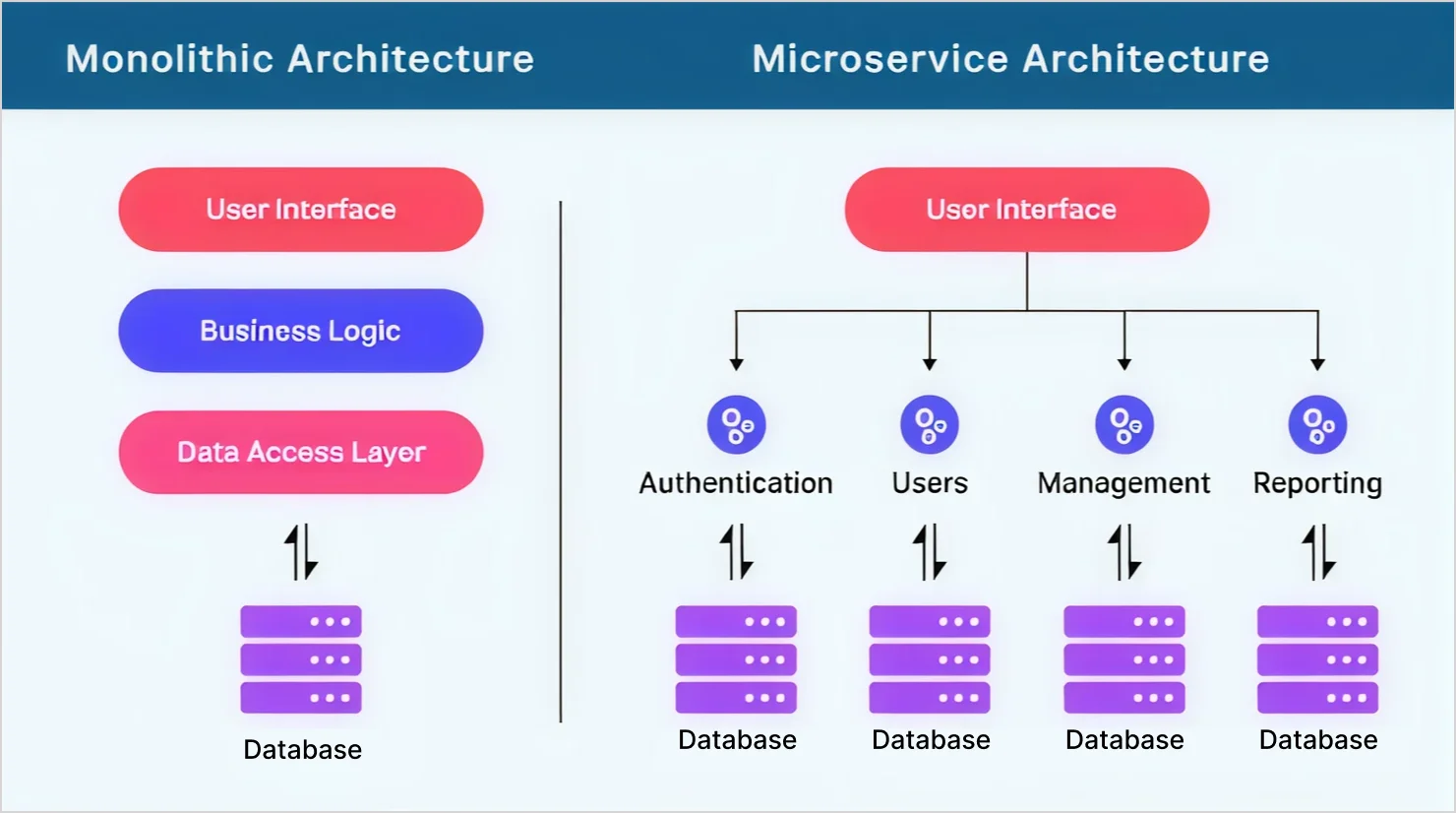
Embedding architecture in microservices
The diagram illustrates how Bold Reports Report Viewer integrates within a microservices environment to securely render reports. Here’s how the process works: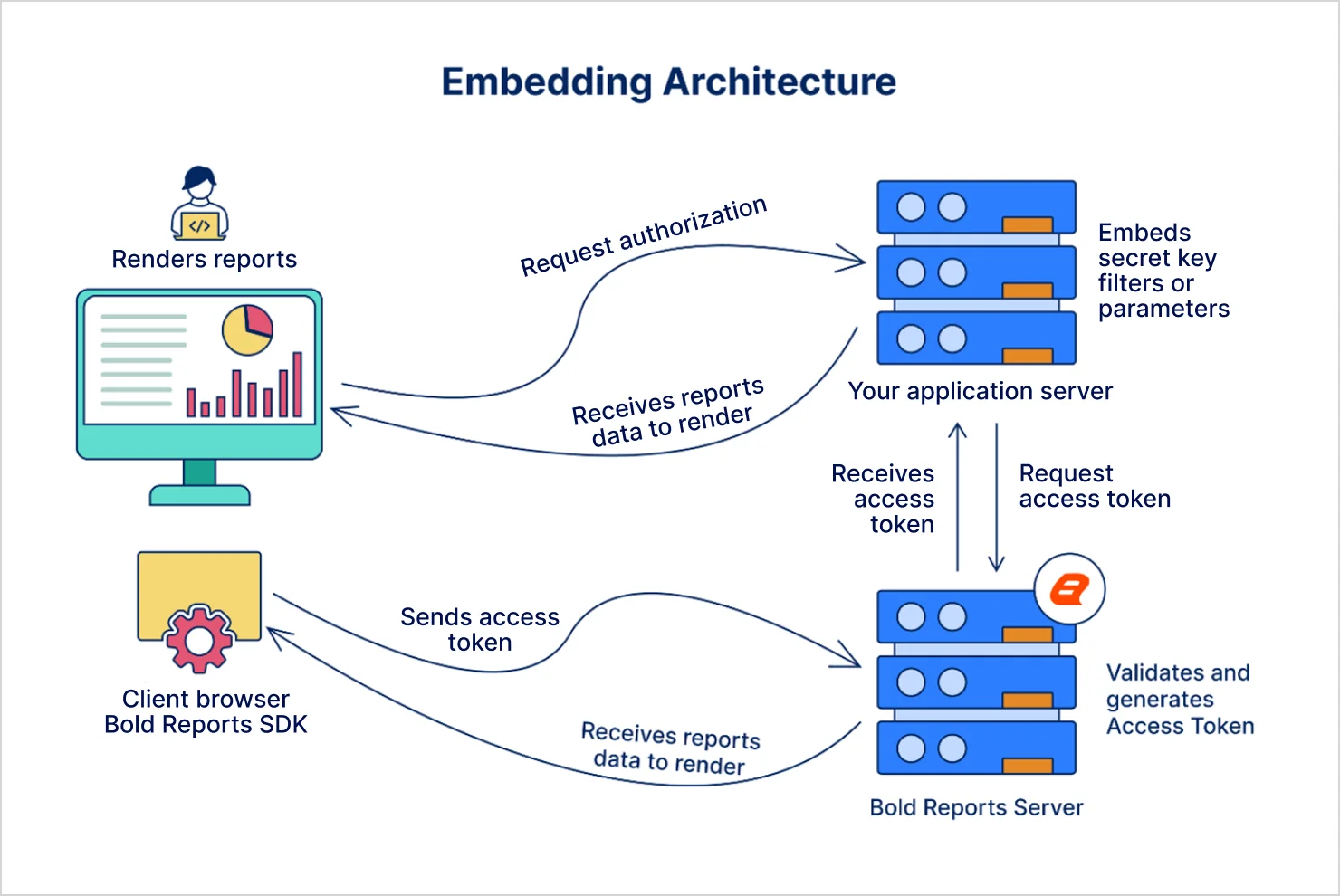
Key flow
- The client browser app with the Bold Reports SDK:
a. Initiates the process by sending an access token to the Bold Reports Server. This token ensures secure communication and validates user permissions. - The Bold Reports Server:
a. Validates the incoming request and generates an access token for secure data exchange.
b. Sends the validated token back to the application server. - Your application Server:
a. Requests authorization from the Bold Reports Server.
b. Embeds secret keys, filters, or parameters required for report customization.
c. Receives the access token and uses it to fetch report data.
d. Sends the report data to the client browser. - The Bold Reports Viewer:
a. Renders the report for the end user.
Security highlights
These security measures and design principles make this approach robust and scalable:
- Access token validation: Only authorized users can view reports.
- Embedded parameters: Dynamic filtering and customization of reports.
- Data isolation: Each tenant or user receives only their permitted data, safeguarding information integrity.
Why this architecture works for microservices
- Loose coupling: Reporting logic is isolated in its own microservice.
- Independent scaling: Reporting service can scale separately from other services.
- Interoperability: Works with multiple microservices via REST APIs or gRPC.
- Centralized reporting: A single viewer can serve reports across distributed services.
- Security and maintainability: Token-based authentication and modular design enhance safety and simplify updates.
Benefits of using Bold Reports Report Viewer with microservices
- Decoupled reporting logic: By integrating the Report Viewer with microservices, you can separate your reporting logic from your application logic. This decoupling improves scalability, performance, and maintainability.
- Cost and development efficiency: Utilizing a single report viewer across all your microservices reduces development costs and streamlines maintenance efforts.
- Scalability and performance: The Report Viewer is designed to scale effortlessly, ensuring optimal performance even in large-scale microservice environments. It provides a seamless user experience for reporting tasks.
- Security and data protection: The Report Viewer ensures that your microservice-based reporting applications meet the highest standards of security and data protection. It provides the necessary measures for handling sensitive information.
- Extensibility and customization: The Report Viewer provides a highly extensible platform, allowing you to tailor the reporting solution to meet the specific needs of your microservices.
How to integrate the Bold Reports Report Viewer with microservices
To leverage the Report Viewer for microservice-based reporting applications, follow these steps:
Step 1: Create a microservice endpoint.
For guidance on building your microservice, refer to this link.
Step 2: Configure the Bold Reports Report Viewer.
Configure the Report Viewer to utilize the microservice endpoint for report rendering. Supported platforms include ASP.NET Core, JavaScript, Angular, Blazor, React, ASP.NET MVC, and ASP.NET Webforms.
Step 3: Design reports.
Design dynamic reports by harnessing the potential of microservice endpoints for data retrieval and generation. Read this this page for feature descriptions.
Embedded report in a microservice-based app example
Here’s how an embedded report looks inside a microservice-driven report.
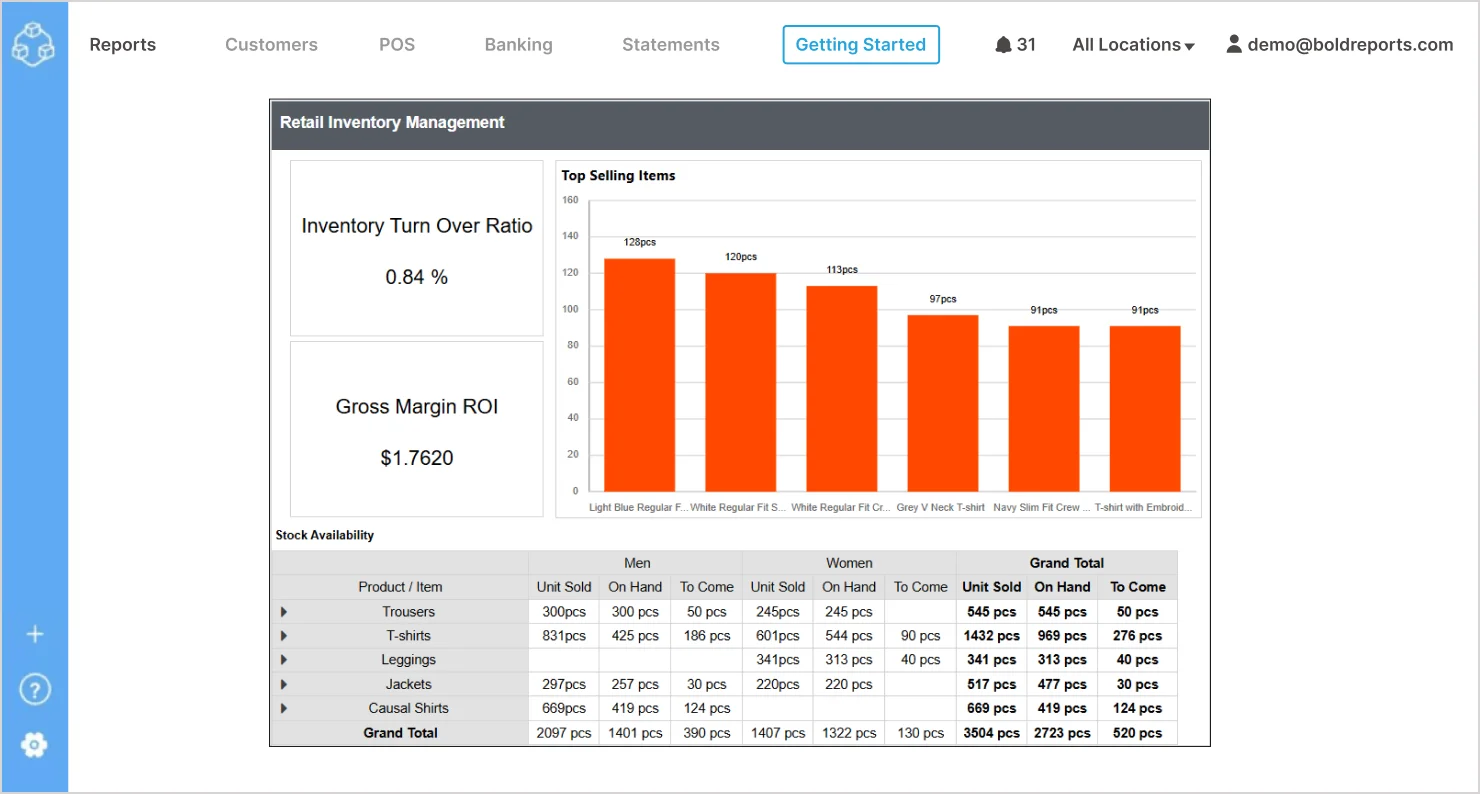
The Bold Reports Report Viewer seamlessly integrates into your application, displaying dynamic reports like this Retail Inventory Management. This example shows charts for top selling items, inventory turnover ratio, stock availability and gross margin ROI.
Conclusion
The Bold Reports® Report Viewer is an invaluable asset for microservice-based reporting applications. By integrating the Report Viewer with microservices architecture, organizations can unlock a range of benefits. It empowers developers to build robust and secure reporting solutions within a distributed environment, ensuring efficient and effective reporting.
Explore the Report Viewer through our comprehensive documentation or check out its live features with our interactive demos.
If you have any questions, please post them in the comments section below. You can also contact us through our contact page, or if you already have an account, you can log in to ask your question.
Bold Reports offers a 30-day free trial without any credit card information required. We welcome you to start one and experience Bold Reports for yourself. Let us know what you think!






