
Top 5 SAP Crystal Reports Alternatives for BI Teams in 2026

TL;DR
SAP Crystal Reports is an on-premises reporting tool that is increasingly difficult to scale, integrate, and modernize. As reporting requirements evolve, IT and business leaders are actively evaluating SAP Crystal Reports alternatives. This guide compares the top five alternatives: Bold Reports, Looker, Domo, Zoho Analytics, Sisense.
Introduction
For more than two decades, SAP Crystal Reports has been a leading solution for pixel-perfect, print-ready business reporting. It remains widely used across finance, healthcare, and government organizations. However, businesses are now actively searching for SAP Crystal Reports alternatives that offer faster report development, embedded reporting, mobile accessibility, and greater scalability.
Three factors are accelerating this shift in 2026:
-
- An aging technology stack built for desktop-era, Windows-centric environments rather than cloud-native and API-driven applications.
- Rising maintenance costs driven by specialized development skills and ongoing infrastructure requirements.
- Growing demand for embedded and self-service reporting that deliver interactive reports directly within business applications.
- The approach of the end of mainstream maintenance for Crystal Reports.
As a result, organizations are comparing enterprise reporting software that can replace Crystal Reports without requiring a disruptive, large-scale rebuild. This guide breaks down the top SAP Crystal Reports alternatives for 2026, what to evaluate before switching, and how to plan a low-risk migration.
SAP Crystal Reports lifecycle timeline: Key end-of-support dates
Organizations evaluating SAP Crystal Reports alternatives should pay close attention to SAP’s product lifecycle roadmap. According to SAP’s lifecycle information, several Crystal Reports releases have reached or are approaching the end of mainstream maintenance, making lifecycle planning a key consideration for reporting software evaluations.
While Crystal Reports deployments will continue to run after these dates, the end of mainstream maintenance means reduced vendor support, fewer updates, and increasing long-term reporting risks. As a result, many businesses are using this announcement as a catalyst for Crystal Reports migration and reporting modernization initiatives.
| Date | Version | Lifecycle End |
| December 31, 2024 | Crystal Reports 2016 | End of Support |
| December 31, 2026 | Crystal Reports 2020 | End of Mainstream Maintenance |
| December 31, 2027 | Crystal Reports 2025 | End of Mainstream Maintenance |
Note: Crystal Reports will continue to function after these dates. However, organizations may lose access to mainstream maintenance, security updates, patches, and vendor-backed support, increasing operational and compliance risks over time.
Why this timeline matters for your migration planning:
-
- Crystal Reports 2016: Organizations still running this version are already operating without mainstream support, making reporting modernization a growing priority.
- Crystal Reports 2020: With mainstream maintenance ending on December 31, 2026, organizations have a limited window to evaluate replacement reporting tools and begin migration planning.
- Crystal Reports 2025: Even the latest release has a defined maintenance timeline, though it gives businesses a little more time to devise a long-term enterprise reporting strategy.
Rather than waiting until support milestones approach, organizations should treat these dates as planning checkpoints. Starting early helps properly assess report inventories, evaluate modern enterprise reporting software, and implement a lower-risk Crystal Reports migration strategy that minimizes disruption and supports future growth.
Why businesses are moving away from SAP Crystal Reports
Many organizations continue to use SAP Crystal Reports for operational reporting, but changing technology requirements and reporting expectations are driving businesses to evaluate modern alternatives. Organizations evaluating reporting modernization strategies often compare multiple replacement platforms before making a decision. For additional options and evaluation criteria, see our guide to the best Crystal Reports alternatives.
Approaching end of mainstream maintenance
Organizations are preparing for upcoming SAP Crystal Reports maintenance milestones. Crystal Reports 2020 reaches the end of mainstream maintenance on December 31, 2026, while Crystal Reports 2025 reaches the end of mainstream maintenance on December 31, 2027, prompting many businesses to review long-term reporting strategies.
Cloud and hybrid modernization initiatives
As enterprises adopt cloud-first and hybrid infrastructure, they are seeking reporting platforms that support modern deployment models and greater flexibility.
Growing demand for embedded reporting
Businesses increasingly need reports embedded directly within customer portals, business applications, and SaaS products, driving interest in reporting platforms built for seamless integration.
Increased need for self-service reporting
Business users expect access to reports and insights without heavy IT involvement. Many organizations are evaluating platforms that empower users with self-service reporting capabilities.
Focus on long-term reporting scalability
Organizations need reporting platforms that support future growth, evolving data needs, and long-term maintainability through scalable, modern architectures.
Increasing security and compliance requirements
Organizations need stronger access controls, audit trails, data encryption, and compliance capabilities, leading many to evaluate reporting platforms with more advanced security features.
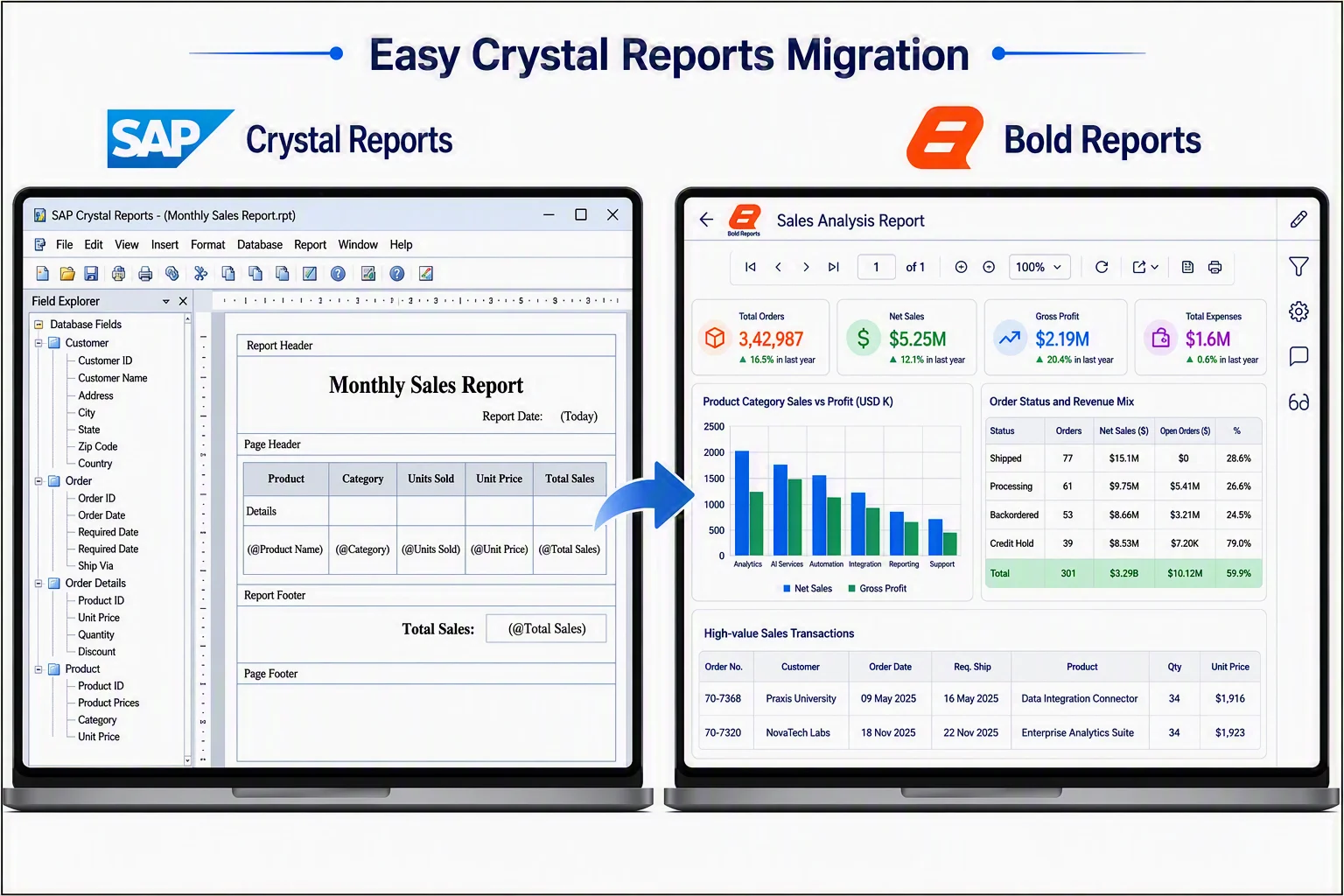
Top 5 SAP Crystal alternatives in 2026
SAP Cystal Alternative is a widely recognized reporting tool known for its ease of use. However, depending on your business-specific needs, some alternatives may offer more suitable solutions. Here are the top five alternatives to SAP Crystal you should explore in 2026:
Note: Pricing and licensing may change over time. Verify the latest product information directly with each vendor before making a purchase decision
1. Bold Reports
Bold Reports® is a modern enterprise reporting platform built for organizations looking to modernize legacy reporting environments such as SAP Crystal Reports and SSRS. It enables teams to design, manage, and embed pixel-perfect reports across cloud, on-premises, and hybrid environments, helping modernize reporting without disrupting existing workflows.
- White-labeled reporting: Bold Reports lets you embed advanced reports that match your logo, colors, and brand. This creates a consistent, professional experience for users and builds trust.
- Collaborative reporting: Bold Reports enables teams to share reports and discuss findings in real time. This lets stakeholders stay aligned, act faster on insights, and make decisions together.
- Effortless data integration: Bold Reports uses the Bold Data Hub to connect multiple data sources to one place, enabling faster report creation with complete data.
- Robust security and authentication: Bold Reports ensures secure access to data with Microsoft 365, OAuth 2.0, Active Directory, and OpenID. It also protects sensitive data through encryption, role-based access control, and flexible deployment.
- Pixel-perfect reporting: Bold Reports provides pixel-perfect layouts for screen and print, helping users deliver clear, professional, and brand-consistent reports across formats.
- Multitenant support: Bold Reports lets SaaS providers and enterprises manage multiple users from a single platform. With robust tenant isolation and centralized control, you can scale efficiently without compromising security or performance.
- Flexible deployment: Bold Reports offers flexible deployment, cloud or on-premises, so you get secure, scalable reporting on either or both.
- Free conversion tools: Bold Reports provides essential reporting utilities, such as the Word-to-RDL Converter, PPT-to-RDL Converter, Invoice Template, and Receipt Template, enabling quick report conversions and standardized document creation without complex setup or additional tools.
Use cases: Teams migrating off Crystal Reports who want to preserve pixel-perfect report layouts while adding interactivity, embedding, and multitenant SaaS delivery.
Advantages:
-
- Strong support for embedded and white-labeled reporting scenarios.
- Flexible cloud, on-premises, and hybrid deployment options.
- Modern architecture designed for scalable enterprise reporting.
- Responsive customer support and migration guidance.
Limitations:
-
- Bold Reports is focused primarily on operational, paginated, and pixel-perfect reporting rather than advanced BI dashboards or AI-driven analytics.
Deployment options: Cloud, on-premises, hybrid.
Pricing: Custom pricing for cloud, managed private cloud, and on-premises deployments. Free 30-day trial available.
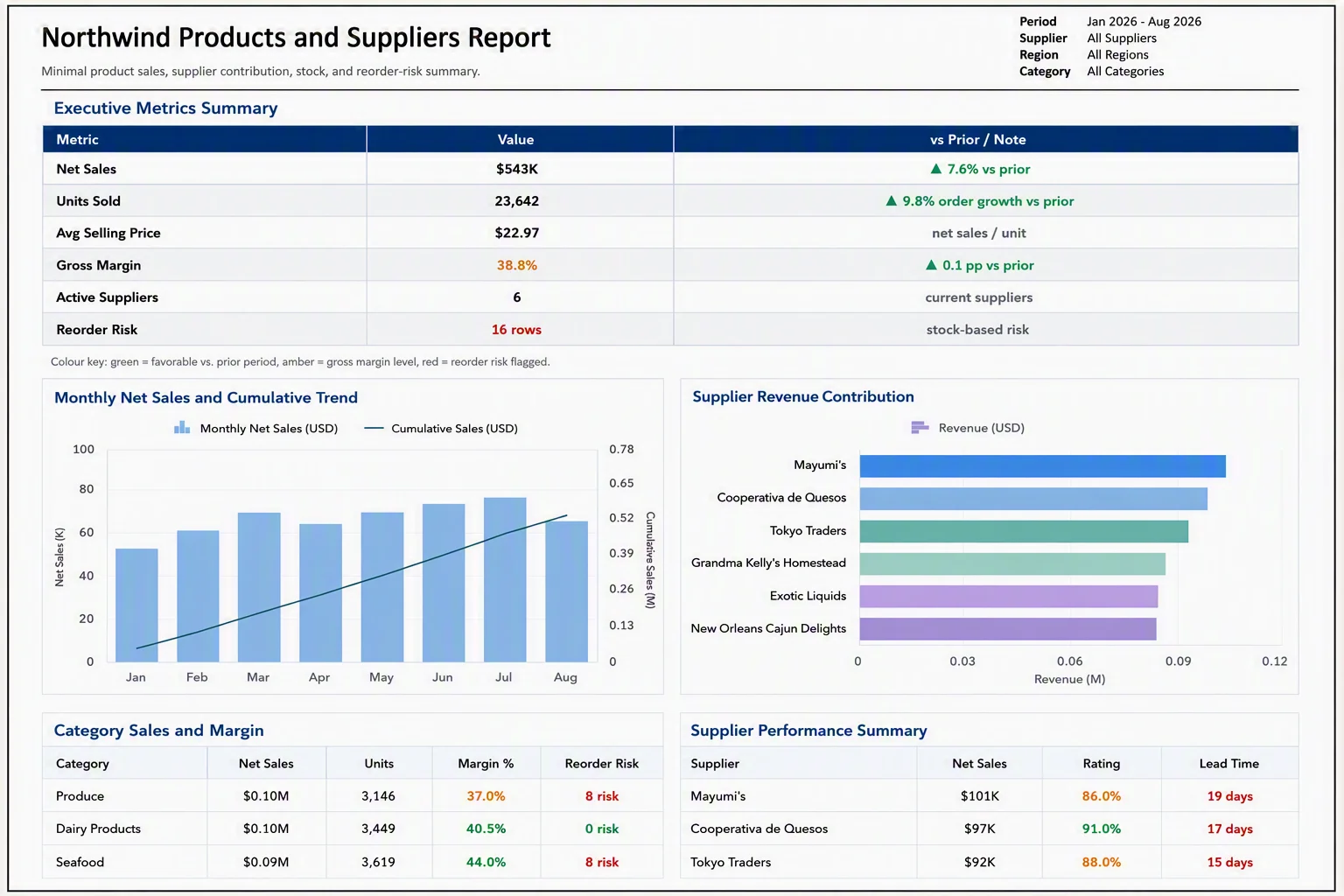
2. Looker
Looker is Google’s cloud-native business intelligence (BI) and analytics platform that enables organizations to analyze and visualize data directly from databases and cloud data warehouses without moving it into separate systems. It helps teams build self-service analytics experiences through interactive dashboards, reports, and embedded analytics.
Key features:
-
- Advanced data exploration and visualization capabilities.
- Extensive customization, mobile access, and role-based security controls.
- Native integration with Google Cloud services, including BigQuery.
- Centralized data modeling, governed metrics, and granular permissions through LookML.
Use cases: Enterprises already standardized on Google Cloud/BigQuery that need governed, exploration-first analytics.
Advantages:
-
- Strong data governance for large, distributed analytics teams.
- Seamless integration with Google Cloud and BigQuery environments.
- Live-query architecture helps reduce data duplication and maintain data freshness.
Limitations:
-
- Requires knowledge of LookML for advanced data modeling and governance.
Deployment options: Cloud (Google Cloud).
Pricing: Custom pricing with Standard, Enterprise, and Embed editions.
3. Domo
Domo is a BI platform with fully cloud-based architecture that removes the need for on-premises infrastructure.
Key features:
-
- Real-time reporting for monitoring fast-moving operations.
- Interactive, auto-updating dashboards (versus Crystal Reports’ static output).
- Mobile-first analytics with dashboard exploration and collaboration.
- Built-in commenting and sharing directly within dashboards.
Use cases: Organizations that need a unified platform for data integration, interactive dashboards, self-service analytics, and embedded analytics.
Advantages:
-
- Strong real-time mobile experience.
- Good for operational/ops-style reporting that needs constant refreshing.
- Built-in collaboration reduces reliance on email and export workflows.
Limitations:
-
- Cloud-only architecture may not suit organizations with strict on-premises or data-residency requirements.
Deployment options: Cloud only.
Pricing: Custom, consumption-based pricing. Domo offers a free 30-day trial, while paid plans require contacting sales teams for a quote.
4. Zoho Analytics
Zoho Analytics is a self-service business intelligence (BI) and analytics platform that enables organizations to connect, prepare, analyze, and visualize data from multiple sources through interactive dashboards and reports. It includes AI-powered analytics capabilities and integrates seamlessly with Zoho applications as well as third-party data sources.
Key features:
-
- User-friendly, drag-and-drop self-service report creation.
- Quick report customization without heavy manual setup.
- Full-featured mobile app.
- Integrations across cloud apps and data sources.
Use cases: SMB and mid-market teams that want fast self-service dashboards without a dedicated BI/reporting engineering team.
Advantages:
-
- Fast onboarding for nontechnical users.
- Strong value for SMB/mid-market budgets.
- Wide app-ecosystem integrations (especially within Zoho’s own suite).
Limitations:
-
- Less suited to complex, pixel-perfect, or highly regulated formatted reporting (e.g., statutory documents) compared to purpose-built paginated reporting tools.
Deployment options: Cloud; limited on-premises options.
Pricing: Free plan available. Paid plans start with Basic, Standard, Premium, and Enterprise tiers, with transparent published pricing based on users and data volume.
5. Sisense
Sisense is a full-stack BI platform for integrating, analyzing, and visualizing data from multiple sources, best known for embedded analytics inside customer-facing applications.
Key features:
-
- Deep embedded reporting with extensive UI customization.
- AI-driven insights and natural-language query capabilities.
- Scalable performance across large, multisource datasets.
- Robust APIs and SDKs for developer-led customization.
Use cases: Product and engineering teams building analytics features directly into their own software.
Advantages:
-
- Analytics can be embedded directly into SaaS applications.
- Strong AI-assisted analysis.
- Handles large, blended datasets efficiently.
Limitations:
-
- Implementation and customization typically require developer resources.
Deployment options: Cloud, on-premises, hybrid.
Pricing: Custom, sales-led enterprise pricing.
Note: Organizations often evaluate these platforms alongside dedicated reporting software for their self-service reporting, embedded analytics, interactive reports, and cloud capabilities.
Comparison table: SAP Crystal Reports alternatives (2026)
| Solution | Report design type | Deployment options | Embedded/White-labeling | Self-service analytics/reporting | Best for | Pricing model |
| Bold Reports | Pixel-perfect and interactive reports | Cloud, on-premises, hybrid | Strong—full white-labeling and REST APIs | Yes | Teams replacing Crystal Reports who need intuitive report design and modern embedding. | Free 30-day trial; custom pricing based on deployment requirements.
|
| Looker | Exploration-based BI dashboards | Cloud (Google Cloud native) | Moderate (LookML-based embedding) | Yes | Enterprises standardized on Google Cloud/BigQuery. | Custom enterprise quote. |
| Domo | Real-time dashboards | Cloud-native | Moderate | Yes | Fast-moving operational reporting, mobile-first teams. | Tiered and custom enterprise pricing. |
| Zoho Analytics | Self-service dashboards and reports | Cloud, on-premises | Basic-to-moderate | Yes | SMB/mid-market self-service analytics. | Published tiers (Free–Enterprise); confirm current rates. |
| Sisense | Embedded analytics and dashboards | Cloud, on-premises, hybrid | Strong (deep UI customization) | Yes | Product teams embedding analytics with AI. | Custom enterprise quote. |
How to choose the right Crystal Reports alternative
To choose the right SAP Crystal Reports alternative, consider the following factors:
-
- Define reporting requirements: Determine whether you need pixel-perfect reports, interactive dashboards, embedded reporting, or a combination of these capabilities.
- Assess existing reports: Review your report inventory, including report volume, complexity, subreports, and custom business logic.
- Evaluate data connectivity: Ensure the platform supports your current databases, cloud data warehouses, and business applications.
- Consider deployment options: Choose a solution that aligns with your cloud, on-premises, or hybrid infrastructure strategy.
- Evaluate migration support: Find a solution that offers migration tools, services, or documented migration paths from Crystal Reports.
- Calculate total cost of ownership: Consider licensing, infrastructure, implementation, training, and ongoing maintenance costs.
- Verify security and compliance: Ensure the platform supports role-based access, encryption, SSO, and audit logging.
- Test before committing: Run a proof of concept using representative reports to validate functionality, performance, and migration effort.
The right alternative should deliver modern reporting, scalability, and long-term flexibility. For a step-by-step walkthrough of this evaluation process, see Bold Reports’ guide to choosing the right Crystal Reports alternative.
Planning a Crystal Reports migration: Challenges and best practices
After selecting a Crystal Reports alternative, the success of your reporting modernization initiative depends on a well-planned Crystal Reports migration strategy.
Common Crystal Reports migration challenges:
-
- Formula and expression syntax differences between Crystal Reports and the target platform.
- Subreport and cross-tab conversion complexity.
- Font, layout, and pixel fidelity mismatches after conversion.
- Reconfiguring data source connections and credentials.
- Testing at scale across hundreds (or thousands) of legacy reports.
- User retraining and change management.
- Underestimated timelines and budget overruns.
To better understand these challenges and how to solve them, explore Bold Reports’ guide to common Crystal Reports migration issues.
Migration vs. rebuild: Choosing your approach
Not every report needs to be rebuilt from scratch. Some organizations get faster ROI from the automated/assisted conversion of existing .rpt files, while others use migration as an opportunity to redesign inefficient or outdated reports. The right approach usually depends on report complexity, business criticality, and available engineering time. See Bold Reports’ comparison of Crystal Reports migration vs. rebuild to decide which path fits your portfolio.
Best practices for low-risk migration
-
- Inventory and prioritize. Rank reports by business criticality and usage frequency; migrate high-impact reports first.
- Pilot before scaling. Convert a representative sample (including your most complex reports) to validate fidelity and effort estimates.
- Run parallel environments. Keep Crystal Reports live during a transition window so business users can compare output before cutover.
- Automate where possible, review manually where it matters. Use a conversion tool for volume, but manually QA formulas, subreports, and formatting.
- Plan for training. Report authors and end users both need onboarding on the new platform’s design and consumption experience.
- Document a rollback plan. Define clear criteria and a fallback path in case specific reports need more time.
Why Bold Reports is the best SAP Crystal Reports alternative
As reporting needs evolve in 2026, organizations moving beyond SAP Crystal Reports are increasingly choosing Bold Reports® as a direct, modern replacement. Built for teams already familiar with Crystal Reports’ design paradigm, Bold Reports combines a consistent report-design experience with modern data connectivity and flexible deployment in cloud and on-premises environments.
By directly addressing Crystal Reports’ limitations, Bold Reports enables smooth self-service report creation and real-time reporting, allowing teams to modernize their reporting infrastructure without disrupting existing processes.
Ready to modernize your reporting? Sign up to experience faster, more intuitive reports. If you need help getting started, request a 30-minute demo or schedule an onboarding call with our experts to discuss your Crystal Reports migration and reporting modernization strategy.
Frequently asked questions
-
-
- 1.
Why are organizations looking for SAP Crystal Reports alternatives?
Crystal Reports lacks the cloud, embedded reporting, self-service reporting, and scalability capabilities that modern enterprise reporting software provides. It is also only providing mainstream maintenance for a limited time.
- 2.
Is SAP Crystal Reports still used in 2026?
Yes. Many organizations still use Crystal Reports for invoices, statements, and other formatted reports, but adoption for new projects is declining as businesses move to cloud-based and embedded reporting platforms.
- 3.
When does SAP Crystal Reports lose support?
Crystal Reports 2020 mainstream maintenance ends on December 31, 2026, while Crystal Reports 2025 mainstream maintenance ends on December 31, 2027. Organizations should plan reporting modernization and migration initiatives early to avoid support, security, and maintenance risks.
- 4.
What are common Crystal Reports migration issues?
Typical issues include formula and expression syntax mismatches, subreport and cross-tab conversion complexity, layout and font fidelity gaps, data source reconfiguration, and underestimated testing time.
- 5.
Should I migrate my Crystal Reports or rebuild them from scratch?
It depends on report complexity and business value. Simple, high-volume reports often benefit from automated/assisted migration, while outdated or overly complex reports may be better candidates for a rebuild.
- 6.
How long does a Crystal Reports migration take?
Timelines vary based on the number and complexity of reports, but most organizations plan for a phased migration starting with a pilot batch, followed by prioritized rollout of remaining reports over several weeks to months.
- 1.
-






