
How to Solve Common Crystal Reports Migration Issues
TL;DR:
Migrating from Crystal Reports can improve reporting flexibility and scalability, but challenges such as compatibility issues, formatting changes, and performance concerns can impact success. With proper planning and validation, organizations can avoid common migration challenges and ensure a smooth transition to a modern Crystal Reports replacement like Bold Reports.
Introduction
Crystal Reports has been a trusted reporting solution for decades, helping organizations create and deliver business-critical reports. However, as businesses adopt cloud technologies, web-based applications, and modern application architectures, many are finding that legacy reporting environments can struggle to support evolving reporting needs.
With SAP’s mainstream maintenance for Crystal Reports 2020 ending on December 31, 2026, organizations are increasingly evaluating Crystal Reports replacement options that offer greater flexibility, scalability, and long-term support.
While the benefits of replacing Crystal Reports are compelling, the migration process requires careful planning. Report layouts, formulas, business logic, data connections, security settings, and report dependencies must all be assessed to ensure reporting continuity and data accuracy throughout the transition.
Without a well-defined migration strategy, organizations can encounter challenges that increase costs, delay modernization initiatives, and disrupt reporting operations. In this article, we’ll explore the most common Crystal Reports migration issues and share practical strategies to help you minimize risks and achieve a successful Crystal Reports replacement.
Why organizations are looking for Crystal Reports replacements
Many organizations are evaluating Crystal Reports alternative options due to:
1. The need for web-based reporting access
Crystal Reports primarily relies on desktop-based report design and management workflows. As organizations embrace remote work and distributed teams, they increasingly require browser-based reporting that can be accessed from anywhere without installing specialized software.
2. End of support and lifecycle concerns
As SAP continues to define maintenance timelines for Crystal Reports, organizations are exploring modern reporting platforms with stronger long-term roadmaps, ongoing innovation, and reliable vendor support. Migrating to a solution with longevity helps reduce risk and ensure continued access to security updates and new features.
3. Cloud and digital transformation initiatives
As businesses accelerate their cloud and digital transformation initiatives, they require modern reporting solutions designed for cloud and hybrid environments, with simplified deployment, improved scalability, and easier maintenance.
4. Need for embedded reporting
Organizations increasingly want to embed reports directly into their web and business applications. Modern reporting solutions provide APIs and SDKs that simplify embedding and deliver a seamless reporting experience within existing workflows.
5. Growing demand for more self-service reporting
Business users expect to create, customize, and share reports without relying on developers or an IT team. Self-service reporting solutions enable faster access to metrics, improve productivity, and support faster decision-making.
7 common Crystal Reports migration issues and solutions
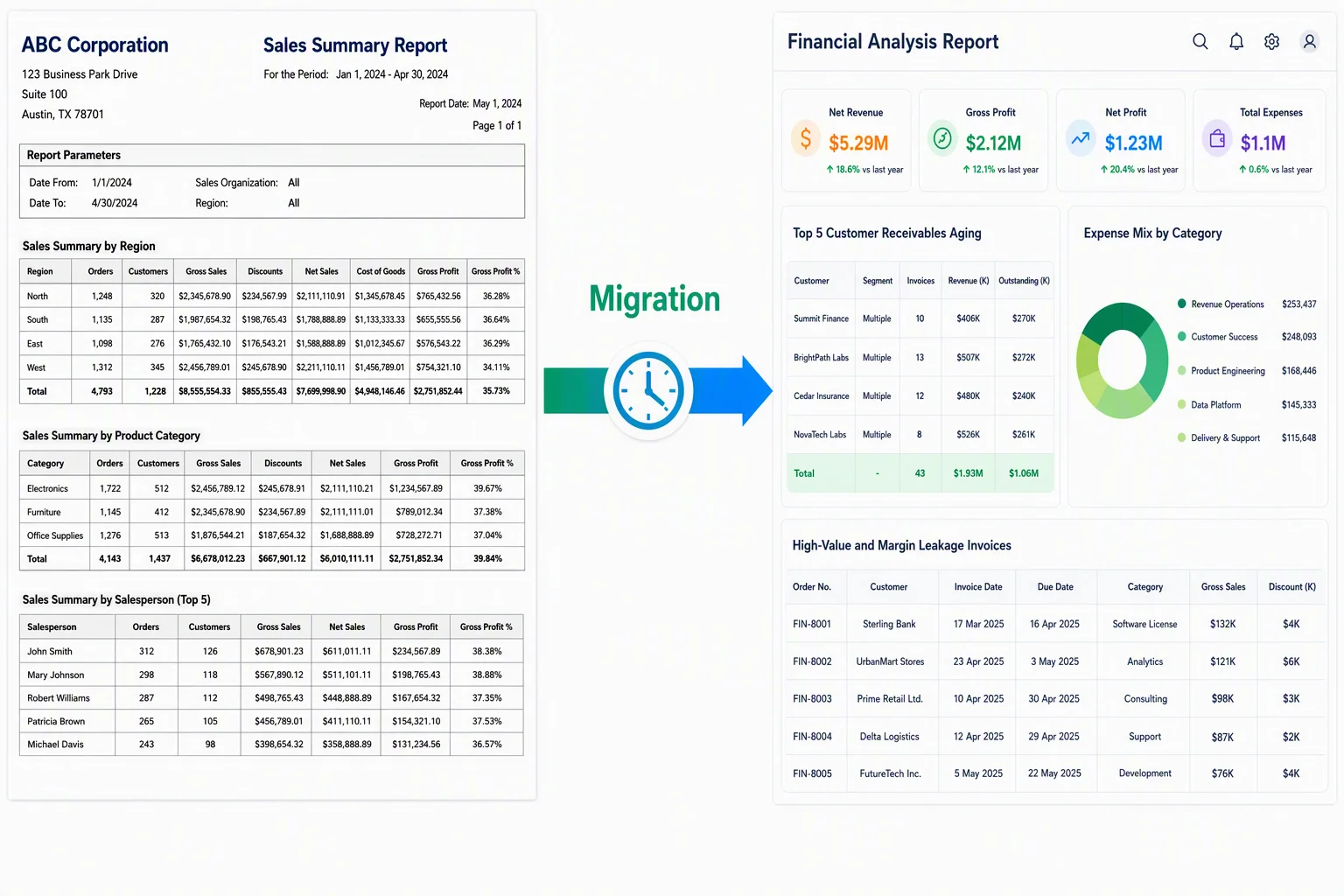
Many Crystal Reports migration issues result from selecting a Crystal Reports replacement that lacks reporting compatibility, migration support, or enterprise reporting capabilities. Understanding and solving these common migration issues can lead to a smoother transition.
1. Report feature compatibility issues
A common Crystal Reports migration issue is the lack of direct feature parity between Crystal Reports and modern reporting platforms. Features such as subreports, conditional formatting, parameters, drill-down functionality, and report sections may not behave the same way after migration, requiring redesign or reconfiguration.
Solution: Review report complexity before migration, identify features that require redesign, and test complex reports early to detect compatibility issues and ensure accurate results.
2. Formula and business logic conversion challenges
Many Crystal Reports contain custom formulas, calculations, and business rules that drive report output. Differences in expression languages and calculation methods can make it challenging to recreate this logic accurately in the target reporting platform.
Solution: Document existing formulas, KPIs, and business rules before migration, then validate them against the original reports. This helps maintain reporting accuracy, reduce conversion errors, and minimize report redevelopment efforts.
3. Data source and connectivity problems
Legacy Crystal Reports environments rely on multiple databases, ODBC connections, stored procedures, and older drivers. If these connections are not properly mapped during migration, reports may fail to retrieve data correctly.
Solution: Audit database connections, stored procedures, drivers, and authentication settings before migration, then validate data connectivity and report outputs after conversion to ensure accurate and reliable reporting.
4. Report layout and formatting differences
Crystal Reports is known for creating highly formatted, pixel-perfect reports. During migration, differences in rendering engines can affect layouts, pagination, fonts, images, and exported formats such as PDF and Excel, leading to inconsistencies between original and migrated reports.
Solution: Choose a reporting platform that supports pixel-perfect reporting and validate migrated reports against the originals to ensure consistent formatting, pagination, and export outputs.
5. Performance issues after migration
Crystal Reports migration does not automatically improve report performance. Reports that rely on large datasets, complex queries, multiple joins, or subreports can experience performance bottlenecks if they are not optimized during migration. This can negatively impact user adoption and reporting efficiency.
Solution: Optimize queries, simplify report structures, reduce unnecessary data retrieval, and conduct performance testing before deployment to ensure reports run efficiently in the new reporting environment.
6. Security and user access challenges
User permissions, authentication methods, and role-based access controls do not always transfer seamlessly during a Crystal Reports migration. Misconfigured security settings can create compliance risks, expose sensitive business data, and disrupt user access.
Solution: Review existing security settings, recreate user roles and permissions in the target platform, and validate access controls before deployment to ensure secure and legally compliant report access.
7. Inadequate testing and validation
Thorough testing is essential to a successful Crystal Reports migration. Without proper validation, organizations may deploy reports that do not fully meet business requirements, resulting in reporting disruptions and lower user confidence.
Solution: Implement a structured testing process that validates report outputs against expected business results. A phased migration approach enables teams to verify reports incrementally, resolve issues early, and ensure a smoother transition.
A practical migration roadmap
A successful Crystal Reports migration typically follows a structured, phased approach that helps reduce risks, maintain report accuracy, and ensure reporting continuity:
- Assessment: Evaluate existing Crystal Reports, data sources, formulas, parameters, and report dependencies to understand the migration scope and identify potential challenges.
- Planning: Develop a Crystal Reports migration plan that outlines project objectives, timelines, resource requirements, migration priorities, and success criteria.
- Conversion: Recreate or convert reports to the target reporting platform while preserving report layouts, formulas, parameters, and business logic wherever possible.
- Testing: Validate report functionality, data accuracy, formatting, performance, security, and exported outputs to ensure the migrated reports meet business requirements.
- Deployment: Deploy validated reports to production, provide user training, and monitor performance to ensure a successful transition and long-term reporting continuity.
What drives migration cost and timeline
The cost and timeline of a Crystal Reports migration vary based on the complexity of the reporting environment and the scope of the project. Understanding the following factors can help organizations plan more effectively:
-
- Number of reports: The higher the number of reports that need to be migrated, validated, and deployed, the more time and resources the project will require.
- Report complexity: Reports containing custom formulas, subreports, conditional formatting, and complex business logic typically require additional conversion, testing, and validation.
- Data sources and integrations: Multiple databases, stored procedures, ODBC connections, APIs, and third-party integrations can increase migration complexity and implementation time.
- Report recreation effort: The amount of manual work required to recreate layouts, formulas, parameters, and reporting workflows can significantly impact project costs and timelines.
- Testing and validation requirements: Comprehensive testing is essential to verify report accuracy, functionality, performance, and security before deployment.
- User training and change management: Organizations may need to allocate additional time for user onboarding, documentation, and adoption of the new reporting platform.
How to choose the right Crystal Reports replacement
When evaluating a Crystal Reports alternative, consider the following capabilities:
-
- Migration-friendly reporting capabilities: Choose a platform that supports report recreation, pixel-perfect reporting, and the preservation of layouts, formulas, parameters, and business logic to reduce migration effort and accelerate reporting modernization.
- Long-term product support: Select a solution with ongoing product updates and long-term support to ensure your reporting environment remains aligned with evolving business and technology requirements.
- Web-based reporting: Choose a platform that enables users to access, manage, and share reports through a browser, eliminating reliance on desktop-based reporting tools and improving accessibility.
- Flexible deployment options: Assess whether your organization needs cloud, on-premises, or hybrid deployment and choose a solution that lets you meet your infrastructure and compliance requirements.
- Embedded reporting capabilities: Choose a platform with APIs and SDKs that simplify embedding reports into business applications, customer portals, and ERP systems while preserving existing workflows.
- Enterprise-grade security: Choose a solution that provides role-based access control, user authentication, and permission management to protect sensitive business data and simplify the migration of existing security settings.
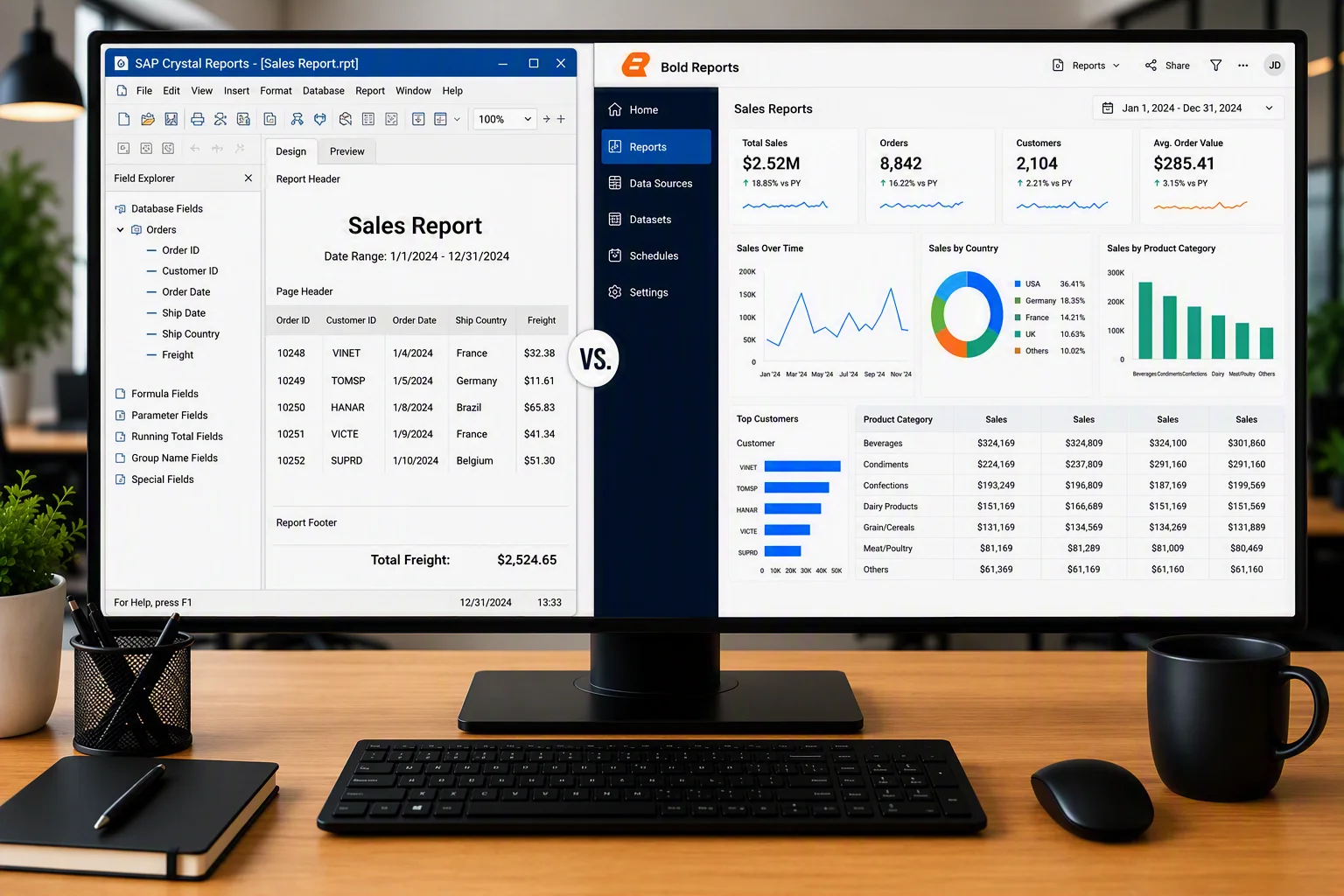
Crystal Reports vs. Bold Reports: Key differences
| Feature | Crystal Reports | Bold Reports |
| Pixel-perfect reporting support | Supports highly formatted, pixel-perfect reports. | Delivers pixel-perfect paginated and operational reports. |
| Report scheduling | Supports scheduled report generation and distribution. | Built-in scheduling and automated report delivery across multiple formats. |
| Operational reporting suitability | Designed for traditional operational and business reporting. | Built for modern operational reporting, enterprise applications, and reporting modernization initiatives. |
| White-label or rebrandable viewer UI
|
Limited customization through toolbar settings and CSS styling. Full rebranding is not supported. | Fully white-label and rebrandable. |
| Deployment options | On-premises only. No first-party managed cloud/SaaS offering. | Supports on-premises, cloud, and hybrid deployments. |
Case Study: How BrainTree successfully replaced Crystal Reports
Replacing Crystal Reports can be complex, especially for organizations managing large reporting environments. BrainTree, a software company specializing in ERP solutions, needed a Crystal Reports replacement that could support its cloud-based ERP platform while minimizing redevelopment effort. One of its biggest challenges was migrating more than 4,000 reports and report formats.
To support its Crystal Reports migration and reporting modernization goals, BrainTree chose Bold Reports. The platform’s familiar report designer reduced the learning curve for users with Crystal Reports experience, allowing business analysts and product teams to continue creating reports using their existing SQL knowledge. Its robust database connectivity and web-based reporting capabilities made the migration process more efficient.
As Director of Technology Milind Awade explained, “We moved from Crystal Reports to Bold Reports due to its user friendliness, ease of connectivity with other databases, and the print formats that can be generated and designed right on the interface—without having to write much of the HTML or CSS code.”
By replacing Crystal Reports with Bold Reports, BrainTree was able to modernize its reporting, reduce report recreation effort, and support its long-term cloud ERP strategy.
Why choose Bold Reports to replace Crystal Reports?
Organizations migrating from Crystal Reports need a reporting solution that modernizes reporting while preserving existing investments. Bold Reports helps businesses transition from legacy reporting environments with minimal disruption, enabling them to modernize their reporting infrastructure without starting from scratch. With Bold Reports:
-
- Reduce Crystal Reports migration effort: Streamline the migration process by recreating reports in SSRS-compatible RDL format, reducing manual migration effort, simplifying report validation, and accelerating deployment.
- Upgrade from legacy systems: Move beyond the limitations of legacy reporting with a modern reporting tool designed for evolving business needs. Secure, web-based access allows users to view, manage, and share reports from anywhere, improving collaboration and productivity.
- Preserve existing report investments: Preserve critical report components, including report layouts, formulas, parameters, business logic, and reporting workflows. Reduce manual report recreation efforts and accelerate the migration process.
- Embed reporting: Seamlessly integrate reporting into web, cloud, and business applications using robust APIs and SDKs, enabling a unified user experience without requiring users to switch between applications.
- Enjoy scalability and long-term support: Bold Reports supports growing reporting demands with enterprise-grade reporting capabilities, continuous product enhancements, and ongoing support designed to meet long-term business needs.
- Flexible deployment options: Deploy reports in cloud, on-premises, or hybrid environments based on your infrastructure, security, and compliance requirements.
Final thoughts
Replacing Crystal Reports is an opportunity to modernize your reporting environment and support future business growth. While migration challenges can arise, they can be effectively addressed with proper planning and validation.
By proactively identifying and addressing common Crystal Reports migration issues, organizations can reduce risks, maintain reporting continuity, and accelerate their modernization efforts. Taking the time to assess existing reports, validate critical functionality, and optimize performance helps create a smoother transition and better outcomes.
If you’re planning to recreate reports in RDL format, refer to our How to Convert Crystal Reports to RDL in Bold Reports blog for a step-by-step guide.
Ready to start your Crystal Reports migration? See how Bold Reports handles it.
Ready to move beyond Crystal Reports? Start a 30-day free trial of Bold Reports or request a demo to talk to an expert about your migration situation.
Need help with your Crystal Reports replacement? Contact us for expert migration guidance, onboarding support, and implementation assistance tailored to your reporting requirements.
Frequently asked questions
-
- 1.
Can reports be recreated in the RDL format?
Yes. Crystal Reports can be recreated in RDL format while preserving key report components such as data sources, layouts, parameters, formulas, and business logic.
- 2.
Why are organizations migrating from Crystal Reports?
Organizations are migrating to modernize reporting, improve accessibility, support cloud initiatives, and gain greater flexibility for future reporting needs.
- 3.
How long does a Crystal Reports migration take?
Migration timelines vary based on the number of reports, report complexity, and data source dependencies. Smaller projects can take weeks, while larger migrations may take several months.
- 4.
Can existing Crystal Reports be migrated without rebuilding them from scratch?
Yes. Many Crystal Reports can be migrated while preserving key report elements such as layouts, parameters, formulas, data connections, and business logic.
- 5.
How can organizations reduce Crystal Reports migration risks?
Organizations can reduce risks by assessing reports early, validating data sources, documenting business logic, and performing comprehensive testing before deployment.
- 6.
How do you ensure data accuracy during a Crystal Reports migration?
Data accuracy can be maintained by validating data sources, comparing report outputs, and testing calculations and KPIs throughout the migration process.
- 7.
What should organizations look for in a Crystal Reports alternative?
Look for a solution that offers web-based reporting, flexible deployment, scalability, security, seamless integration, and long-term product support.
- 1.






