
Improve Reporting Performance with Report Caching
TL;DR: Report caching improves reporting performance by storing preprocessed data or rendered outputs, so repeated requests don’t trigger expensive database queries. This leads to faster load times, lower infrastructure costs, and a more consistent user experience—especially in high-traffic and embedded reporting scenarios.
With Bold Reports, teams can control cache behavior, schedule report generation, and deliver pixel-perfect, RDL-compatible reports at scale without compromising performance or security.
Introduction
In SaaS applications, reporting is a core part of the product experience. Users expect reports to load instantly, even when thousands of people access the same data at the same time. But behind the scenes, every report request can trigger heavy queries, repeated processing, and increased database load. This quickly leads to slow dashboards, rising infrastructure costs, and poor user experience in embedded reporting scenarios.
This is where report caching becomes essential. By storing and reusing report results, you can reduce system strain, improve response times, and scale reporting without performance bottlenecks using solutions like Bold Reports.
In this article, you’ll learn what report caching is, why it matters, when to use it, and how it improves reporting performance in real-world SaaS scenarios.
What is report caching?
Report caching is the process of temporarily storing report results so they can be reused for future requests. This prevents the reports from being processed from scratch each time.
It is especially effective when:
- Reports are accessed frequently.
- The underlying data does not change every second.
- Rendering or query execution is resource‑intensive.
Reusing cached content reduces the load on databases and improves overall performance.
Why report caching is essential in 2026
Report caching is essential in 2026 because:
- Users expect app‑speed reporting: In 2026, users expect reports to load instantly like apps, and caching helps eliminate long wait times and slow performance.
- Databases shouldn’t pay the price for popularity: Caching prevents the database from running the same heavy queries repeatedly when many users open the same report.
- Consistency matters for operational decisions: Cached reports ensure everyone sees the same data snapshot, avoiding confusion caused by timing differences.
- Embedded reporting needs scalable performance: For embedded reports in SaaS apps, caching is essential to deliver fast, reliable performance as part of the product experience.
Bold Reports supports embedded reporting scenarios via web embedding patterns, APIs, and SDKs, helping you deliver paginated reports inside your application while maintaining access control.
When to use caching in your reports
Use caching when:
- The same report is accessed frequently (daily operational reports, dashboards-as-reports, weekly summaries).
- Many users request the same parameters (e.g., this month, today, all stores).
- Your database is under pressure from repeated reads.
- Report rendering is heavy (multiple subreports, images, complex layouts).
- You distribute scheduled reports (PDF or Excel) to teams.
When not to use caching in your reports
Avoid caching when:
- Data must be real-time to the minute (e.g., live trading, telemetry).
- Every user request has unique parameters.
- You’re troubleshooting data freshness issues and need direct query results.
How to configure report catching in Bold Reports
Because report caching can mean different things depending on architecture, the most reliable way to configure it is to start with the report behavior you want and then choose the caching method that matches.
Step 1: Enable caching and processing options
- Log in to the Bold Reports Report Server as an admin. In the top-right, click your User Profile icon, and Select Settings.
- Under User Management Settings, click Configuration. Locate and open the file: reporting/config.xml.
- In the XML, find the section <ReportViewerFeatures> and add the caching configuration (the required caching entry provided by your team or product documentation) inside it.
- Save the config.xml changes and restart or refresh the reporting service or site, as required in your environment, so the new setting takes effect.
The processing options, including caching, thus become available for reports.
Step 2: Apply caching to a specific report (report-level)
- Go to Reports and select a report.
- In that report’s row, click the three dot menu and select Processing Options.
Step 3: Choose the caching behavior
- In the Processing Options dialog, choose Cache a Temporary Copy.
- If prompted, set the cache duration and expiration.
- Click Save.
Step 4: Validate caching is working (quick test)
- Open the report once (first run = normal processing time).
- Close it.
- Open it again with the same parameters.
- Confirm that the second load is noticeably faster, since it is served from the cache.
Use cases of report caching in 2026
Data caching reports significantly improves speed and responsiveness for scenarios where users repeatedly access the same data or where datasets are large and resource-intensive. Following are real world examples of how data caching delivers value for different business functions.
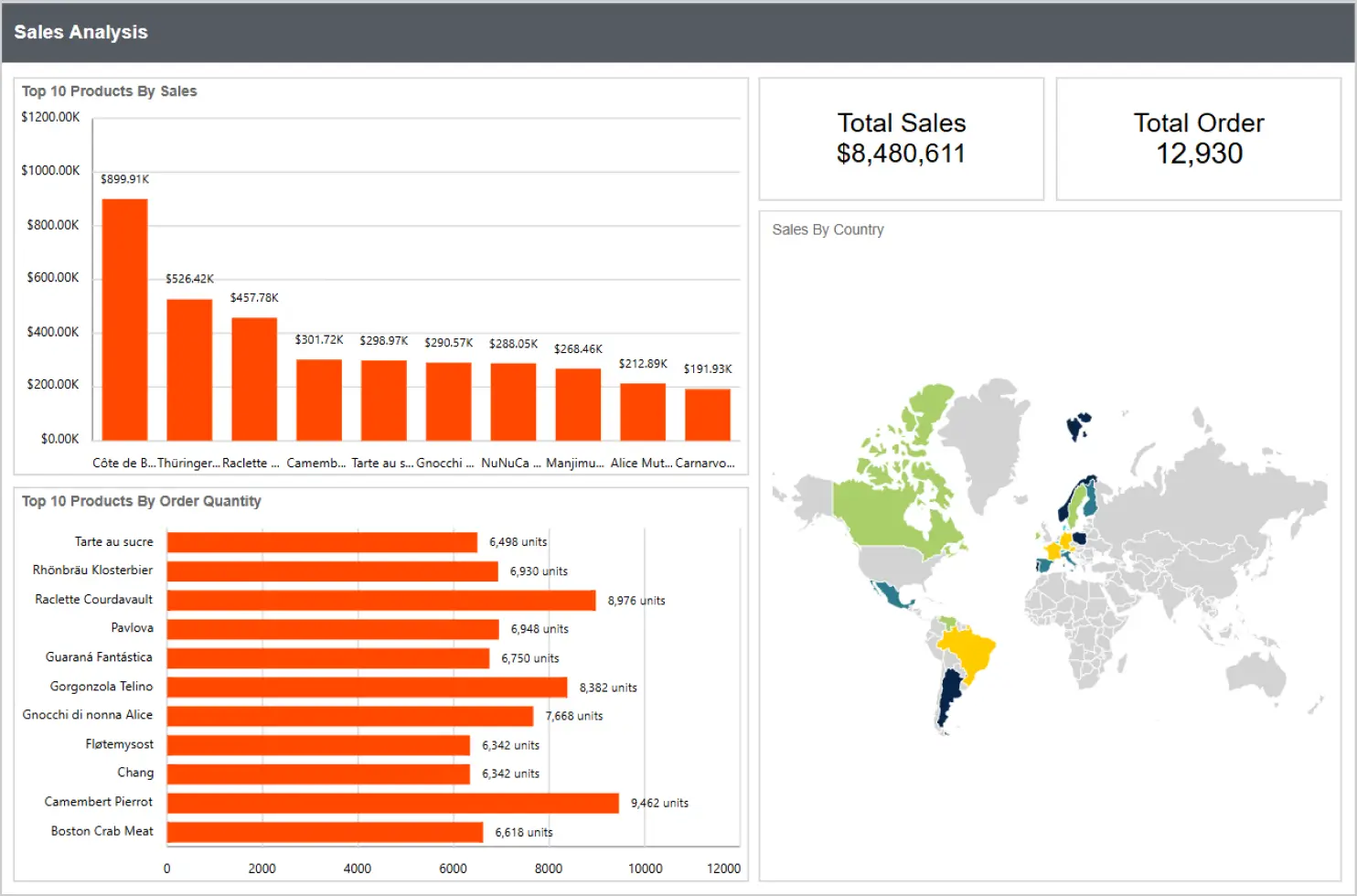
Sales: Sales analysis report
Scenario:
Sales teams frequently open their sales analysis report during daily reviews and peak periods like the end of the quarter.
Problem:
Repeatedly querying large transactional datasets slows down report loading and impacts performance.
How report caching solves it:
The report uses cached data to load quickly for repeated access. When sales leaders need the latest numbers, they can manually refresh the report, which clears the cached data and retrieves updated values. If cache settings are modified, the system automatically clears the outdated cache.
Result:
Sales teams get fast access to reports during routine analysis while still being able to view real-time data when required.
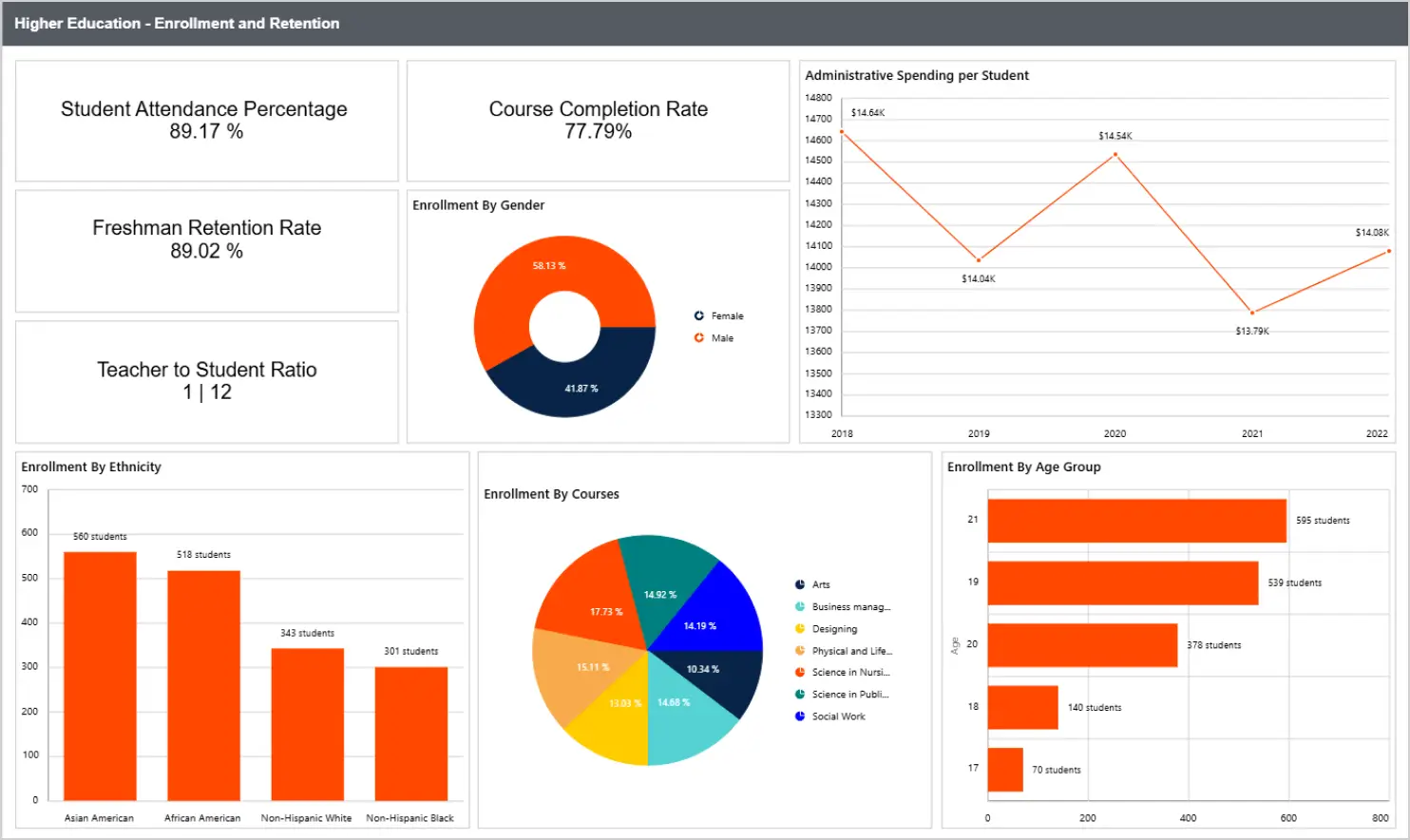
Higher Education: Enrollment and retention report
Scenario:
The admissions office accesses enrollment reports multiple times during admission cycles.
Problem:
Heavy queries on student data systems can slow down report performance, especially during high-traffic periods.
How report caching solves it:
Cached data allows the report to load instantly for repeated use. When updated enrollment numbers are needed, users can refresh the report to clear cached data. Additionally, if caching configurations change, the system ensures old data is automatically removed.
Result:
The department maintains consistent report performance while ensuring access to accurate, up-to-date enrollment data when needed.
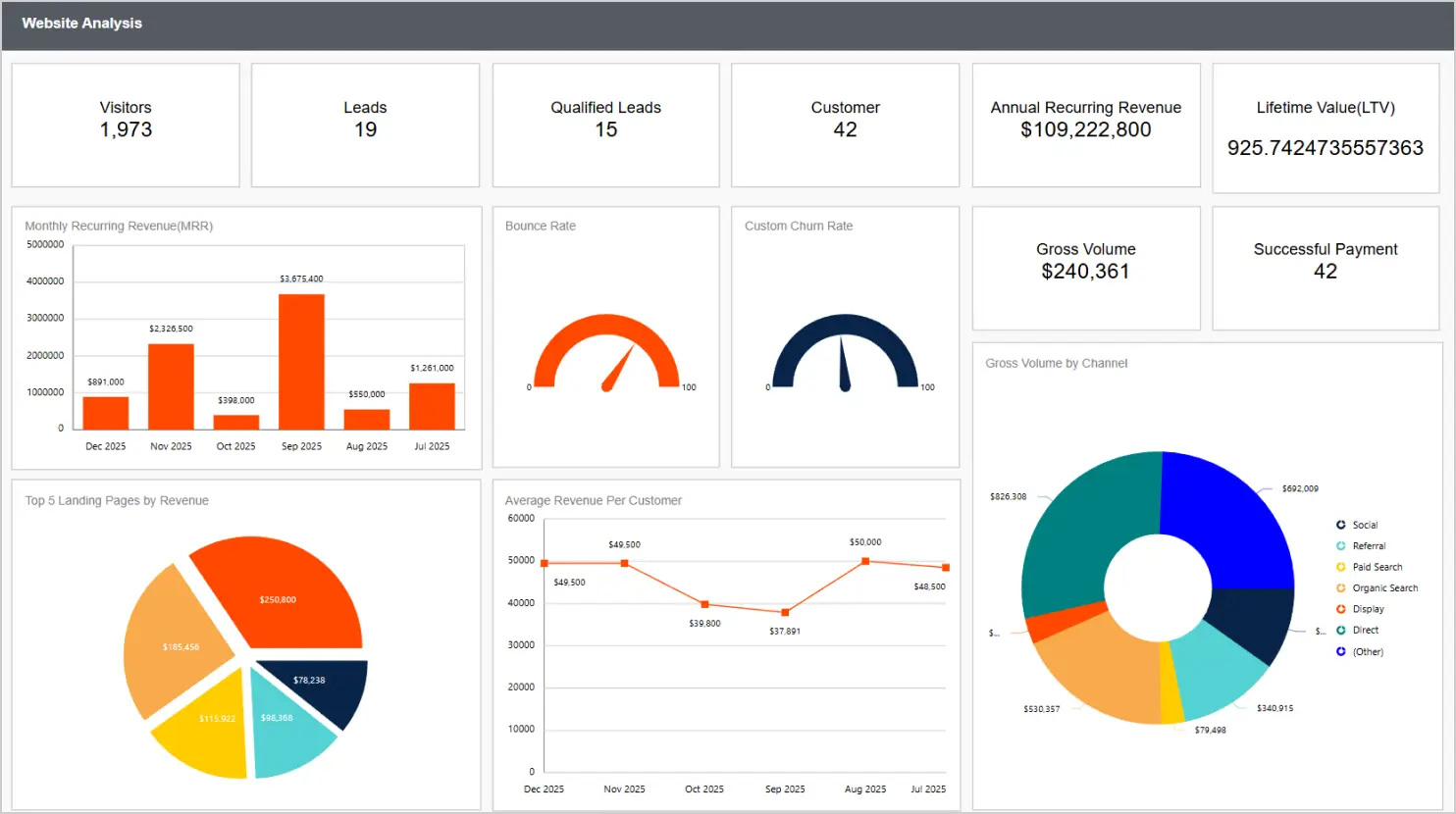
Marketing: Website analysis report
Scenario:
Marketing teams regularly analyze website performance reports to track traffic, conversions, and campaign effectiveness.
Problem:
Reports are often filtered repeatedly using similar date ranges and segments. Reprocessing the same analytics queries slows down report responsiveness.
Solution with report caching:
Report caching delivers faster load times by serving preprocessed data for frequently accessed views. When marketers need the latest campaign performance, refreshing the report clears the cache and pulls fresh data. Changes in cache mode automatically remove outdated results.
Result:
Marketing teams can analyze campaigns faster, navigate reports smoothly, and access real-time data when needed.
Best practices for report caching
To keep your reports fast, scalable, and accurate, without serving stale or insecure data, follow these tips for report caching:
- Define refreshness expectations clearly: “Updated every hour” is far better than “near real-time,” as it sets clear expectations for users.
- Cache the right layer: If queries are slow, cache data; if rendering is slow, cache output.
- Be deliberate with parameters: Cache the most common parameter sets first (80/20 rule).
- Protect tenant boundaries: In SaaS, the cache must be scoped to tenant and permissions.
- Pair caching with scheduling: Regenerate the reports people will open first thing.
- Monitor top reports: Your most popular reports are your best caching candidates.
- Have a manual refresh option: Some roles may need a refresh now workflow to handle exceptions.
Final thoughts
In 2026, the best reporting experience is the one that feels instant, without compromising accuracy, security, or formatting. Report caching helps you deliver that experience by protecting your database and keeping frequently used reports fast and reliable.
If your teams rely on pixel-perfect, paginated reporting, especially inside applications, Bold Reports gives you the foundation to design, embed, schedule, export, and scale operational reporting while keeping performance under control. Start a free trial of Bold Reports to test report caching on one of your slowest RDL reports, or request a demo to see how else Bold Reports can improve your team’s reporting.
Frequently asked questions
- 1.
What is data caching in reports?
Data caching in reports means storing frequently used report data or report outputs so reports load faster without querying the data source every time.
- 2.
What is report caching used for?
Report caching is used to reduce load times, lower database or API traffic, and improve performance during peak usage, especially for recurring or high‑traffic reports.
- 3.
How do I embed cached reports in my SaaS application?
With Bold Reports, you can embed cached reports using the JavaScript SDK and manage automation such as schedules and refresh workflows through REST APIs.
- 4.
Does Bold Reports support SSRS reports?
Yes. Bold Reports supports SSRS RDL and RDLC compatibility, allowing teams to reuse and modernize existing report investments.
- 5.
What export formats are supported in Bold Reports?
Bold Reports supports common export formats including PDF, Excel, Word, and HTML, making it easy to share cached report outputs with stakeholders.
- 6.
Can I schedule reports and email them automatically?
Yes. Bold Reports supports report scheduling and automated email delivery, making it ideal for pre‑generating heavy reports and distributing them without manual effort.
- 7.
Can I use APIs to automate report refresh and delivery?
Yes. Bold Reports provides REST APIs to automate report refreshes, scheduling, and report lifecycle management.






