
SAMPLE REPORT FOR DATA VISUALIZATION
Purchase Order Register Report
Bold Reports offers a Purchase Order Register sample report for PO status tracking, vendor spend analysis and line-item purchasing detail. Download the editable RDL file and export reports in 7 formats, including PDF and Excel.








CORE REPORTING CAPABILITIES
Explore key use cases
Purchase order reporting supports status tracking, vendor spend analysis, line-item cost tracking, and delivery monitoring. Bold Reports offers export-ready reports for procurement reviews and supplier evaluation.
PO status tracking
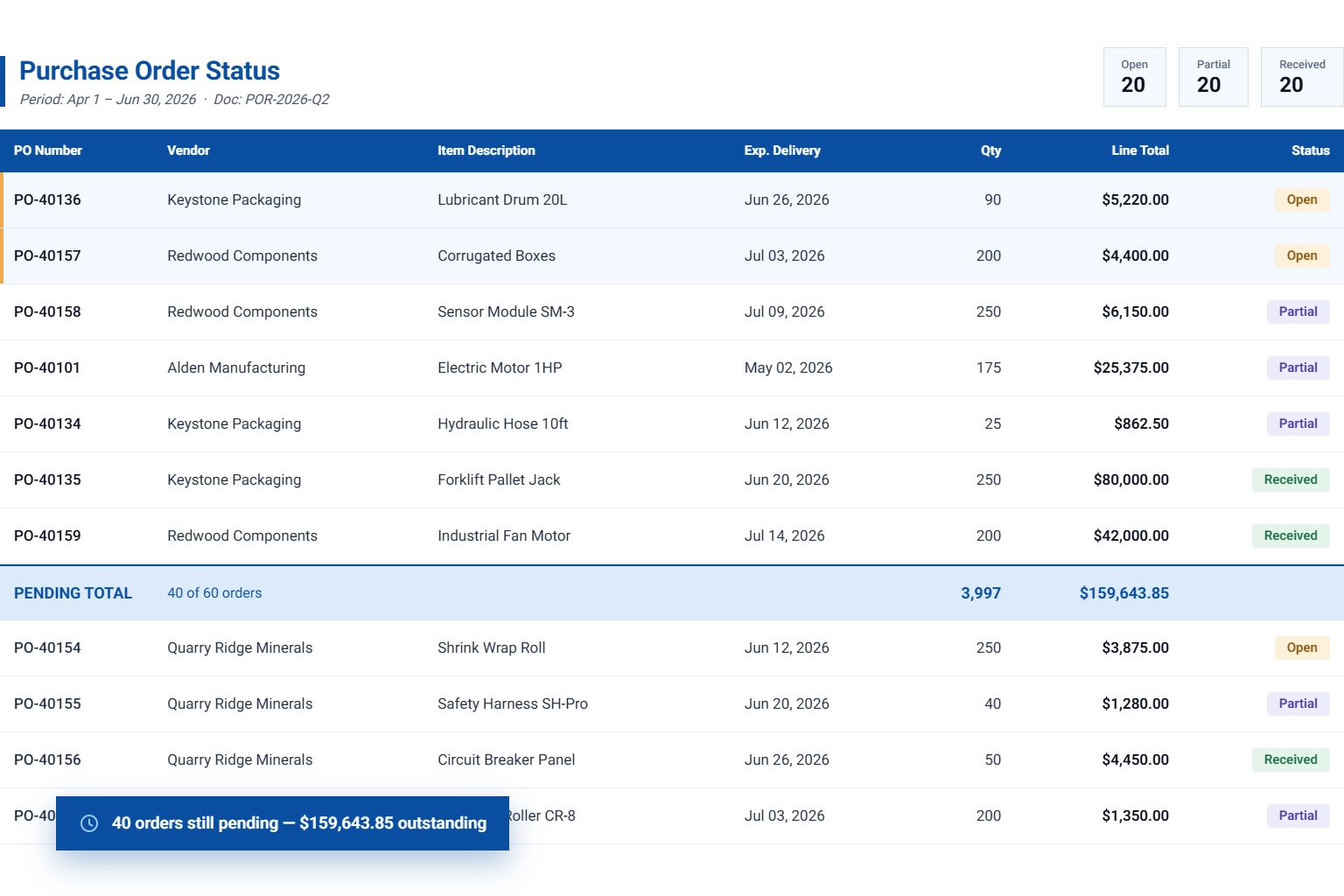
Review purchase order status to gain visibility into fulfillment progress, pending commitments, and supplier activity throughout the procurement lifecycle.
- View order progress across open, partial, and completed stages.
- Examine fulfillment distribution across reporting timeframes.
- Detect purchase orders awaiting supplier completion.
- Measure delivery schedules against original order dates.
- Assess procurement workflow health and commitment levels.
Vendor spend analysis
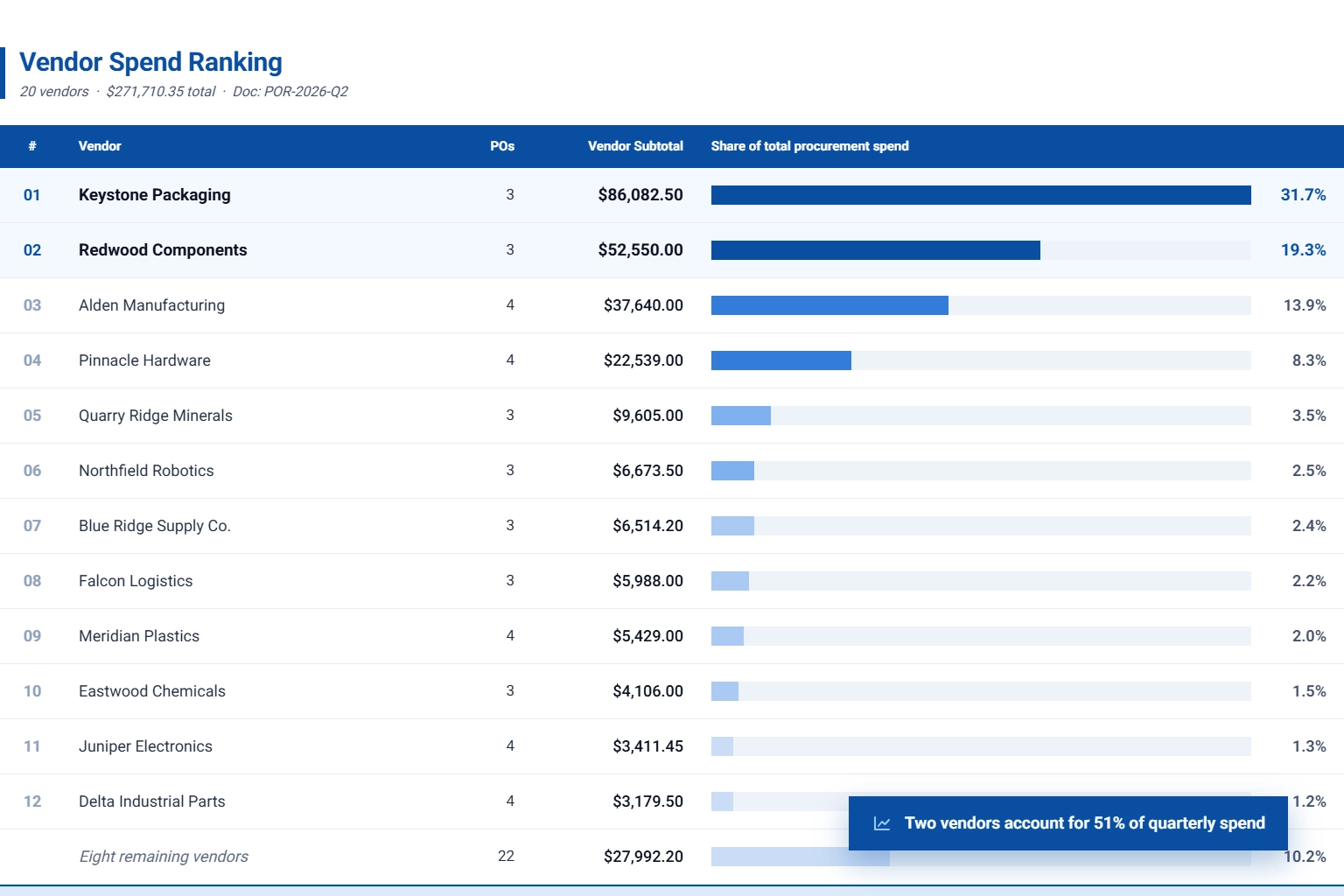
Analyze procurement spending by supplier to uncover cost concentration, support vendor negotiations, and improve purchasing decisions.
- Review total purchasing value across supplier relationships.
- Benchmark spending patterns between vendors and timeframes.
- Highlight strategic suppliers with the highest transaction value.
- Explore product-level costs by vendor and purchase activity.
- Measure supplier contribution to overall buying expenditure.
Line-item cost tracking
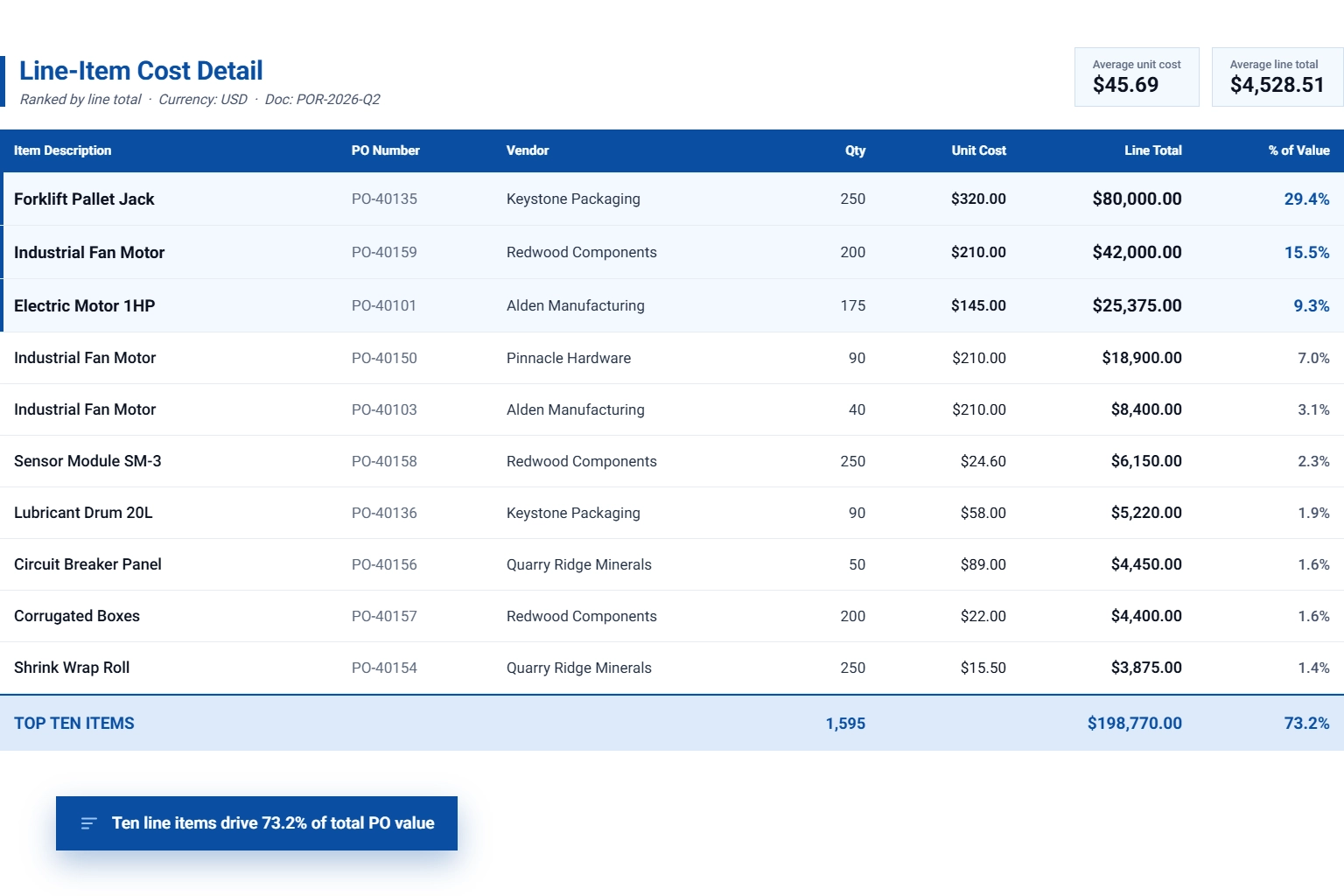
Monitor item-level quantities, pricing, and purchasing patterns to support budgeting, cost control, and procurement efficiency.
- Review ordered quantities alongside item-level unit pricing.
- Contrast line values across purchasing transactions and orders.
- Examine cost movement patterns for individual inventory items.
- Measure item contribution to total procurement value generated.
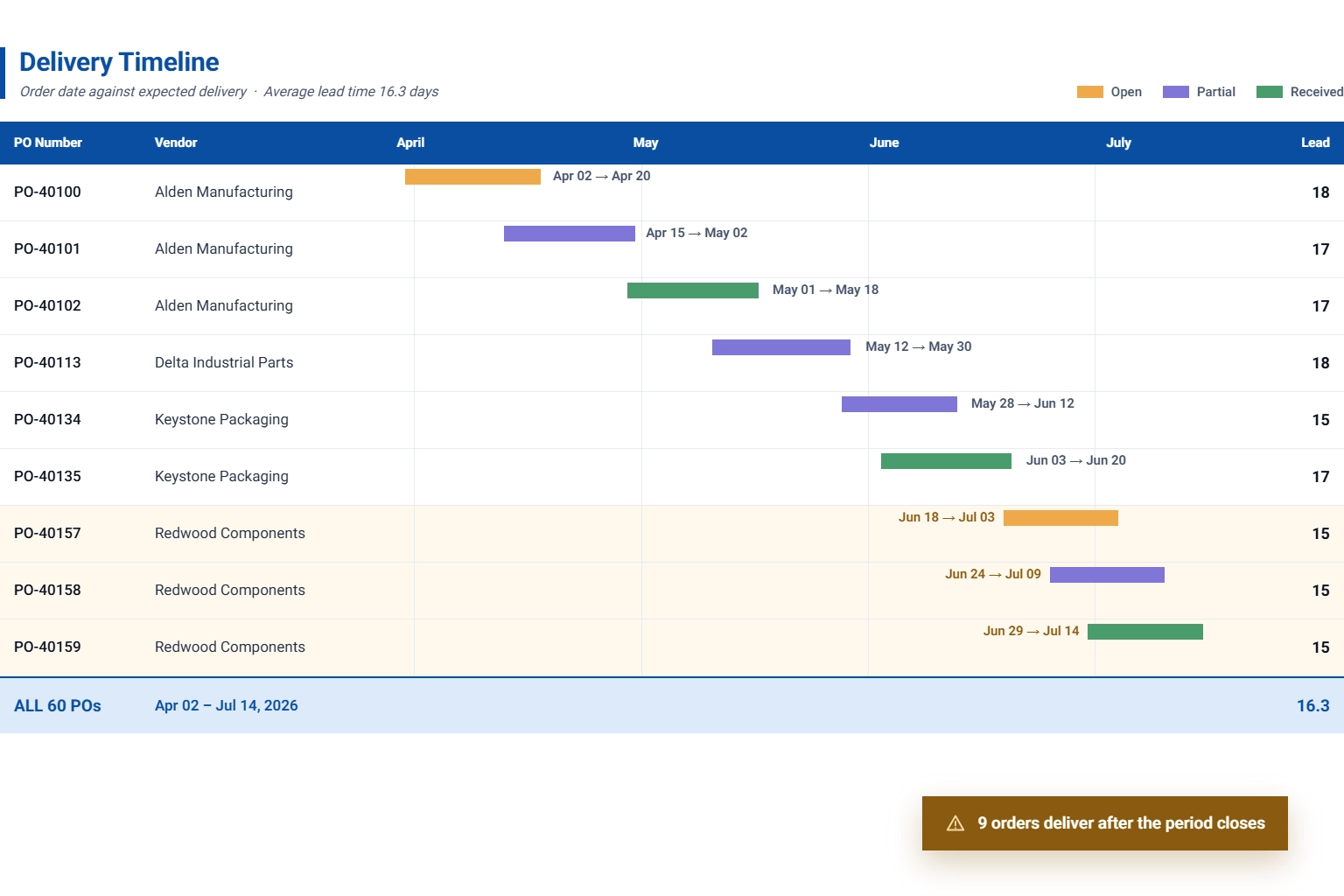
Delivery timeline monitoring
Track expected delivery schedules against order dates to identify delays, evaluate supplier performance, and improve planning.
- Compare expected arrival dates with original order schedules.
- Evaluate supplier lead times across purchasing activities.
- Detect shipments facing delays or fulfillment risks early.
- Calculate average turnaround time from order to receipt.
- Assess vendor reliability through delivery consistency trends.
REVIEW KEY PERFORMANCE INDICATORS
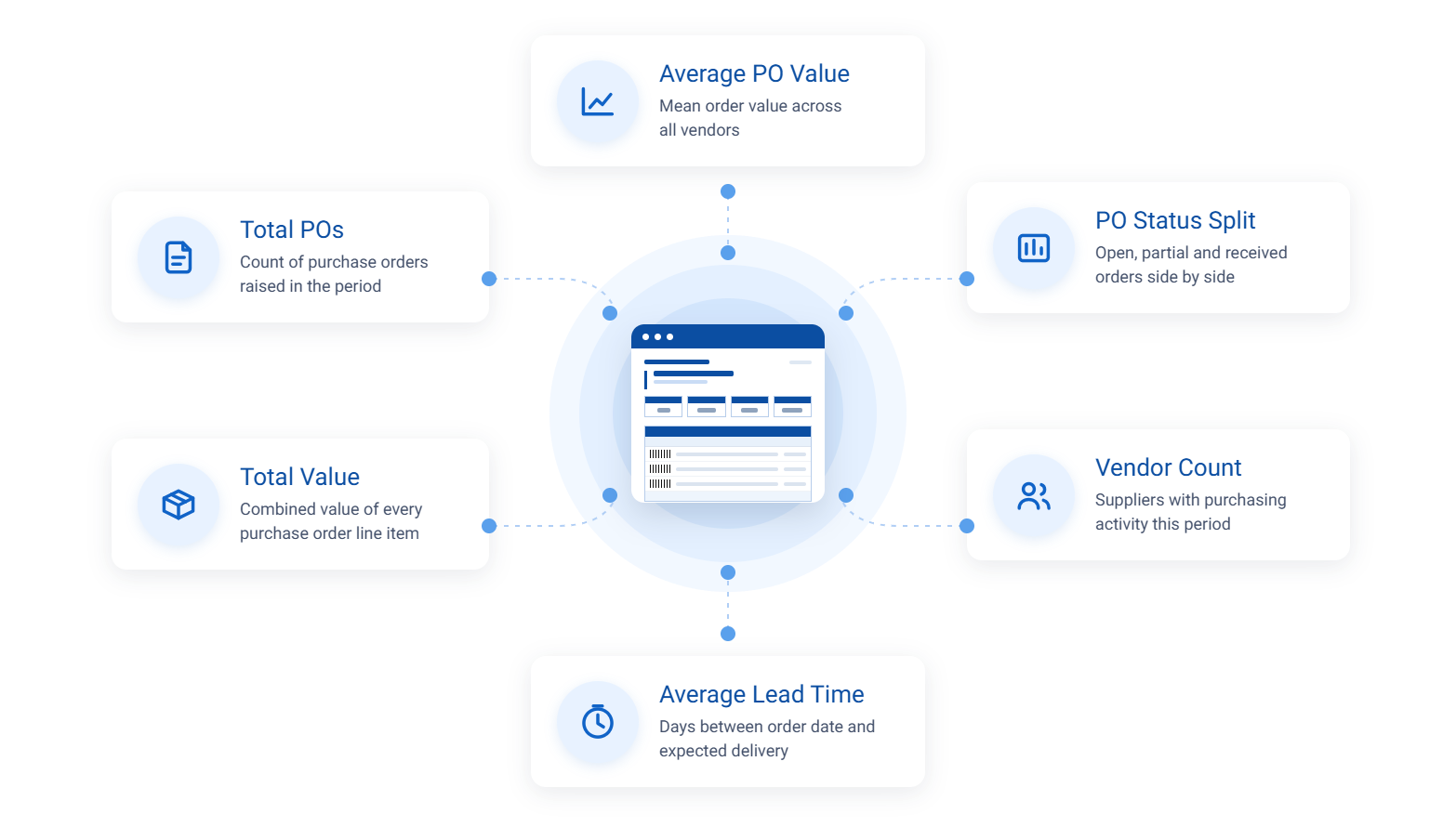
Track key metrics
These metrics help evaluate procurement volume, spend, and fulfillment performance.
Overview of this report
What is a Purchase Order Register Report?
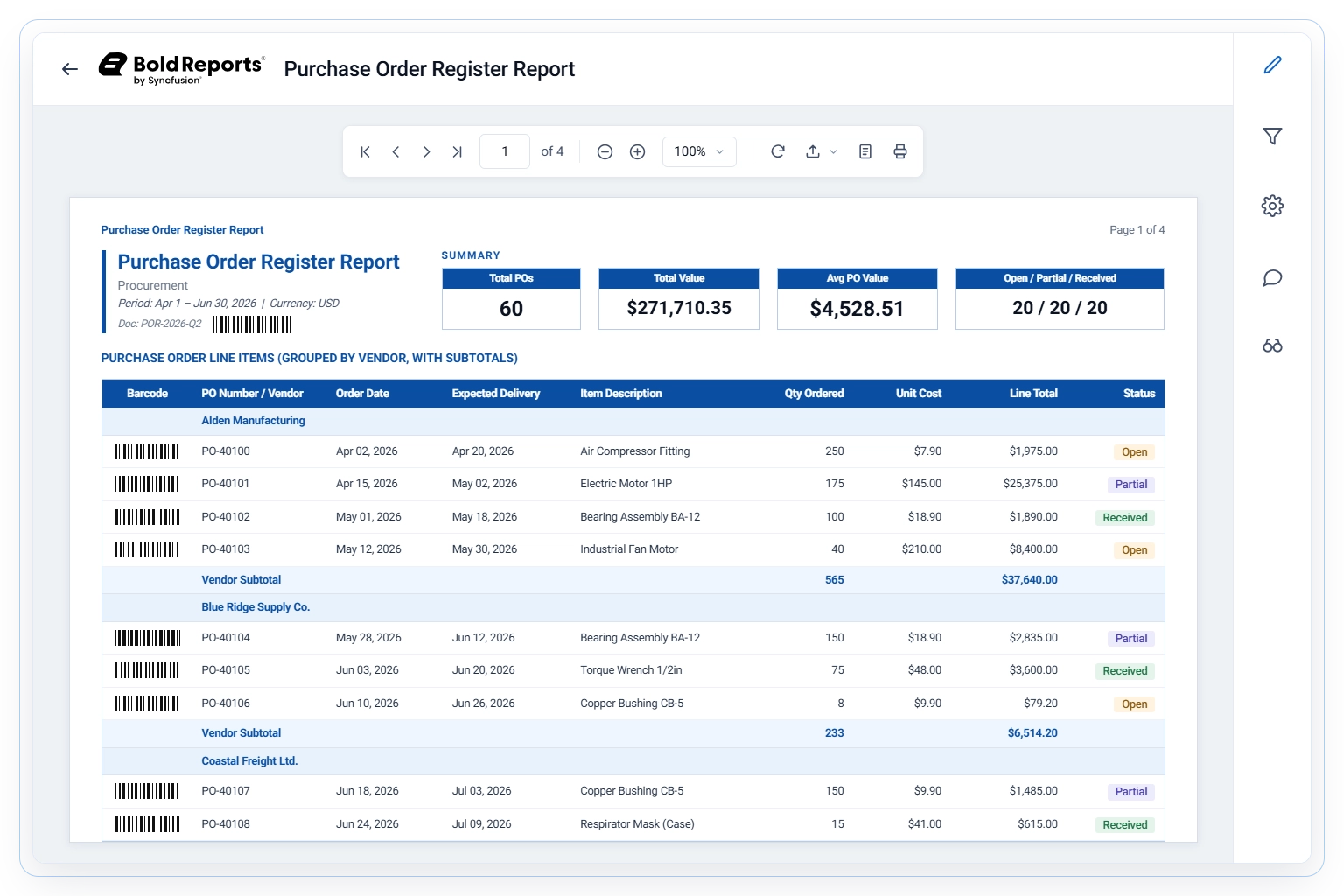
The Purchase Order Register Report consolidates purchase order transactions, vendor information, line-item details, subtotals, and fulfillment status into a single report for procurement analysis and operational reporting.
No credit card required.
PO status visibility
Review open, partial, and received status across all active purchase orders.
Delivery timeline tracking
Compare order date against expected delivery to flag at-risk shipments.
Vendor spend analysis
See subtotaled spend and quantity for every vendor in the procurement cycle.
Procurement pipeline overview
Assess total PO count and value across the reporting period at a glance.
Line-item cost detail
Drill into item description, quantity, unit cost, and line total for every order.
Decision support
Provide actionable insight for vendor negotiations, procurement planning, and budgeting decisions.
Built for your team
Designed for procurement and finance teams
Get unified insights on PO status, vendor spend, and delivery performance for informed purchasing decisions.
Centralized reporting
Combine purchase order data from multiple vendors and systems into one consolidated register.
Vendor spend analysis
Track spend and order volume by vendor to spot cost trends and negotiation opportunities.
Secure and role-based access
Protect procurement data with controlled permissions so only approved users can view spend detail.
Line-item cost insights
Evaluate unit cost and quantity trends to support budgeting and sourcing decisions.
Automated report delivery
Schedule recurring reports to support procurement reviews and month-end reconciliation.
Delivery performance visibility
Compare expected versus actual delivery timelines to assess vendor reliability.
Tailor to your needs
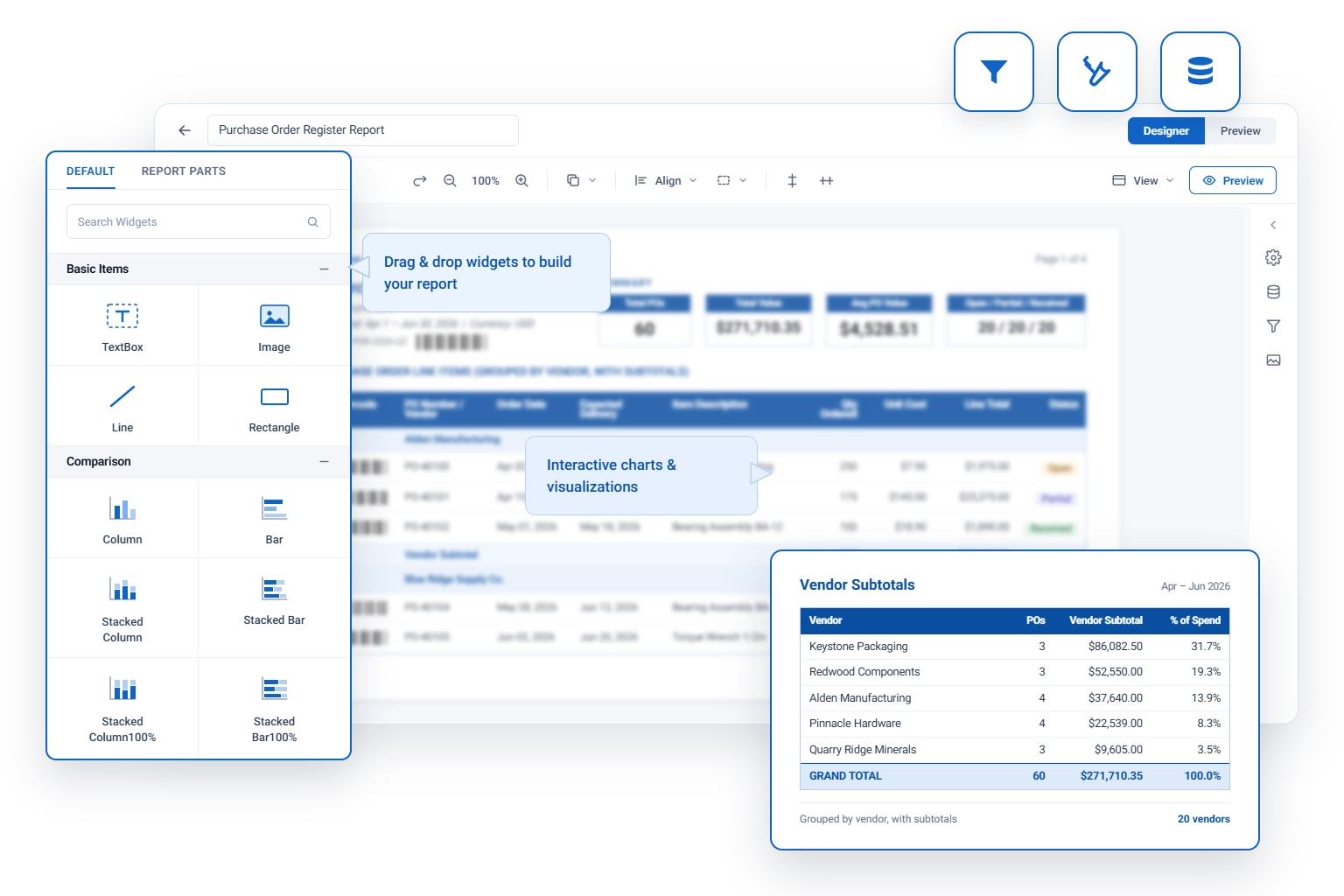
Build & customize
Purchase order reporting can be configured around KPIs, filters, and recurring delivery requirements.
 Filter by vendor, status, and item category.
 Set KPIs for PO value and average cost.
 Drill into vendor and line-item detail.
 Export reports in shareable formats.
 Schedule recurring report delivery.
No credit card required.
Templates
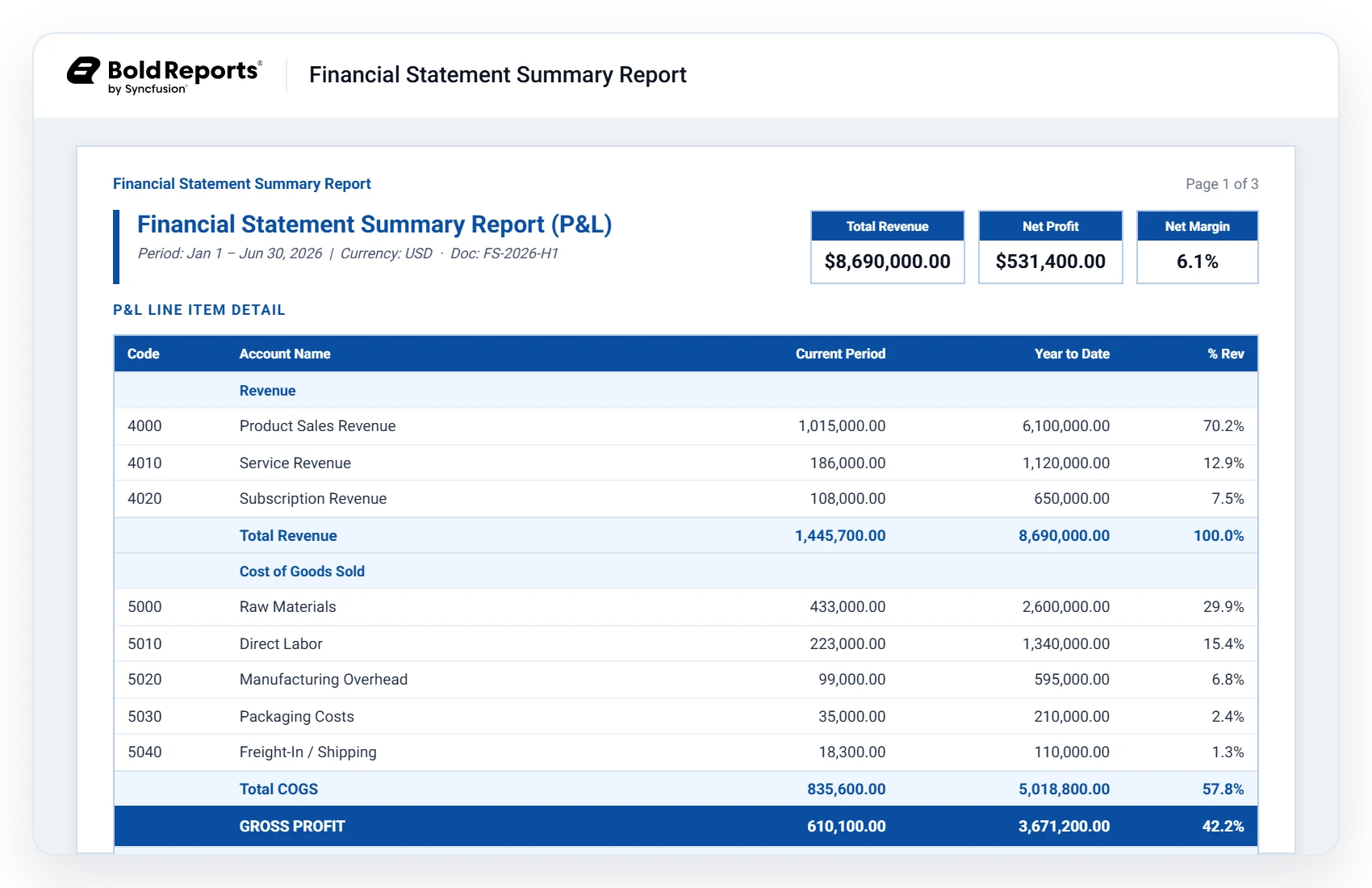
ERP report templates
Evaluate advertising effectiveness across campaigns, platforms, and conversion outcomes to improve targeting, optimize spend, and drive stronger ROI.
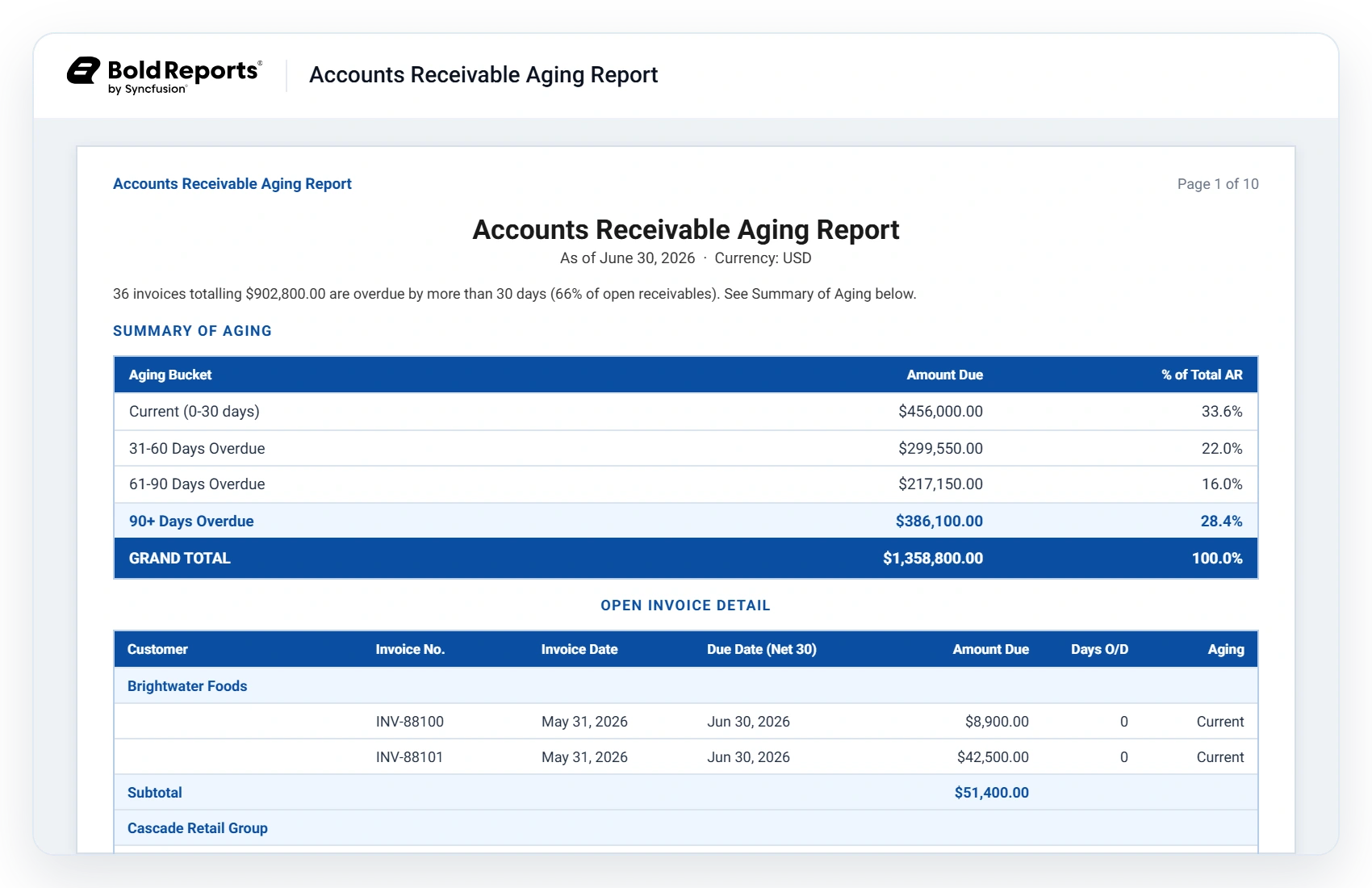
Connectors
Data integrations
Connect to over 25+ data sources from files and databases to web services for flexible integration, transformation, and storage, all ready for reporting.



Common questions answered
Frequently asked questions
Find answers to common questions about purchase order tracking, vendor spending, fulfillment status, delivery timelines, exports, and procurement reporting.
What is a Purchase Order Register Report used for?
It helps organizations monitor purchase order activity, vendor spending, and fulfillment status through a centralized report that supports procurement analysis, supplier evaluation, and operational visibility.
How is PO status (Open, Partial, Received) tracked?
Each purchase order line item is tagged with a status reflecting current fulfillment progress, visible alongside quantity and cost detail.
Can purchase orders be grouped and subtotaled by vendor?
Yes. The report groups PO line items under each vendor name with a subtotal for quantity and value, plus a grand total across all vendors.
Can the report track delivery timelines against order dates?
Yes. Order date and expected delivery date are shown together to help identify delayed or at-risk shipments.
Can reports be filtered by vendor or status?
Yes. Reports can be filtered by vendor, PO status, item category, or reporting period for more targeted analysis.
Can purchase order reports be scheduled automatically?
Yes. As part of Bold Reports' procurement reporting software, reports can be scheduled to run automatically at defined intervals to support recurring procurement reviews.
Stop Exporting Data. Start Embedding Reports.
Turn your data into production-ready reports instantly
Create pixel-perfect, print-ready reports with powerful exporting and zero complexity.
No credit card required.