
SAMPLE REPORT FOR DATA VISUALIZATION
Accounts Receivable Aging Report
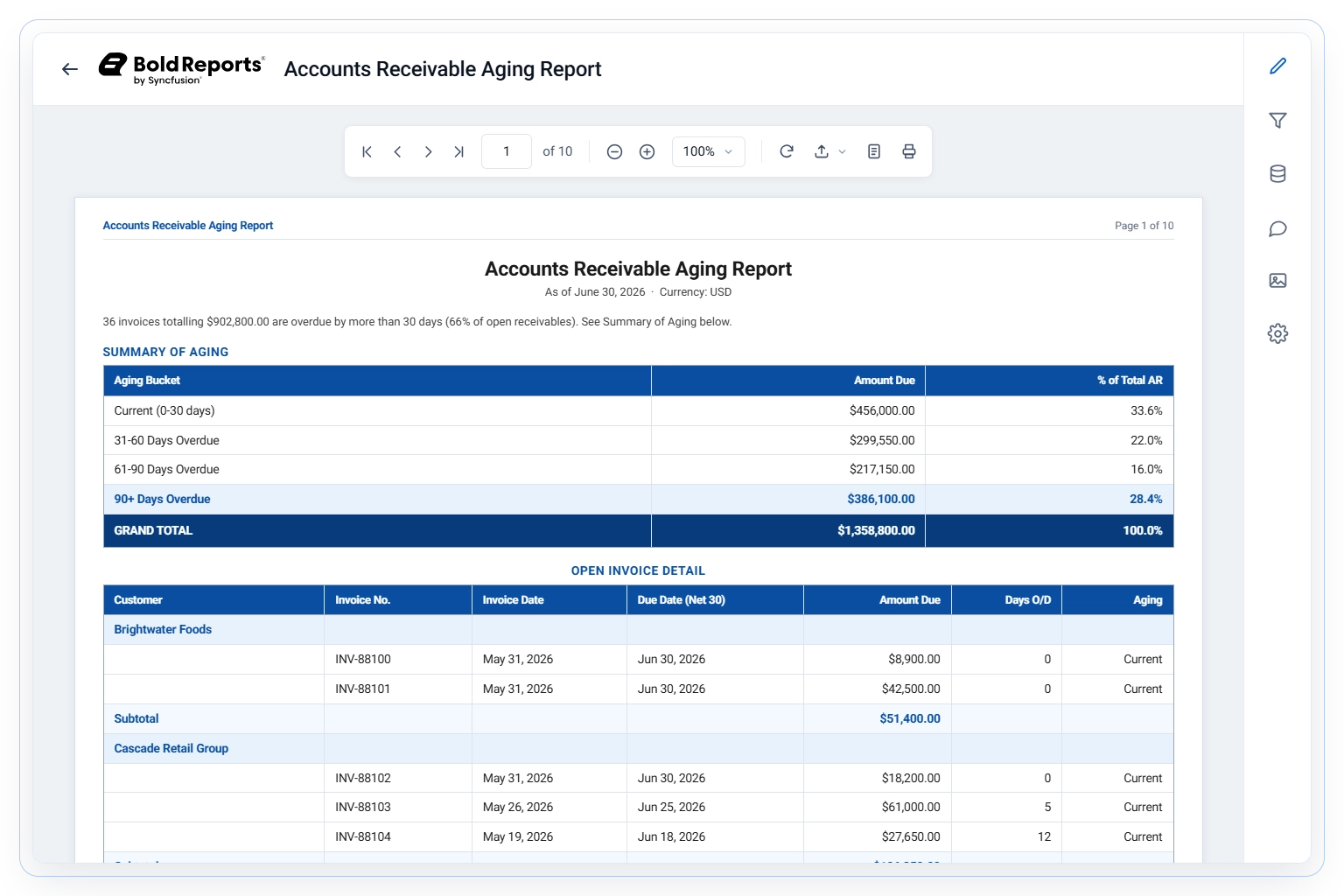
Evaluate outstanding receivables with an editable Bold Reports paginated report built for aging analysis, collections prioritization, and visibility into customer-level overdue balances across recurring reporting workflows.








CORE REPORTING CAPABILITIES
Explore key use cases
Accounts receivable reporting supports aging analysis, customer-level tracking, overdue monitoring, and collections prioritization. Bold Reports offers export-ready reports for reviews and cash flow planning.
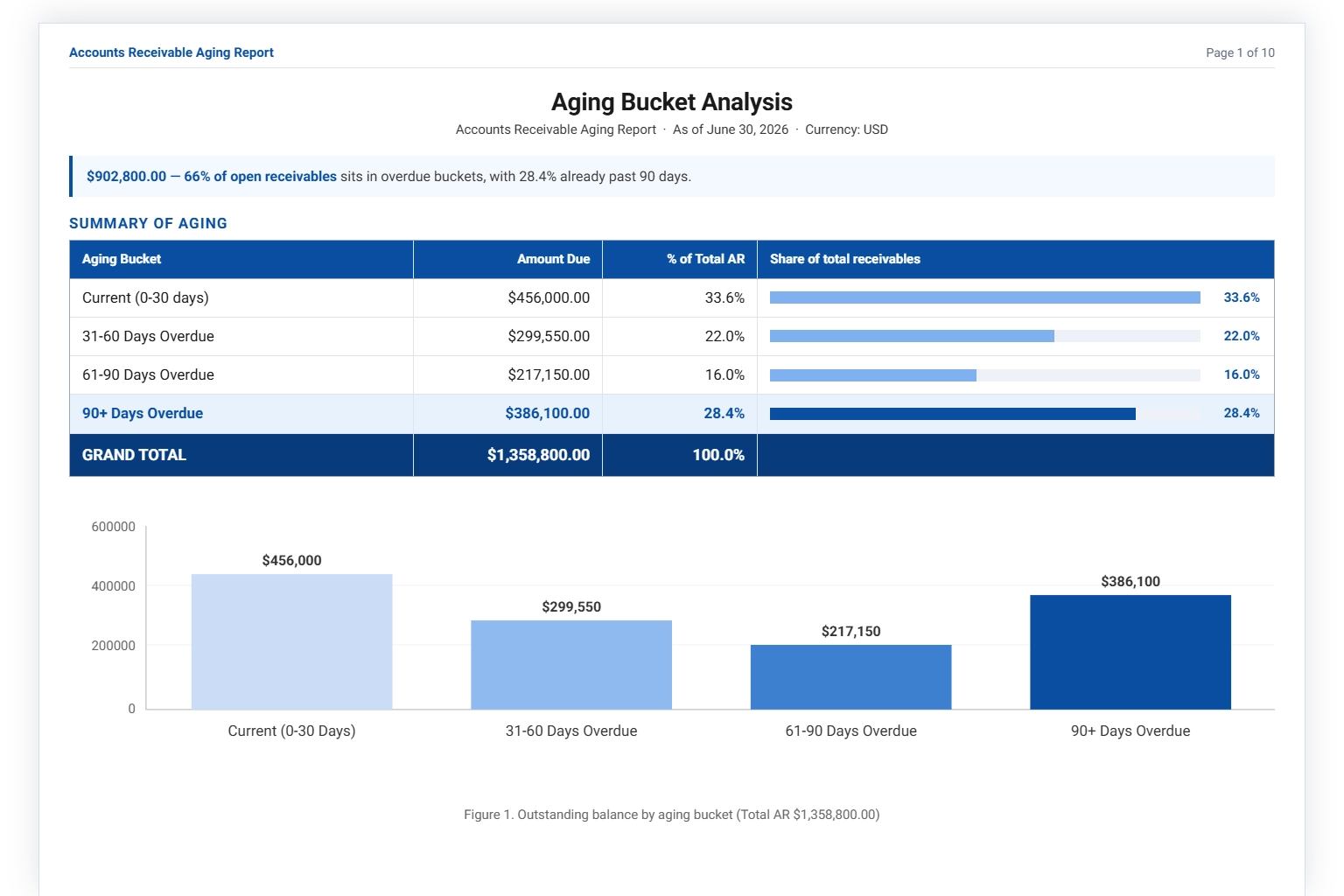
Aging bucket analysis
Review receivables by aging category to assess collection risk, prioritize follow-up actions, and monitor overall payment exposure.
- Examine aging bucket values across different reporting timeframes.
- Detect risk concentration within long-outstanding balance groups.
- Measure each aging segment’s contribution to total receivables.
- Gauge receivables quality and collection exposure at a glance
- View receivables distribution between current and overdue balances.
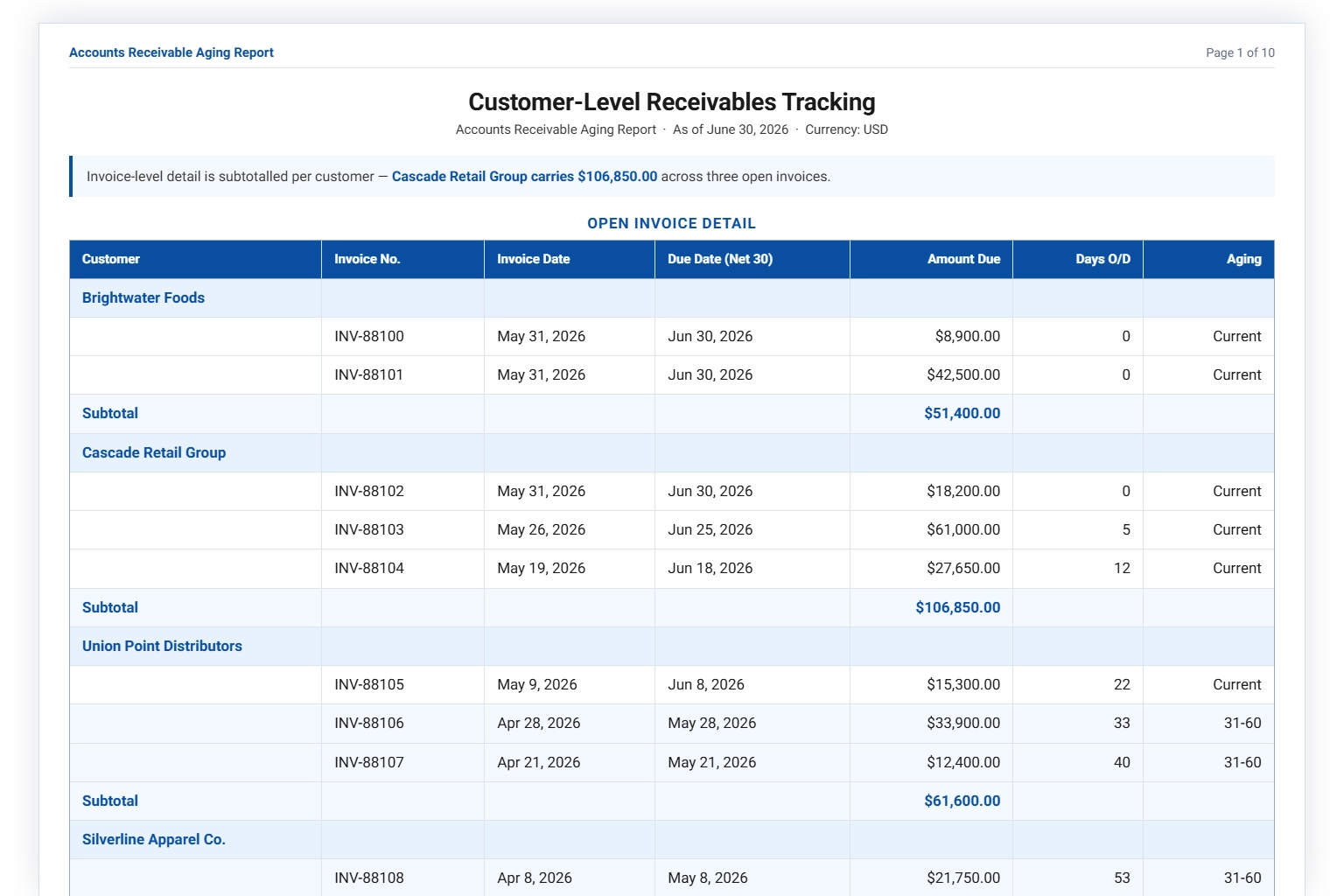
Customer-level receivables tracking
Evaluate outstanding balances by customer to identify payment risks, support collection efforts, and strengthen credit management.
- .Review outstanding invoice amounts for individual customer accounts.
- Benchmark receivables exposure across key customer relationships.
- Spot customers with recurring patterns of late payment activity.
- Explore invoice aging details at the account level.
- Assess payment habits and settlement consistency by customers.
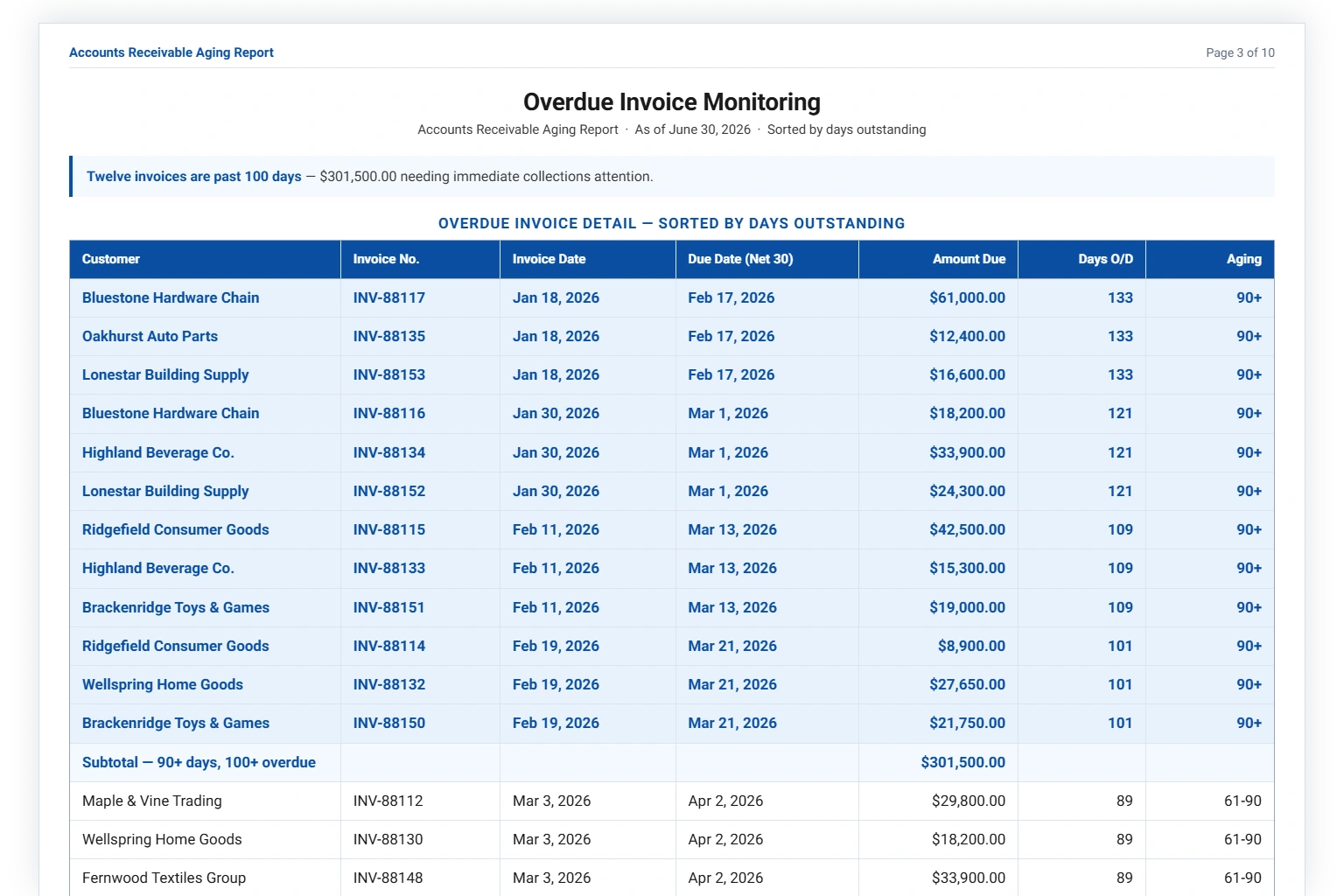
Overdue invoice monitoring
Track past-due invoices across aging ranges to prioritize recovery actions, reduce delinquency risk, and improve cash flow visibility.
- Evaluate overdue invoice volume across financial reporting cycles.
- Highlight invoices nearing critical aging thresholds for action.
- Contrast overdue amounts against active receivable balances.
- Determine collection urgency for individual customer accounts.
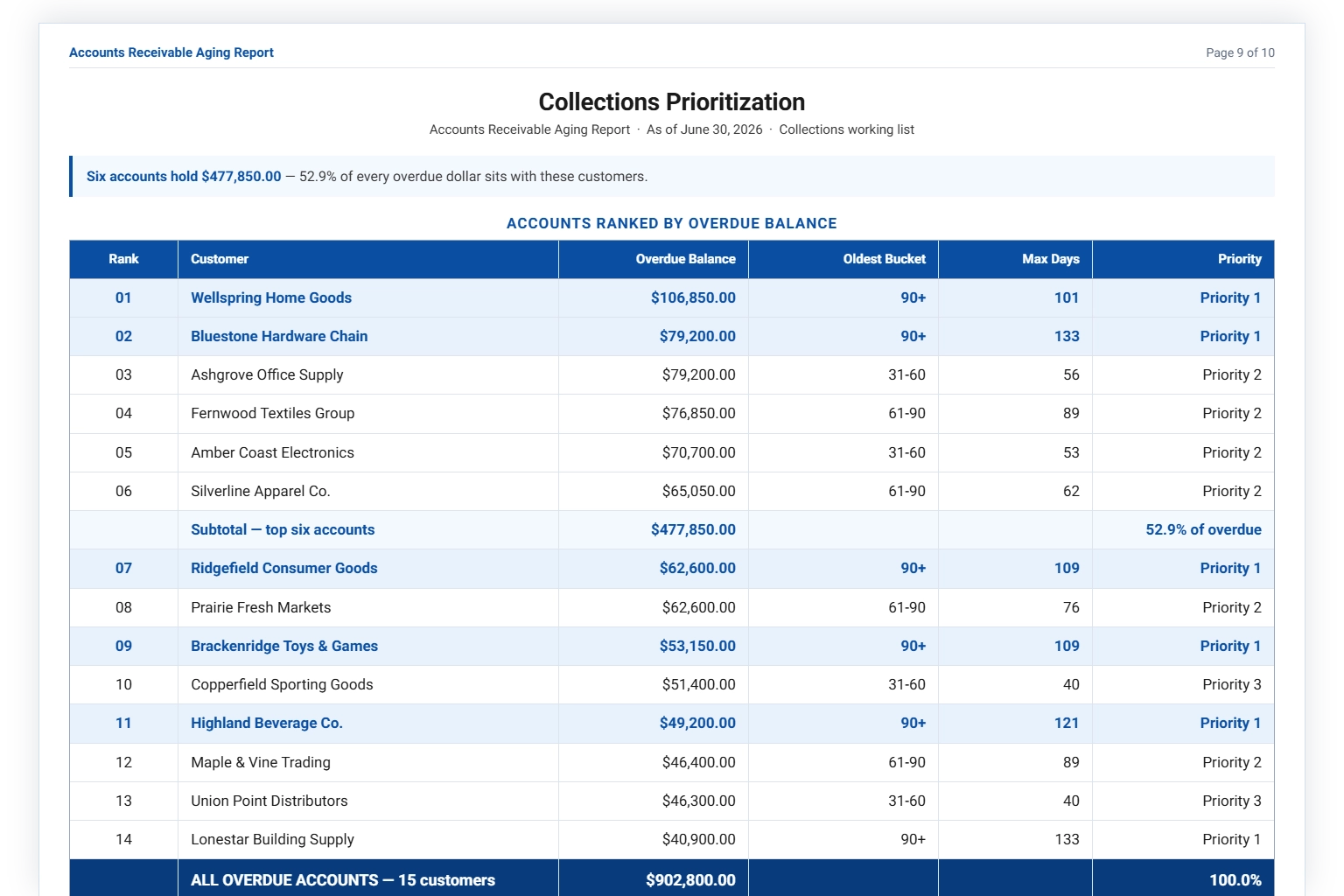
Collections prioritization
Focus collection efforts on high-risk accounts and overdue invoices by assessing aging profiles, exposure levels, and payment history
- Focus recovery efforts on the most critical customer segments.
- Surface high-value invoices with elevated collection risk.
- Observe aging movement and collection patterns over time.
- Assess recovery success through period-to-period collection results.
Review key performance indicators
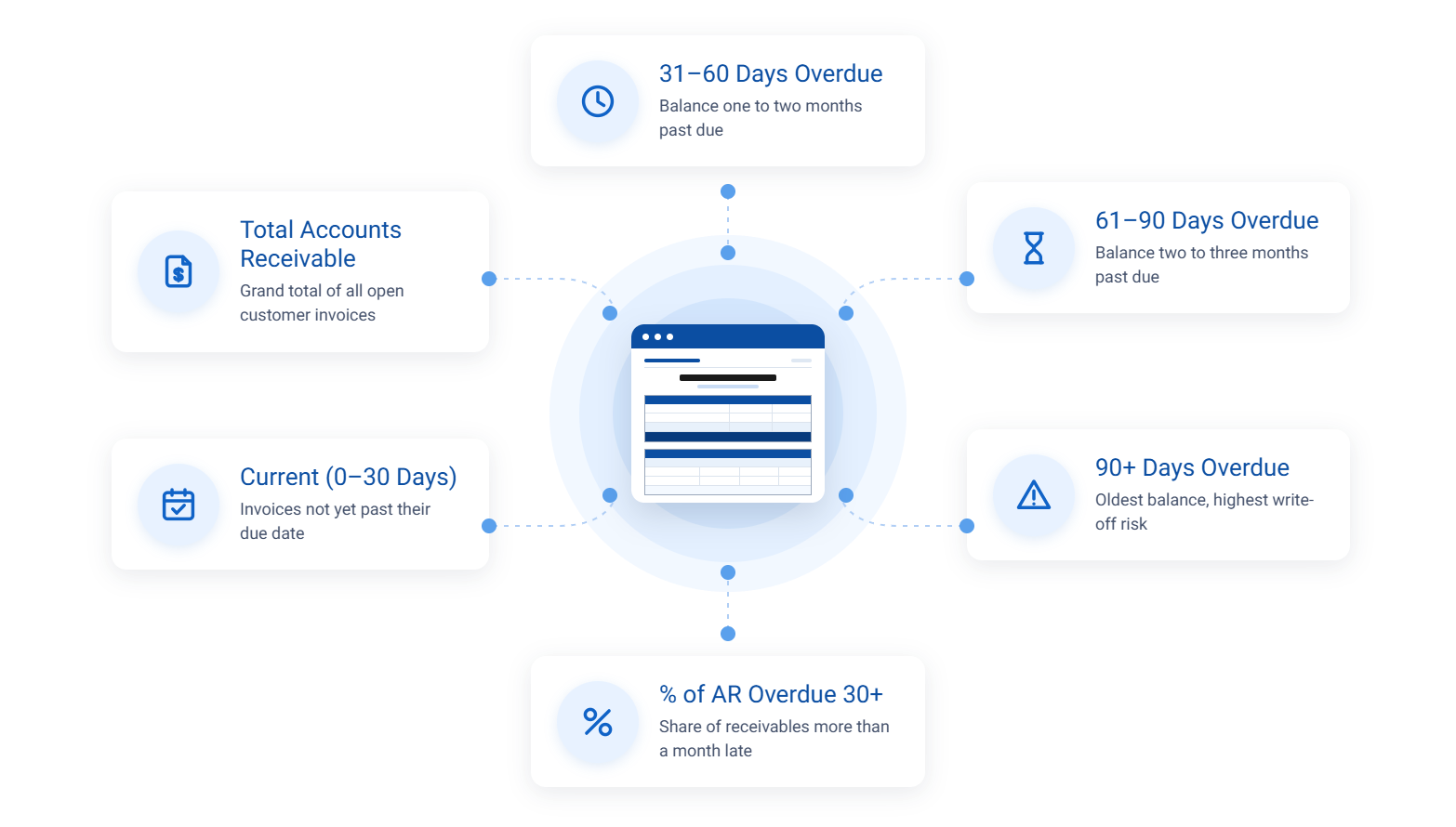
Track key metrics
These metrics help evaluate receivables exposure, aging distribution, and collections effectiveness.
Overview of this report
What is an Accounts Receivable Aging Report?
The Accounts Receivable Aging Report groups open customer invoices into aging buckets and presents invoice-level detail by customer, along with subtotals and grand totals. The report supports collections reviews, cash flow monitoring, and recurring accounts receivable reporting.
No credit card required.
Aging bucket visibility
Review outstanding balances grouped into current and overdue aging buckets.
Customer-level detail
See subtotaled invoice balances for every customer with open receivables.
Overdue risk identification
Spot invoices moving into higher-risk aging categories before they become uncollectible.
Collections prioritization
Rank accounts and invoices by overdue severity to focus collections effort.
Invoice-level tracking
Drill into individual invoice numbers, dates, and days outstanding.
Decision support
Provide actionable insight for cash flow forecasting and credit policy decisions.
Built for your team
Designed for finance and collections teams
Get unified insights on receivables exposure, customer payment behavior, and collections priorities for informed decisions.
Centralized reporting
Combine invoice and customer data from multiple sources into one consolidated aging view.
Customer payment insights
Evaluate payment patterns and recurring overdue behavior by account.
Aging exposure analysis
Track how receivables shift across aging buckets over time to spot emerging risk.
Automated report delivery
Schedule recurring reports to support weekly or monthly collections reviews.
Secure and role-based access
Protect customer financial data with controlled permissions for approved users only.
Collections visibility
Compare overdue balances across customers to identify where to focus first.
Tailor to your needs
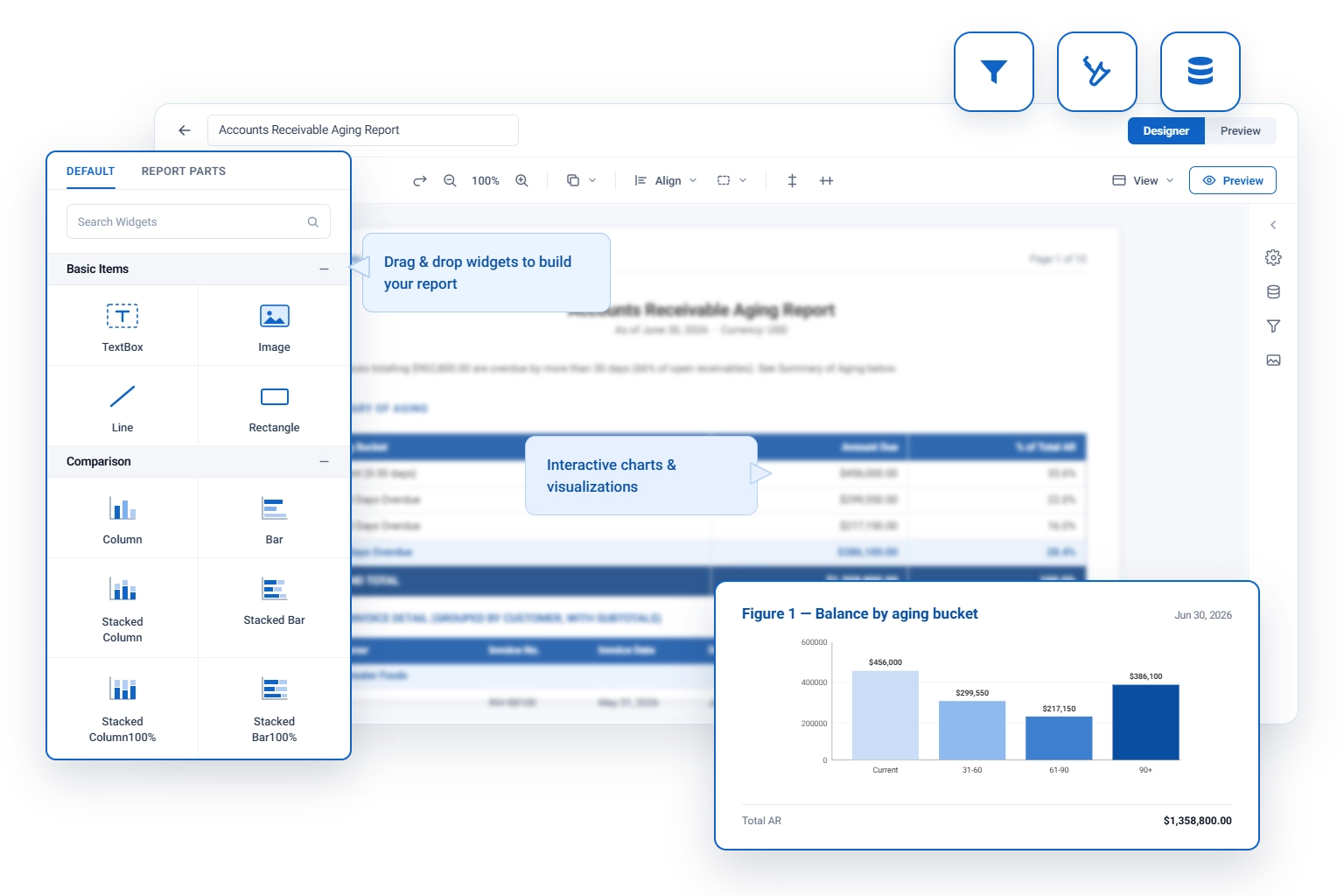
Build & customize
Accounts receivable reporting can be configured around KPIs, filters, and recurring delivery requirements.
 Filter by customer, invoice date, and aging bucket.
 Set KPIs for total AR and percent overdue.
 Drill into invoice-level detail by customer.
 Export reports in shareable formats.
 Schedule recurring report delivery.
No credit card required.
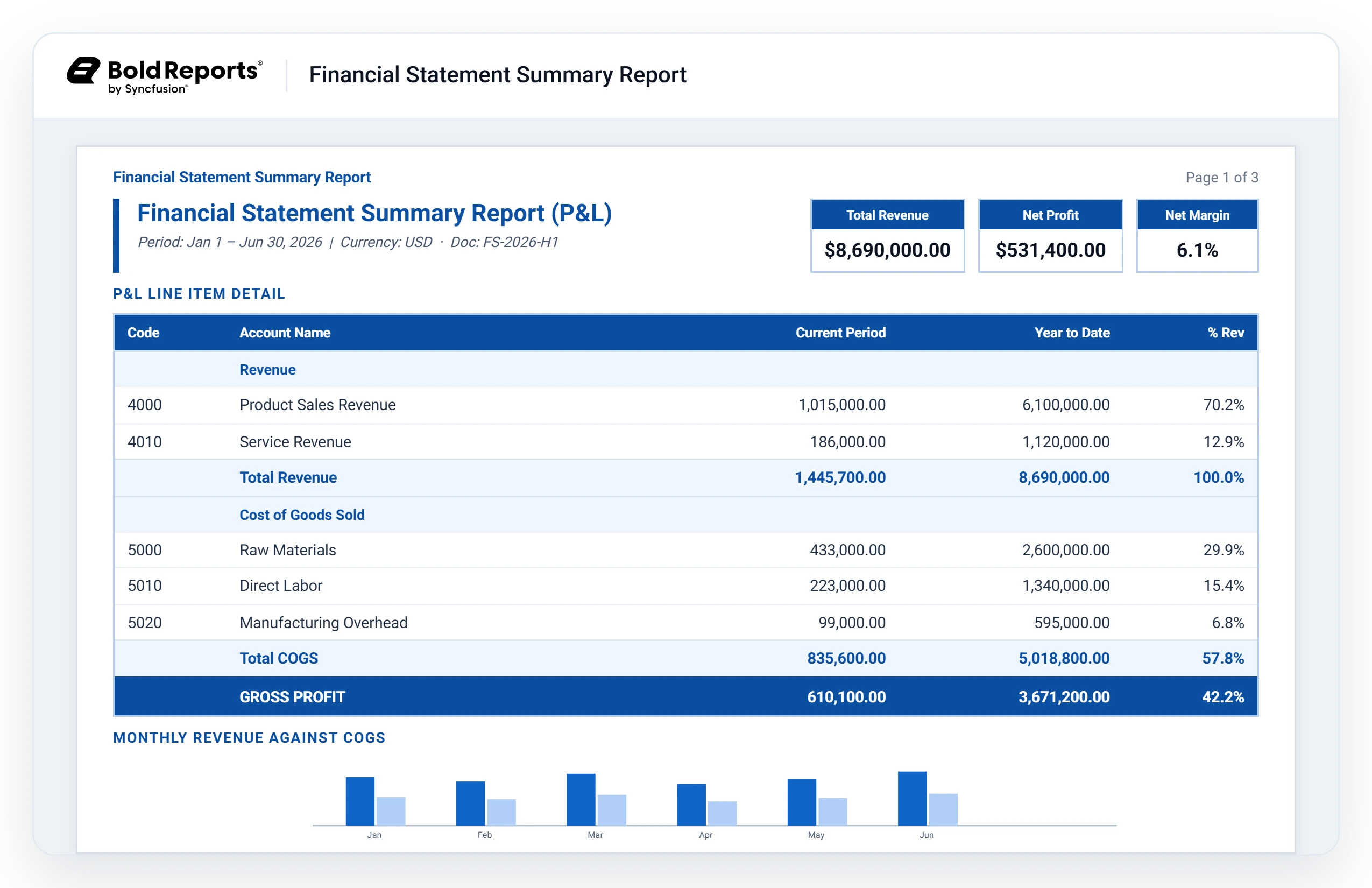
Templates
ERP report templates
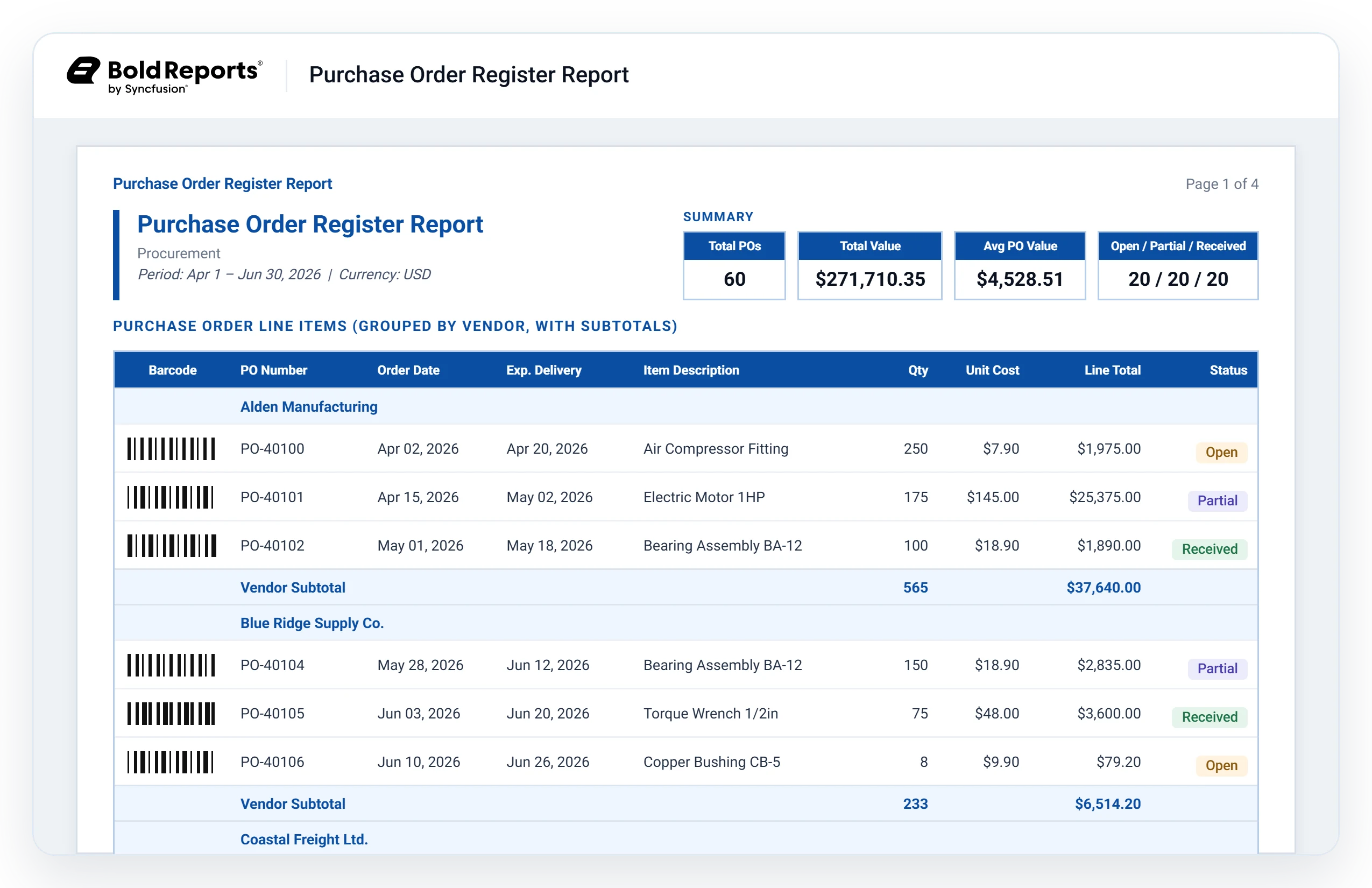
Explore complementary ERP report templates for financial analysis, receivables management, and procurement tracking to gain broader visibility across business operations.
Connectors
Data integrations
Connect to over 25+ data sources from files and databases to web services for flexible integration, transformation, and storage, all ready for reporting.



COMMON RECEIVABLES REPORTING QUESTIONS
Frequently asked questions
Explore frequently asked questions about receivables aging, overdue invoices, customer balances, collections tracking, exports, and reporting insights.
What is an Accounts Receivable Aging Report used for?
It helps organizations track open customer invoices grouped by aging bucket to monitor collections risk and support cash flow planning.
How are aging buckets defined in this report?
Invoices are grouped into Current (0-30 days), 31-60 Days Overdue, 61-90 Days Overdue, and 90+ Days Overdue based on days past the due date.
Can invoices be grouped and subtotaled by customer?
Yes. The report groups open invoices under each customer name with a subtotal, plus a grand total across all customers.
Can the report identify invoices at risk of write-off?
Yes. Invoices in the 90+ day bucket can be flagged for review as part of bad-debt and write-off assessment.
Can reports be filtered by customer or aging bucket?
Yes. Reports can be filtered by customer, invoice date range, or aging bucket for targeted collections review.
Can AR aging reports be scheduled automatically?
Yes. Reports can be scheduled to run automatically at defined intervals to support ongoing collections workflows.
Stop Exporting Data. Start Embedding Reports.
Turn your data into production-ready reports instantly
Create pixel-perfect, print-ready reports with powerful exporting and zero complexity.
No credit card required.