
Free AI-Powered SSRS Expression Builder: A Complete Guide
TL; DR:
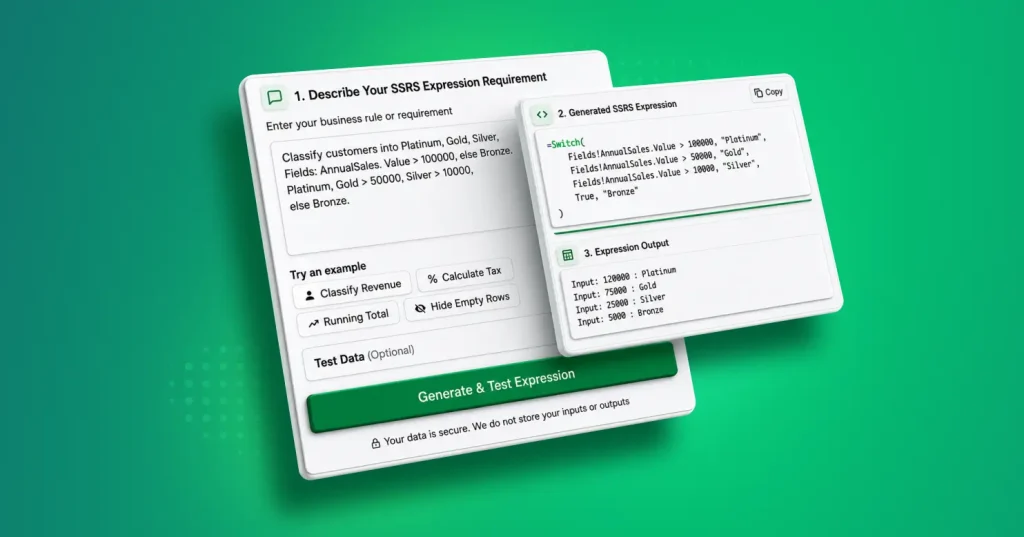
The Bold Reports AI SSRS expression builder and tester converts plain language into production-ready expressions. With built-in validation and real-time testing, it reduces errors, speeds up report development, and helps teams deliver accurate insights faster in SSRS, Bold Reports, and Microsoft Report Builder.
Introduction
Writing SSRS expressions has long been one of the most challenging aspects of report development. Whether calculating totals, applying conditional formatting, or building complex visibility rules, it requires precise Visual Basic (VB) syntax, constant troubleshooting, and a steep learning curve that slows even experienced developers.
An SSRS expression is a VB-based formula used in SSRS and Bold Reports to control how data is calculated, formatted, and displayed within a report. These expressions enable dynamic and interactive report behavior through logic, conditions, and data transformations.
The AI-powered SSRS expression builder and tester in Bold Reports allows you to generate accurate, production-ready SSRS expressions using simple language prompts. No VB expertise or manual debugging is required. Just describe your logic, and the AI generates the expression instantly.
In this guide, you’ll learn how this free tool works, explore its key capabilities, and see how it simplifies SSRS development compared to traditional, manual expression writing.
Limitations of traditional SSRS expression writing
SSRS (SQL Server Reporting Services) expressions are essential for dynamic reporting, powering calculations, conditional formatting, and data visibility. However, traditional SSRS expression writing is often complex, time-consuming, and error prone. Key limitations include:
1. Steep learning curve
SSRS expressions rely on Visual Basic syntax. Developers unfamiliar with VB must invest significant time in learning fundamentals that don’t always translate intuitively from other languages.
2. Trial-and-error development
Even minor syntax issues, such as incorrect operators or misplaced brackets, can cause expressions to fail or produce unexpected results. Debugging complex expressions often requires multiple testing iterations.
3. High risk of errors
Manual coding increases the likelihood of logical inconsistencies. For example, even a small syntax issue in a nested IIF statement can result in unintended outcomes, making thorough validation and testing essential.
4. Limited accessibility for non-developers
Business users and analysts without coding experience may struggle to create or modify SSRS expressions, limiting self-service reporting capabilities.
5. Maintenance burden
As reporting requirements evolve, updating complex expressions can become time-consuming. Changes in business logic often require careful adjustments to avoid introducing inconsistencies.
These challenges slow SSRS report delivery, reduce reporting efficiency, and increase the overall cost of maintaining reporting infrastructure.
Understanding the AI-powered SSRS expression builder and tester
The Bold Reports AI-powered SSRS expression builder and tester is a free, online tool that converts plain English inputs into accurate, ready-to-use SSRS expressions with no manual coding required.
Instead of spending minutes or hours crafting complex Visual Basic syntax, you describe your business logic in natural language. The AI processes your request and generates a valid SSRS expression.
What it enables:
-
- Plain language input: Define business logic without memorizing syntax rules.
- Instant generation: Get production-ready expressions in seconds.
- Built-in testing: Validate your logic with sample JSON data before deploying.
- Wide compatibility: Works with SSRS, Bold Reports, and the Microsoft Report Builder.
Supported use cases
The tool is purpose-built for common reporting scenarios across industries.
| Industry | Example expressions |
| Finance | Tax calculation, profit margin, YoY growth |
| Sales | Revenue classification, commission tiers, customer segmentation |
| Operations | Inventory thresholds, fulfillment status |
| HR | Employee tenure, attendance calculations |
| Retail | Discount tiers, margin analysis |
Expression accuracy, validation, and error handling
While the AI-powered SSRS expression builder is designed to generate accurate results, output may vary based on the clarity and complexity of the input. To maintain reliability and accuracy, the tool includes:
- Real-time expression validation to preview outputs.
- JSON-based testing for simulating real-world reporting scenarios.
- Regeneration capabilities to refine expressions with improved inputs.
If a generated expression does not fully match the intended logic, it can be easily adjusted or regenerated to improve accuracy. Should you encounter any issues or unexpected results, contact us for support and guidance in refining your SSRS expressions.
Features of the AI-powered SSRS expression builder
The AI-powered SSRS expression builder simplifies report development by turning complex logic into easy, accurate expressions. Key features include:
Natural language-to-SSRS expression conversion
Easily convert plain English into accurate SSRS expressions using AI, eliminating manual coding and reducing syntax errors.
Example:
Input: “If revenue is greater than 50,000, classify as ‘High’, otherwise ‘Standard'”
Output: =IIf(Fields!Revenue.Value > 50000, “High”, “Standard”)
Built-in SSRS expression tester
Validate expressions and preview results before deployment.
Advanced logic and expression support
Create complex expressions with nested conditions, multilevel calculations, and dynamic formatting rules without writing a single line of VB.
Seamless SSRS and Bold Reports integration
Use generated expressions directly in SSRS, Bold Reports, or Microsoft Report Builder. No installation or signup is required. Access the tool from any browser for quick and seamless use.
JSON-based test data integration
Test and debug expressions using custom JSON data inputs, simulating real-world reporting scenarios before going live.
Example of JSON data
{

  "SalesData": [

    {

      "Product": "Laptop",

      "Sales": 7500,

      "Region": "North",

      "OrderDate": "2026-01-15"

    },

    {

      "Product": "Phone",

      "Sales": 3200,

      "Region": "South",

      "OrderDate": "2026-02-10"

    }

  ]

}
Limitations and considerations
While the Bold Reports tool simplifies SSRS expression creation, it’s important to be aware of a few practical considerations when using it in real-world reporting workflows:
-
- Requires internet access: As an online tool, it needs a stable internet connection to generate and test expressions.
- May require refinement: While the AI handles most scenarios effectively, highly complex or niche expressions may still need minor adjustments to match specific logic requirements.
Who benefits most from the AI-powered SSRS expression builder?
The AI-powered SSRS expression builder is designed to support a wide range of reporting and business professionals.
SSRS developers
Complex expression writing is time-consuming and error-prone, slowing down report development and increasing debugging effort. With this tool, developers can:
-
- Generate accurate SSRS expressions using natural language.
- Reduce time spent on manual coding and troubleshooting.
- Build nested conditions and complex calculations.
- Focus more on data integration and report functionality.
Report designers
Report designers rely on expressions for formatting, calculations, and conditional logic, which can interrupt design workflows and require technical expertise. This tool lets designers:
-
- Generate expressions without deep technical knowledge.
- Apply dynamic formatting and conditional logic.
- Test expressions to confirm accurate output.
- Maintain faster, more polished design cycles.
Bold Reports users
Bold Reports users can generate expressions fully compatible with their reporting environment, test them before applying, and use JSON-based sample data for realistic validation. The tool reduces their guesswork and accelerates report creation.
SSRS beginners and learners
The tool serves as a practical learning companion. AI-generated expressions provide correct syntax examples, helping newcomers understand SSRS expression structure naturally. Instead of memorizing rules, beginners learn by seeing accurate expressions built from their own descriptions.
How to use the AI-powered SSRS expression builder
Getting started with the AI-powered SSRS expression builder is simple and requires no technical setup. Follow these steps to create accurate SSRS expressions in minutes:
Step 1: Launch the tool
Visit the Bold Reports AI-powered SSRS expression builder and tester page.
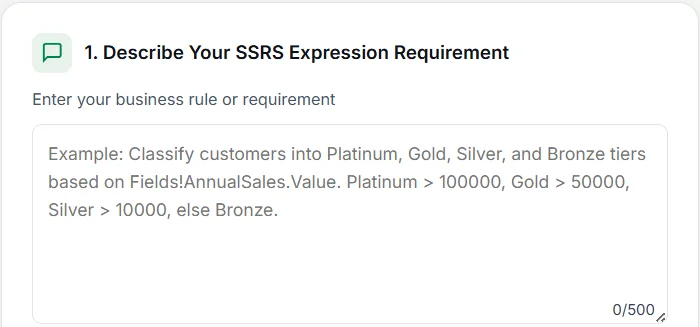
Step 2: Describe your business requirement
Enter your requirement in plain English (up to 500 characters). Be specific about conditions, calculations, and formatting rules.
Example inputs:
“Calculate the days between order date and ship date.”
“Show ‘Overdue’ in red when due date is before today.”
“Classify revenue as High, Medium, or Low based on total sales.”
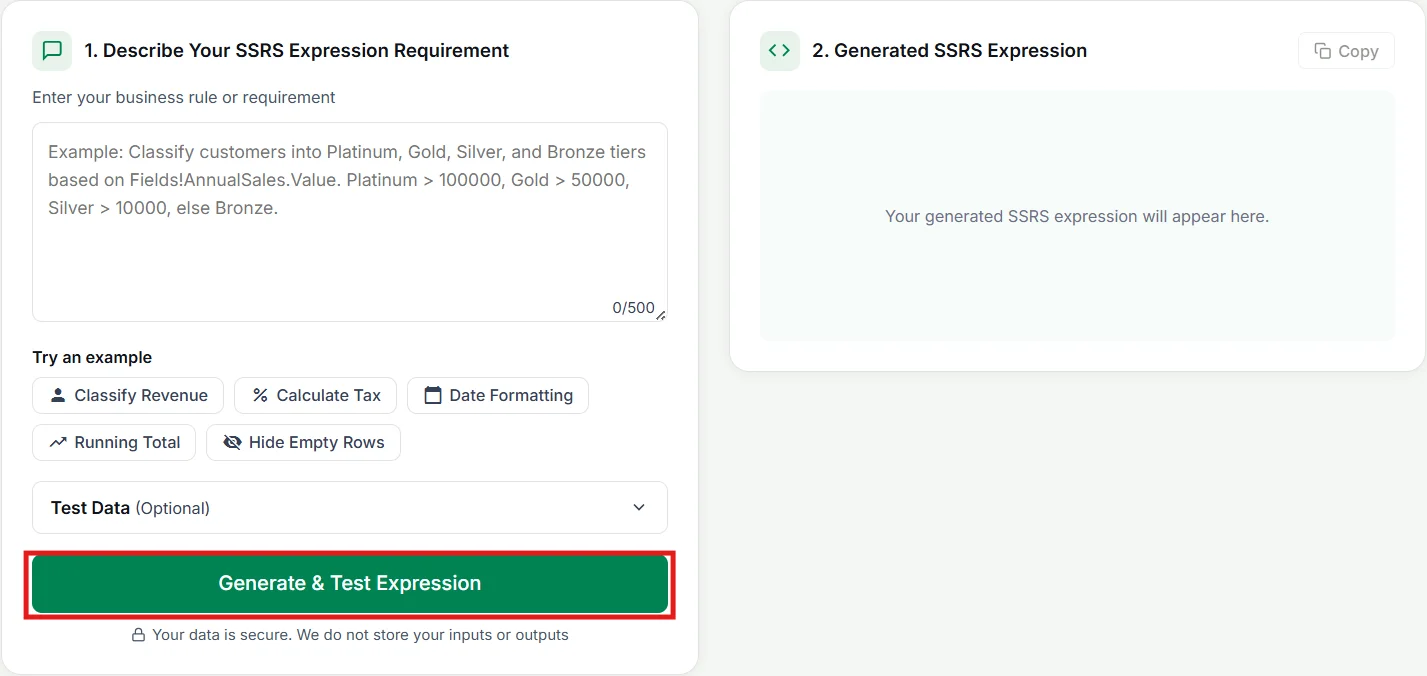
Step 3: Generate the expression
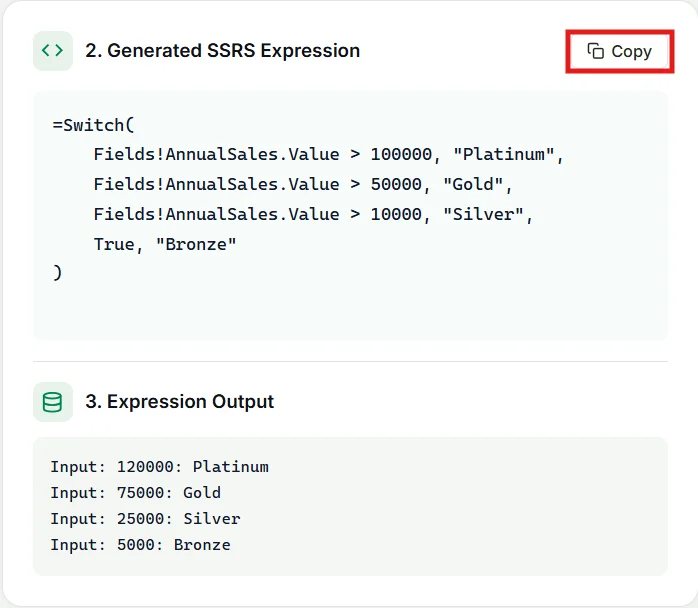
Click Generate & Test Expression. The AI processes your input and generates a valid SSRS expression.
Step 4: Review and refine
Check the expressions generated. Adjust phrasing if needed and regenerate for alternative results.
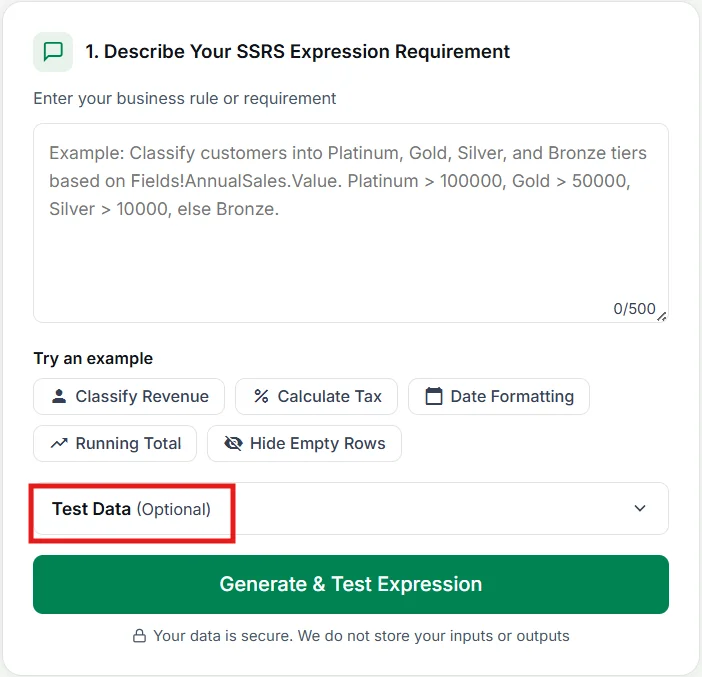
Step 5: Test with sample data (optional)
Use the built-in tester with sample JSON data to validate logic before deployment. Preview the results and confirm expected outcomes.
Step 6: Copy and apply
Copy the expression and paste it directly into SSRS, Bold Reports, or the Microsoft Report Builder.
A real-time example
Here’s what the AI-powered tool’s workflow looks like in practice.
Step 1: Define your requirement:
“Calculate tax at 7.5% for orders over $1,000, and at 5% for everything below.”
Step 2: Generate the SSRS expression:
=IIf(Fields!OrderAmount.Value > 1000,

Fields!OrderAmount.Value * 0.075,

Fields!OrderAmount.Value * 0.05)
Step 3: Validate the logic with sample data, then copy the expression directly into SSRS, Bold Reports, or the Microsoft Report Builder.
With AI-powered SSRS expression generation, what once required manual VB coding, debugging, and documentation review is now completed in seconds, improving reporting efficiency and accuracy.
Manual expression writing vs. AI-powered expression builder
| Aspect | Manual expression writing | AI-powered expression builder |
| Speed | Time-consuming and manual. | Instant generation from natural language. |
| Ease of use | Requires strong SSRS syntax knowledge. | Beginner-friendly, no deep technical expertise needed. |
| Accuracy | Prone to syntax errors and bugs. | Higher accuracy with AI-assisted logic and validation. |
| Complex logic | Difficult and tedious to build nested conditions. | Easily handles complex and nested expressions. |
| Testing and validation | Requires separate effort to debug and test. | Built-in tester with real-time preview. |
| Productivity | Slower development cycles. | Significantly faster report development. |
| Reusability | Repetitive coding for similar logic. | Reduces repetition with quick regeneration. |
| User experience | Can be frustrating and error-prone. | Smooth, intuitive, and efficient workflow. |
| Learning curve | Steep | Smooth, intuitive. |
Key applications of the SSRS expression builder
The tool simplifies a wide range of reporting tasks:
-
- Conditional formatting: Apply dynamic colors, icons, and alerts based on data conditions.
- Advanced calculations: Perform addition, averages, percentages, and custom calculations without modifying source data.
- Date and number formatting: Customize the display of dates, currencies, and numeric values across regions.
- Visibility expressions: Show or hide tables, charts, and sections based on conditions or parameters.
- KPI tracking: Build key performance indicators and visual metrics for real-time monitoring.
- Dynamic text generation: Auto-update report titles, labels, and messages based on data values.
Security and privacy
Your data is handled responsibly. The AI-powered SSRS expression builder does not store your inputs or outputs. Expression requests are processed temporarily; nothing is saved to servers or used for model training. This makes it safe to use even with sensitive financial or operational business rules.
For teams looking to go beyond expression creation, the tool integrates seamlessly with Bold Reports’ advanced reporting capabilities, including:
-
- Self-service reporting for nontechnical users and business teams.
- Embedded reporting for web and enterprise applications.
- Automated report scheduling and distribution for timely insights.
- Role-based access control and enhanced security.
This creates a clear and seamless upgrade path from using a free SSRS expression generator to adopting a full-featured, secure, enterprise-grade reporting solution with Bold Reports.
Explore more free tools from Bold Reports
Beyond the expression builder, Bold Reports offers a suite of free tools:
-
- Word-to-RDL converter: Transform Word documents into dynamic RDL report files.
- PPT-to-RDL converter: Convert PowerPoint presentations into ready-to-edit RDL reports.
- Invoice template: Prebuilt template for business invoice reports.
- Receipt template: Ready-to-use receipt layout for retail and service reports.
These tools reduce the friction of report creation, allowing teams to glean insights more quickly and efficiently.
Final thoughts
Creating accurate SSRS expressions is fundamental for building dynamic reports but relying on manual methods can quickly become time-consuming and difficult to scale as complexity grows.
The AI-powered SSRS expression builder and tester simplifies this process by combining natural language input with instant expression generation and real-time validation. This not only reduces errors but also helps teams work faster and maintain consistency across reports in SSRS, Bold Reports, and the Microsoft Report Builder.
As reporting demands continue to increase, adopting AI-driven tools becomes key to improving efficiency and scalability. By removing the complexity of syntax and the need for manual testing, this tool allows you to focus on delivering accurate, meaningful reports with confidence.
Ready to build SSRS expressions faster and easier? Try the free AI-powered SSRS expression builder from Bold Reports. Need help? Contact us for support and guidance.
Frequently asked questions
- 1.
Is the AI SSRS expression builder free?
Yes, the tool is completely free to use online with no installation required.
- 2.
What types of SSRS expressions can I generate?
It supports conditional logic, IIF/Switch, date and time calculations, string functions, aggregations, math, ranking, visibility, and formatting expressions.
- 3.
Can I use generated expressions in Bold Reports?
Yes, all generated expressions are fully compatible with Bold Reports and SSRS environments.
- 4.
Do I need coding experience to use this tool?
No, the tool is designed for both beginners and experts. You can create expressions using simple natural language, without needing deep knowledge of SSRS syntax.
- 5.
Can I create expressions for sales, finance, and business reports?
Yes. It supports use cases like tax, profit, margin, customer tiers, KPIs, commissions, financial rules, and performance metrics.
- 6.
When should I use an AI-powered SSRS expression builder?
It is useful when creating complex expressions.
- 7.
What should I do if the expression generated is not accurate?
You can refine your input, regenerate the expression, or make minor adjustments. For additional help, contact the Bold Reports team for support.






