Other supported frameworks

Overview

The ASP.NET Web Forms Report Viewer efficiently accesses, displays, and interacts with SSRS RDL and RDLC reports from diverse data sources. It supports localization, multiple export formats (PDF, Excel, CSV) and customizable printing. Interactive features like drill-down, drill-through, hyperlinks and subreports enrich user experience. Seamlessly integrates with applications, offering role-based access control for security.

What you can do with ASP.NET WebForms Report Viewer

Reports from anywhere

Effortlessly access and view SSRS RDL and RDLC reports with the ASP.NET Web Forms Report Viewer. With or without a report server, the viewer allows easy access to reports from Microsoft SSRS, SSRS SharePoint, as well as applications, cloud storages, and databases.

View reports from any server or embedded in apps using the JavaScript Report Viewer.

Connect to any data source

Consume data from a wide variety of data providers that are in local or server databases:

  • Built-in data sources: Microsoft SQL Server, Microsoft SQL Azure, SQL CE, XML, Microsoft Access, Oracle, OLEDB, and ODBC.
  • Business object data sources: IList, DataSet, and DataTable.
  • Custom data processing extensions: MySQL, SQLite, PostgreSQL, and more.
The ASP.NET Web Forms Report Viewer connects to any data source using a variety of data providers.

Eye-popping data visualization

The ASP.NET Web Forms Report Viewer displays reports that provide information, insights, and trends:

  • Basic items: Text box, image, line, and rectangle.
  • Data region items: Table, matrix (pivot table), and list.
  • Data visualization: Charts, sparklines, data bars, gauges, indicators, and maps.
  • Subreports.
  • Custom report items: Barcodes, QR barcodes, and more.
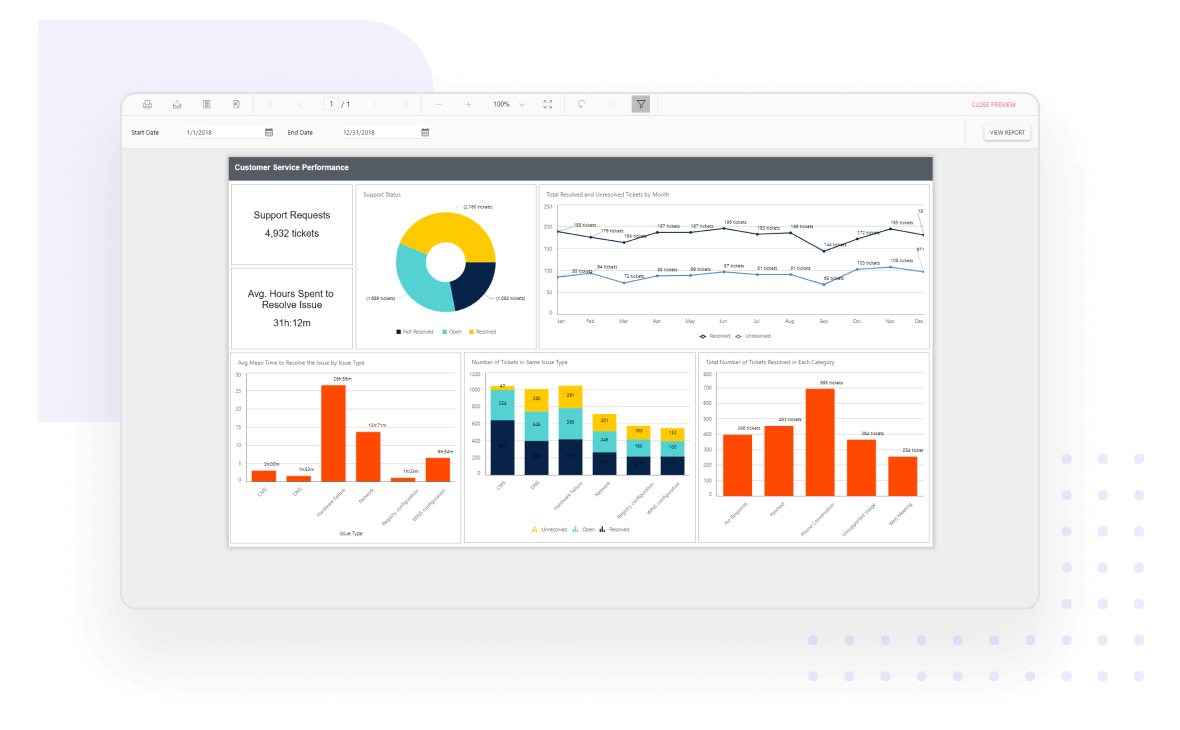
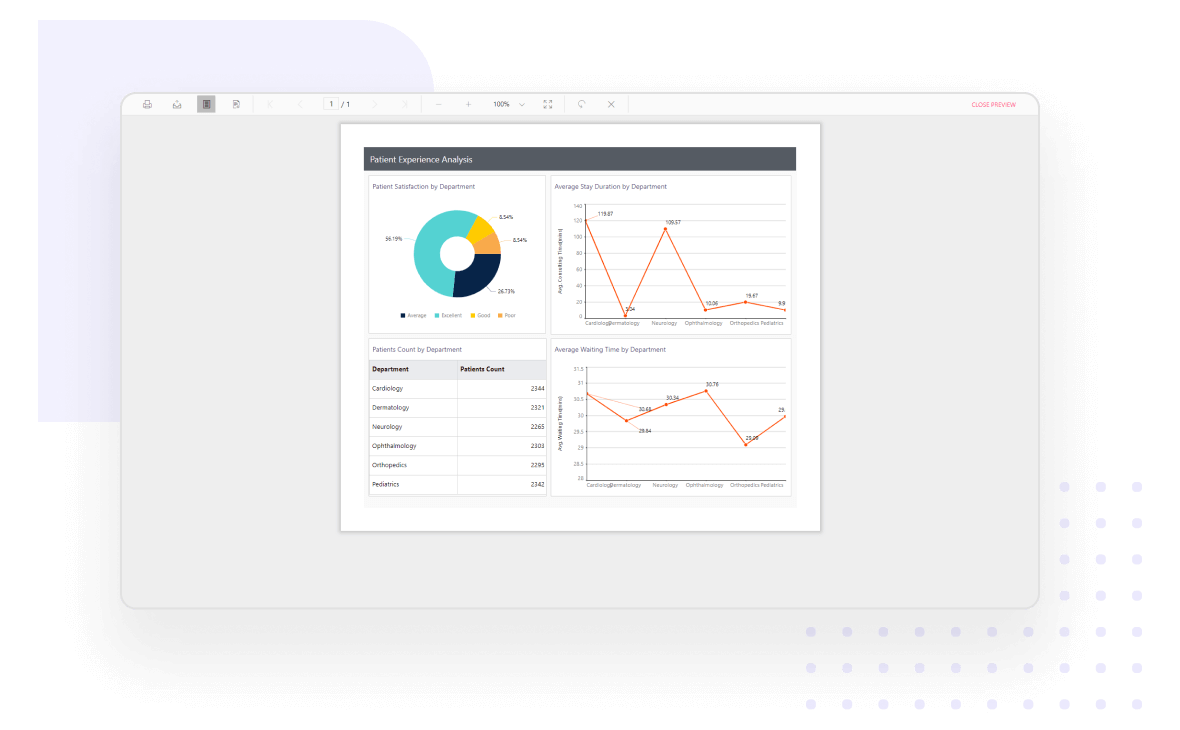
JS Report Viewer displays beautiful reports with eye-catching data visualizations.

Presentation-ready reports

Visualize your information with unmatched clarity by highlighting data on demand using the ASP.NET Web Forms Report Viewer. Supported data customization options include:

  • HTML/rich text rendering.
  • Conditional formatting.
  • Simple and complex expressions.
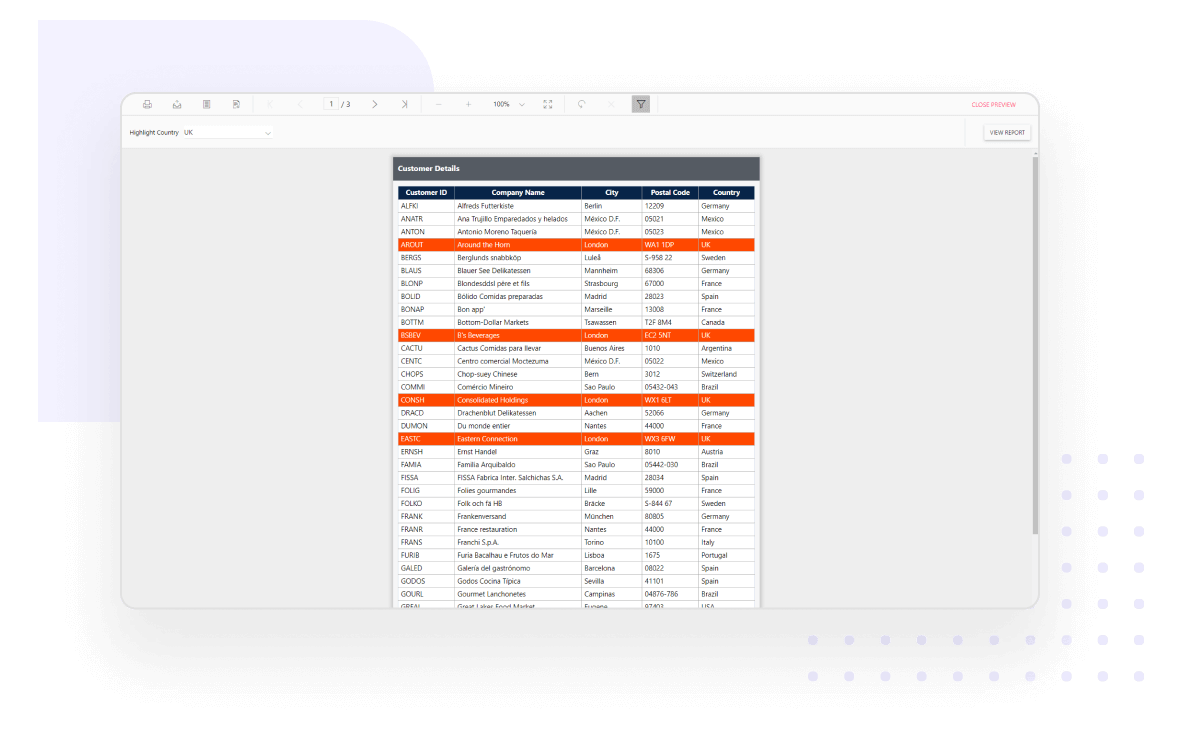
JS Report Viewer delivers presentation-ready reports with charts and rich formatting

Data shaping

View organized and shaped data to make bolder business decisions using the following techniques:

  • Sorting
  • Filtering
  • Grouping
  • Summaries and aggregates
  • Calculated fields
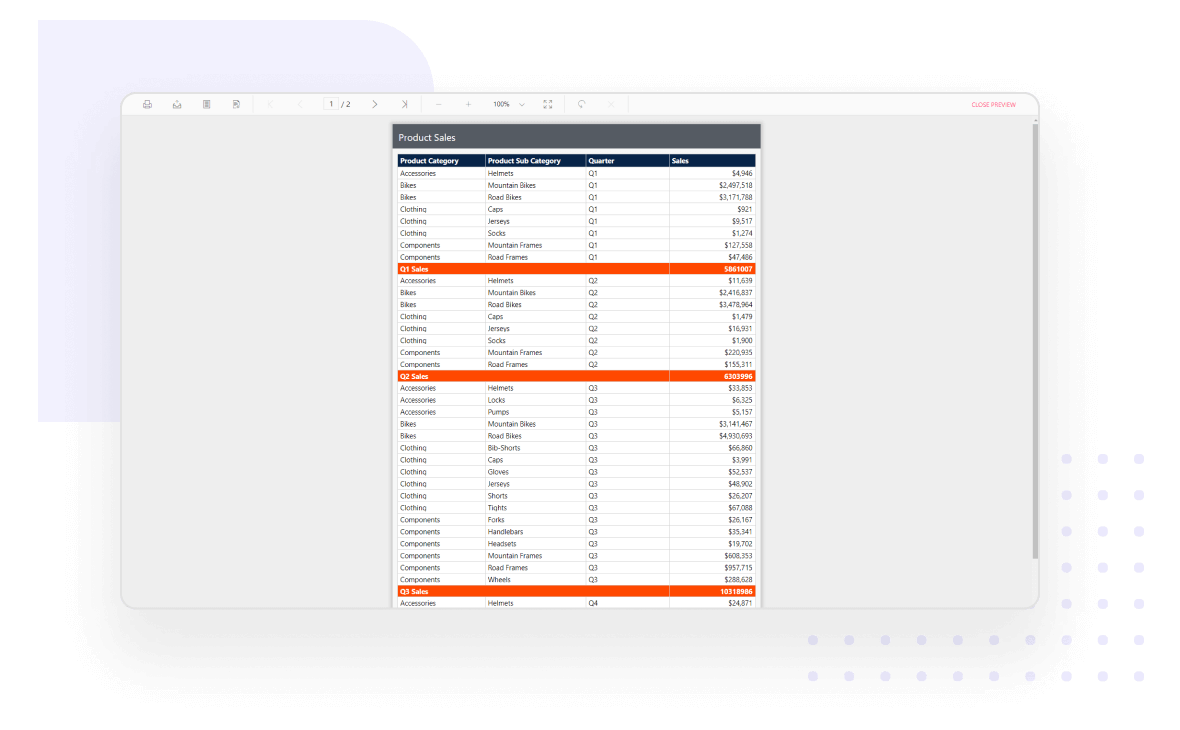
JS Report Viewer: Sorted, grouped, filtered reports with calculated fields
  • Cascading parameters
  • Non-queried parameters
  • Queried parameters
  • Multivalued parameters
  • Custom parameter layouts
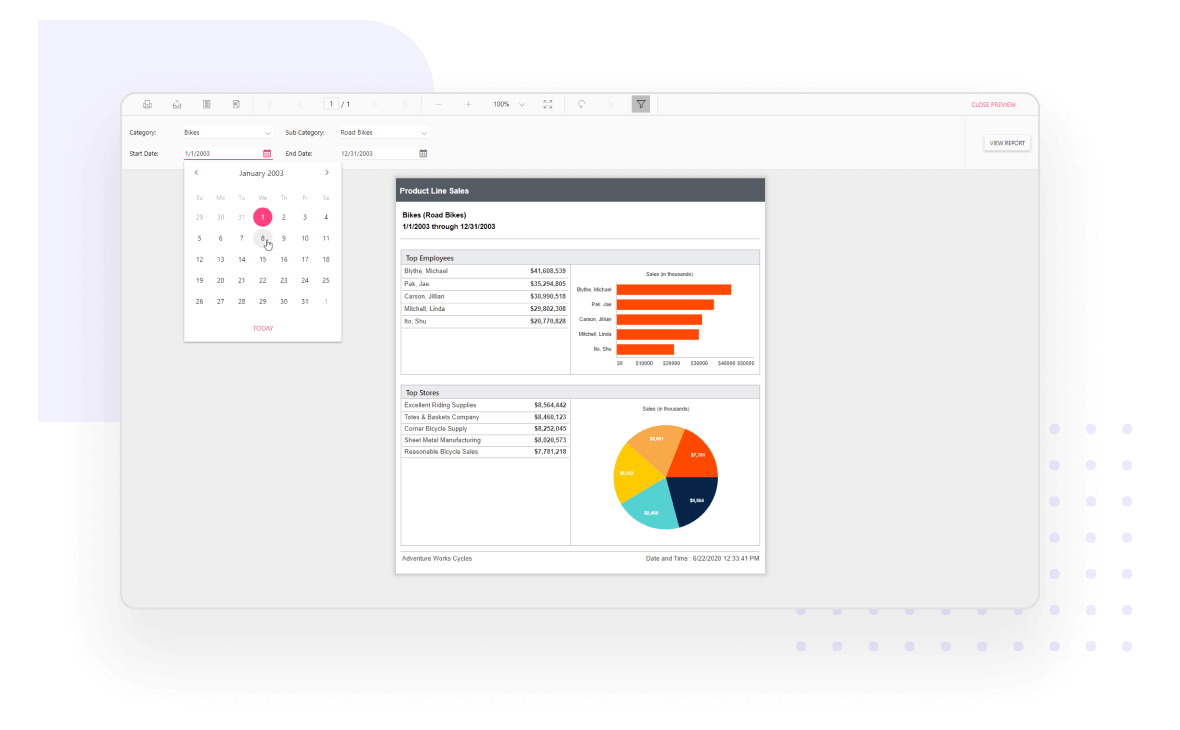
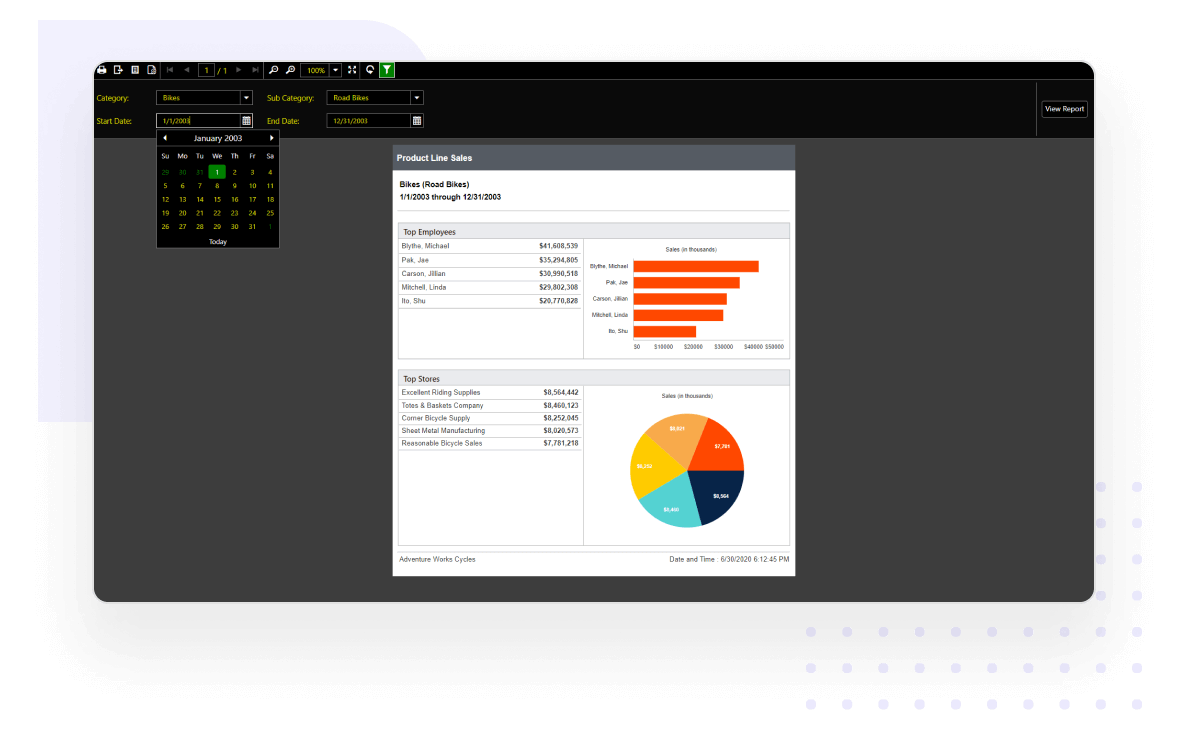
JS Report Viewer showing product line sales report with cascading parameters.

Interactive reports

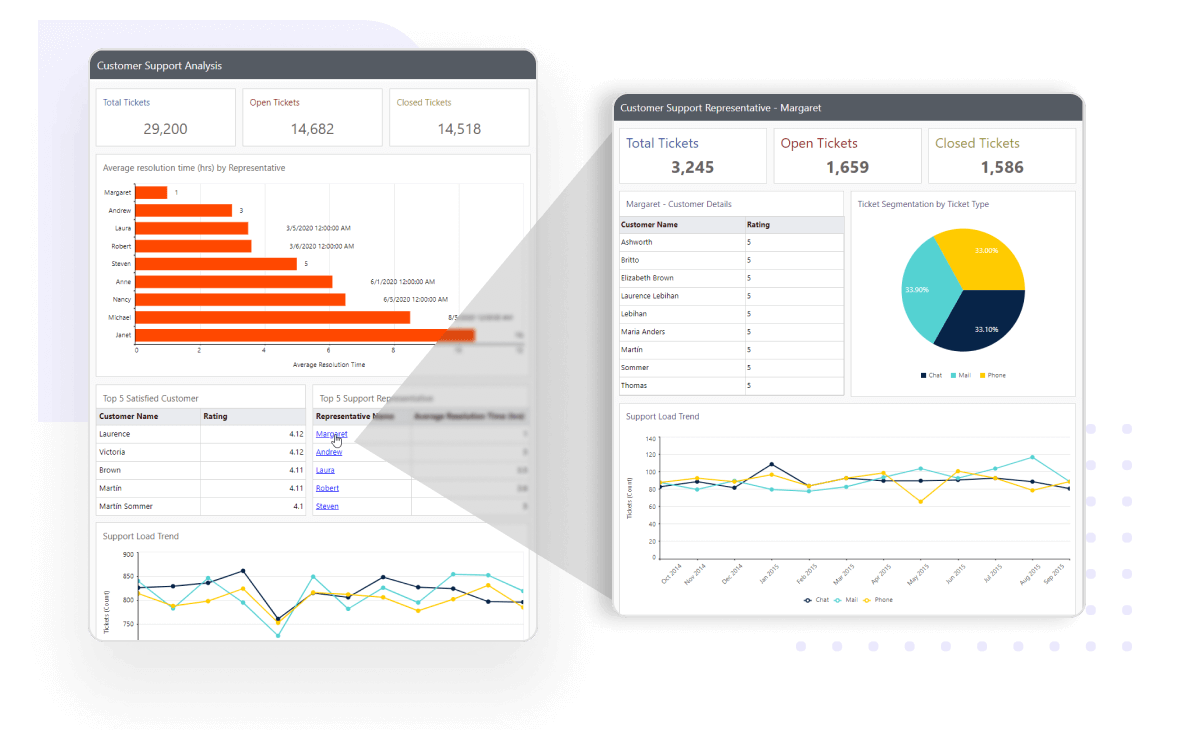
The ASP.NET Web Forms Report Viewer displays data in data regions that support user interactions at runtime with features like drill down, drill through, hyperlinks, bookmarks or anchors, document map, sub-reports, and nested data regions.

The ASP.NET Web Forms Report Viewer supports drill through, drill-down, and hyperlinks in reports.

Multicolumn reports

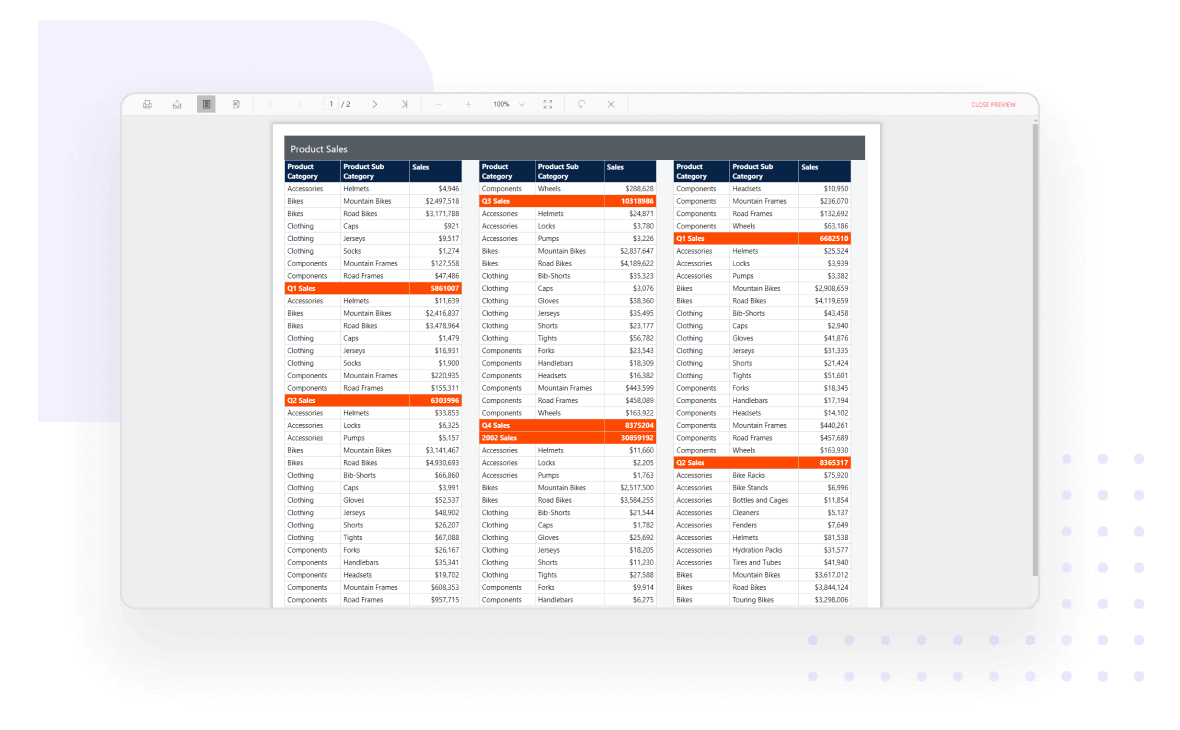
Allows the user to visualize the data across multiple adjacent columns such as mail merge, business cards, newspaper, and more.

ASP.NET Web Forms Report Viewer displaying product sales report in multiple columns.

Print preview

Provides support to set up print options like paper size, margins, and orientation of the printable output and preview the result.

Change the page settings and print preview the output using the ASP.NET Web Forms Report Viewer.

Print and export

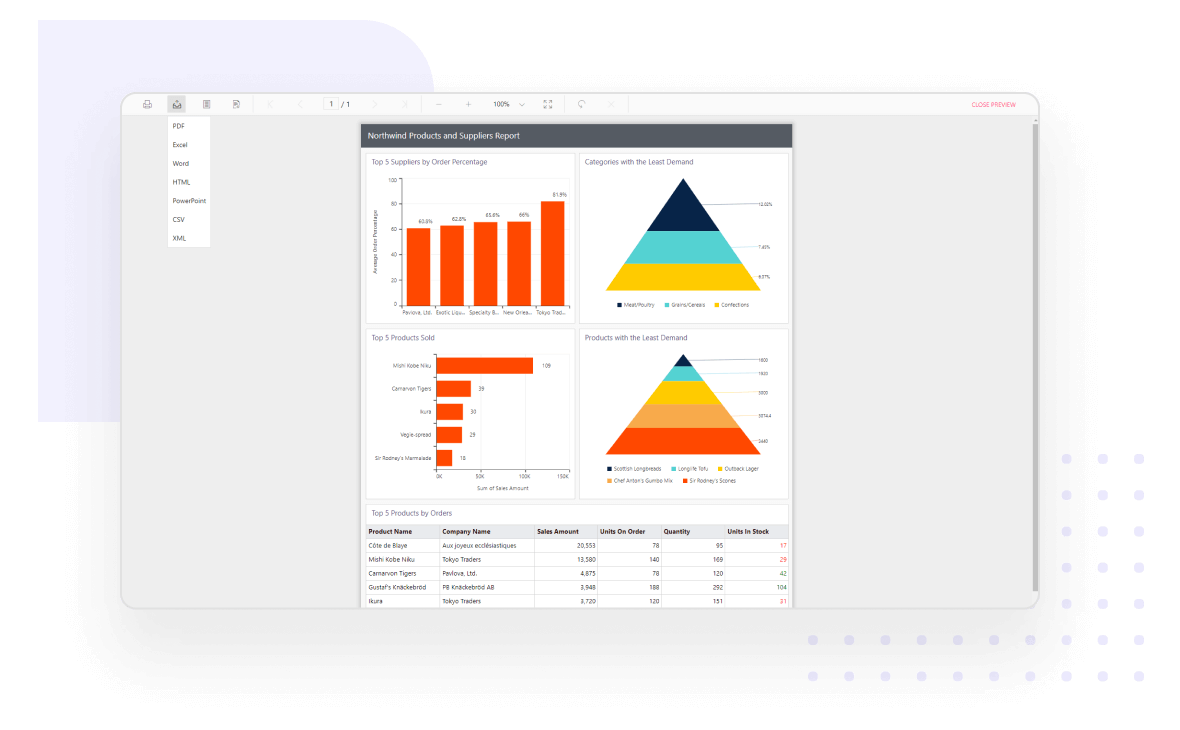
Effortlessly print and export report contents by just clicking the print/export option in the toolbar. The most popular file formats such as PDF, Word, Excel, CSV, PowerPoint, XML, and HTML are supported.

The ASP.NET Web Forms Report Viewer provides built-in printing and exporting options.

Customization

Supports complete customization to entirely change the appearance of the toolbar and parameter layout to fit your application’s look and feel.

The ASP.NET Web Forms Report Viewer toolbar and component elements are easily customizable.

Stunning built-in themes

Pixel-perfect built-in themes are available in Material, Bootstrap, and Fabric designs. In addition, the library comes with an accessible high-contrast theme.

Built-in color themes in JS Report Viewer help build visually appealing report apps.

Developer-friendly APIs

You have control over all UI elements (toolbar, parameter block, page, and dialogs) and behaviors of the ASP.NET WebForms Report Viewer. It provides the best user experience to users through a rich set of developer-friendly APIs.

Developer-friendly APIs are available in the ASP.NET Web Forms Report Viewer.

Globalization and localization

Easily build applications to be used by a global audience in various languages using culture settings and localizing static text.

All elements of the ASP.NET Web Forms Report Viewer component can be localized.

Responsive rendering

ASP.NET WebForms Report Viewer will adaptively render itself with optimal user interfaces for phone, tablet, or desktop form factors. This allows your application to scale elegantly on all kinds of devices.

The ASP.NET Web Forms Report Viewer responsively renders in all devices.

Browser compatibility

Works in all modern browsers on all devices as the ASP.NET WebForms Report Viewer is rendered using HTML5 elements.

The ASP.NET Web Forms Report Viewer is compatible with all modern browsers.

Enterprise-Ready Compliance

Bold Reports helps you meet key security and compliance standards. All activity logs are safely stored, can’t be changed, and are easy to export when needed.
ISO 27001
SOC 2 Type 2
GDPR Compliant
HIPAA Compliant

Enterprise-Grade Compliance

Bold Reports helps you meet key security and compliance standards. All activity logs are safely stored, can’t be changed, and are easy to export when needed.

Ready to Add Custom Reports to Your Application?

With Bold Reports, you can build and embed reports that feel like a native part of your application—fully branded and easy to use.